ATRIA Wi-Fi 6 Mesh System 3000 UK (2-pack)
All questions
ATRIA Wi-Fi 6 Mesh System 3000 UK (2-pack)
What can I do in the Web UI?
1Connect to the Wi-Fi of the device
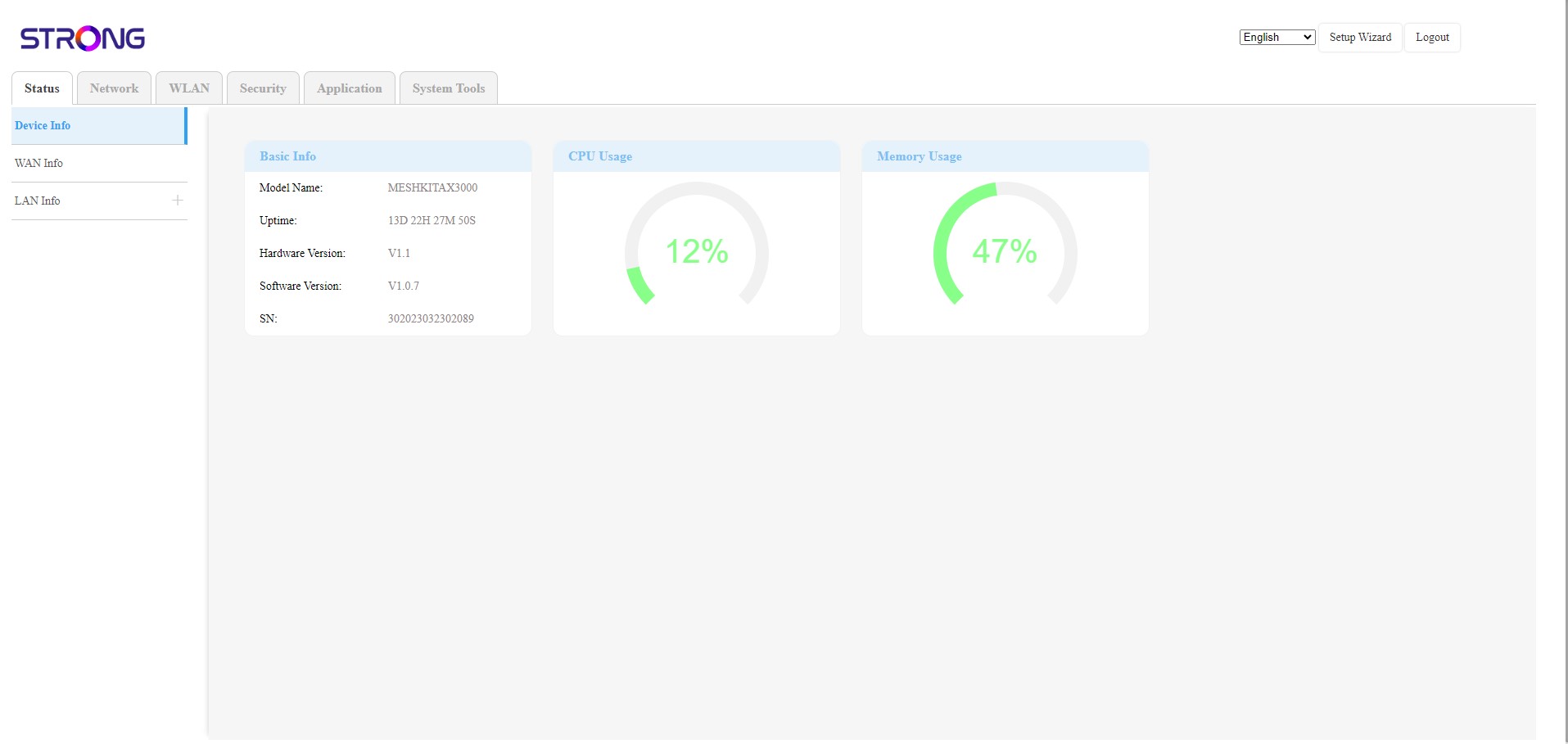
The Web UI is divided into 6 sections:
• Status: Where you can find all the informations about the Mesh device and Network.
• Network: where you can configure the WAN, the LAN settings (IPv4 / IPv6) and set up a Speed Limit.
• WLAN: where you choose between 2.4G and 5G network, set up multiples SSID, the WPS, manage the internet access of the different mac address, modify the SSID and Wi-Fi Passwords and set up a Mesh.
• Security: where you can set up a firewall, DoS Settings, URL/MAC filters, IP filters, parental/service control and Schedule the Mesh Network activation.
• Application: where you can configure the NAT settings (ALG, DMZ, Port Forwarding), a VPN, the SNTP (Time zone), a VPN, a Dynamic DNS, the UPnP and access the IPTV Configuration.
• System Tools: where you can change the login credentials, reboot the device, update the firmware, save and restore a backup, reset to factory settings, manage the LEDs, access the logs and launch diagnostics.