
ATRIA Wi-Fi 6 Mesh System 3000 UK (2-pack)
All questions
ATRIA Wi-Fi 6 Mesh System 3000 UK (2-pack)
How should I organize my Mesh Network to optimize my Wi-Fi network?
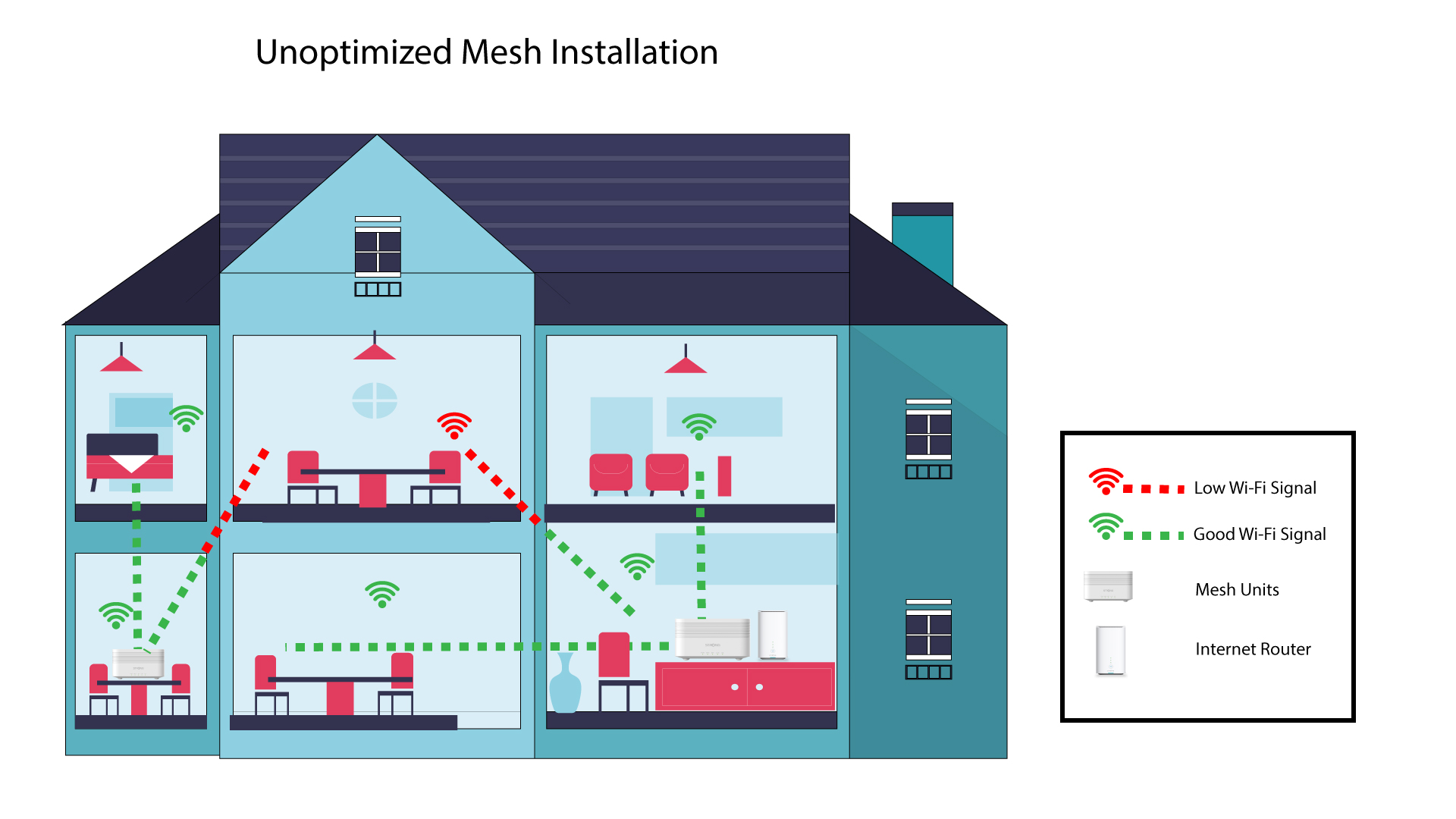
To optimize you coverage you should install the mesh in the location where you have coverage issues in order to cover the widest area possible in your home. Please make sure that the mesh units are not located in a room where there is a load bearing wall, as the wall is thicker the Wi-Fi signal can have issues getting through it.
1Coverage
The following schema shows Wi-Fi coverage inside a house where mesh nodes are not located in the right area of the house to have a proper coverage.
2Disposition
The following schema shows Wi-Fi coverage inside a house where mesh nodes are located in the right area of the house to have a proper coverage.
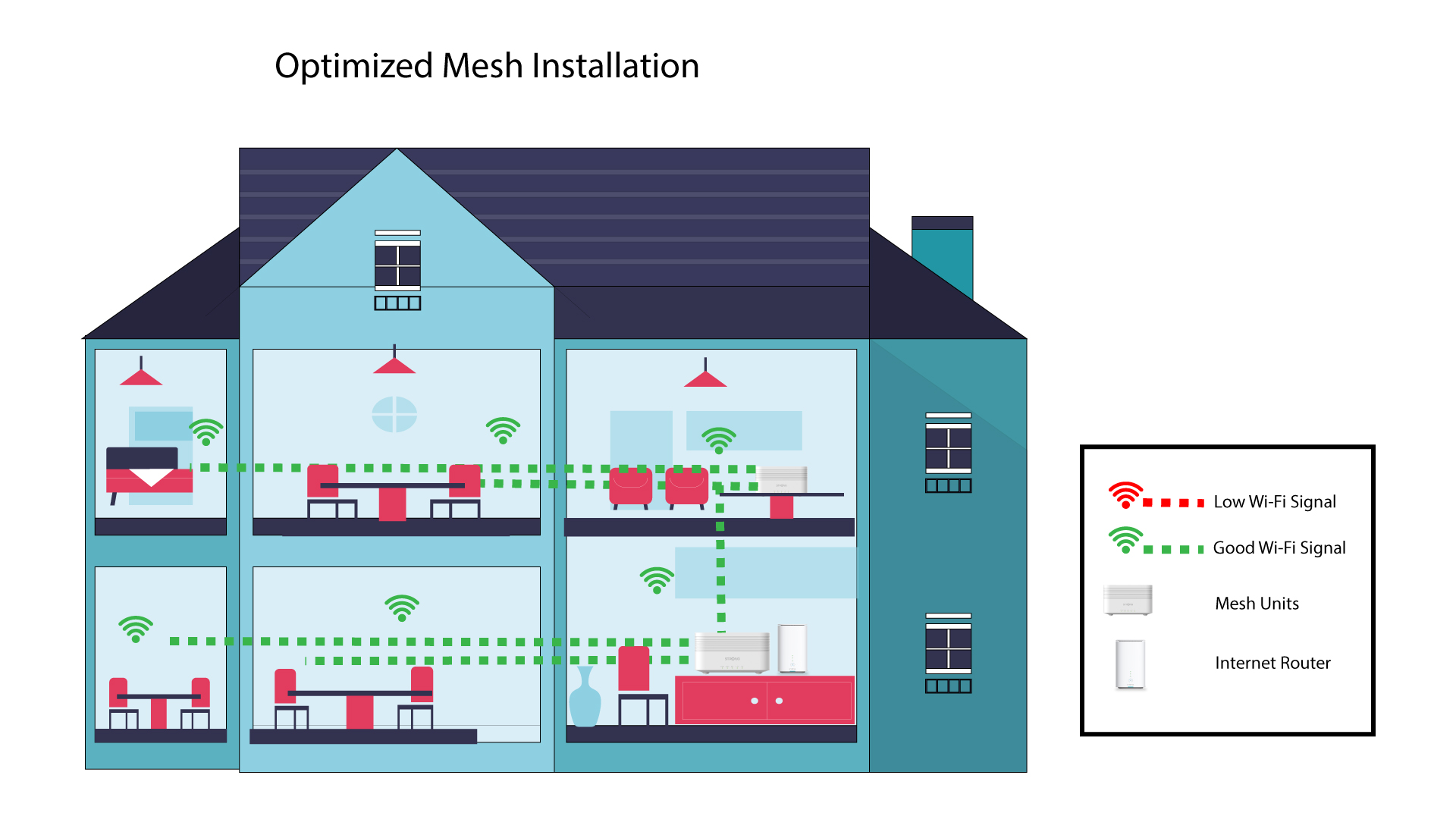
If you have a big house, you can install several mesh units to cover all the rooms.
You can see if the coverage provided by your mesh nodes in your home is OK in the app.
1Atria App coverage
To do so, connect to the Wi-Fi of your Mesh and go to the App on your device.
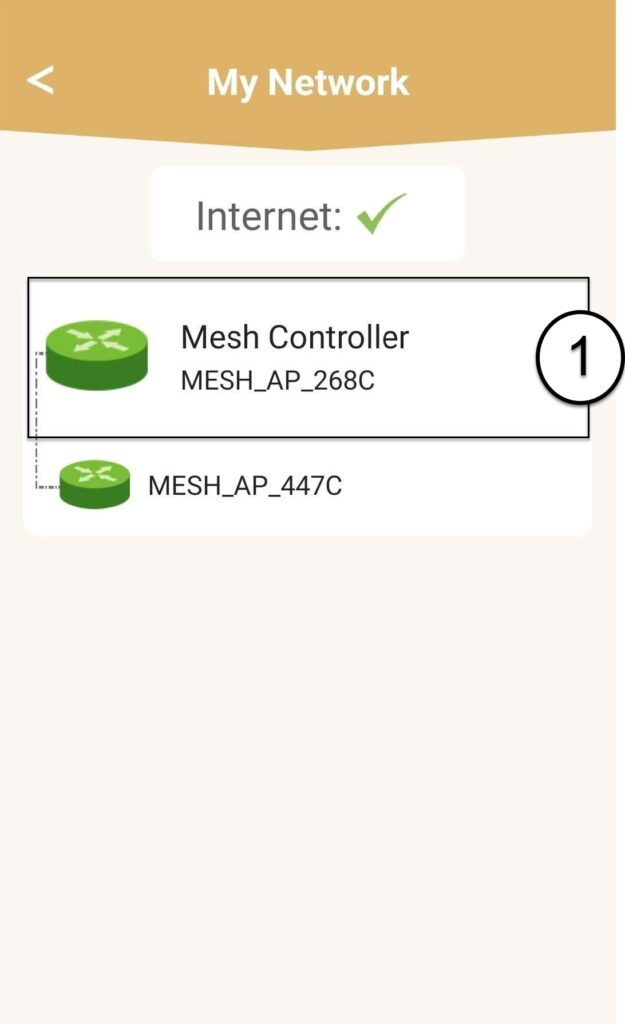
Then, click My Networks.

2Mesh Unit info
Click on the name of the mesh unit to access its information
3Rename the units
Click on the name field and enter a new name:
• The mesh controller should be named like this: MeshAX3000-Main-Nameoftheroom
• The mesh agents should be named like this: MeshAX3000-Nameoftheroom
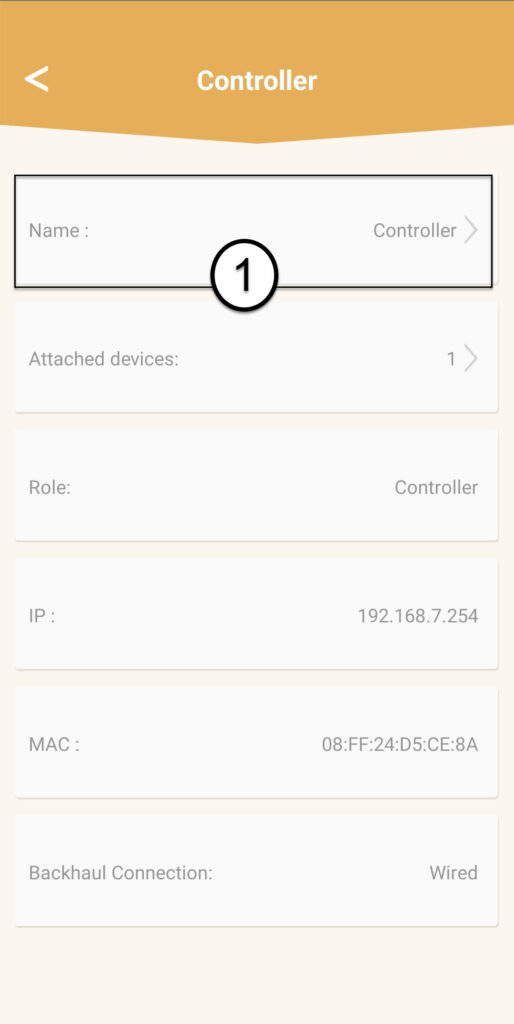

Warning: If the mesh unit appears in grey it means that it is not providing enough coverage and that you should adjust its location to optimize the mesh network.