ATRIA Wi-Fi 6 Mesh System 3000 UK (2-pack)
No items found.
No items found.
All questions
ATRIA Wi-Fi 6 Mesh System 3000 UK (2-pack)
No items found.
No items found.
How do I configure my Wi-Fi mesh network

Warning: To configure your Mesh network please refer to the QIG provided in the box of your product.
Please note that you need to repeat this operation for each Mesh unit you wish to add to your Mesh network.
1Case 1: WPS Button
You must plug in the Mesh unit and connect it to your modem by using an RJ45 cable before pressing the power button.
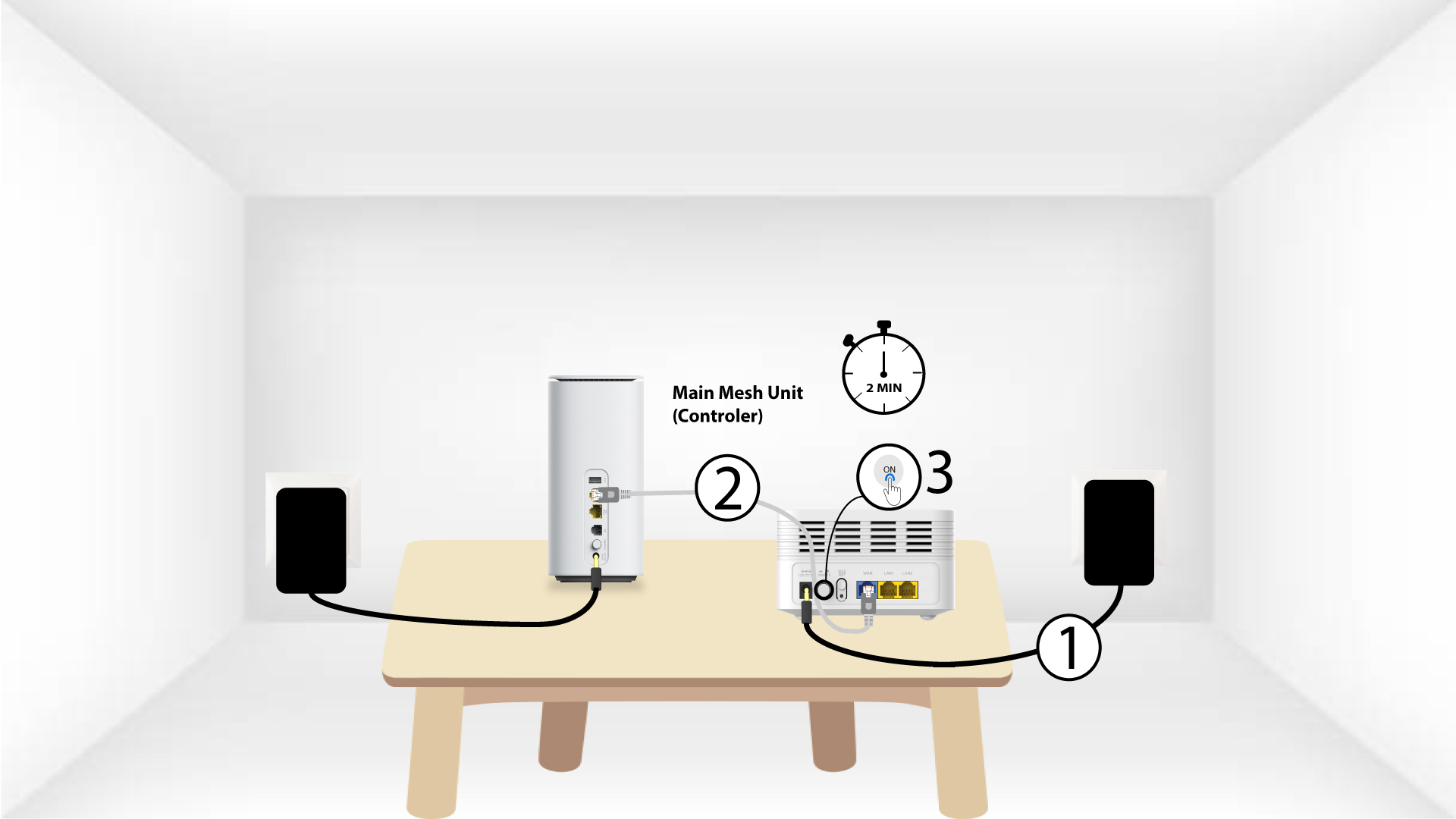
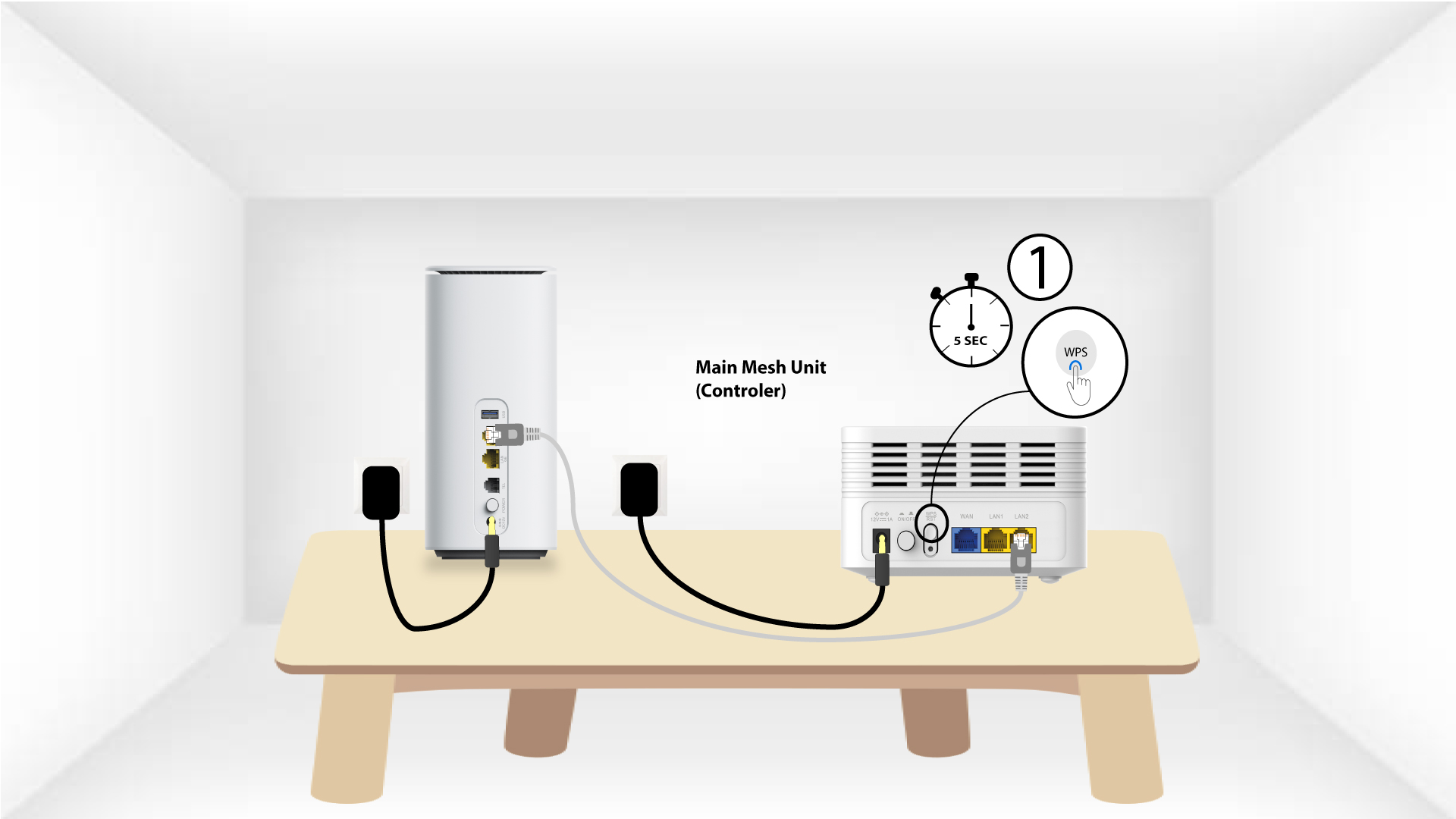
2Main Mesh WPS
Press the WPS button on the mesh connected to your modem for 5 seconds.
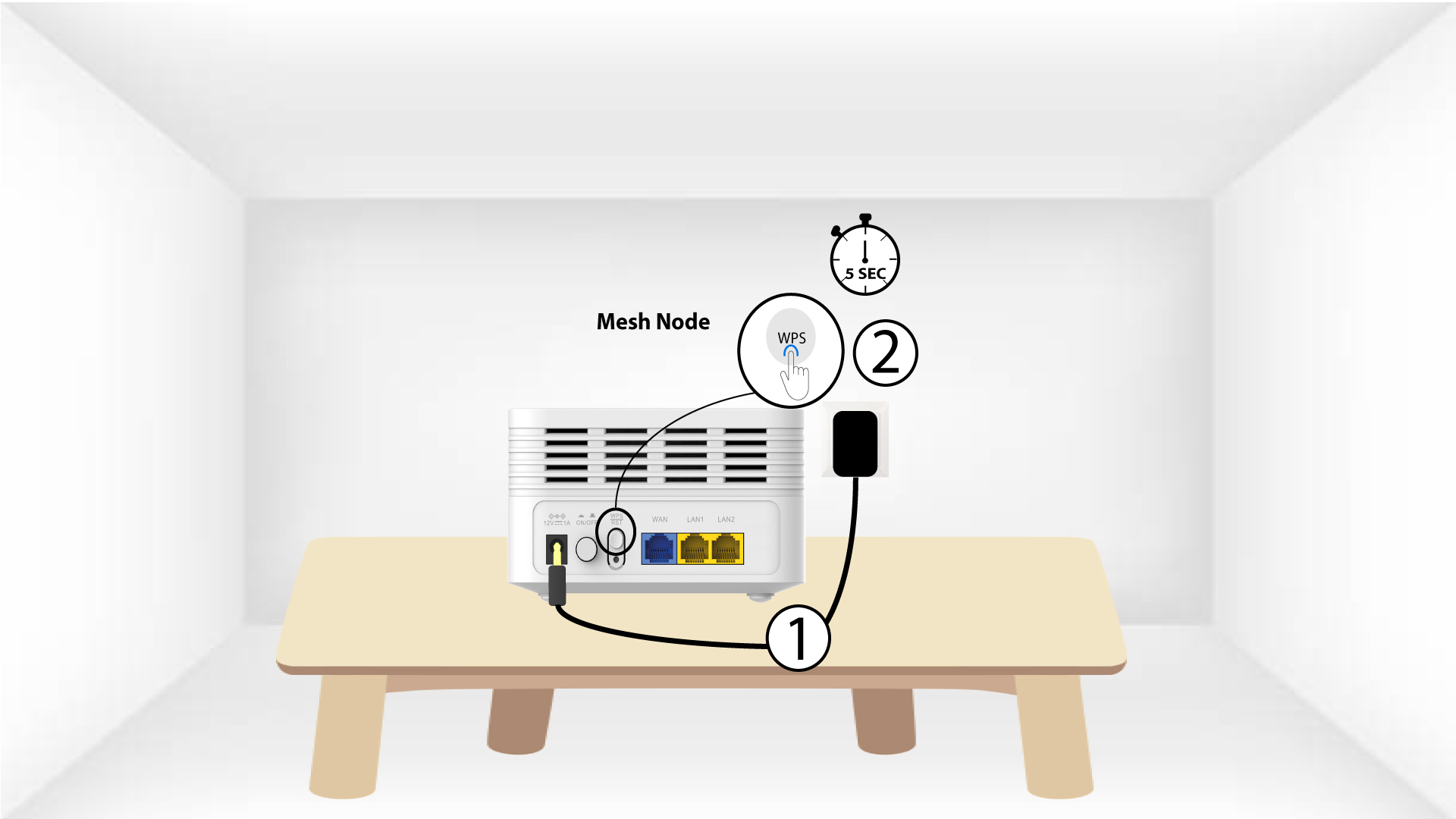
3Second Mesh unit WPS
Plug the second Mesh unit to a socket and press the WPS button for 5 seconds.
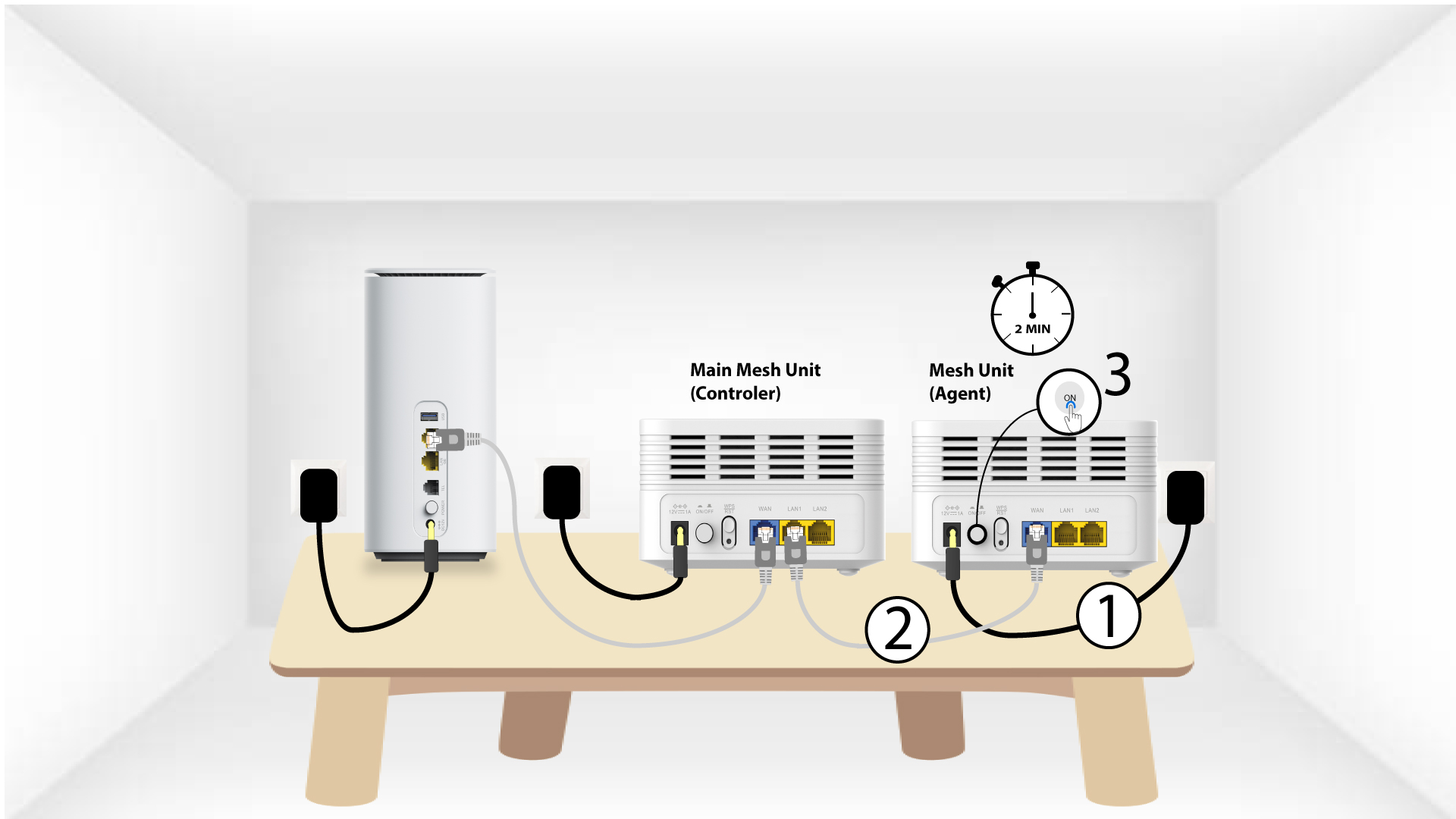
1Case 2: Ethernet cable (RJ45)
You must plug in the Mesh unit and connect it to your modem by using an RJ45 cable in the WLAN port before pressing the power button.
2Ethernet cable in LAN ports of both Mesh
Plug the Main Mesh Unit (Controler) to the Mesh Unit (Agent) via RJ45 in both LAN port of both 2 Mesh.