ATRIA Wi-Fi 6 Mesh System 3000 UK (2-pack)
All questions
ATRIA Wi-Fi 6 Mesh System 3000 UK (2-pack)
Can I configure a Guest Network for my Mesh network? (Case 1: Web UI)
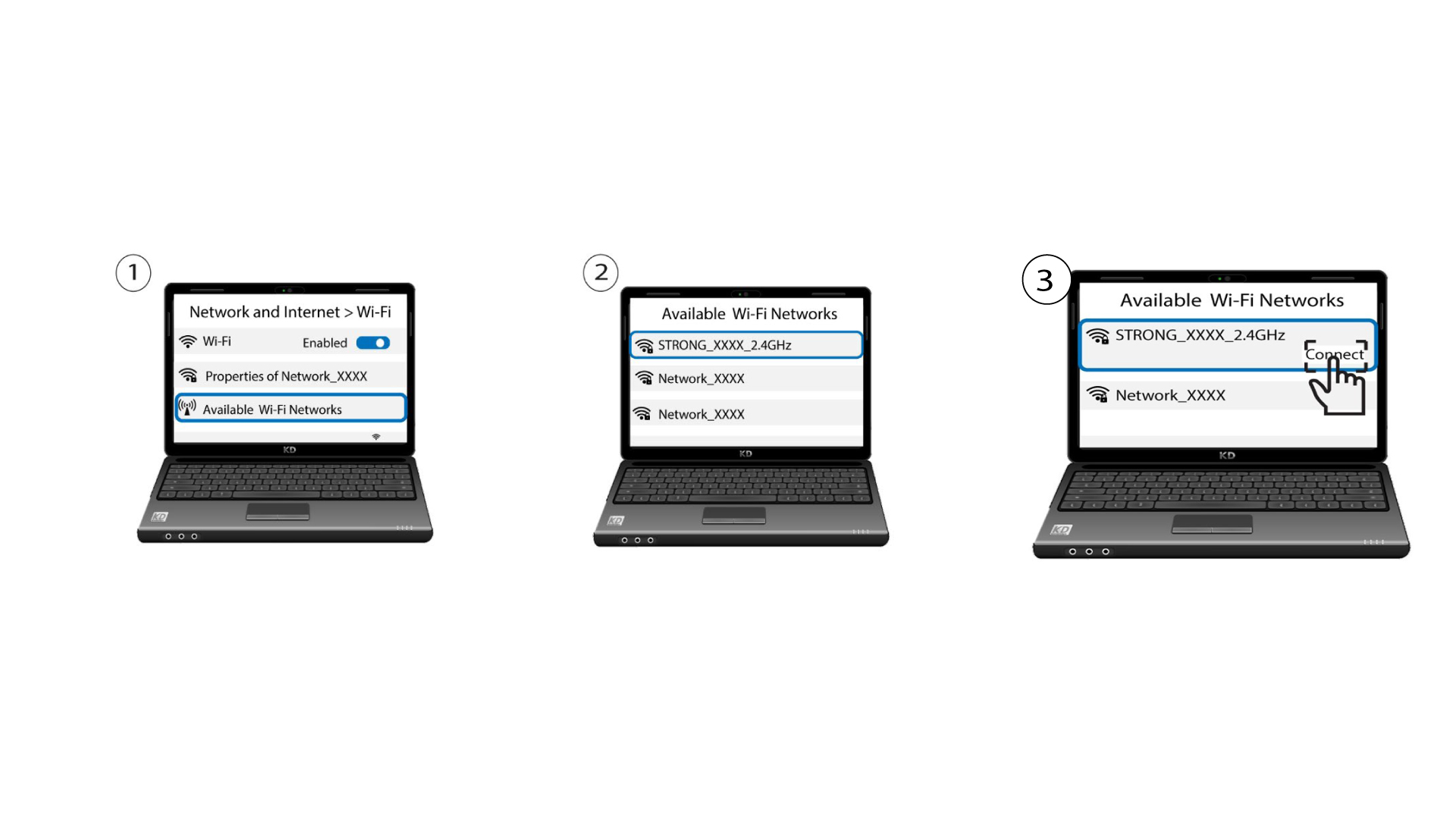
To access the Web UI, you must be connected to the Wi-Fi of your device after connection the RJ45 cable in the WLAN port of your device and of the internet box.
1Connect to the Wi-Fi of the device
To do so, enter the SSID (Wi-Fi Network Name) and Wi-Fi password of the router in your device:
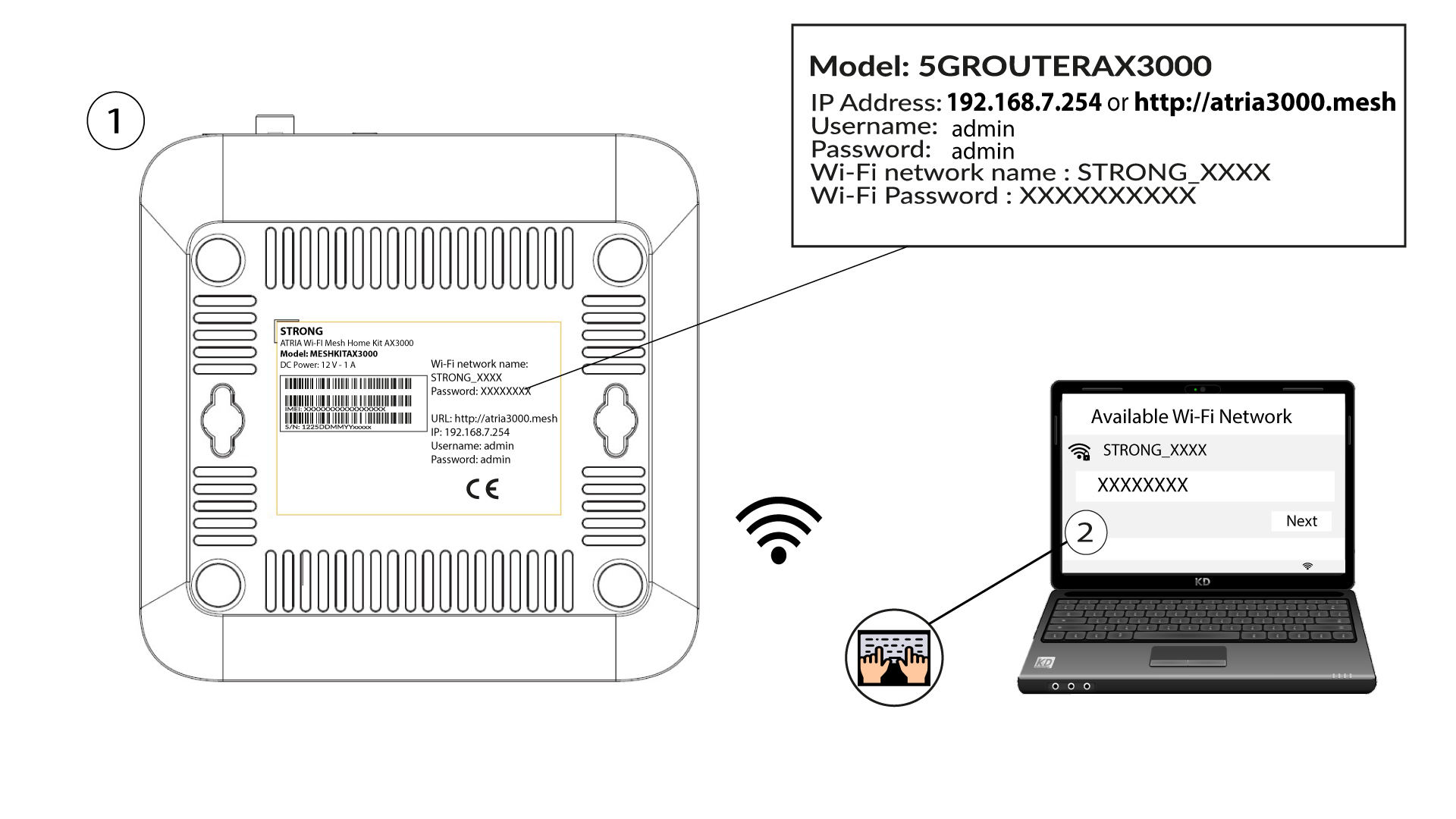
2Browse to the Web UI IP Address
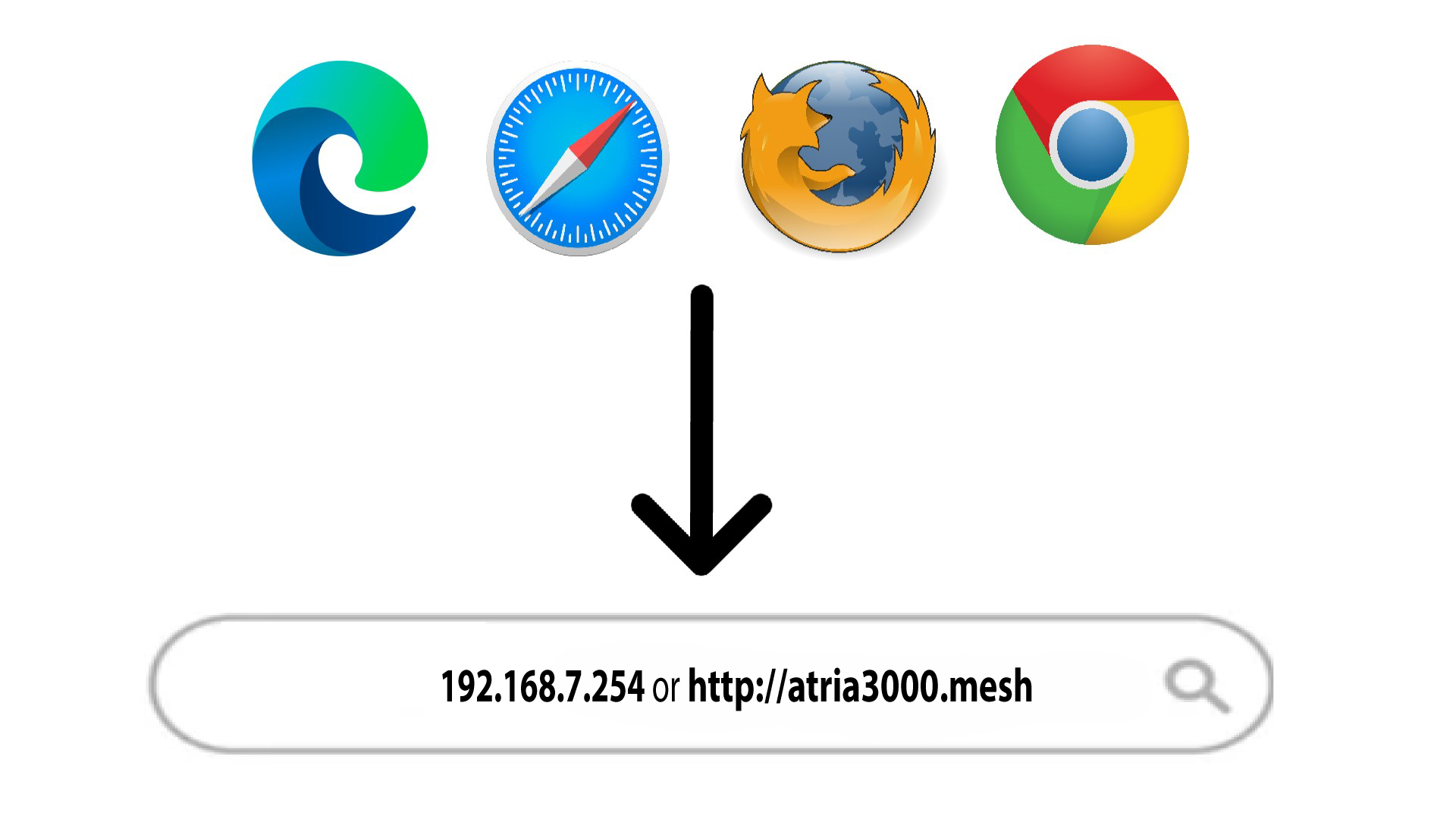
Then, enter the following IP address in your browser: 192.168.7.254 or type the following address : http://atria3000.mesh
3Enter your credentials
You must enter the Username (admin) and Password (admin) (please note that after the first connection you will create your personal admin password which means that the password written on the product label will not work any more). Then, click Login.

4WLAN 2.4G and 5G
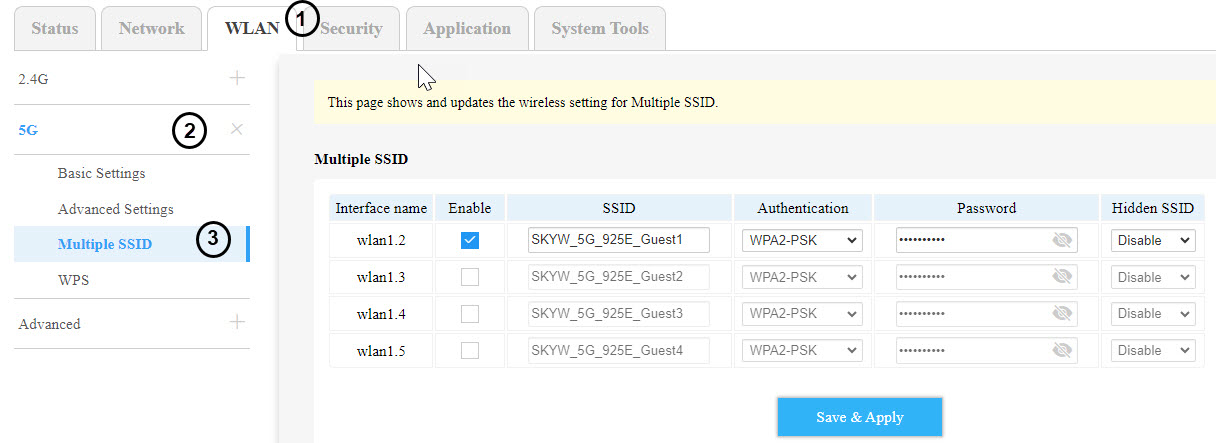
Then click WLAN in the top bar, go to the 2.4G or the 5G section depending on which network type you are on and then, click in Multiple SSID.
5Multiple SSID set-up
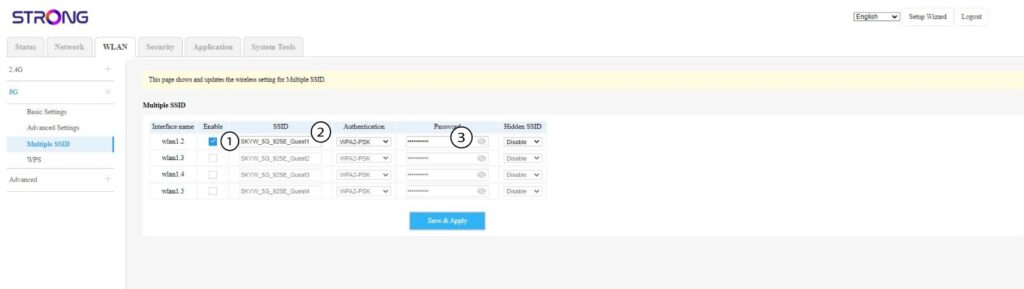
Now, click on Enable for the new Guest Wi-Fi you want to add to the network, you can modify the SSID (Wi-Fi Network Name) and set-up a unique Password. You can also choose the Authentication type and hide the SSID if you want to.
6Save the modifications
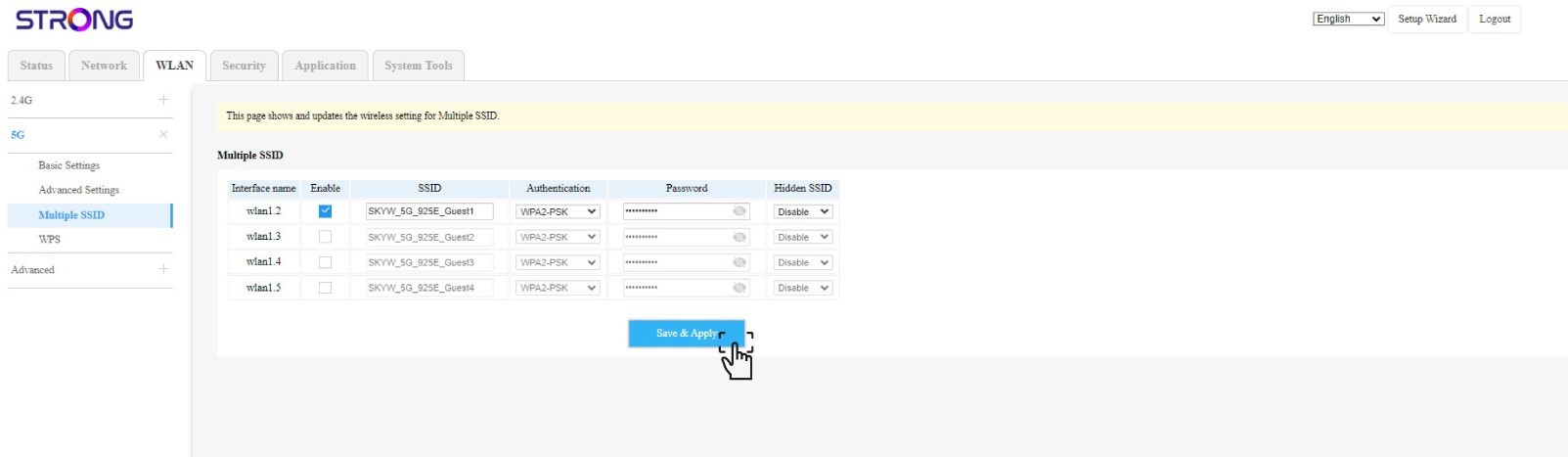
Click Save & Apply.
7Check the new Wi-Fi Network
The new guest network is now visible in the Wi-Fi Network list of your devices.