
ATRIA Mesh 1200 Add-on | MESH1200ADDON
All questions
ATRIA Mesh 1200 Add-on | MESH1200ADDON
How to change the administration password (Web UI)
1Connect to the Wi-Fi of your mesh
To do so, enter the SSID (Wi-Fi Network Name) and Wi-Fi password of the router in your device:

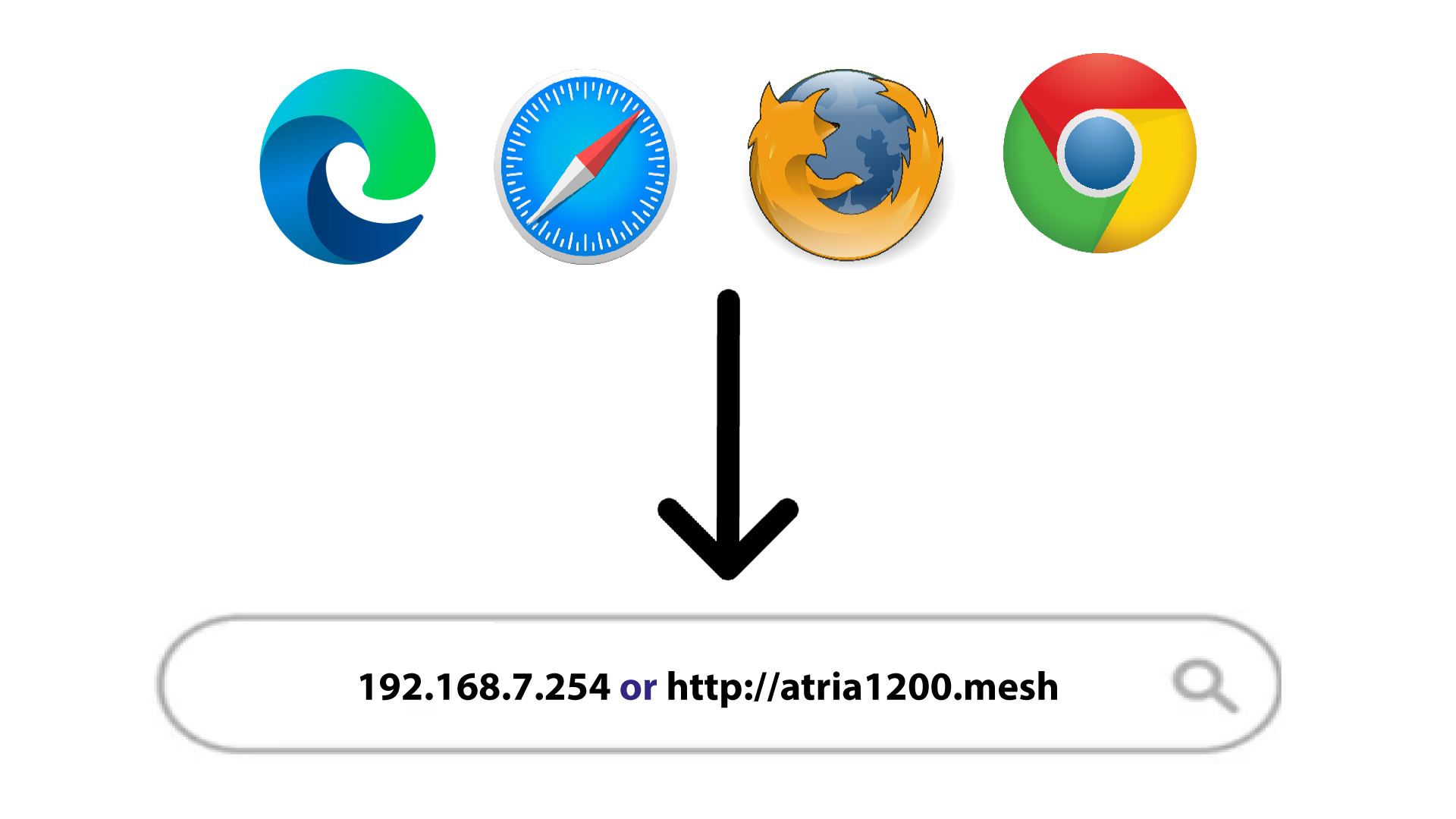
2Browse to the IP Address
Then, enter the following IP address in your browser: 192.168.7.254 or type the following address : http://atria1200.mesh
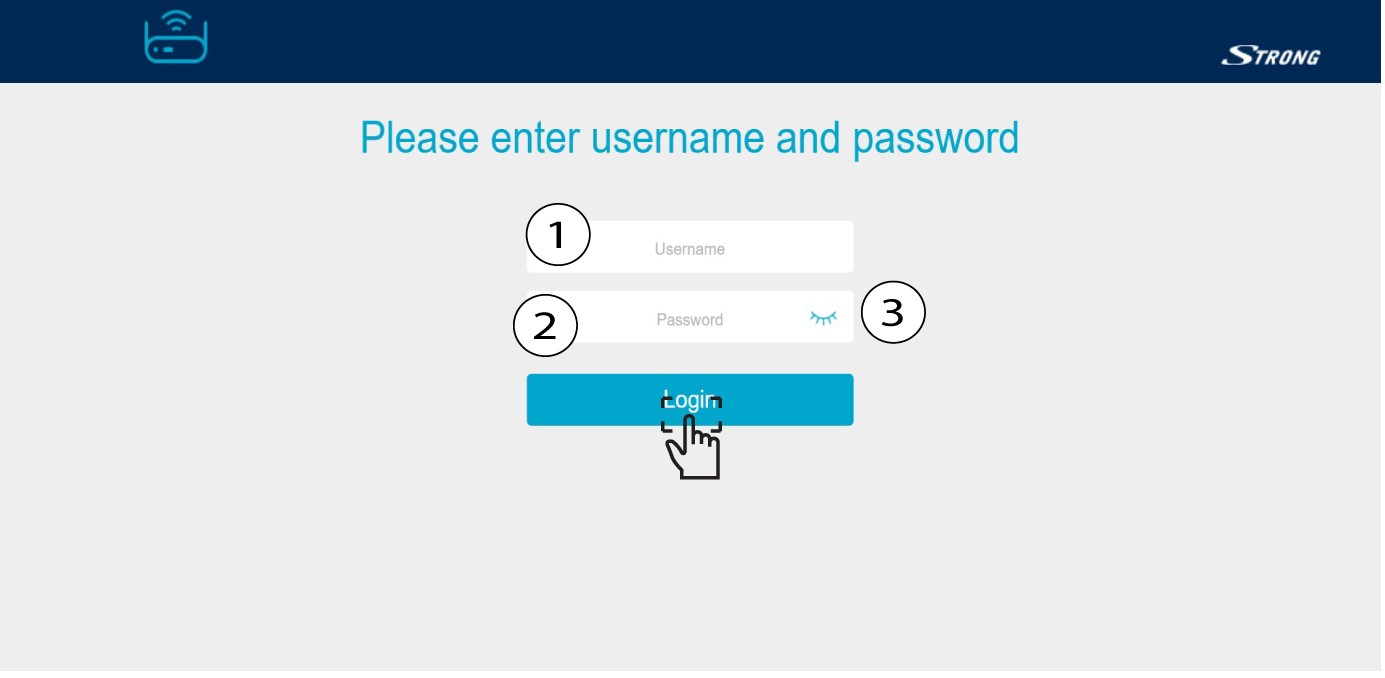
3Enter your credentials
You must enter the Username (admin) and Password (admin). Then, click Login.
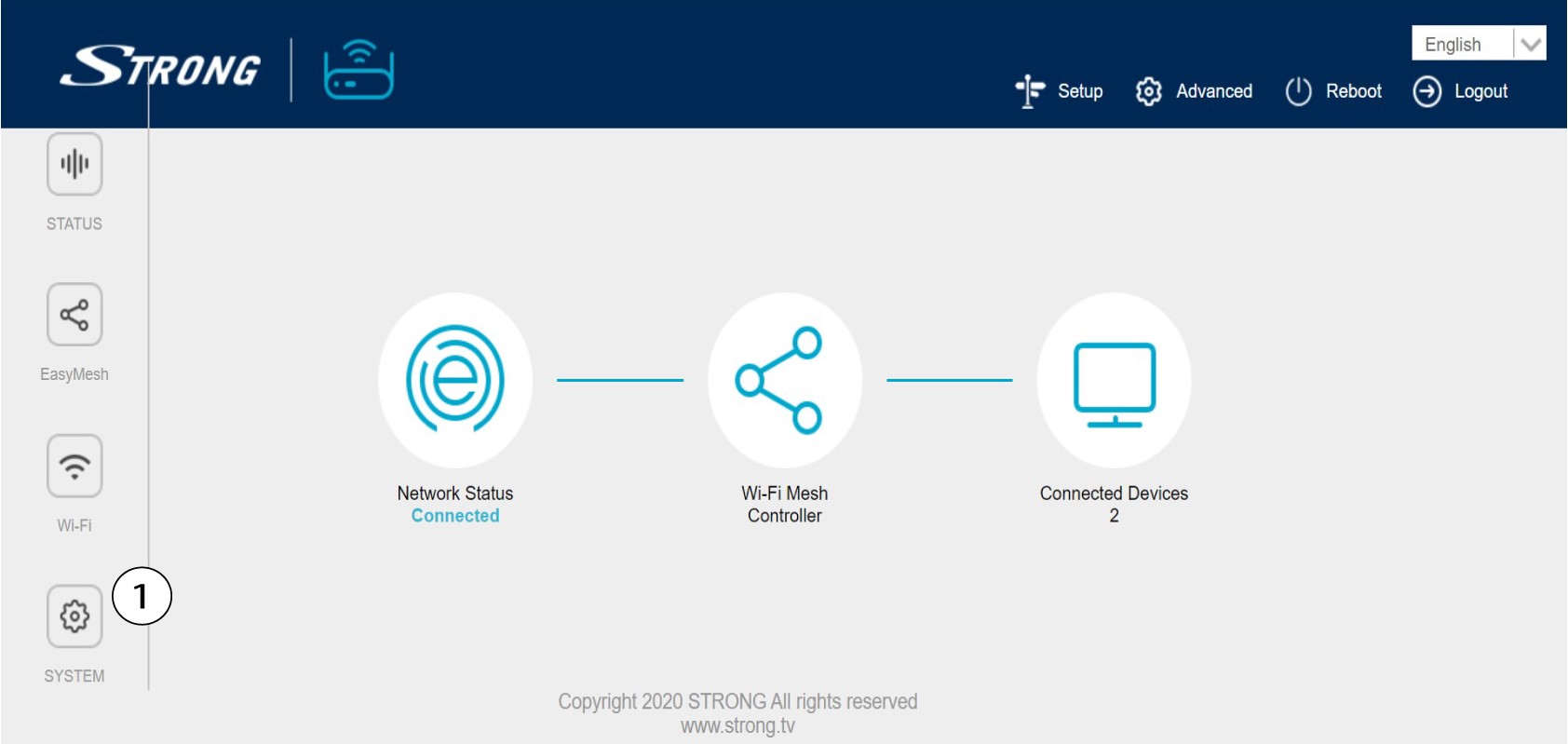
4System Settings
You are now on the main page of the Web UI. You may need to change the administration password of the Web UI after your first connexion, to do so please refer to the following instructions. To do so, click System in the left bar.
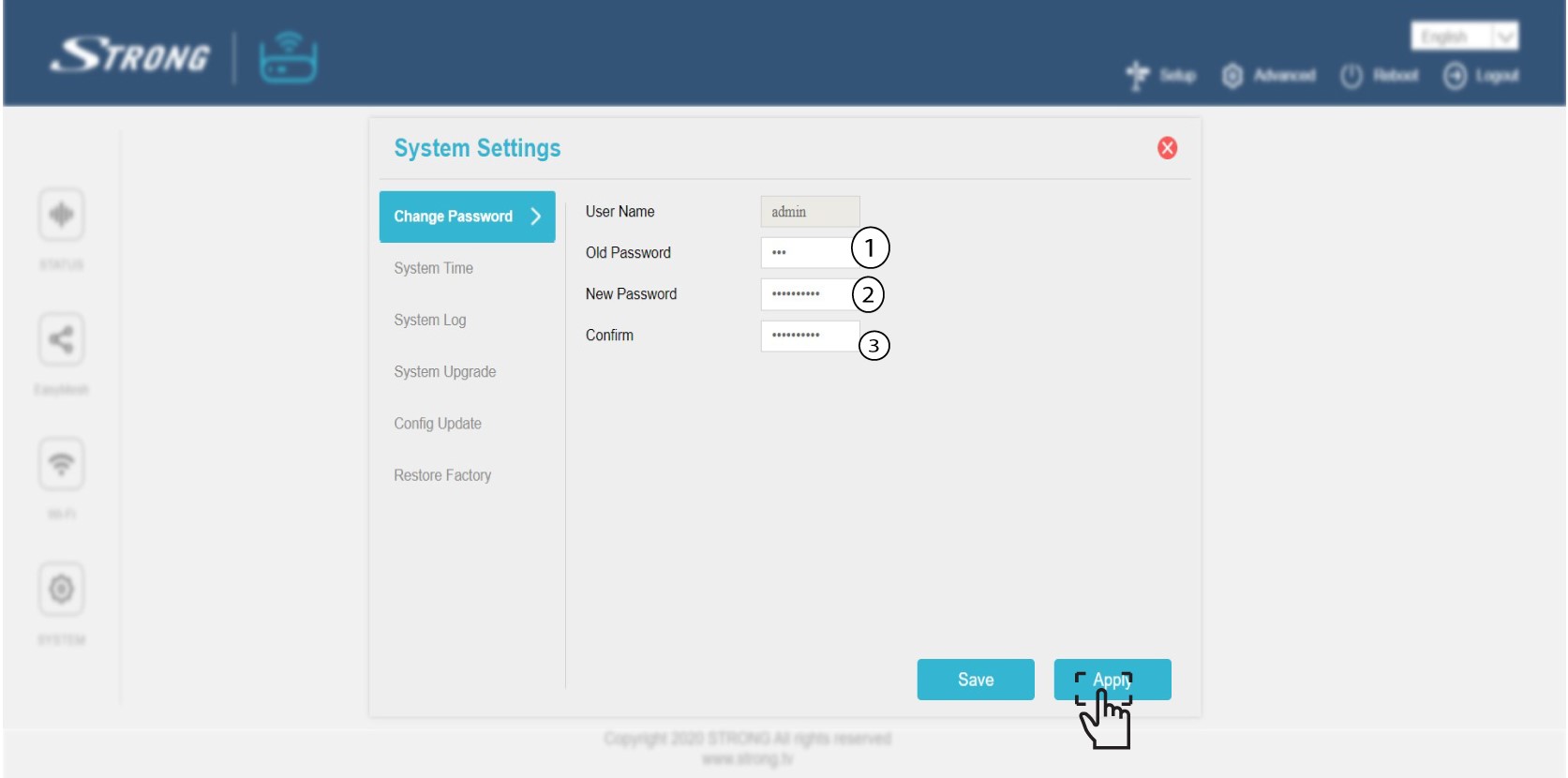
5Edit the admin password
Enter the following information before clicking Confirm:
o Old Password: Enter the old administration password
o New Password: Enter a new password.
o Confirm Password: Enter the same password as in the previous step.
Warning: Please note that you need to enter a password between 8 and 32 characters containing uppercase, lowercase, number and at least one special character (@, $, !, %, *, ?, &)
6Write down the new password
Write down the new password on a piece of paper and tape it under your mesh.
