
ATRIA Mesh 1200 Add-on | MESH1200ADDON
No items found.
No items found.
All questions
ATRIA Mesh 1200 Add-on | MESH1200ADDON
No items found.
No items found.
How can I identify the IP addresses of the different Mesh units of my Network? (App)
1Connect to the Wi-Fi of the mesh
Connect to the Wi-Fi of the main mesh unit.

2Access the App
Connect to the Atria Mesh app by entering the username and password.

3My Network
Click My Network.

4List of mesh devices
Click the Name of the Mesh Agent in the list.
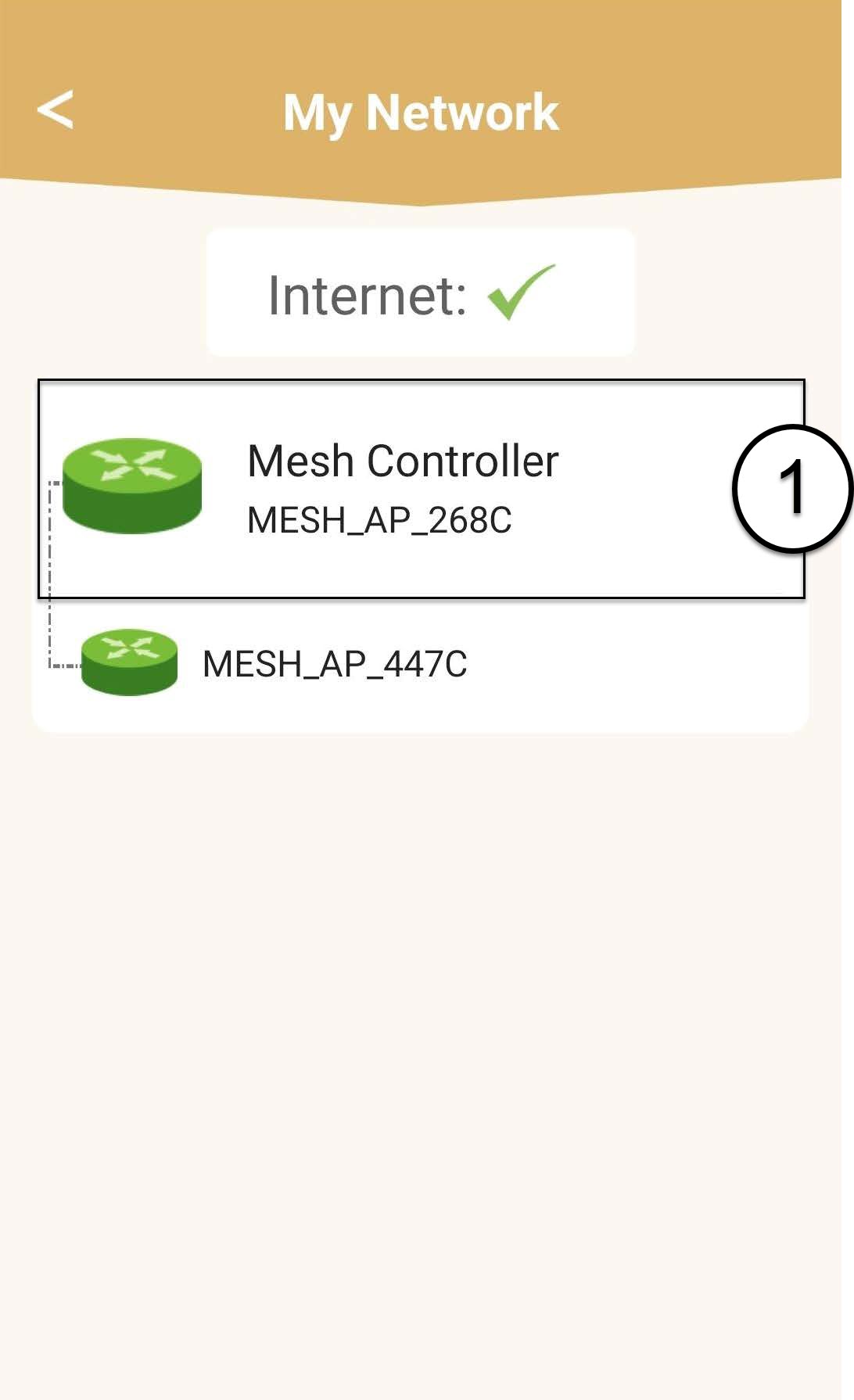
5Write down the IP Addresses
Identify its IP Address and write it down.
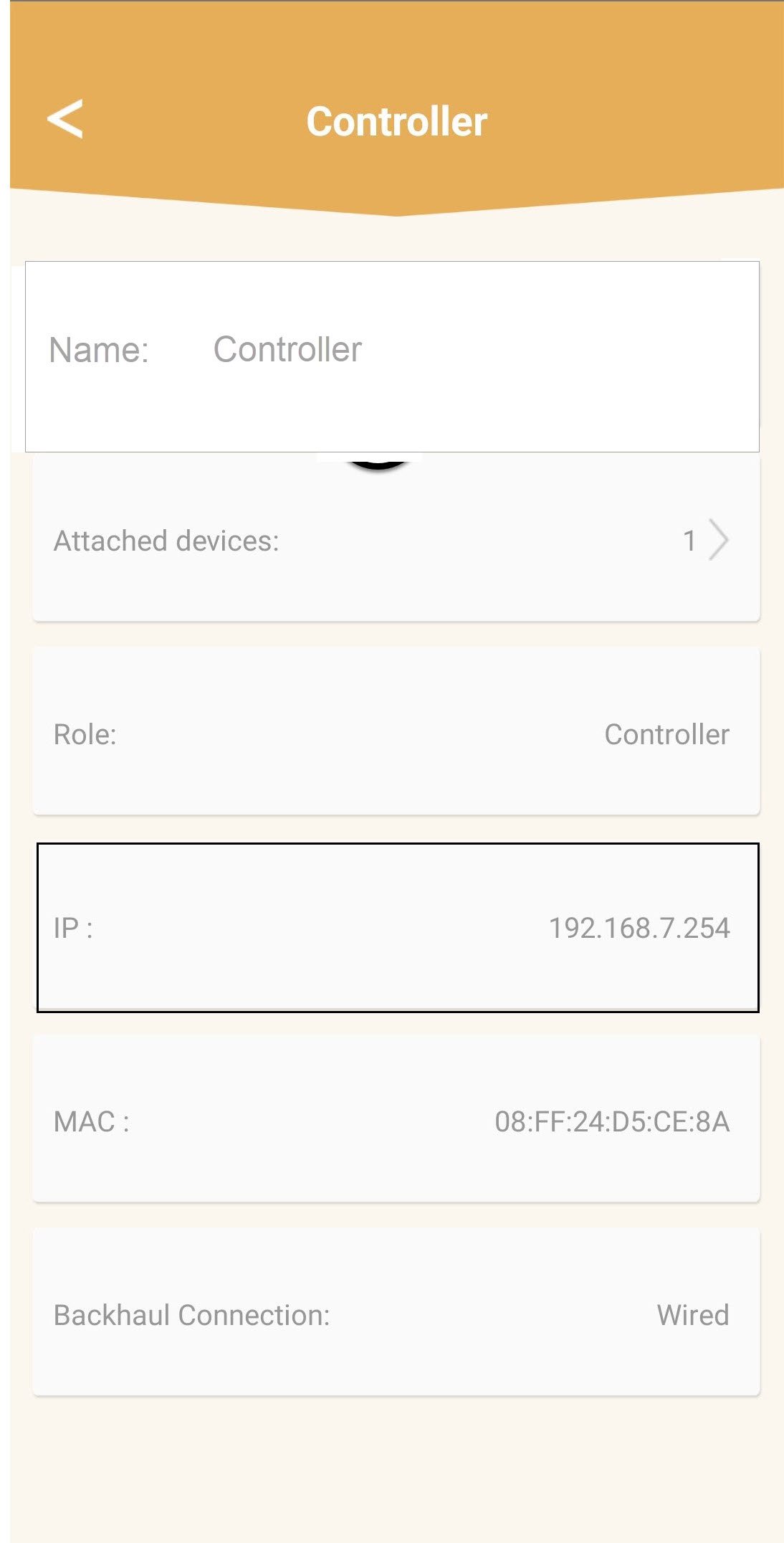
6Other Mesh units
Repeat the same steps for any other mesh units.