
ATRIA Mesh 1200 Add-on | MESH1200ADDON
No items found.
No items found.
All questions
ATRIA Mesh 1200 Add-on | MESH1200ADDON
No items found.
No items found.
How do I configure my Wi-Fi mesh network (Case 1 : WPS Button)
To configure your Mesh network please refer to the QIG provided in the box of your product.
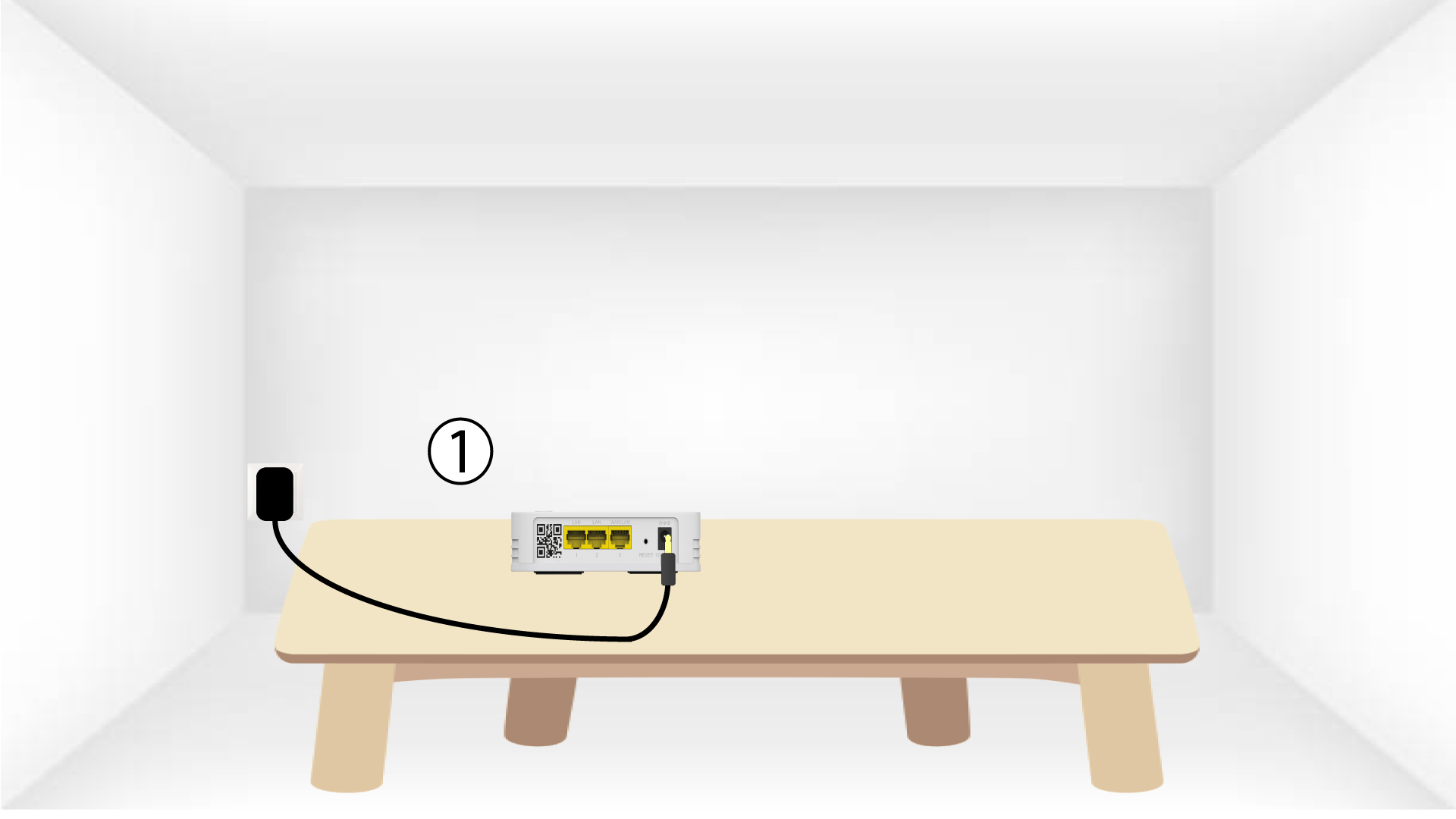
1Plug in the device
You must plug in the mesh unit to turn it on (there is no power button on the device) and connect it to
your modem by using a RJ45 cable.

2Wait during the configuration
Then, you must wait for a few minutes for the device to configure itself.
3Plug in the second device
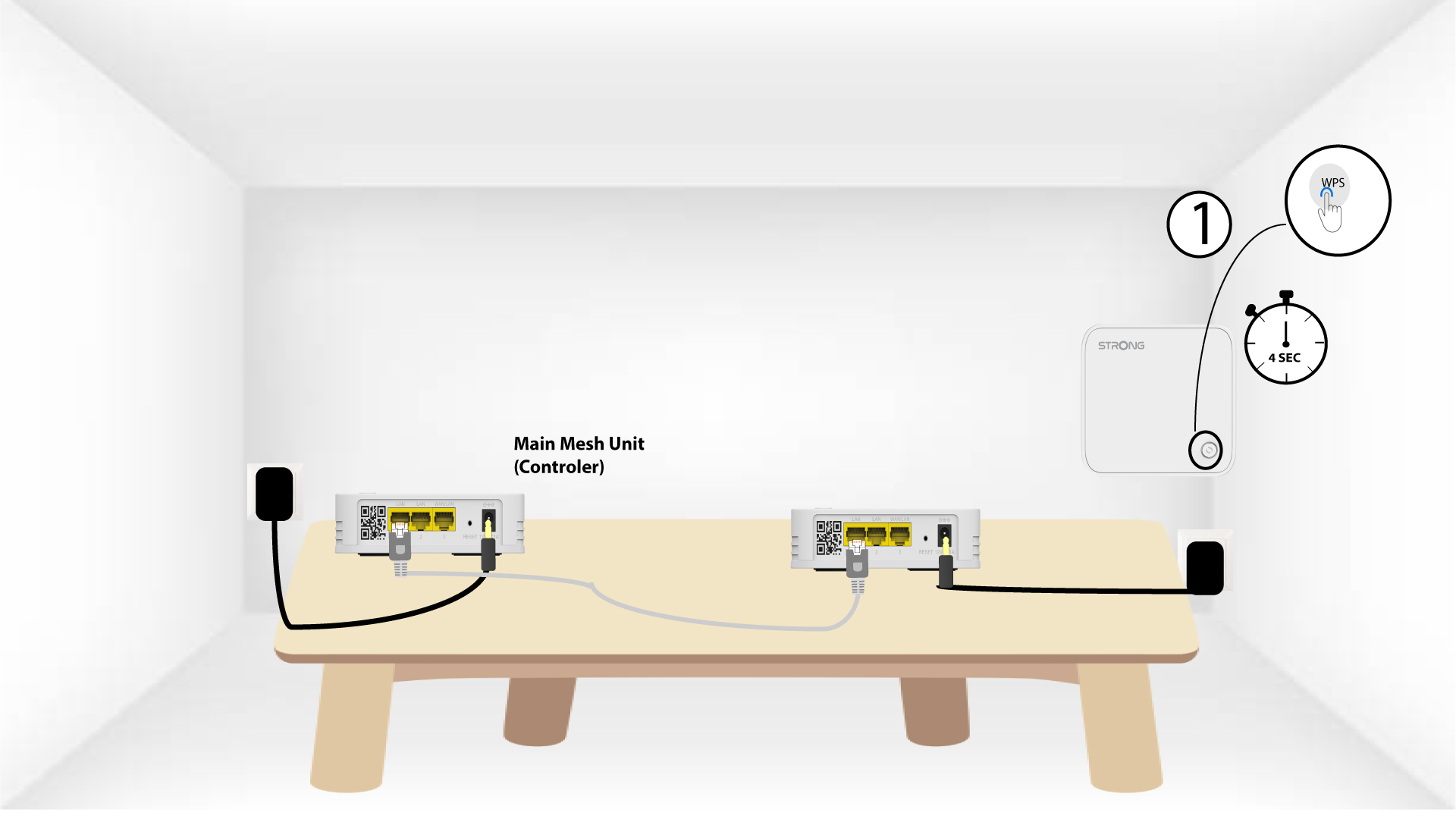
You must plug-in the second mesh unit.
4Activate the WPS on the main mesh
Press the WPS button for at least 4 seconds on the Mesh unit that is connected to your modem/router.
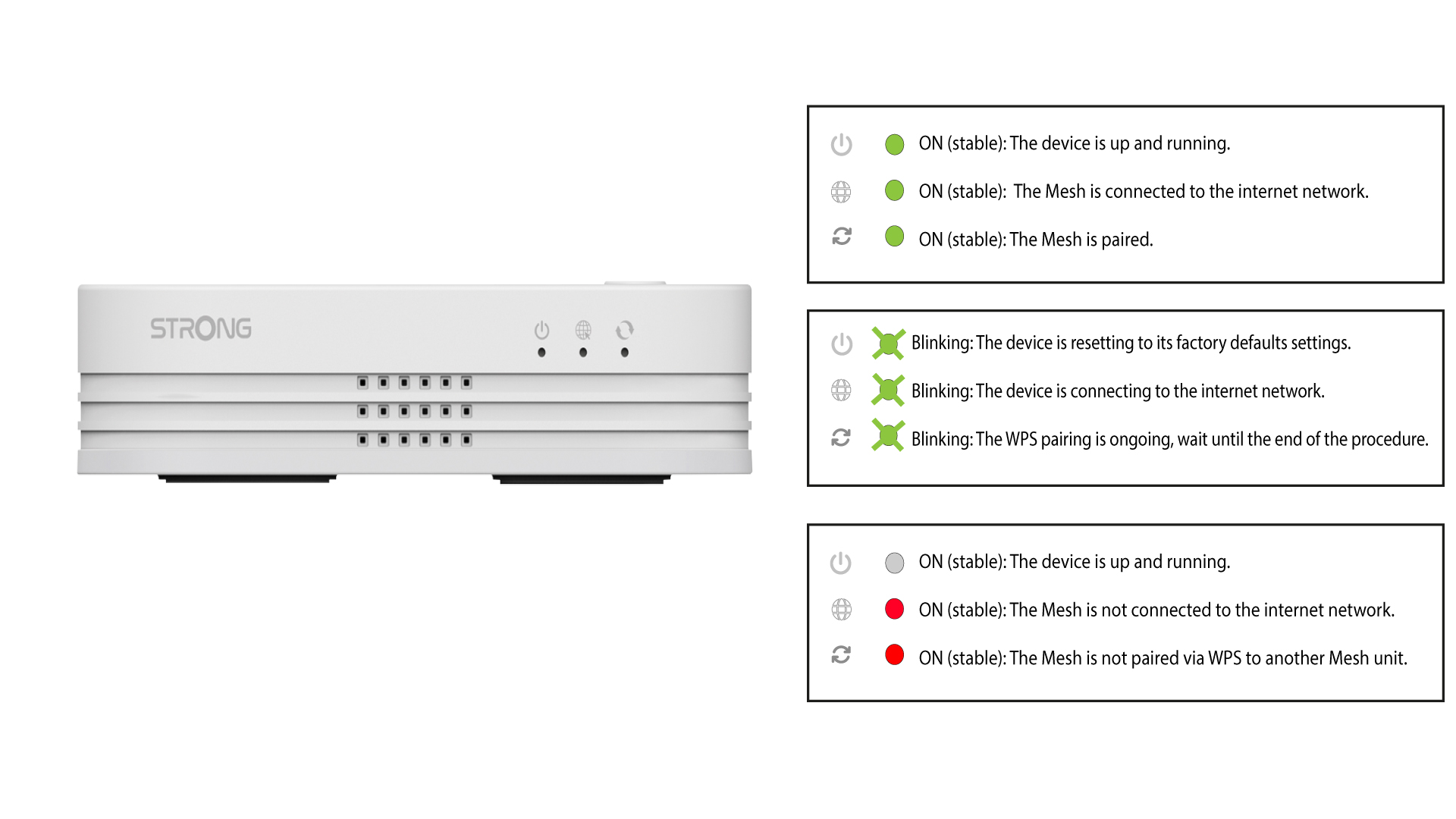
The LED will blink in green after activating the WPS.
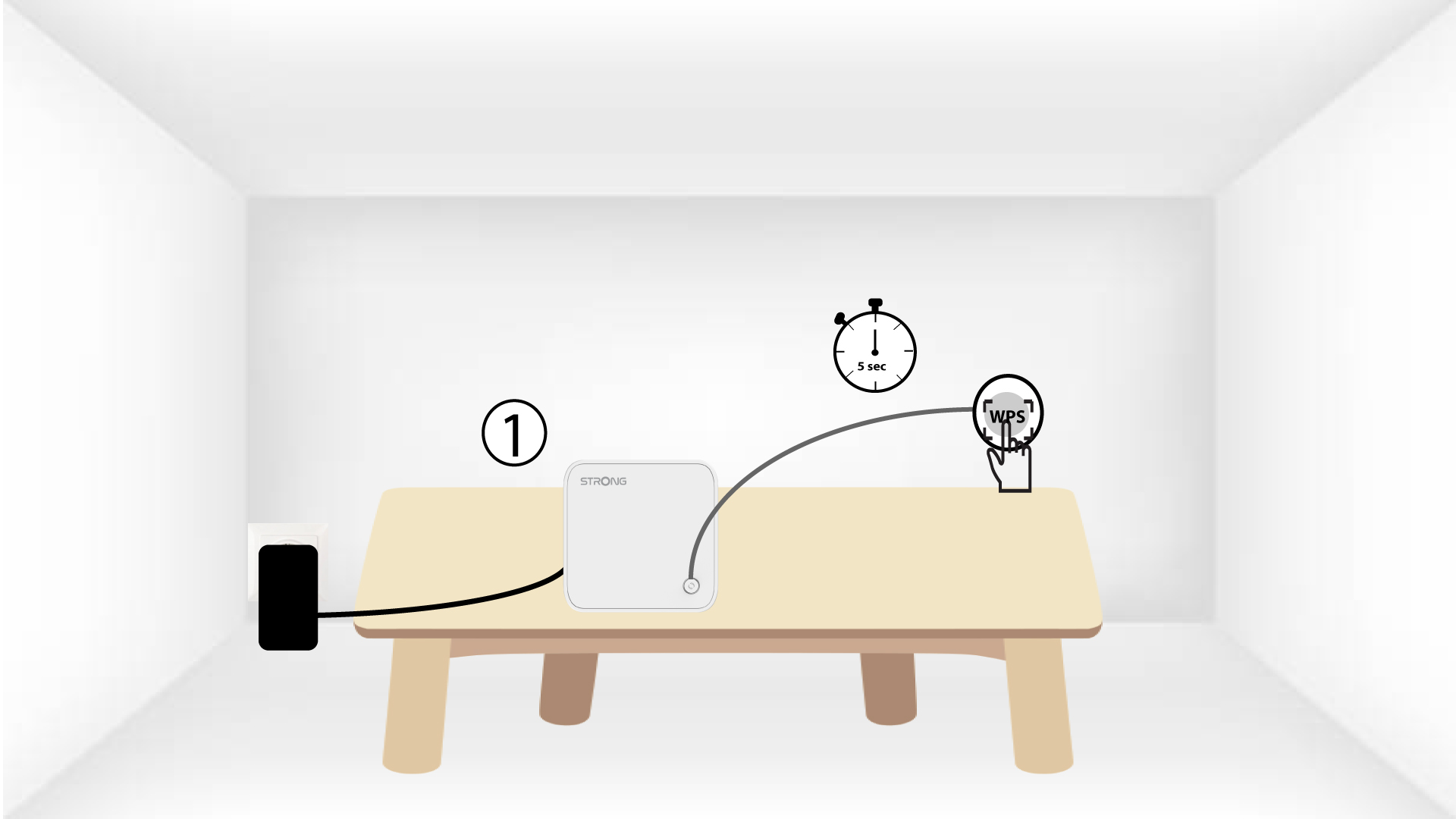
5Activate the WPS on the second mesh
Press the WPS button for at least 4 seconds on the second Mesh unit.
6Devices are pairing
Lorem ipsum dolor sit amet, consectetur adipisicing elit. Culpa enim esse excepturi nemo nesciunt officia officiis optio.