ATRIA Mesh 1200 Add-on | MESH1200ADDON
All questions
ATRIA Mesh 1200 Add-on | MESH1200ADDON
How do I update the firmware of the Mesh unit?

You must update the mesh agents (units that are not connected to the internet router) first and
then the mesh controller (mesh unit that is connected to the internet router through a RJ45 cable).
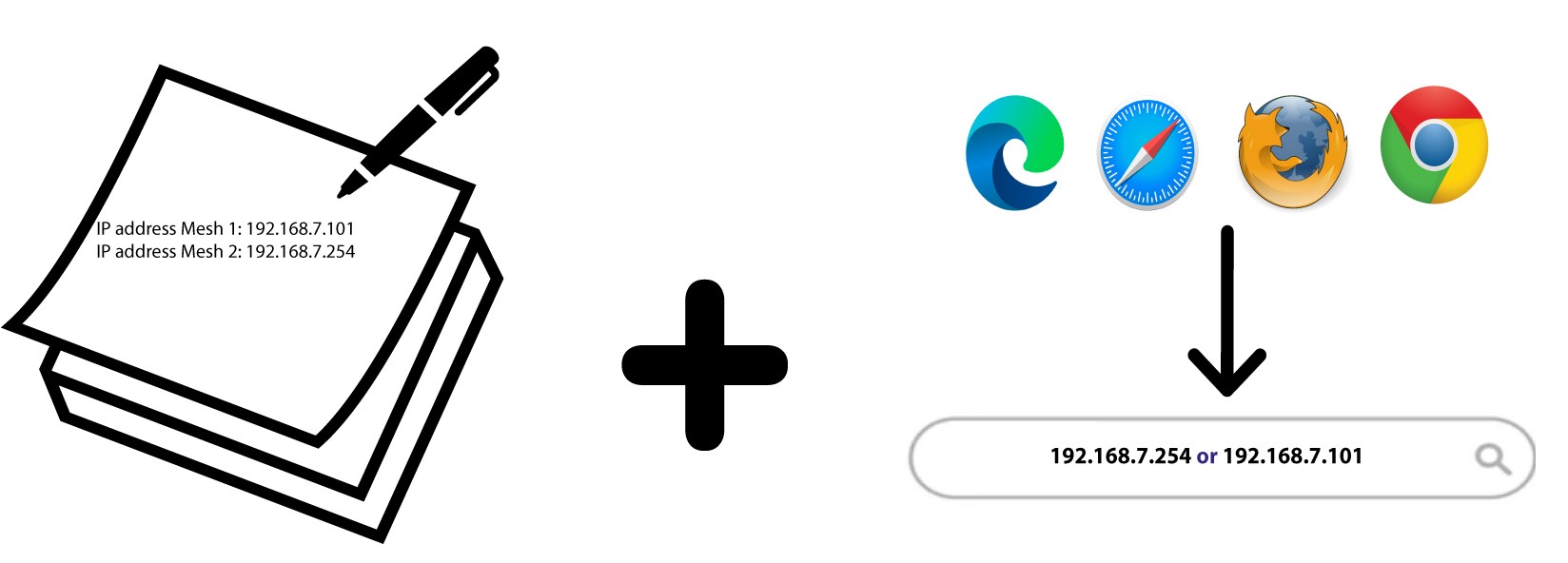
You must write down the IP addresses of the all the mesh units to be able to connect to the Web UI
of each unit separately.
- The new software versions of our products are available here. Click the Name of your product in the list of Wi-Fi Mesh Devices.
- If the section is empty, it means that there is no update available for the product.
1Browse to our website
Enter the following address in your browser search bar:
https://www.strong-eu.com/

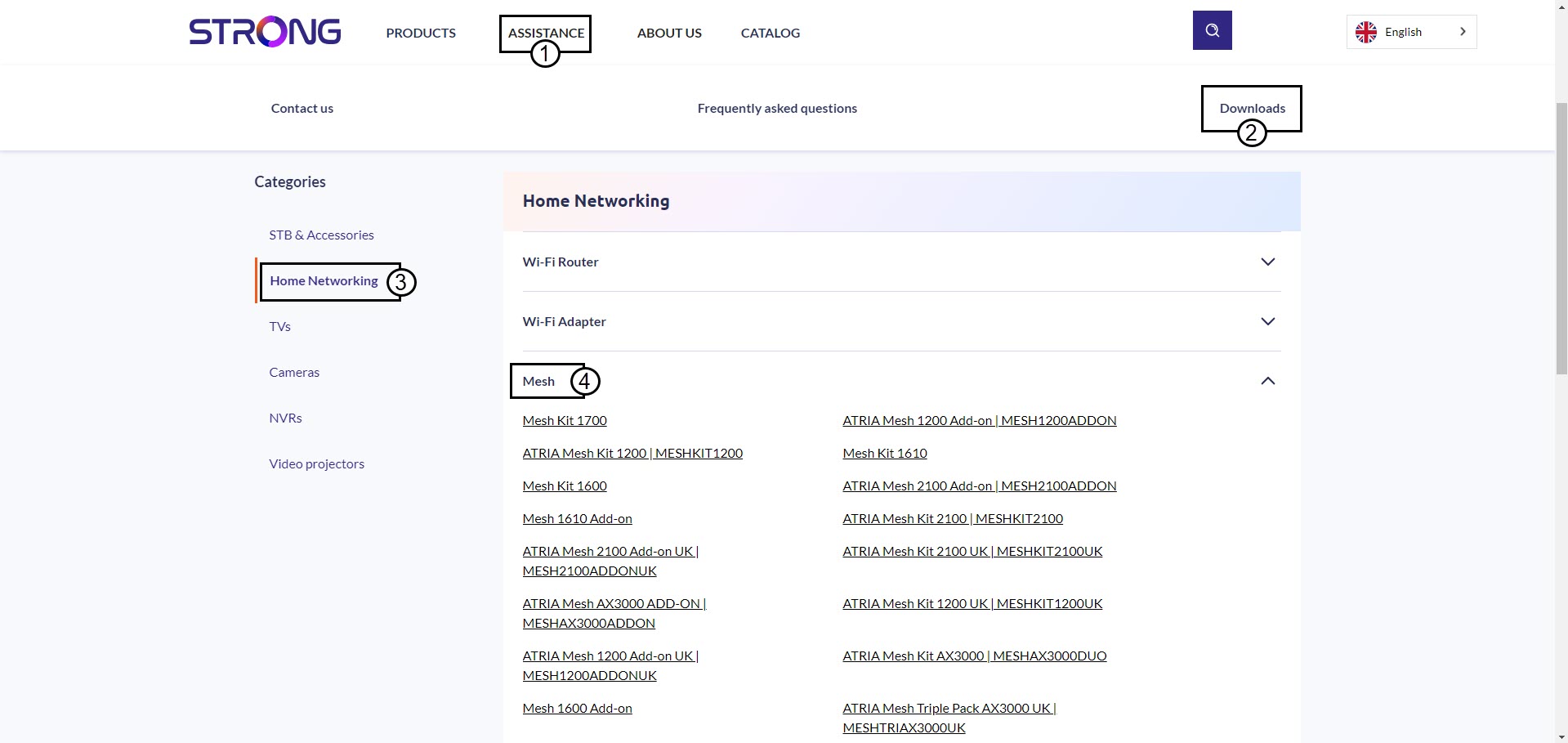
2Download Page
Click Assistance and Downloads. Then, click Home Networking and Mesh.
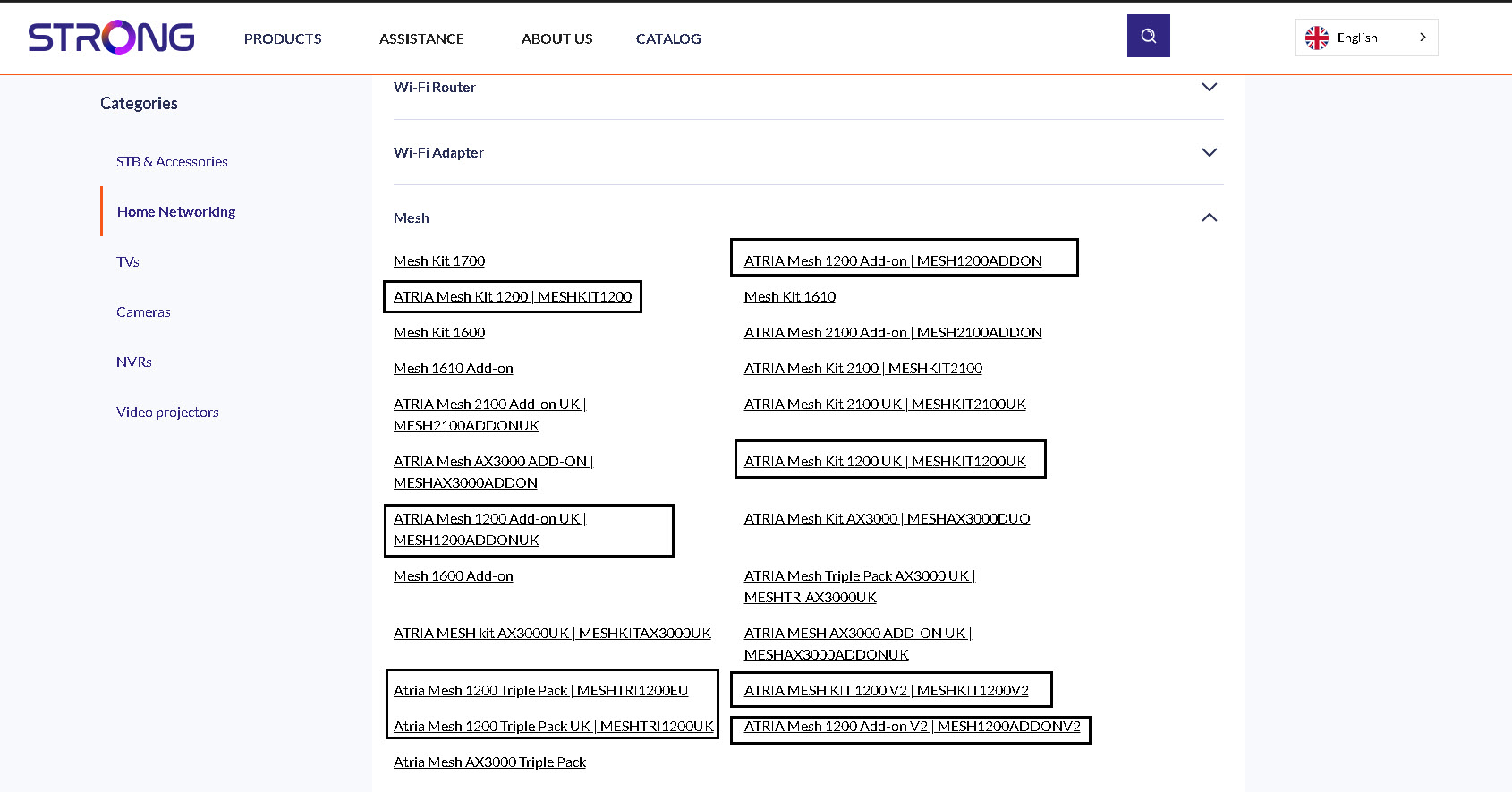
3Product Page
Click on the name of your product.
4Software
You will find the new software under the software section. If there is no section, it means that there is no new version available.
5Access the Web UI
Connect to the Web UI by entering the Mesh IP Address
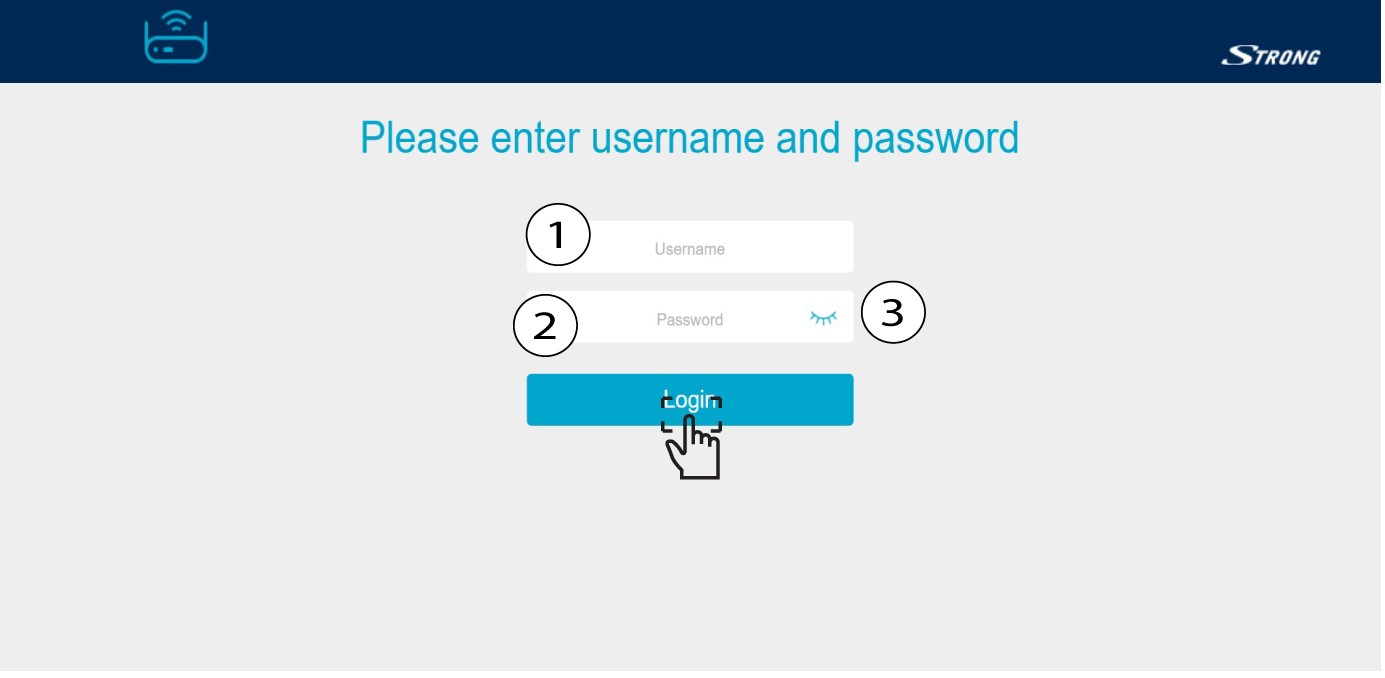
6Enter your credentails
Enter your username and password and click Login.
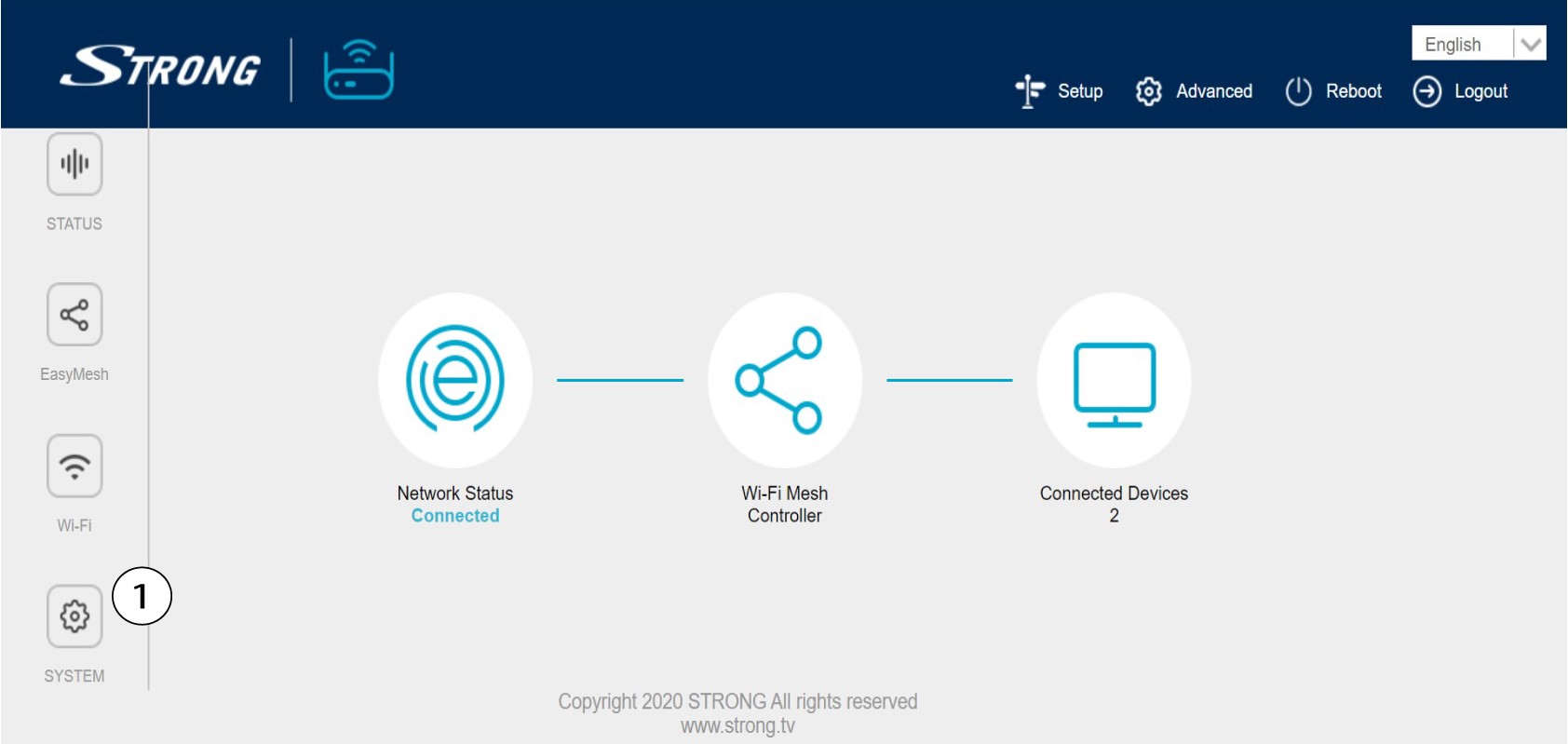
7System Settings
Click System.
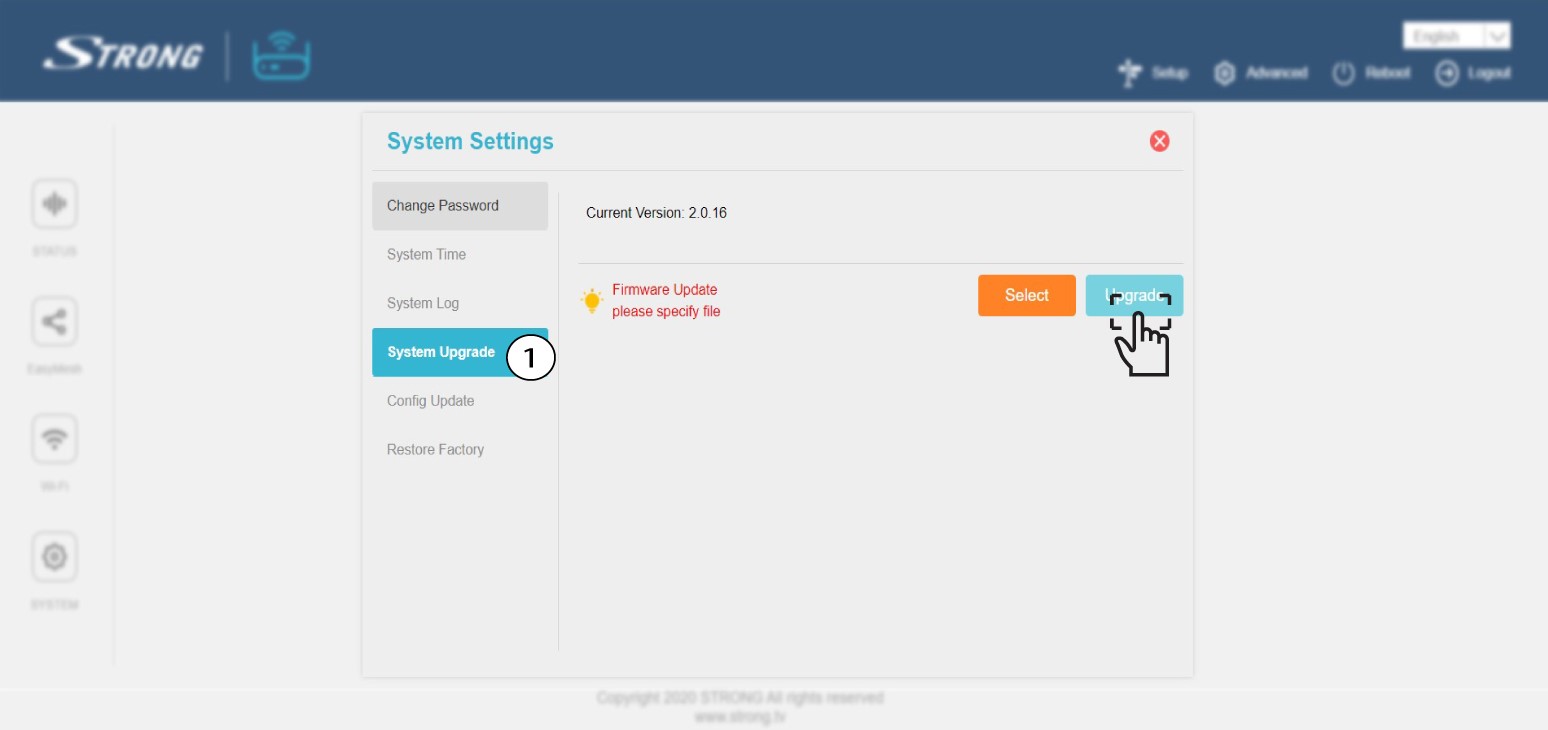
8Firmware Update
Click Firmware Upgrade and Select (select the file that you previously downloaded from our website). Then, click Upgrade.