ATRIA Mesh 1200 Add-on | MESH1200ADDON
No items found.
No items found.
All questions
ATRIA Mesh 1200 Add-on | MESH1200ADDON
No items found.
No items found.
Can I configure a Guest Network for my Mesh network? (CASE 1: Web UI)
Yes, you can configure a Guest Network for your Mesh network.
1Access the Web UI
To connect to the Web UI, please refer to the following procedure: How do I access the Web UI?
2Wi-Fi Settings
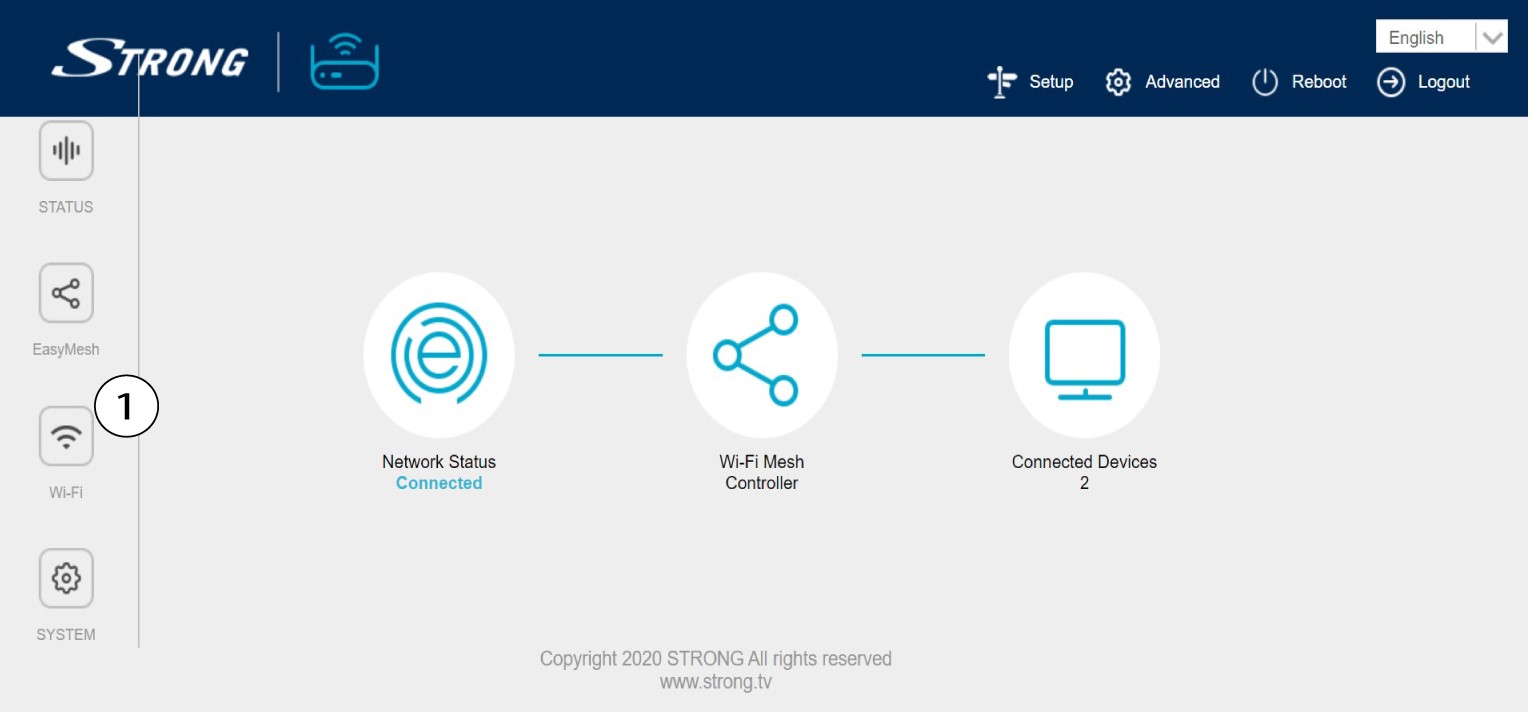
Click Wi-Fi in the left bar.
35G Guest Network
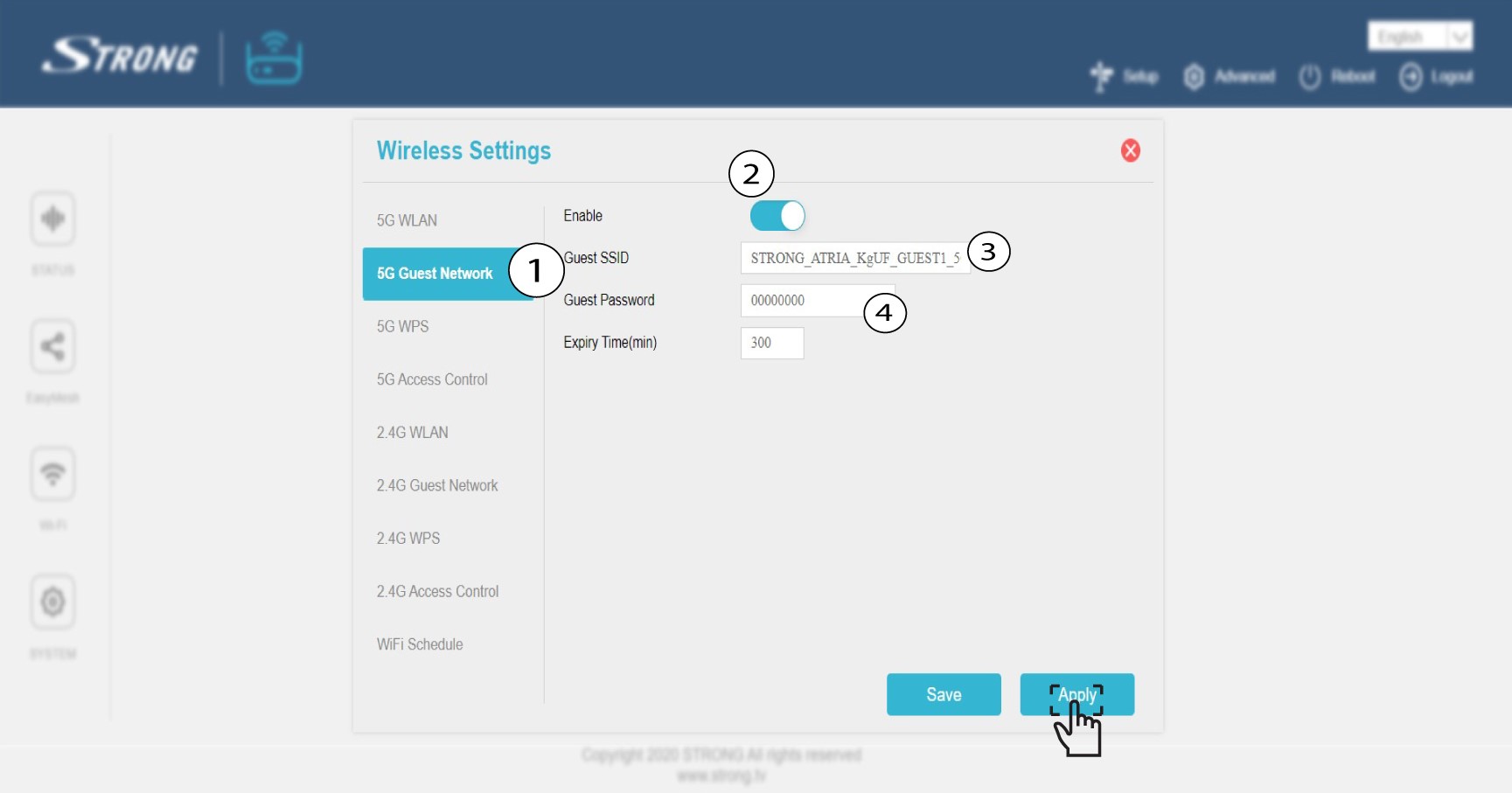
Click 5G Guest Network or 2.4 G Guest Network. Check the Enable box. You can edit the SSID and the Password for the Guest Wi-Fi Network. If you want to activate both 2.4 and 5G guest networks, check both enable boxes. Now, set to 999 999hours if you want it to last for a long time.
Click Apply.
4Write down the Guest Network information
Write down the guest networks name and passwords on a piece of paper.