No items found.
No items found.
2K+ SMART HOME CAMERA
All questions
No items found.
No items found.
2K+ SMART HOME CAMERA
How to set up or manage your admin password?
You will set up your admin password during the creation of your account. If you need to change it. Please follow the steps below.

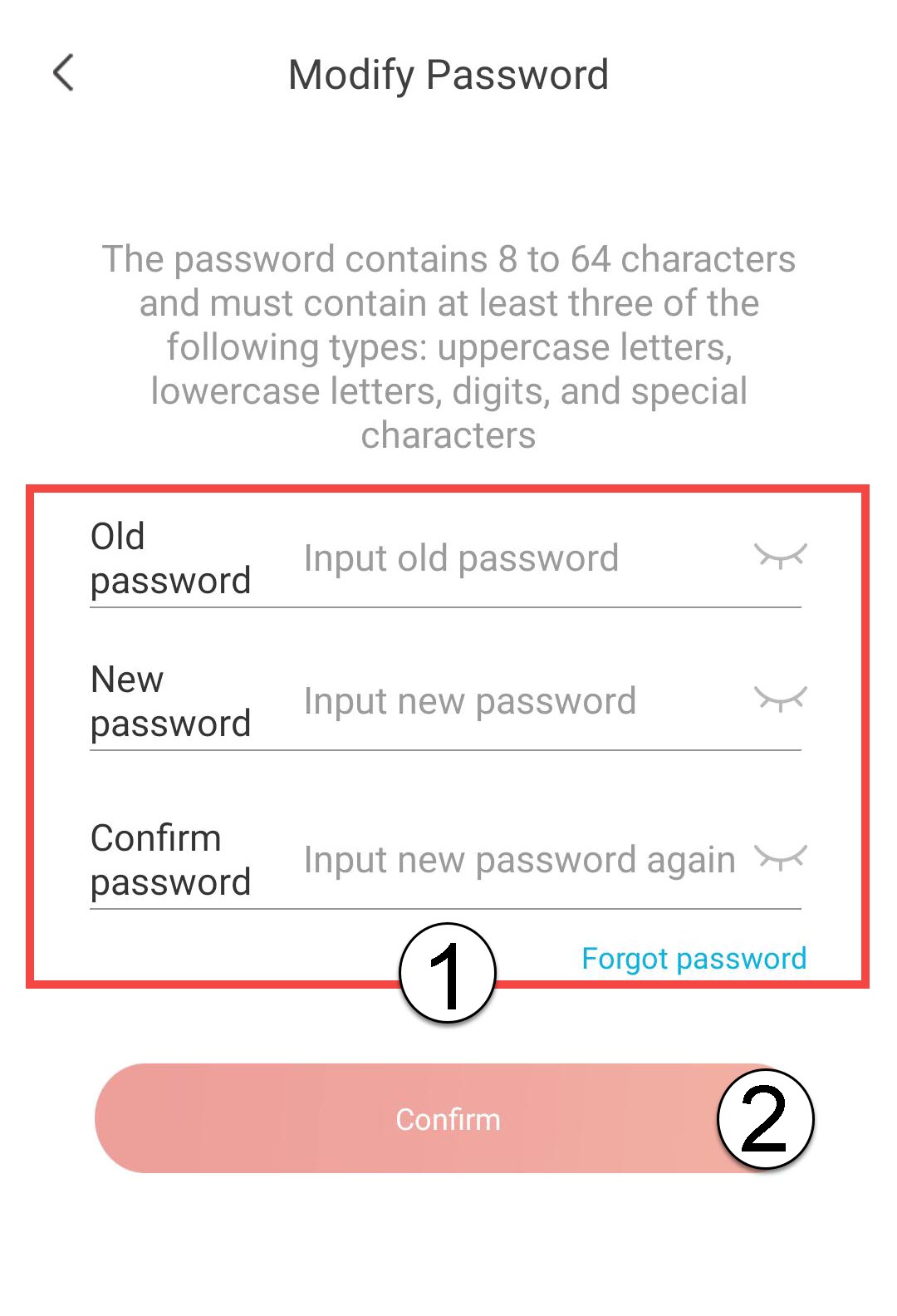
WARNING: Your password must contain between 8 and 64 characters. It must include at least three of the following elements: upper case, lower case, numbers and special character.
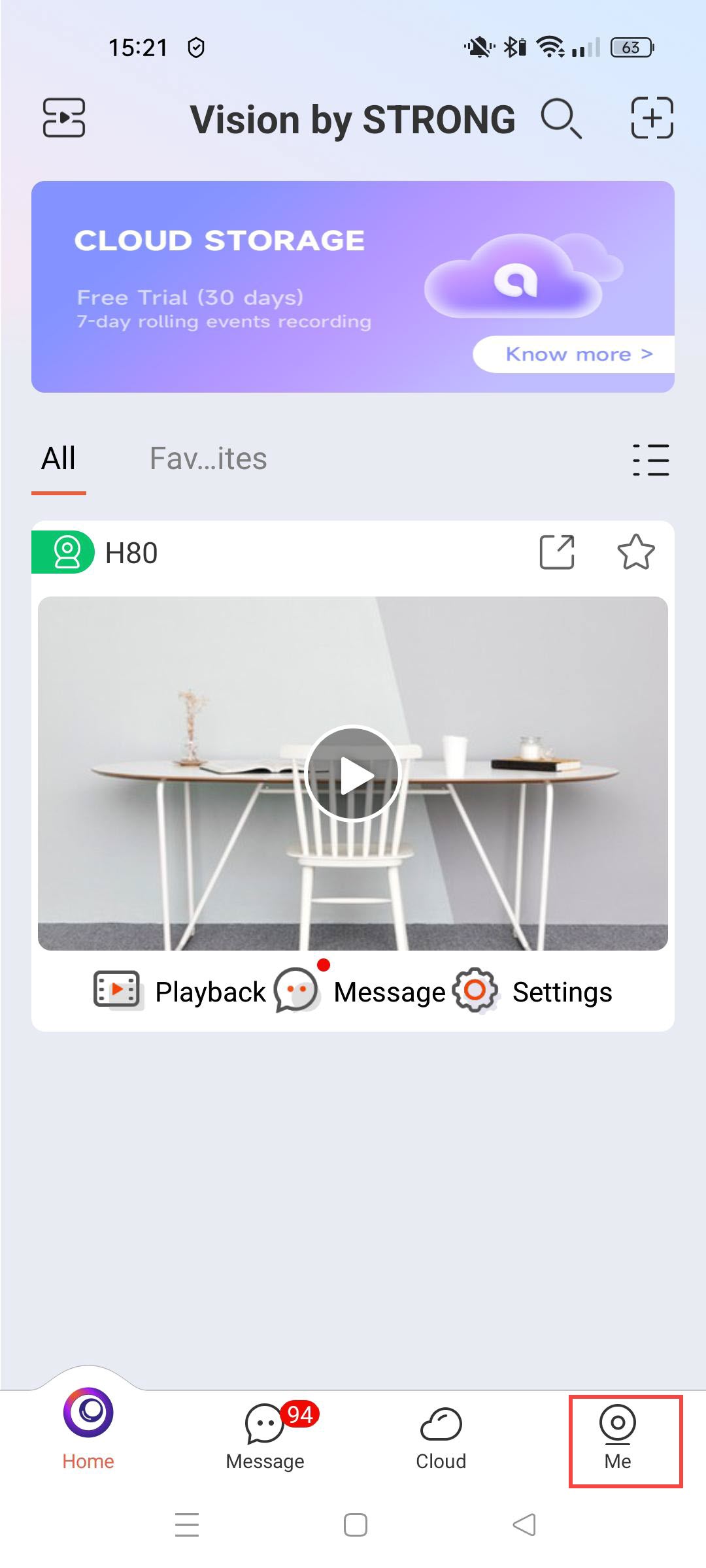
1Access Your Profile
Click Me.
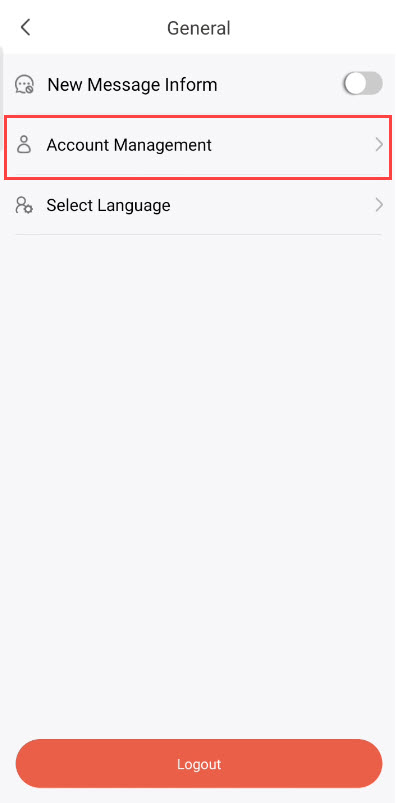
2Open Account Management
Click Account Management.
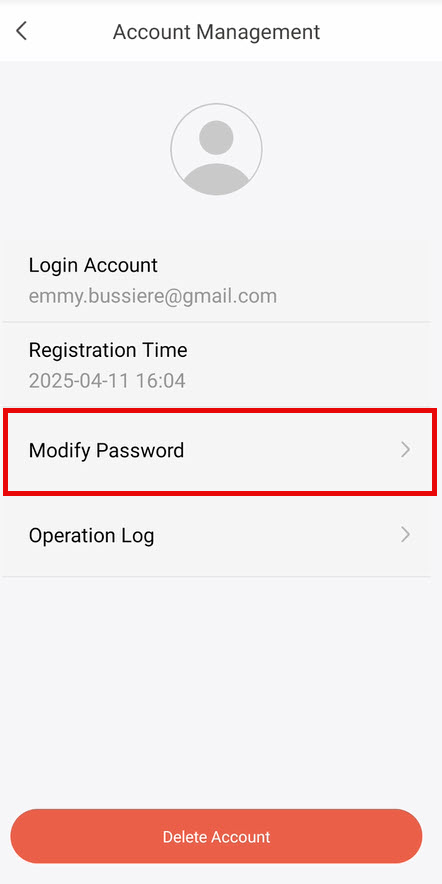
3Choose to Modify Your Password
Click Modify Password.
4Enter Your Password Information
Enter the following information before clicking
- Old Password: Enter your current password.
- New Password: Enter a new password.
- Confirm Password: Enter the same password as in the previous field.