No items found.
No items found.
2K+ SMART HOME CAMERA
All questions
No items found.
No items found.
2K+ SMART HOME CAMERA
How do I use the Cloud Services after my trial?
After performing your 30-day trial for the Cloud Services, you can sign up to use this service for the year.
1Access Settings
Click Settings

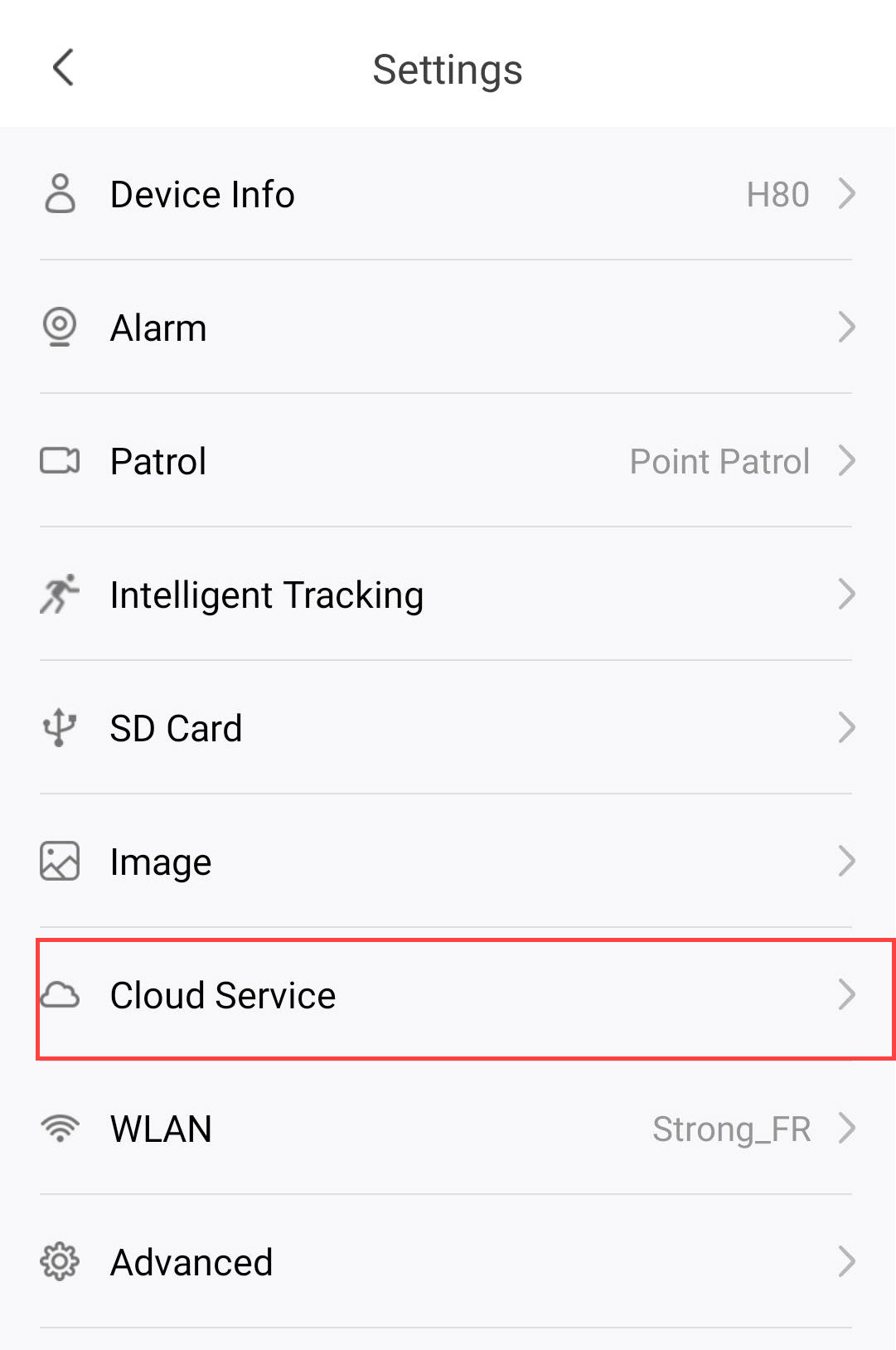
2Open Cloud Services Settings
Click Cloud Services.
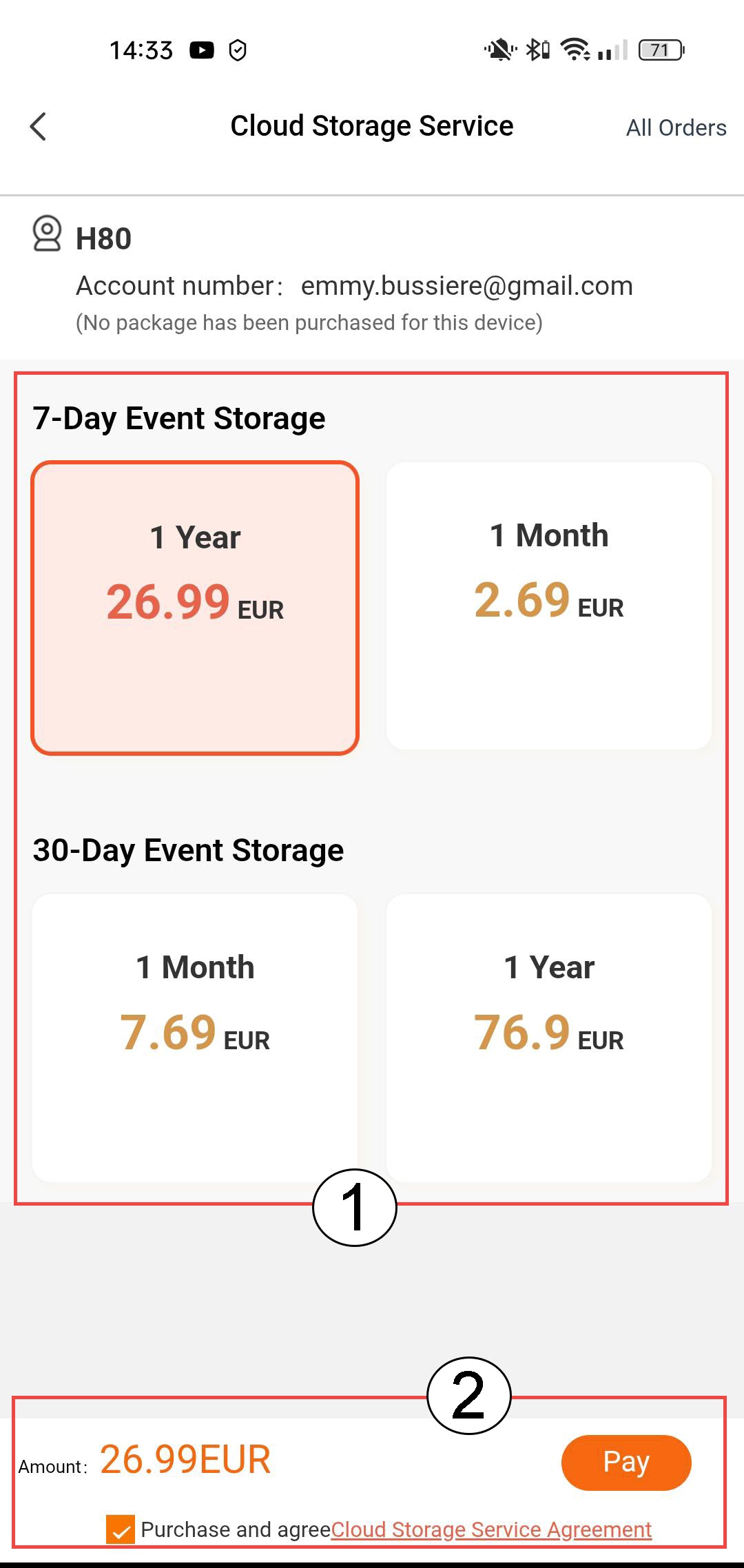
3Choose Event Storage and Subscription
Choose between 7-day event storage (events are recorded for 7 days) or 30-day event storage (events are recorded for 30 days). After the selected period, recordings are automatically deleted. You must choose the subscription period, either monthly or yearly, before clicking Pay.
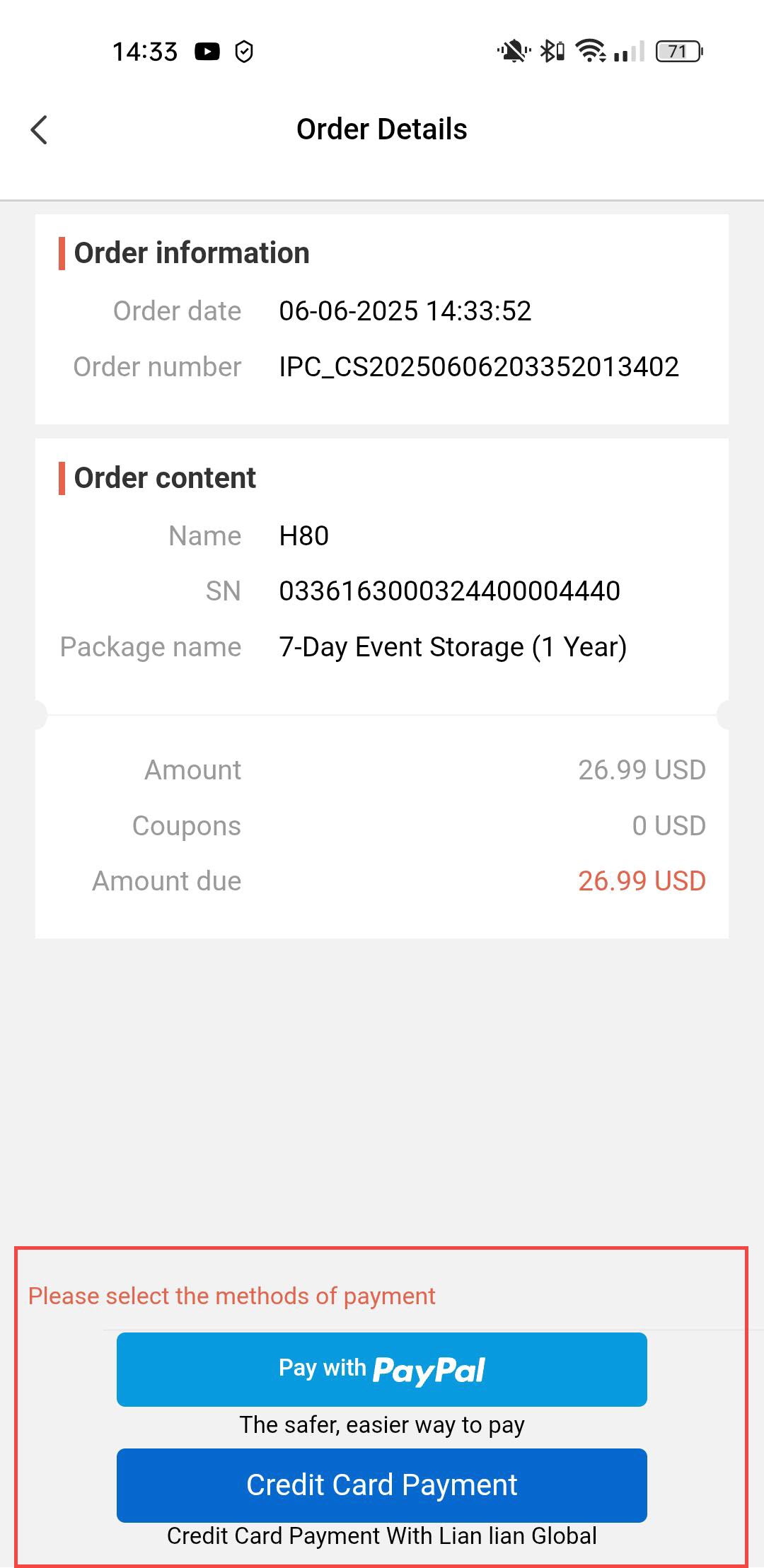
4Select Payment Method
Then, select your payment method.
5Enter Payment Details and Confirm
You can either enter your credit card’s information before clicking Submit Payment
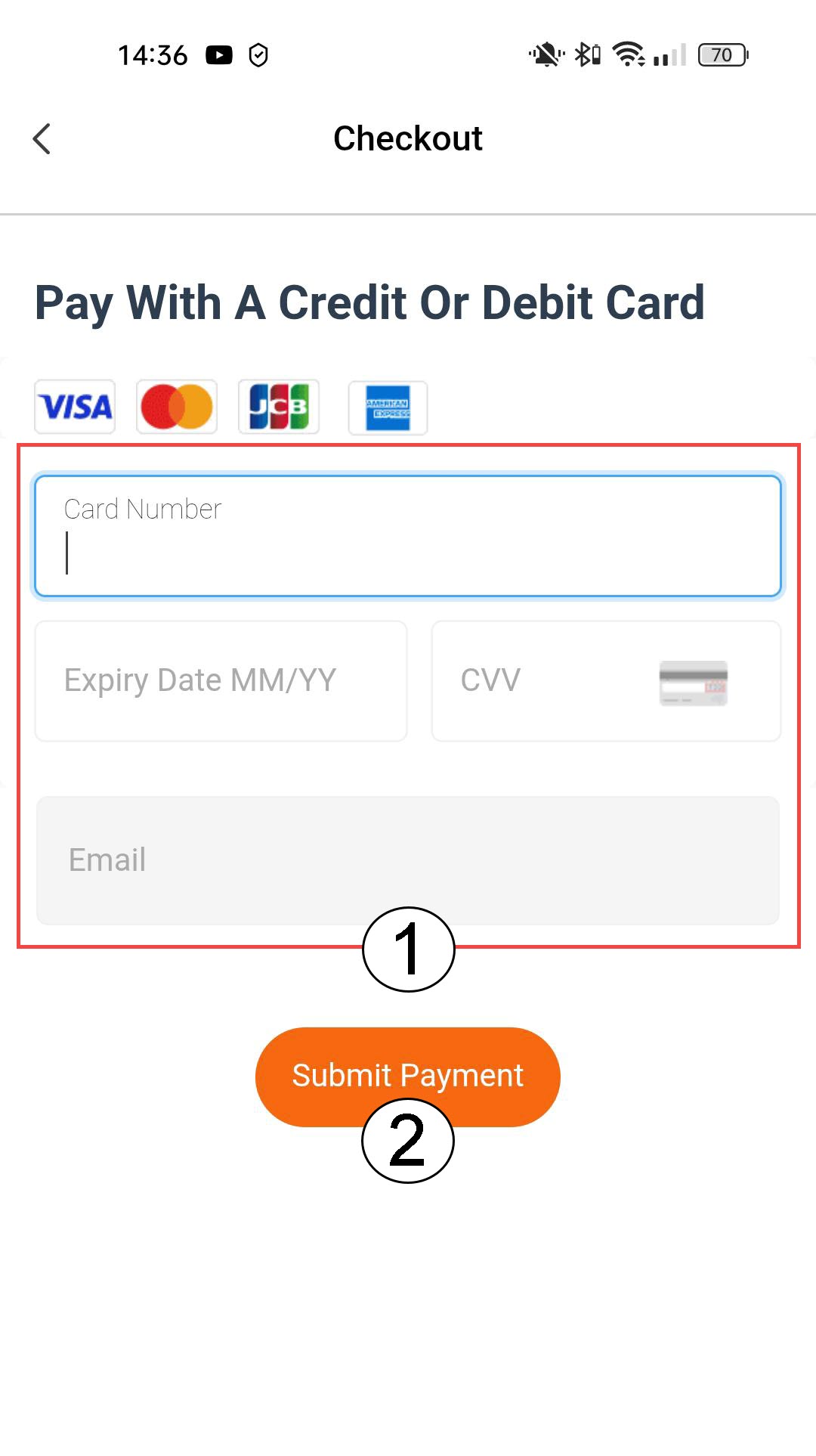
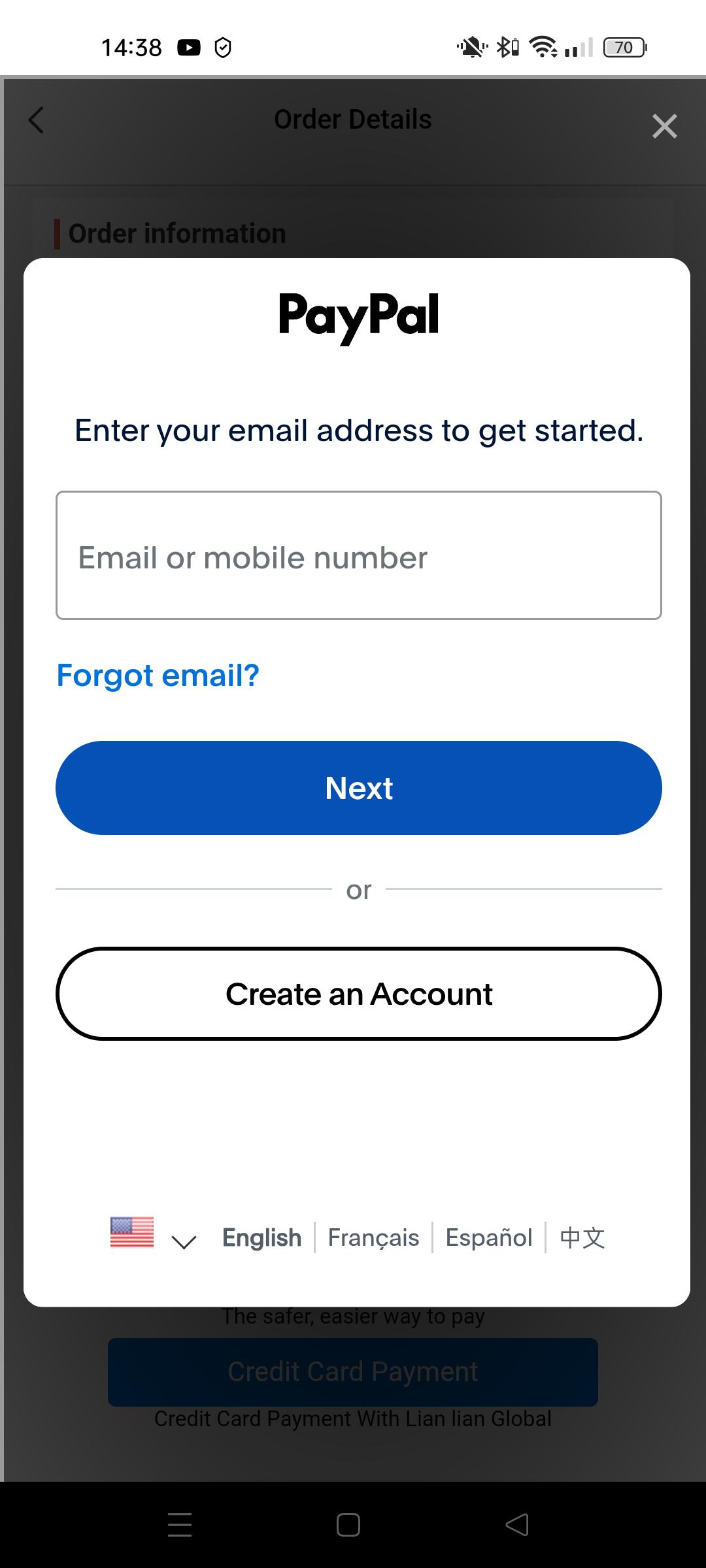
6Enter your Paypal information
Or enter the information of your PayPal account. Then, follow the steps on the screen.