No items found.
No items found.
2K+ SMART HOME CAMERA
All questions
No items found.
No items found.
2K+ SMART HOME CAMERA
How do I unbind a camera from the app?
If you experience any issue with your camera that are not fixed after restoring it to its factory settings, please unbind your device from the App and reinstall it.
1Open Settings
Click Settings.

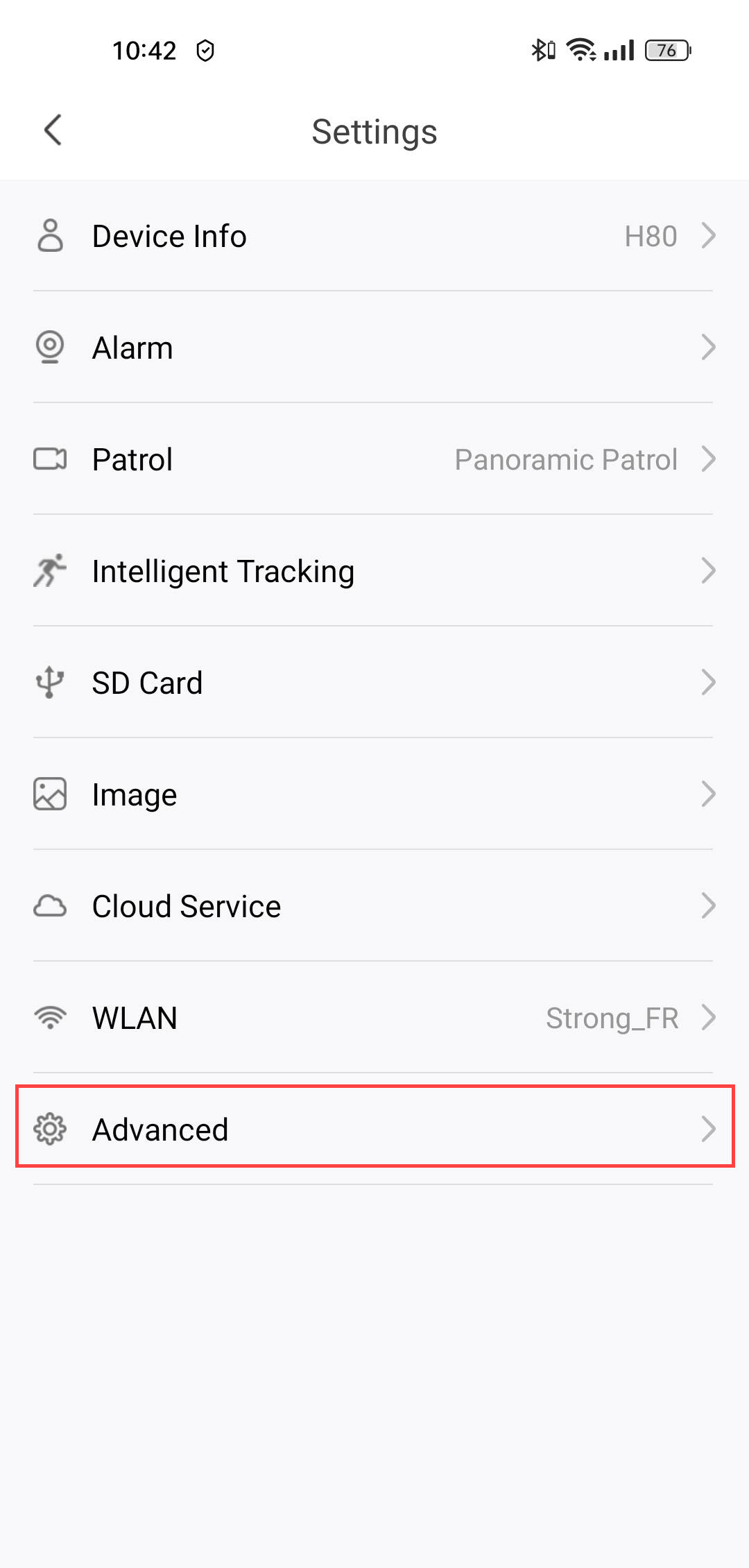
2Go to Advanced Settings
Click Advanced.
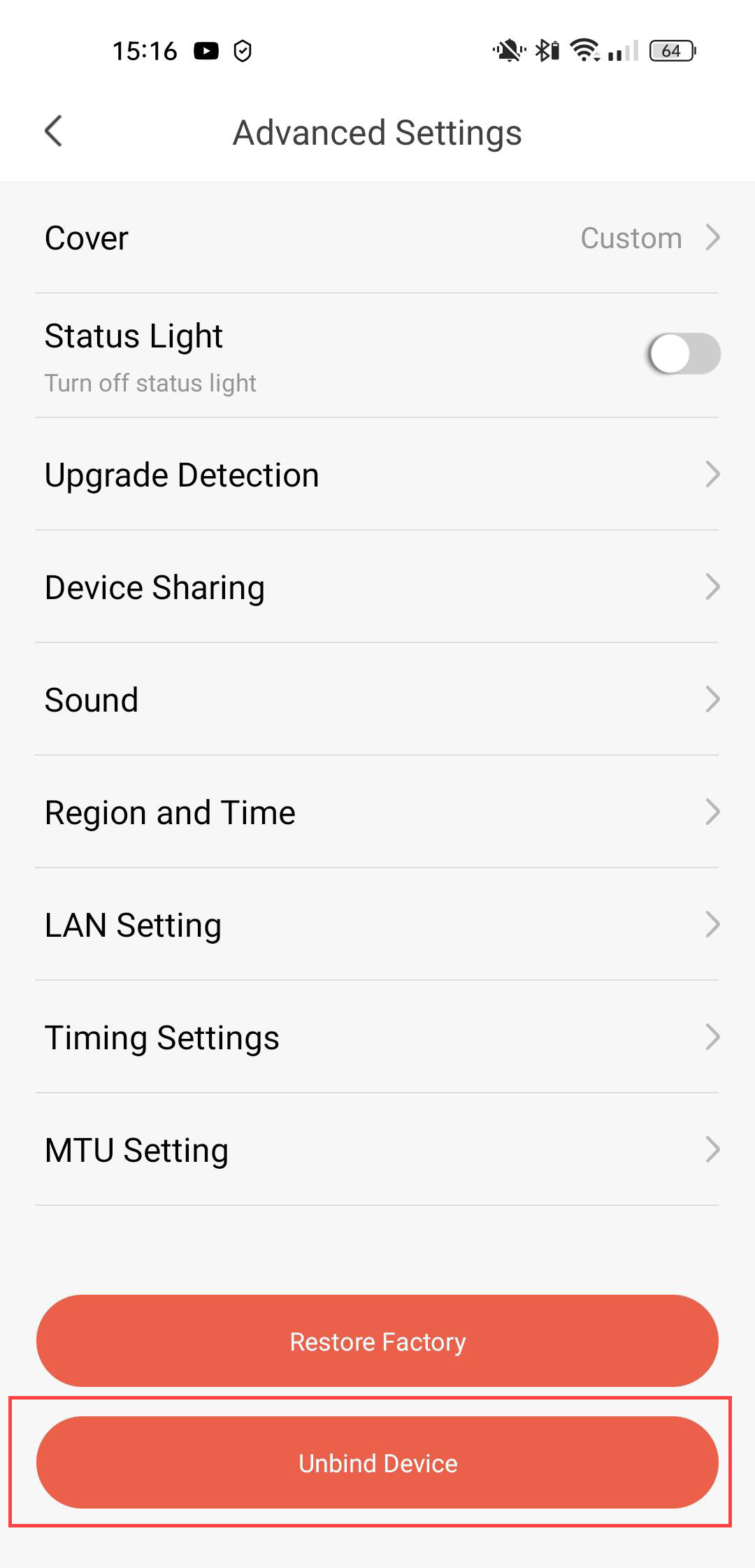
3Unbind the Device
Click Unbind
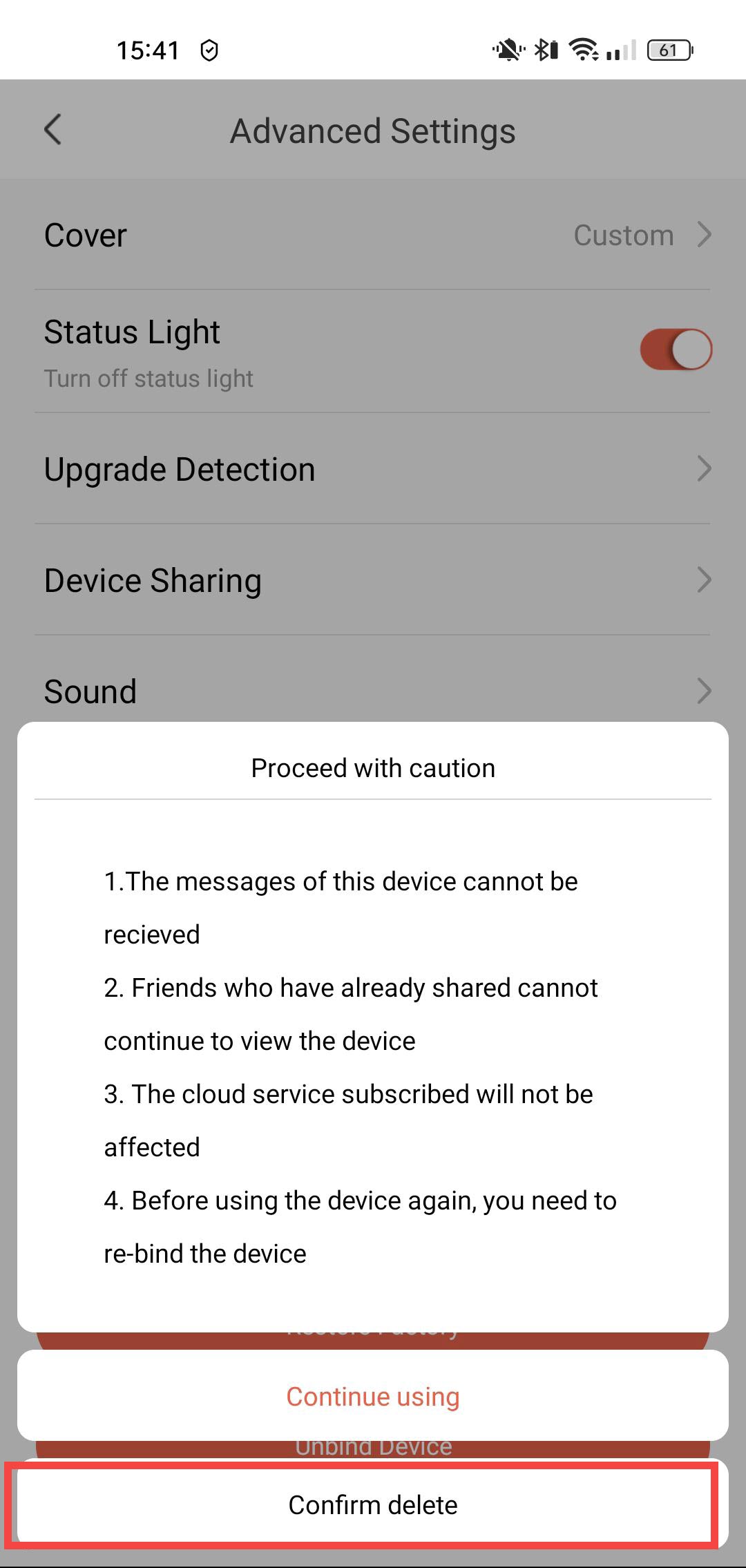
4Confirm the Unbinding
Click Confirm Delete.