
No items found.
No items found.
2K+ SMART HOME CAMERA
All questions
No items found.
No items found.
2K+ SMART HOME CAMERA
How do I format my SD card?
Once your SD card is installed in the camera, you need to format it before use. Follow the steps below:
1Access the Settings
On the Homepage, click the Settings icon.

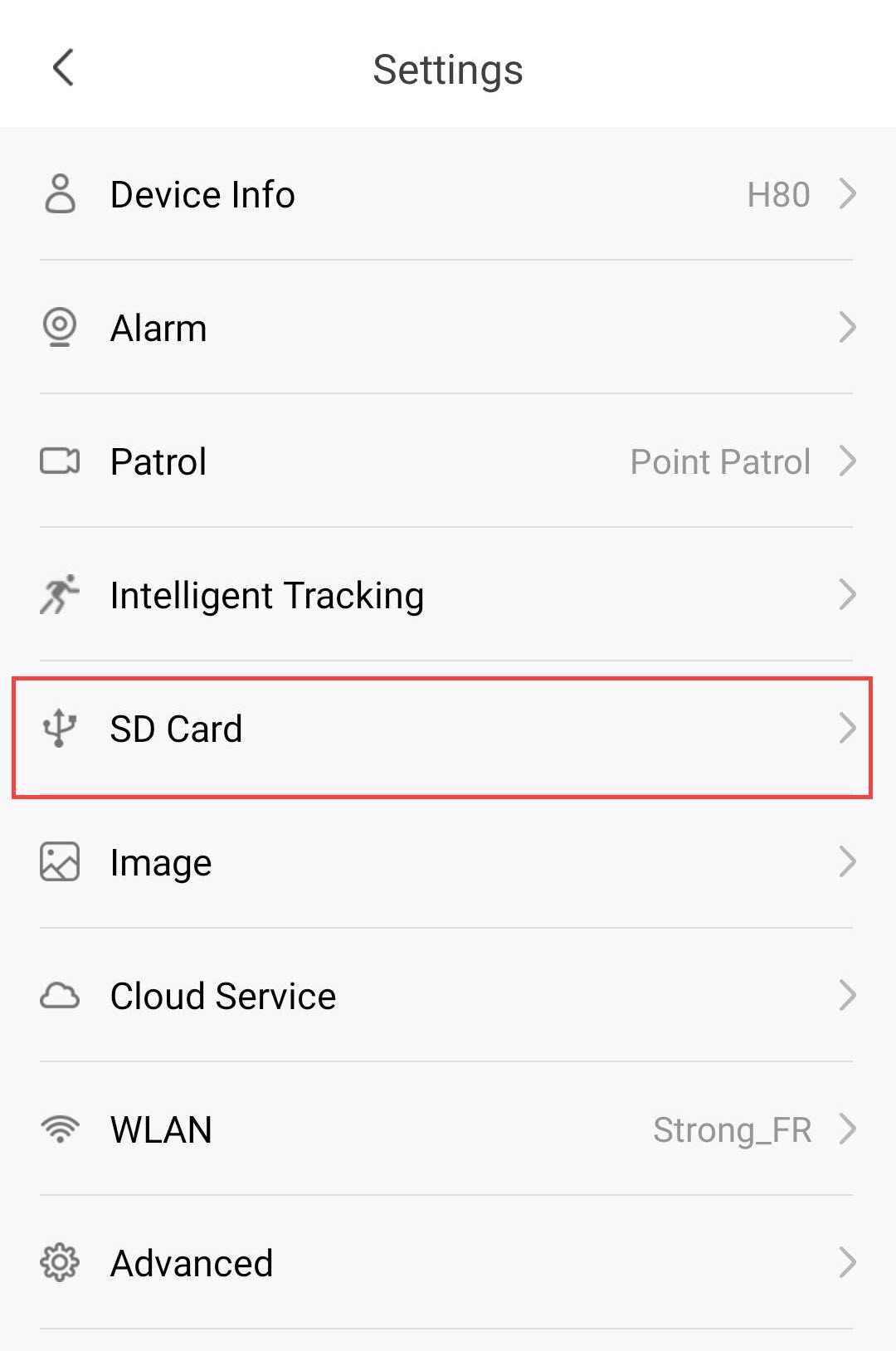
2Go to the SD Card Menu
Click SD Card from the settings list.
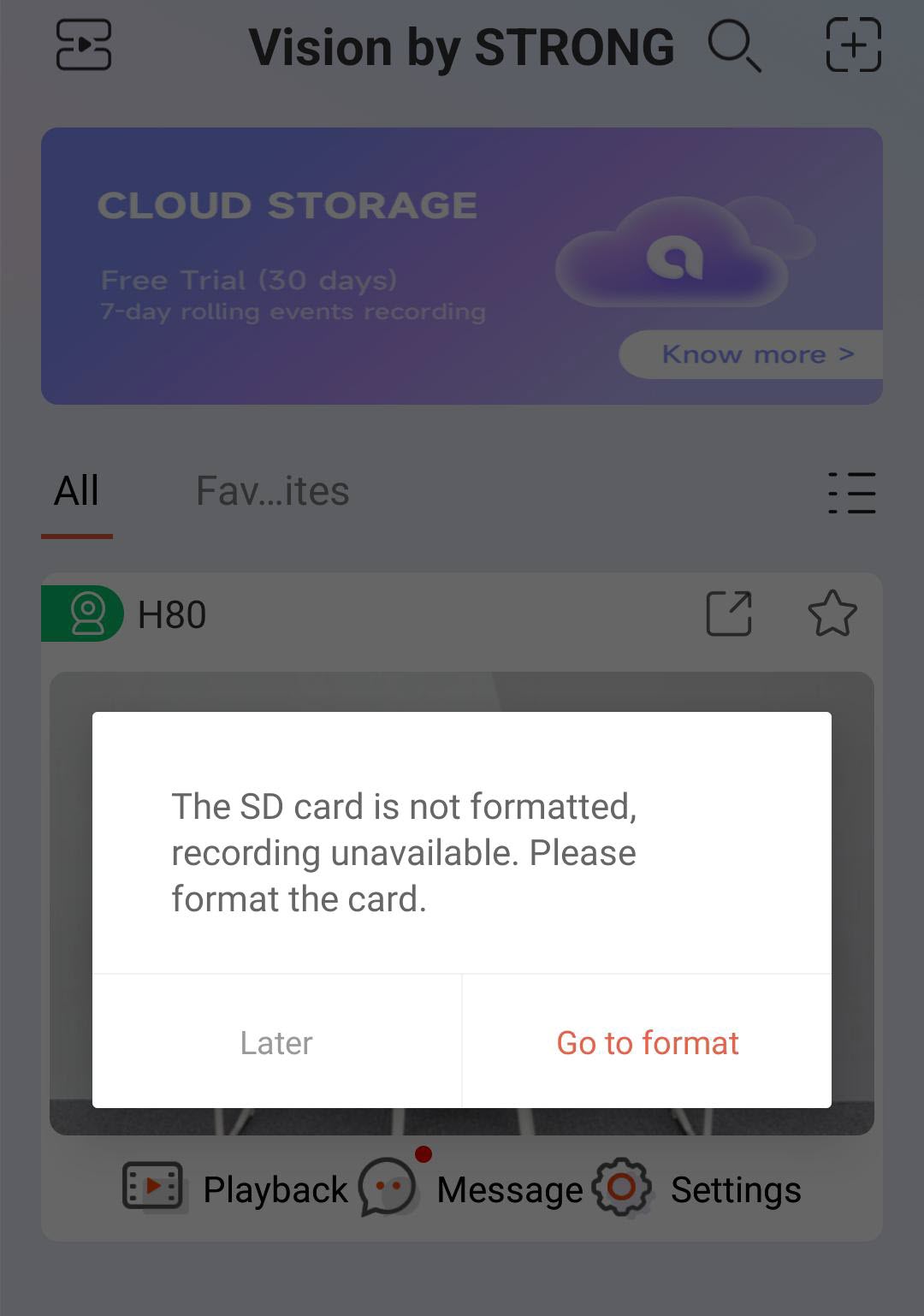
3Start the Formatting Process
Click the Go to format button.
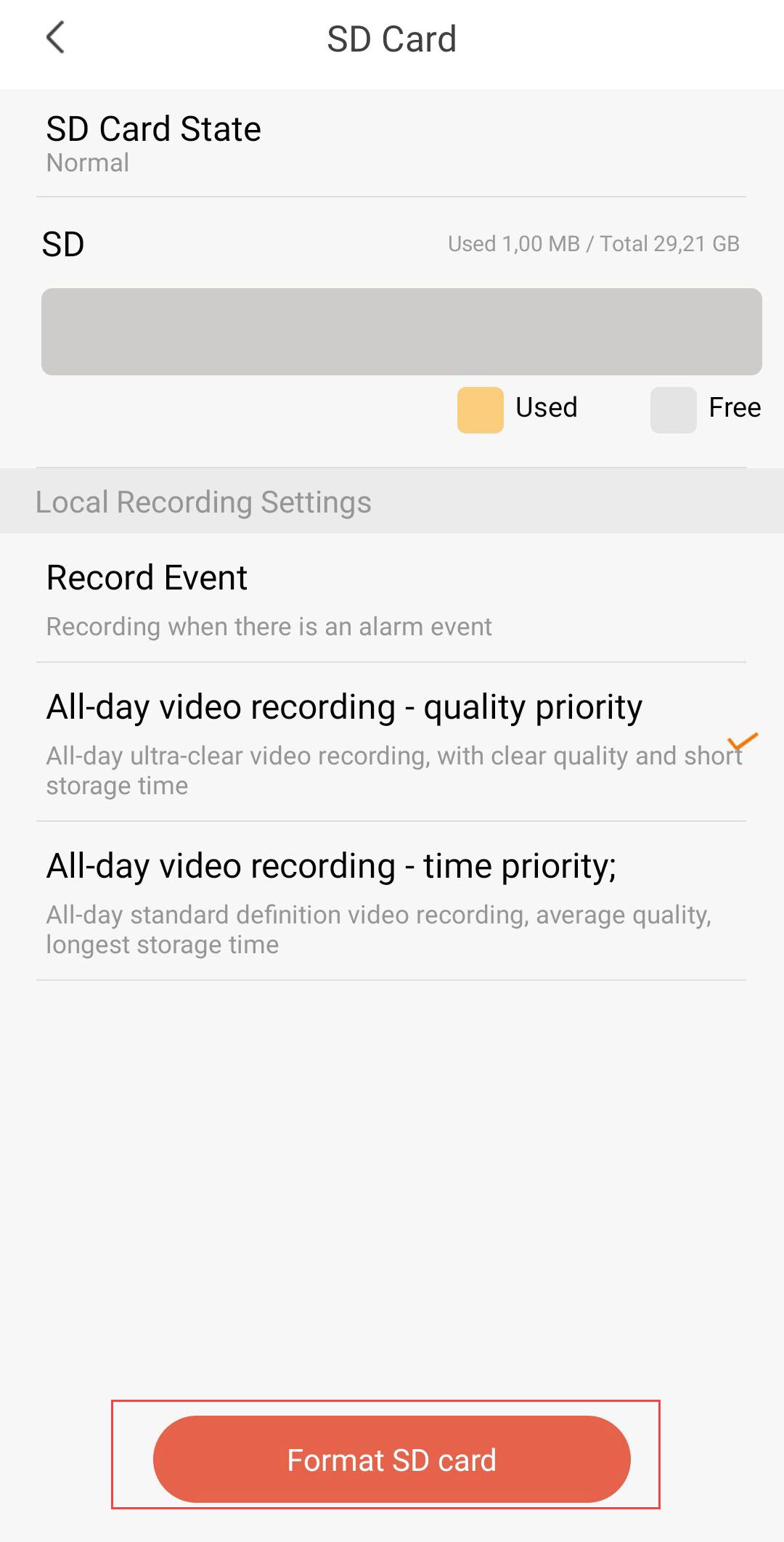
4Start the Formatting process
Then, click Format SD Card.
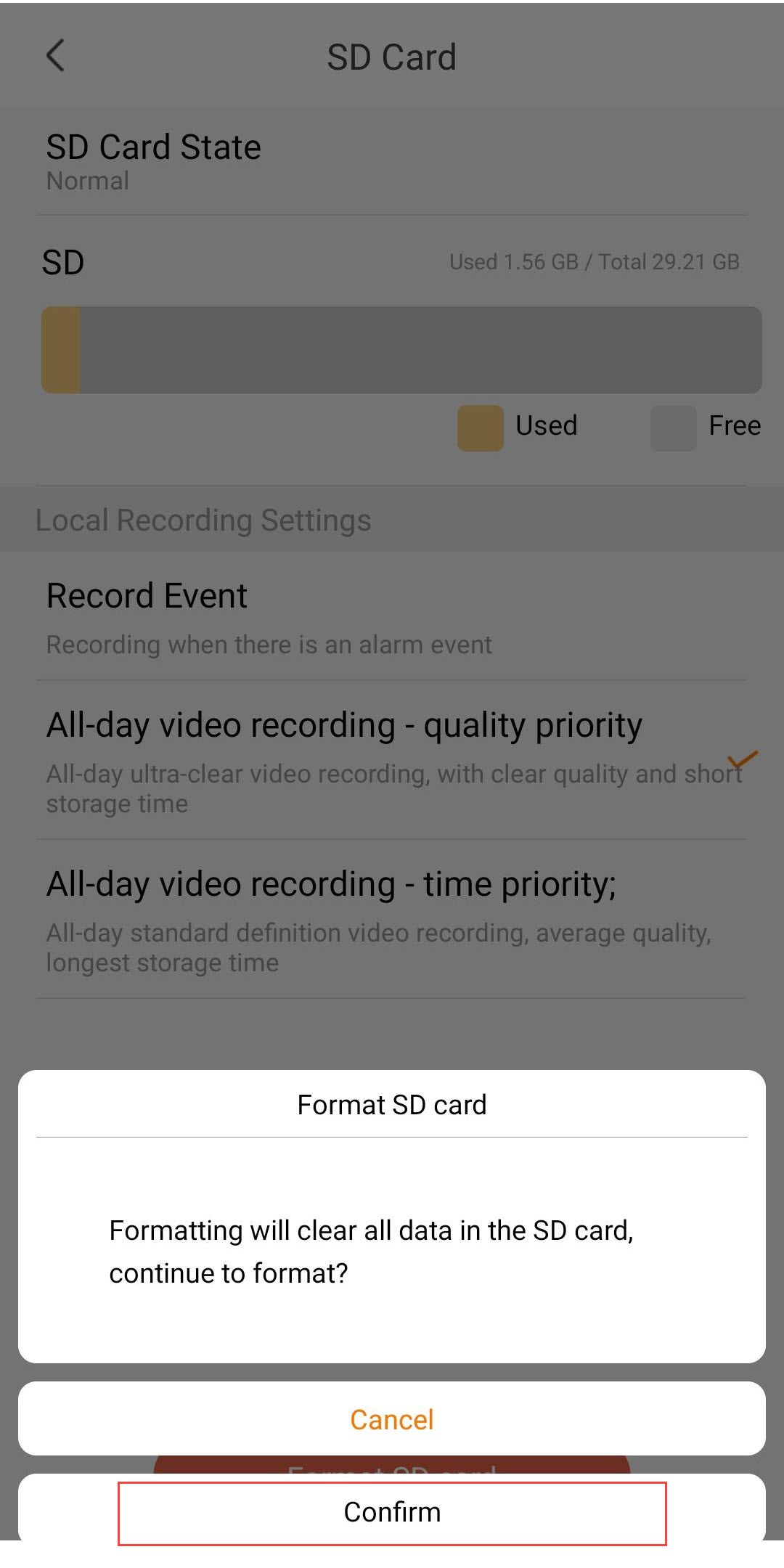
5Continue the process
Click Confirm.
6Choose a Recording Option
After formatting, choose one of the following recording options:
- Record Event: Only records when an alarm event is triggered (e.g., motion detection). This option allows you to save storage.
- All-day Video Recording – Quality Priority: Continuous recording in ultra-clear quality. Provides the best image quality, but storage fills up quickly due to higher file sizes.
- All-day Video Recording – Time Priority: Continuous recording in standard definition. Offers the longest storage time, with average video quality.

Warning: Once the capacity of the SD card is reached, the older recordings will be overwritten.