
Repeater AX1800
No items found.
No items found.
All questions
Repeater AX1800
No items found.
No items found.
How do I set a static IP for my repeater?
1Connect to the Web UI
Follow this procedure to connect to the Web UI.
2System Status
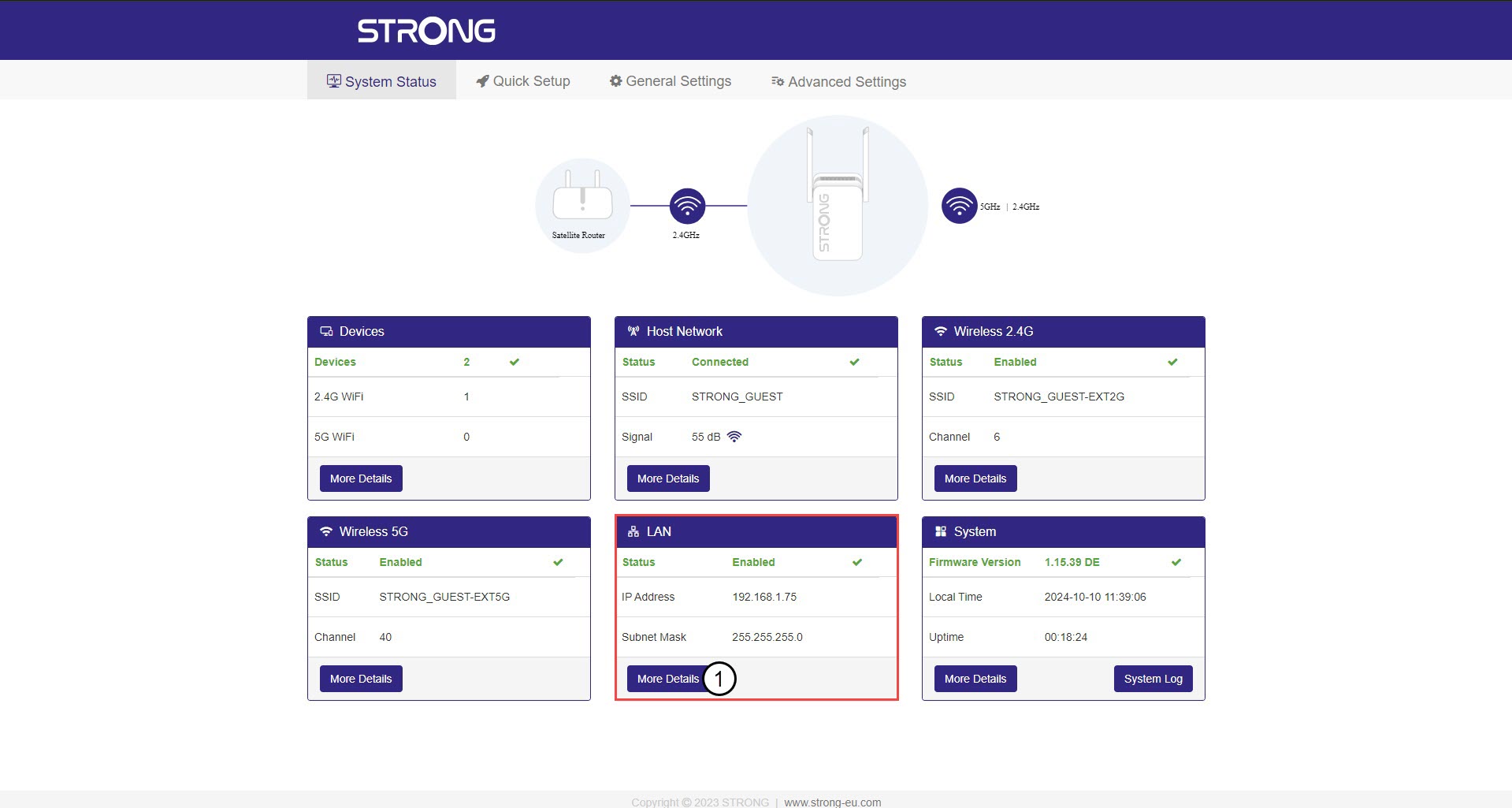
In the System Status screen, click the more details button in the LAN Section.
3Static IP
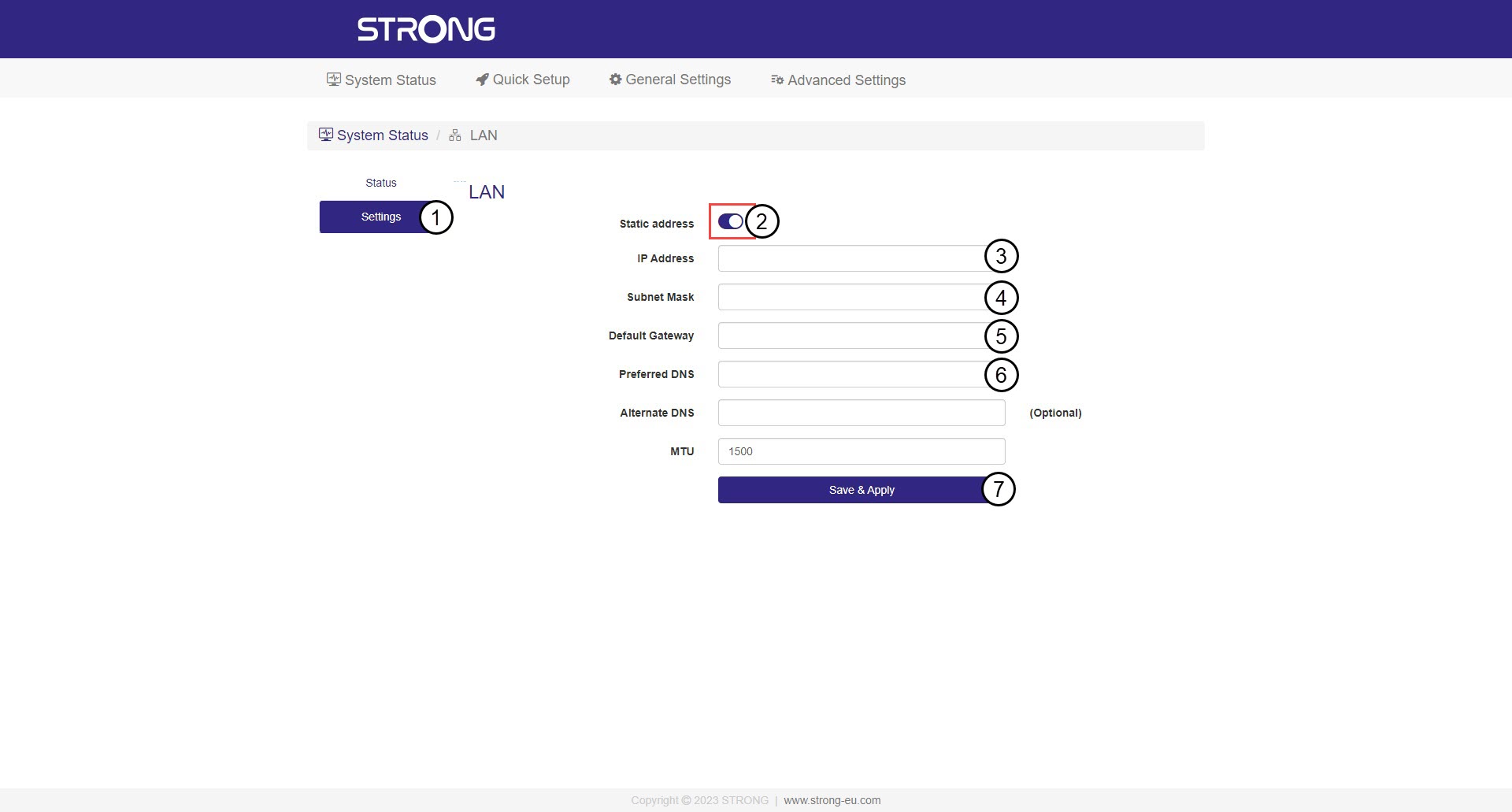
Click Settings and the Static Address toggle. Then, Enter the following information before clicking Save & Apply:
- IP Address: Enter the IP Address for the repeater.
- Subnet Mask: Select the subnet mask in the list
- Default Gateway: Enter the IP Address of your repeater
- Preferred DNS: You can enter the same value as the previous field.

Warning: Write down the new IP Address of your network. You will use it to connect to the Web UI from now on.