
Repeater AX1800
All questions
Repeater AX1800
How do I configure my repeater as an access point ?
1Connect to the Web UI
Follow one of the procedures below to connect to the Web UI:
- How do I connect to the Web UI of the repeater? (RJ45 Cable)
- How do I connect to the Web UI of the repeater? (Wi-Fi)
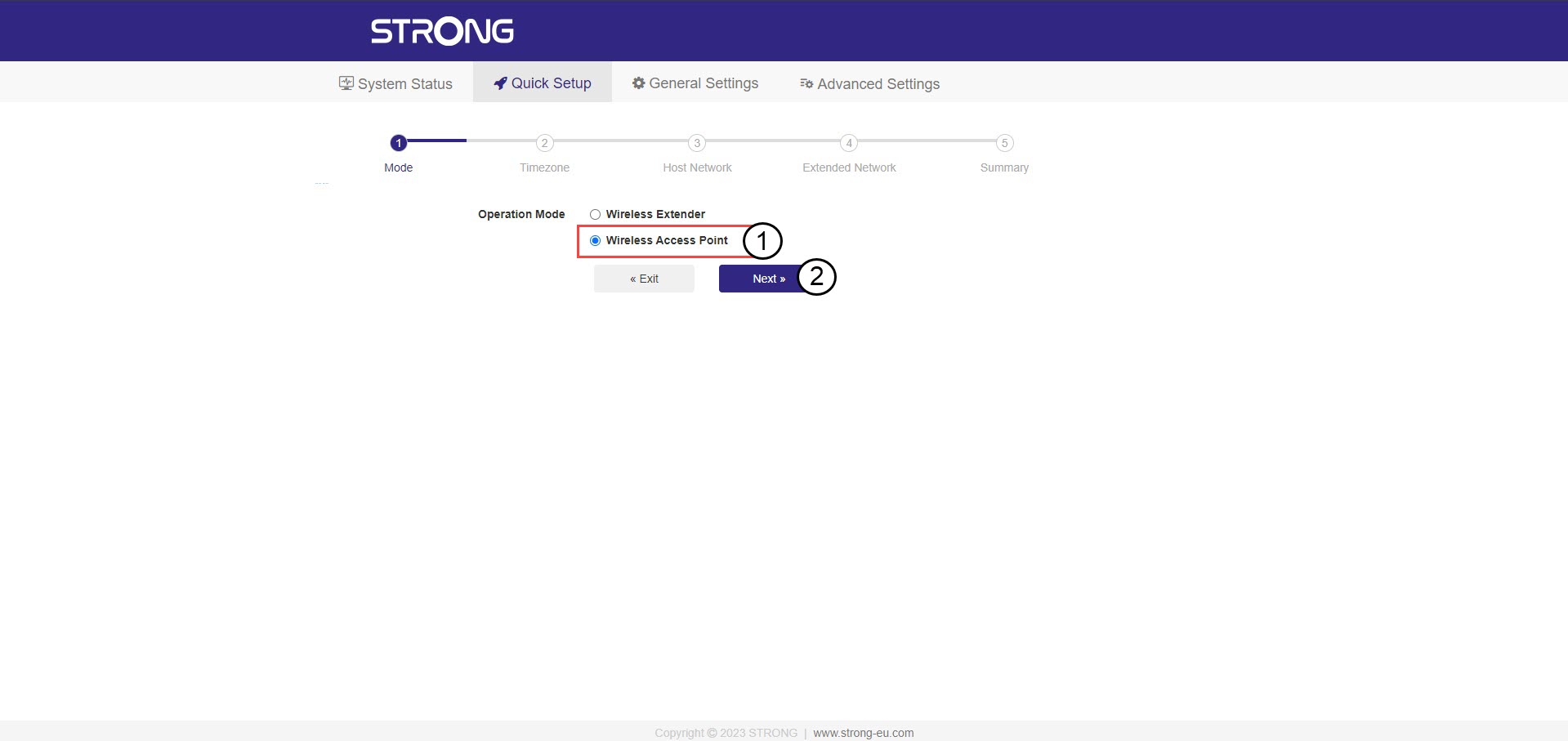
2Select the mode for your repeater
The repeater set up wizard will open. Select Wireless Access Point and click Next.
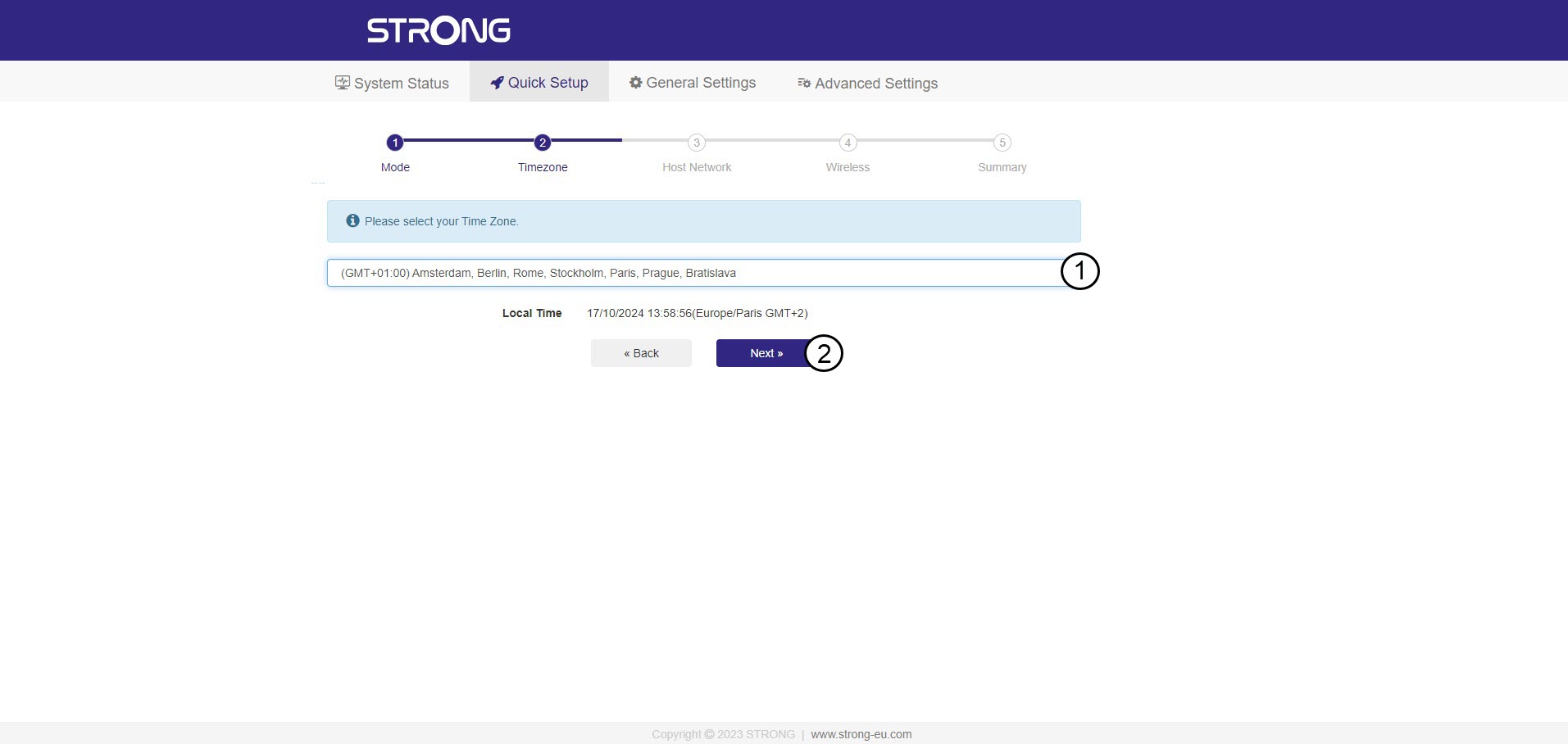
3Select the time zone
Select the Time Zone from the list if the one that is automatically detected is incorrect and click Next.
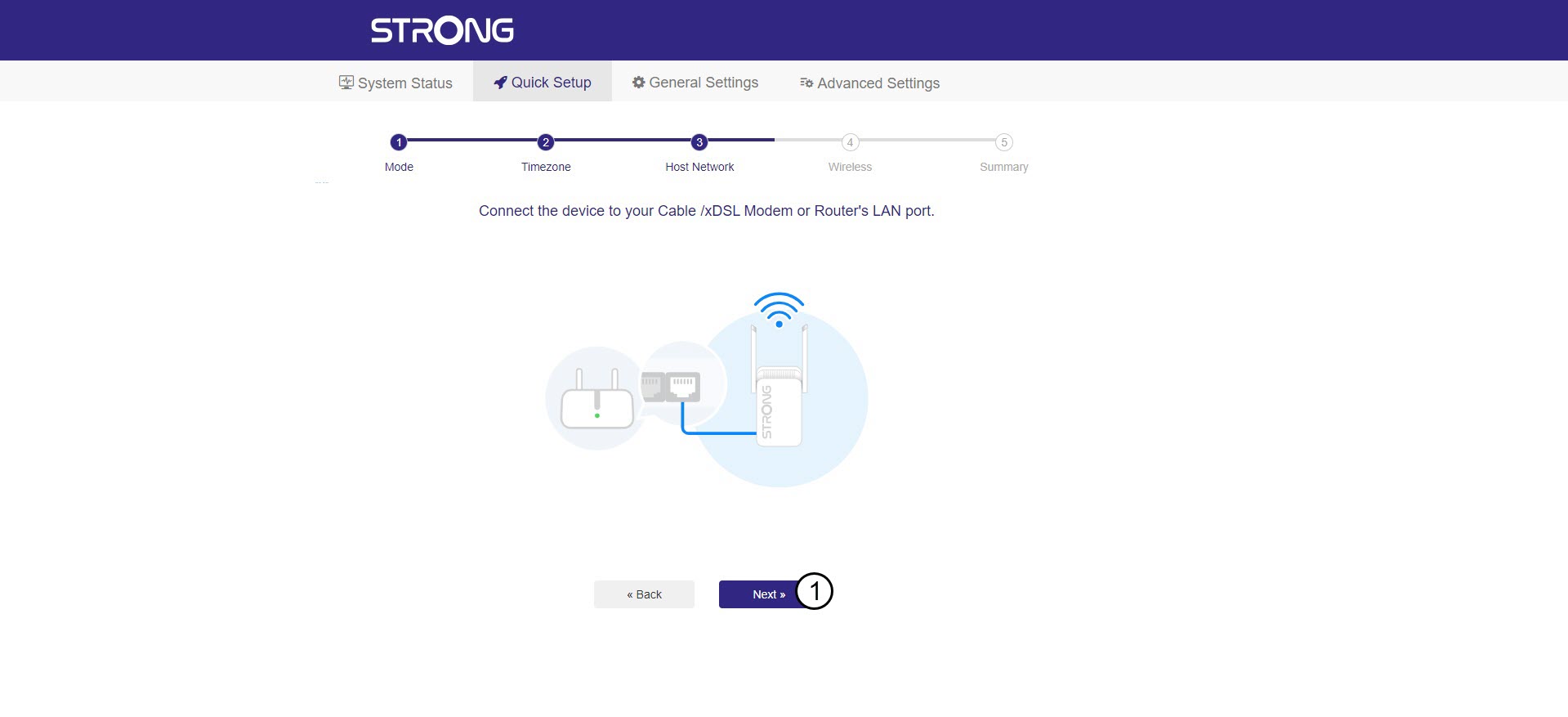
4Scanning the available network
Connect your repeater to your modem/router by plug-in a RJ45 cable in the WAN/LAN port.
Then, click Next.
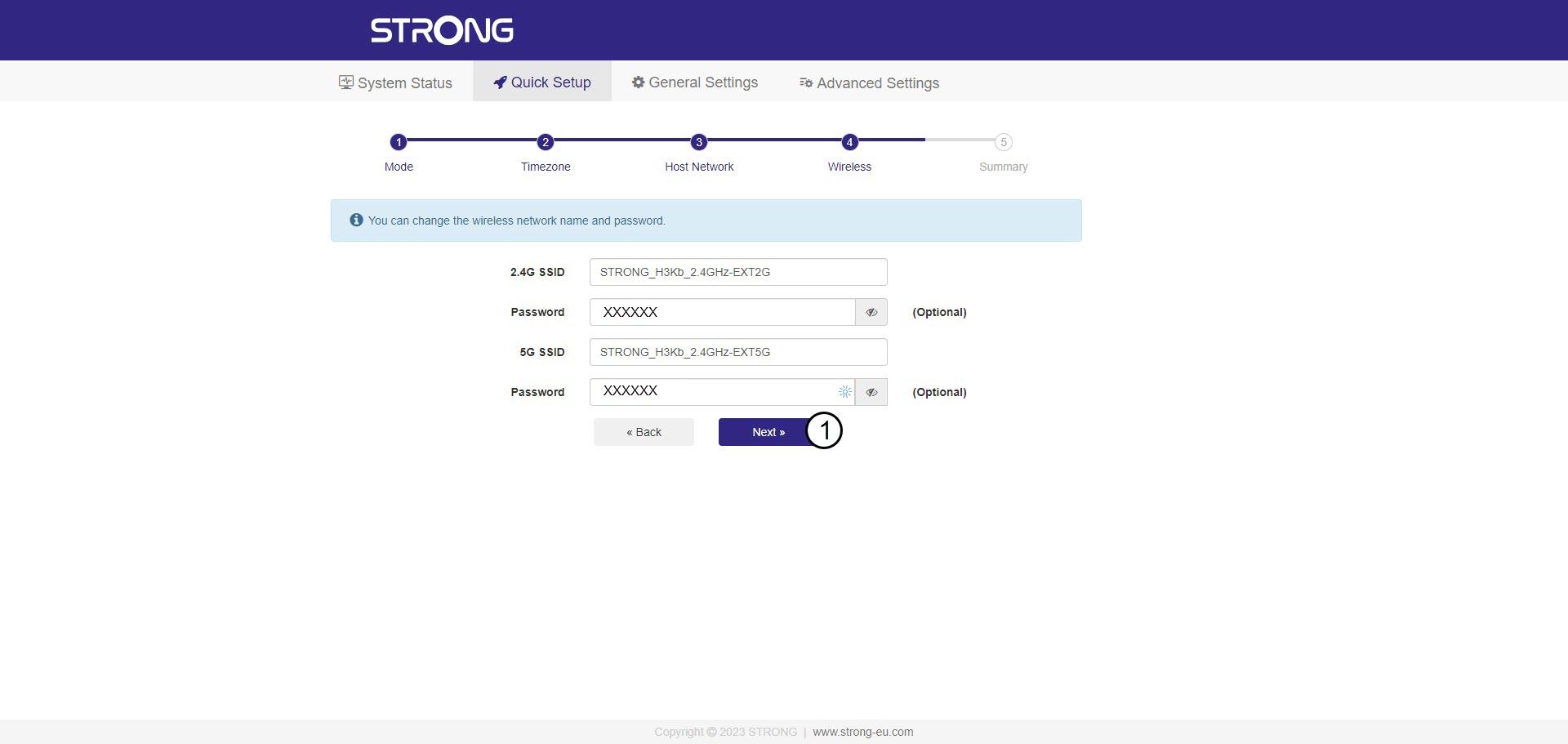
5Enter the password for the Wi-Fi host network
Check the password of the new Wi-Fi networks and click Next.
You can click the eye icon to display the password that you are typing.
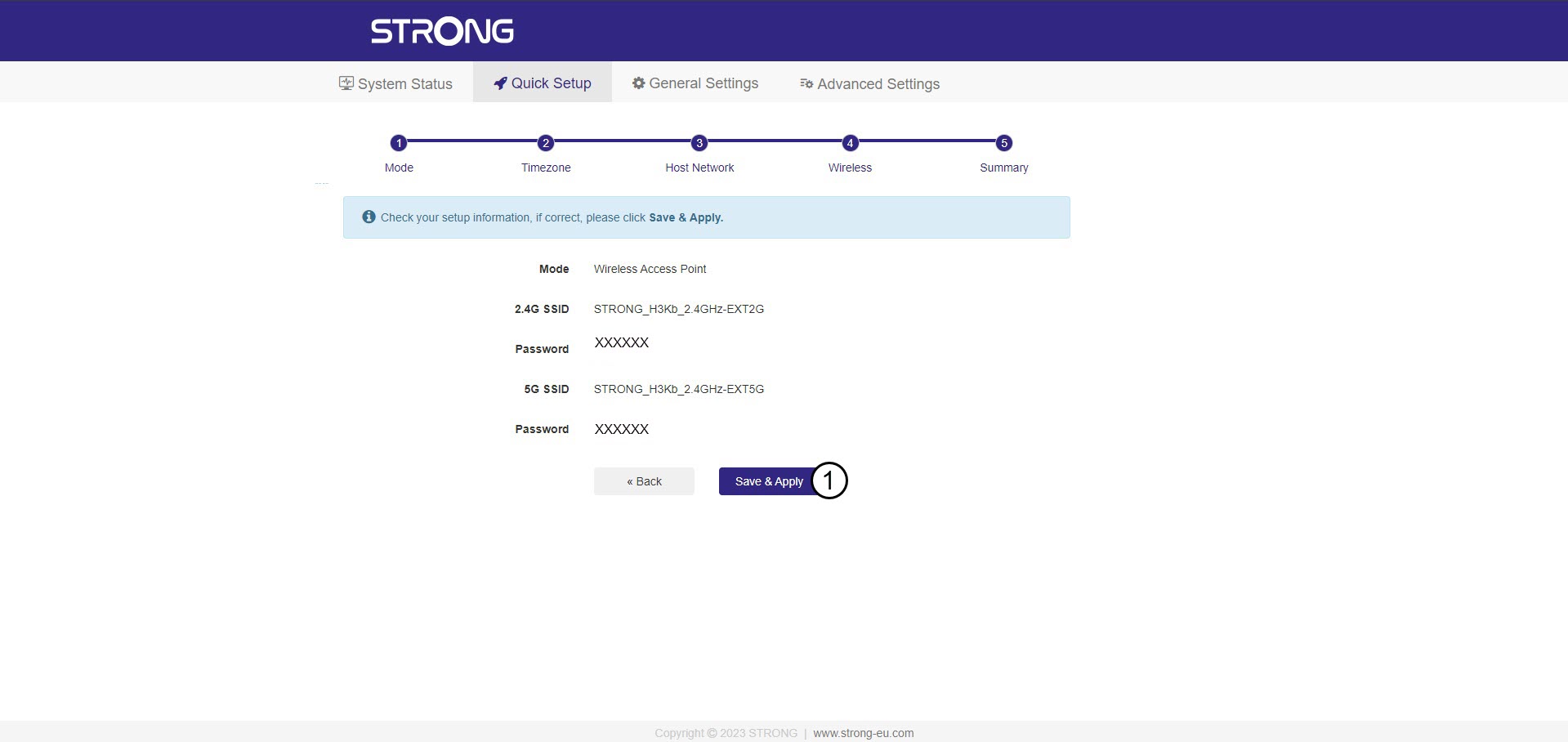
6Confirm the configuration
A summary of the new networks' information is displayed. Click Save & Apply.
Write donw the new network information. You will need it to connect to the UI.
7Wait during the configuration
Please wait while the repeater is configuring.


Warning: After the configuration, you will need to connect to the new networks that were created.