Repeater AX1800
No items found.
No items found.
All questions
No items found.
No items found.
LEDs, buttons and ports
Can I deactivate the LEDs of my repeater ?
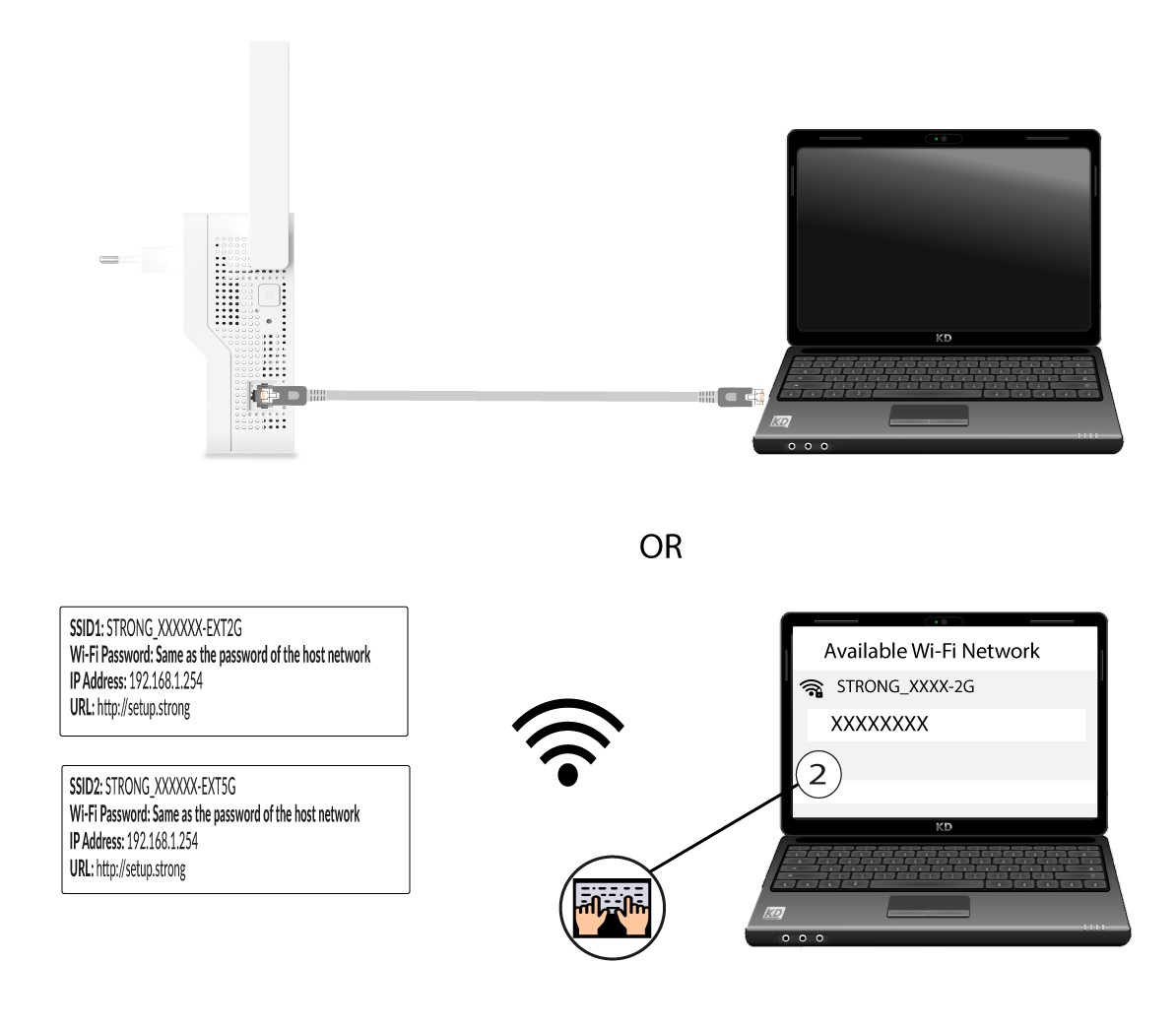
1Connect to the Wi-Fi or the Internet network of the repeater
You need to connect to the repeater by RJ45 or to connect to one of the Wi-Fi networks that was created after the configuration.
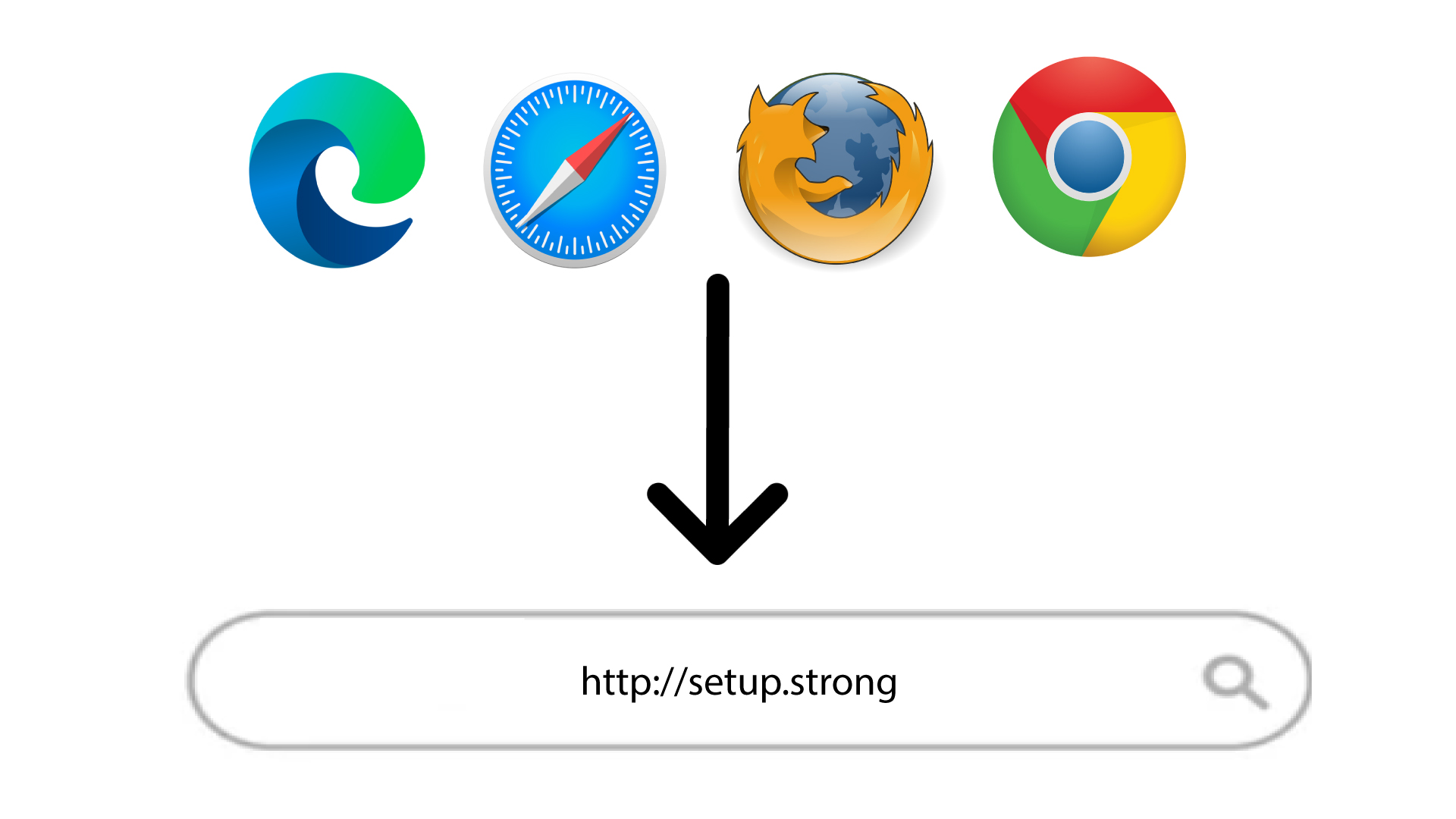
2Browse to the Web UI
Enter the URL of the Web UI in your browser.
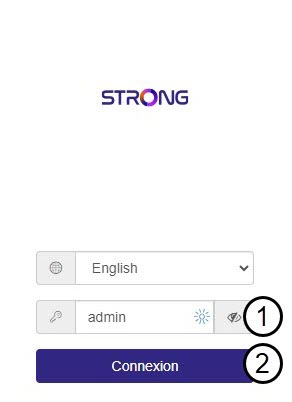
3Enter the credentials
Enter the password and click Connexion.
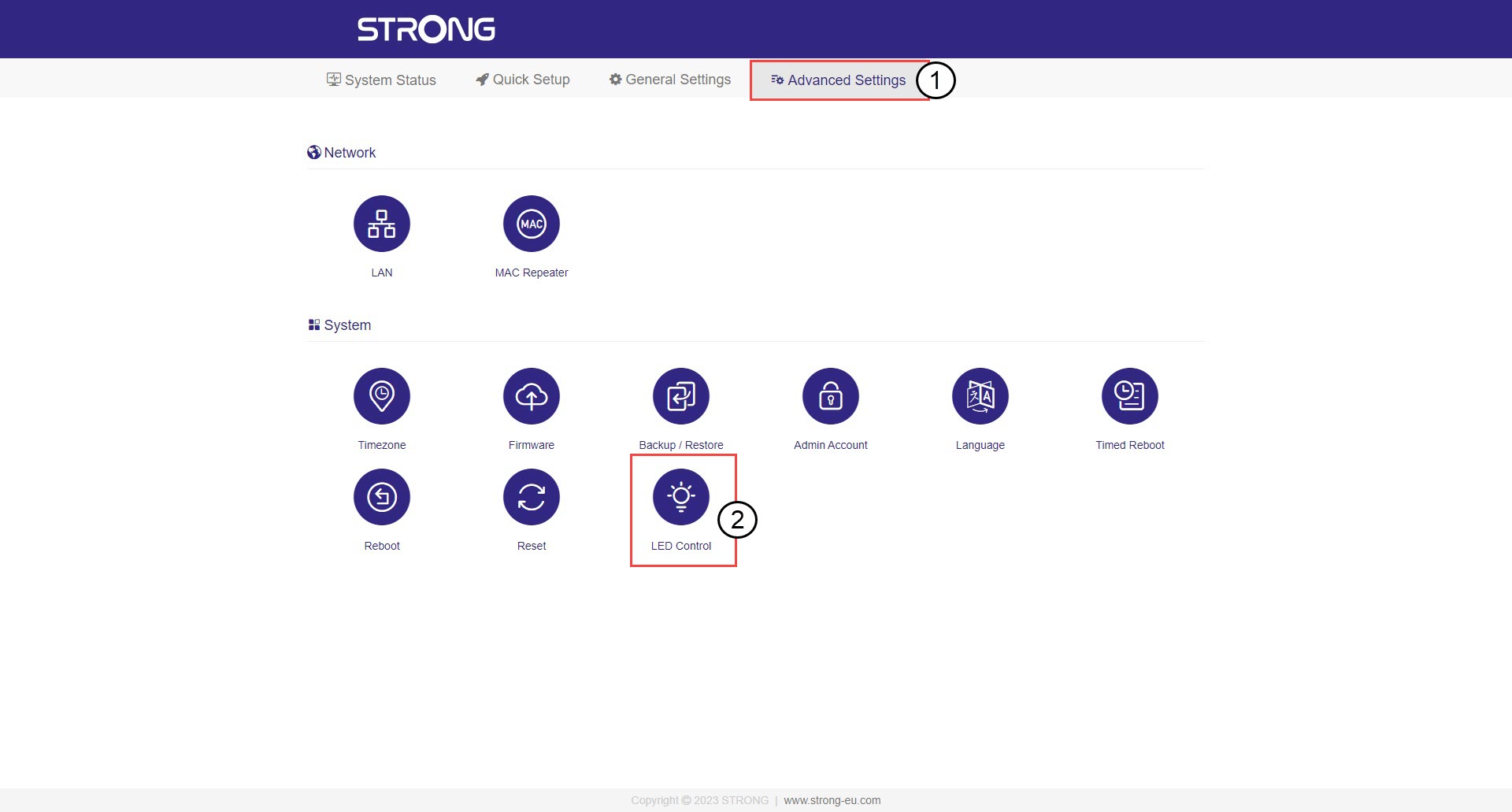
4LED Control
Click Advanced Settings and LED Control.
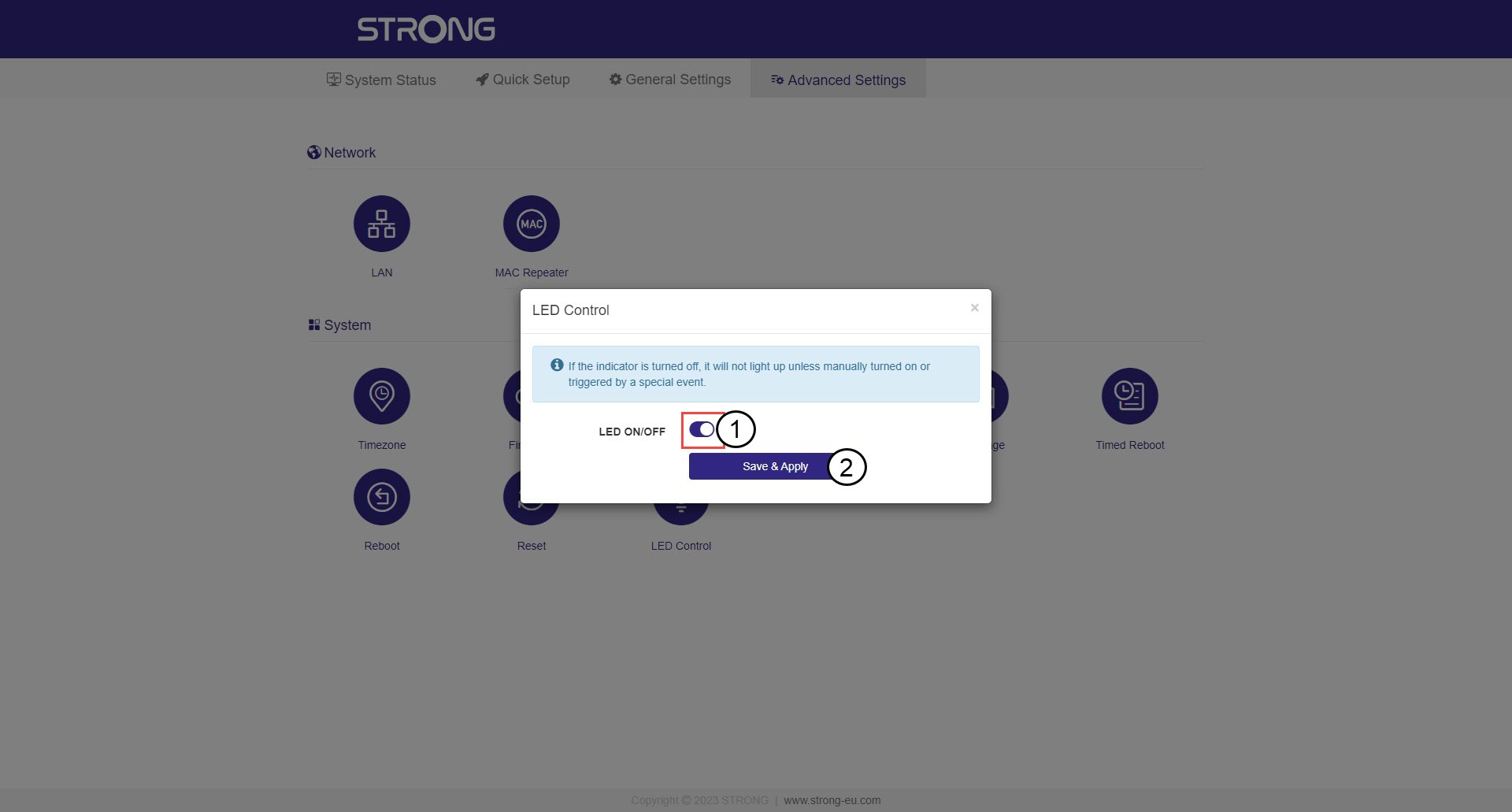
5Deactivate the LED
Click the LED ON/OFF toggle button and then click Save & Apply.
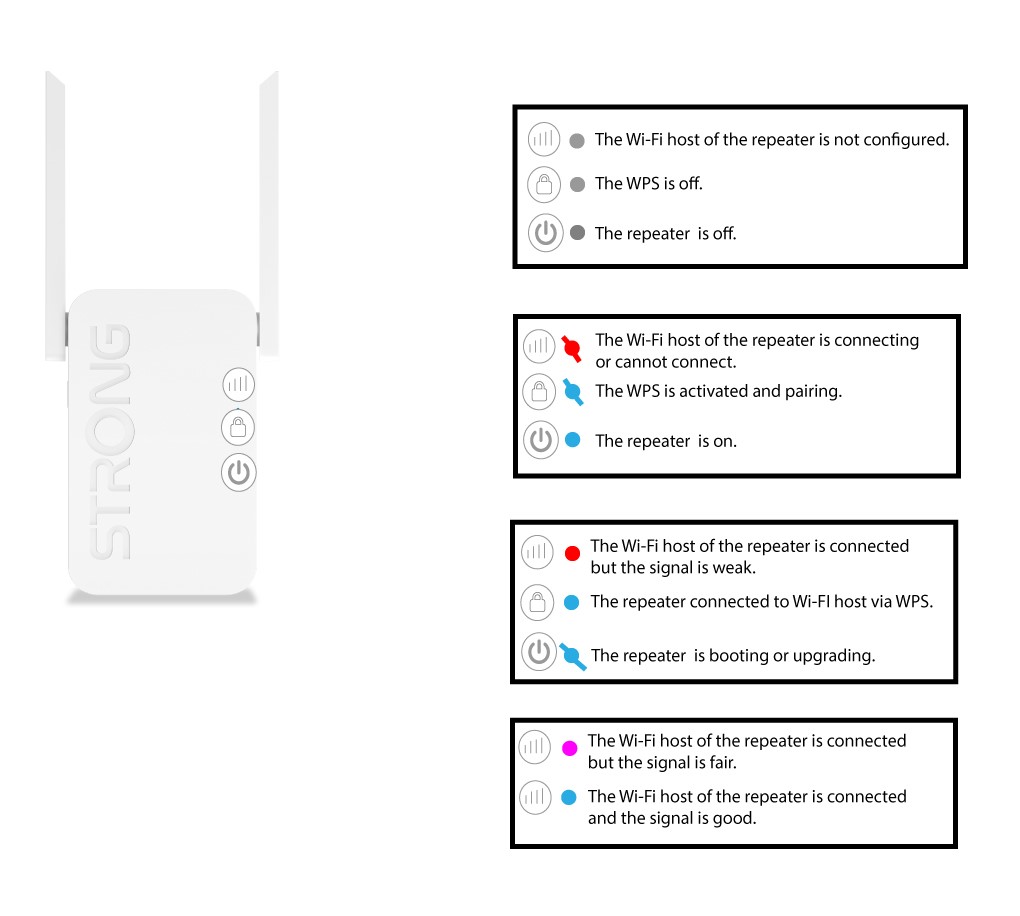
What does the LED on the repeater mean?
The following schema explains the meaning of the different statuses of the LEDs on your repeater.