
4G+ AIRSPOT 510 Mobile Wi-Fi
No items found.
No items found.
All questions
4G+ AIRSPOT 510 Mobile Wi-Fi
No items found.
No items found.
How do I reset my router to its factory settings? (Web UI)
You can reset your router to its factory settings.
1Access the Web Interface
Please follow the steps listed here to connect to the web UI: How do I access the Web UI?
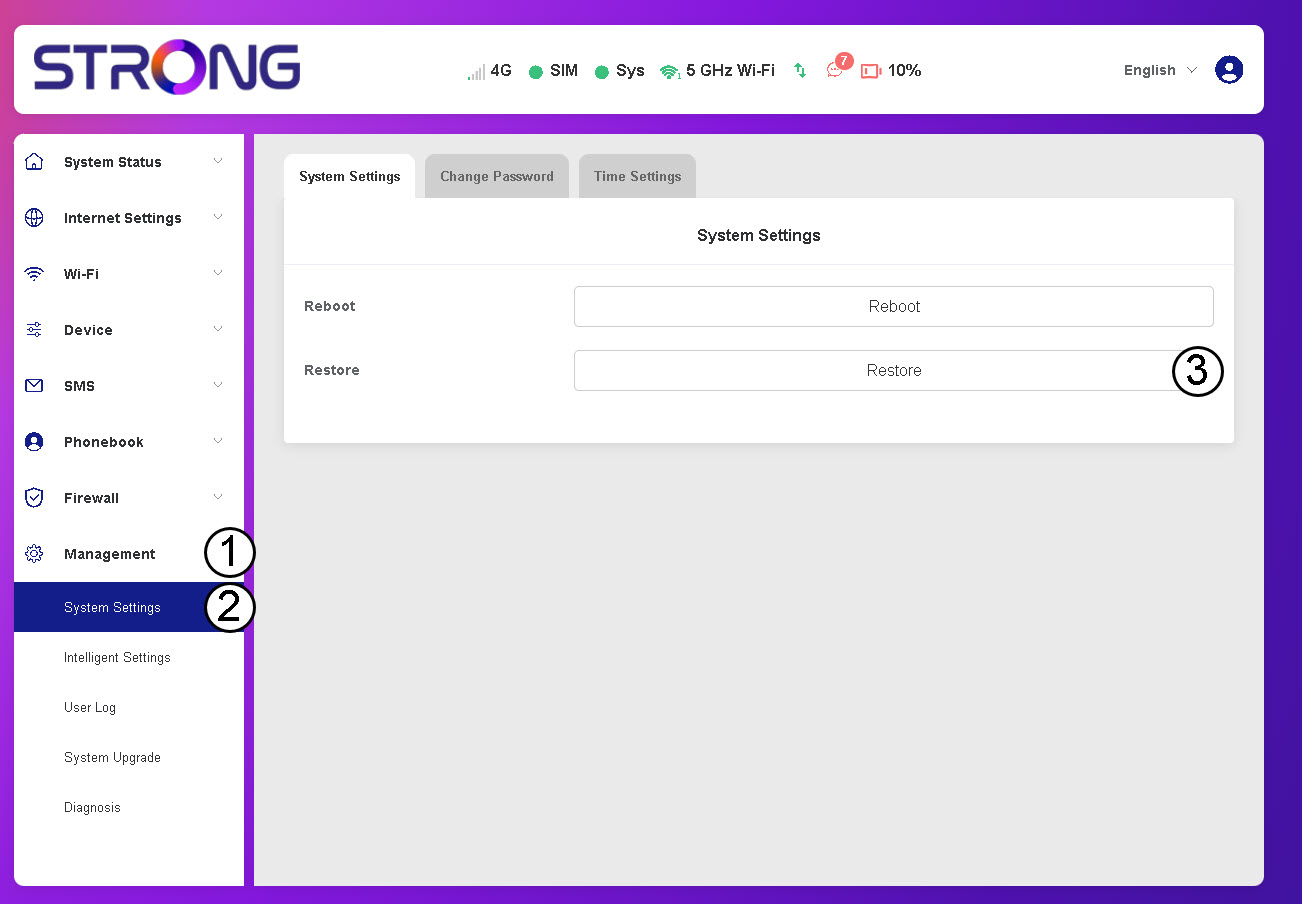
2Navigate to System Settings
Click Management, System Settings and Restore.
3Confirm the Reset
Click Confirm.
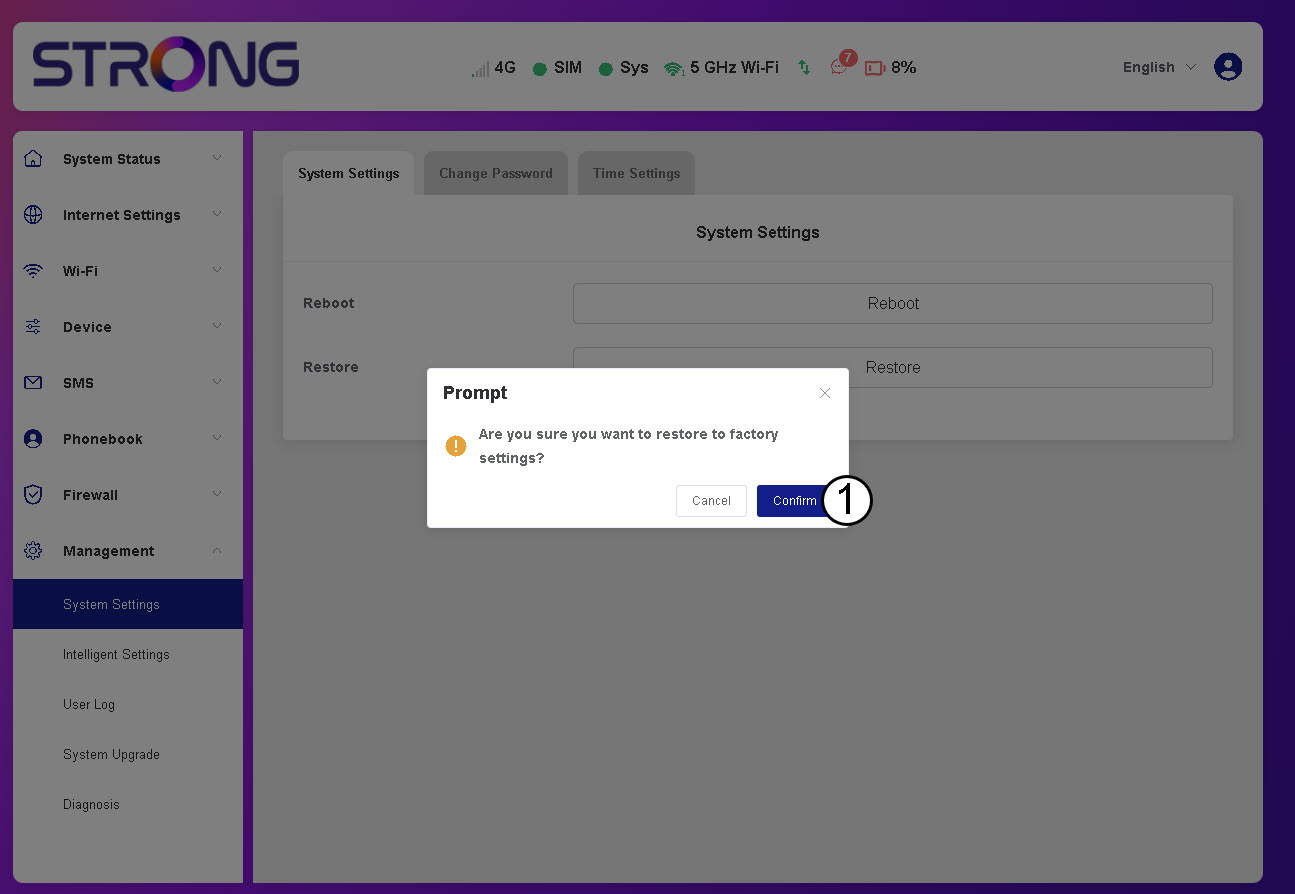
Please wait, the router will turn off and turn on, once the process is finished.