
4G+ AIRSPOT 510 Mobile Wi-Fi
No items found.
No items found.
All questions
4G+ AIRSPOT 510 Mobile Wi-Fi
No items found.
No items found.
How do I deactivate my PIN code?
Once you have inserted your SIM card and entered the PIN code using the Mi-Fi’s LCD screen, the PIN code is automatically deactivated.
You can check if the PIN code is deactivated by following the steps below:
1Access the web interface
Connect to the web UI.
2Navigate to SIM PIN settings
Click Internet Settings, then select SIM card PIN code.
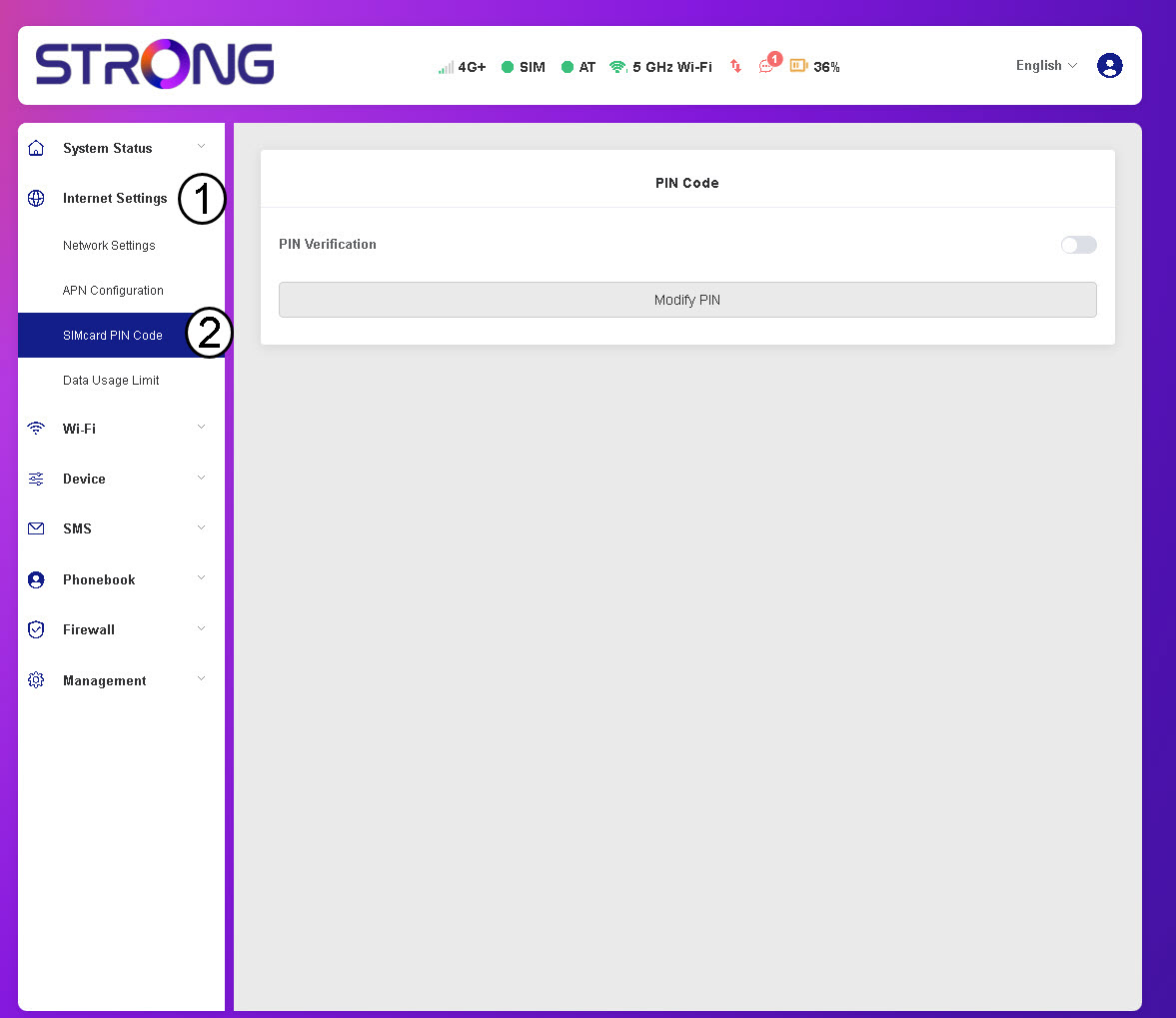
3Check PIN status
Verify that the PIN verification toggle is grey, indicating the PIN code is deactivated.
