
4G+ AIRSPOT 510 Mobile Wi-Fi
No items found.
No items found.
All questions
4G+ AIRSPOT 510 Mobile Wi-Fi
No items found.
No items found.
How do I change the admin password?
1Access the Web UI
To access the web UI please refer to How do I access the Web UI?
2Navigate to Password Settings
In the Management section, click System Settings and Change Password.
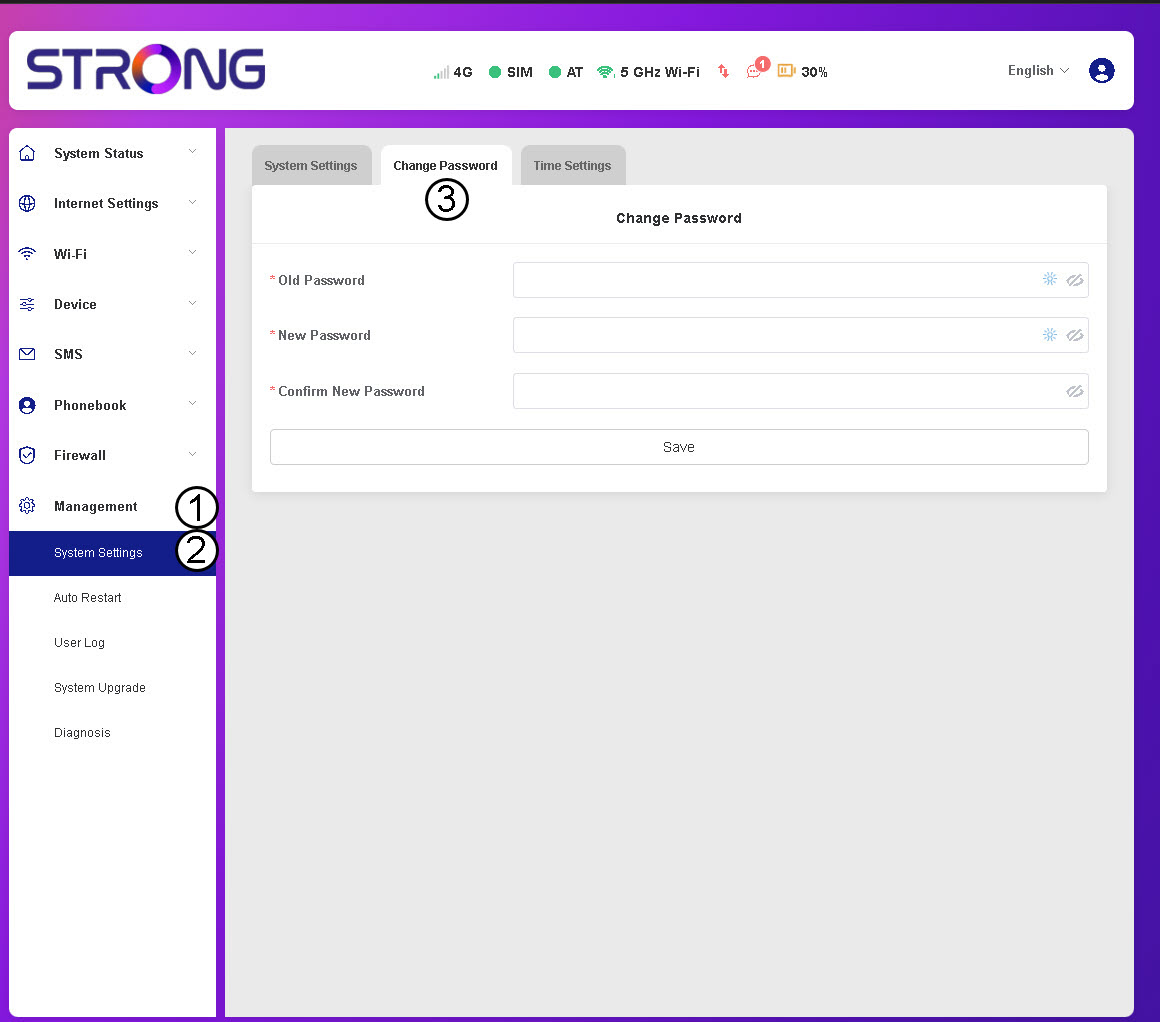
3Enter Password Information
Then, enter the following information before clicking Save:
- Old Password: Enter your current password.
- New Password: Enter a password that contains at least 8 characters and includes a combination of uppercase, lowercase, number and special characters. only the following special characters are allowed: @$%*&.
- Confirm New Password: Enter the same password as in the previous field.


WARNING: If you have forgotten your current password, you will need to reset the device to its factory settings.