
4G+ AIRSPOT 510 Mobile Wi-Fi
No items found.
No items found.
All questions
4G+ AIRSPOT 510 Mobile Wi-Fi
No items found.
No items found.
How do I manage the APN Settings of my device?
Sometimes, you can encounter issues with the mobile data network after configuring your device and entering your PIN code. In this case, follow the procedure below to check you APN information.
1Access the Web UI
To connect to the Web UI, please follow this procedure How do I access the Web UI?
2Open APN Configuration
Click Internet Settings and APN Configuration. Then, click Add APN.
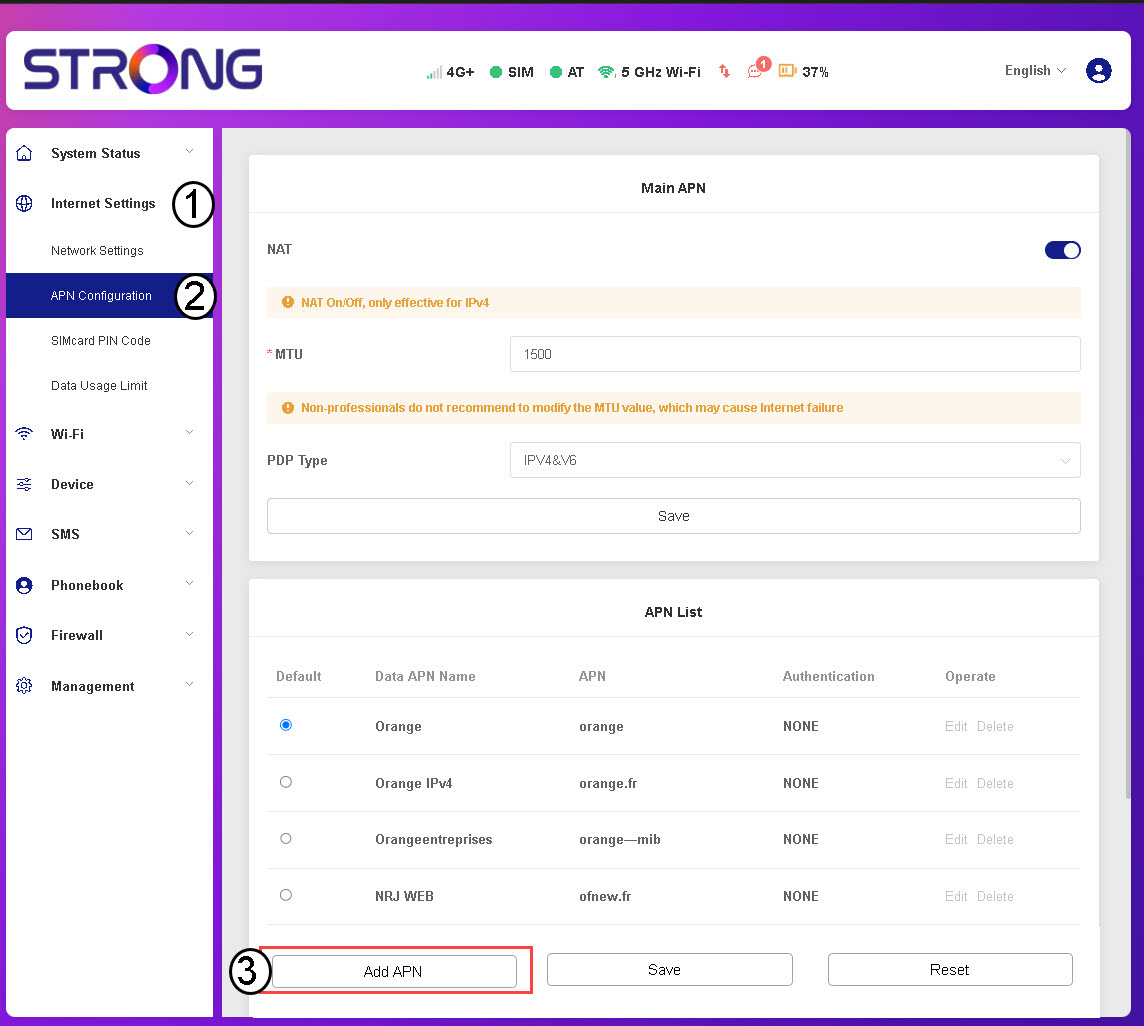
3Enter and Save APN Information
Enter the following information before clicking Save:
- Data APN Name: Enter the APN name provided by your service provider.
- APN: Enter the APN provided by your service provider.
- Authentication: Select the authentication type from the list based on the information given by your service provider.