
4G AIRHOME 310 with Detachable 4G antennas
No items found.
No items found.
All questions
4G AIRHOME 310 with Detachable 4G antennas
No items found.
No items found.
What type of SIM card can I insert in my router?
A full-size SIM card must be inserted in the SIM card slot of the 4G LTE Router 300. You don’t have to worry about the size of your SIM card as adapters are provided within the router package to have the right size. You must insert your SIM card before switching on the device.
1Case 1: Nano SIM Card
Once you put the SIM card in the adapter, keep pressing the SIM card in the adapter to maintain it. Take the device in your hand and insert the SIM card in the slot in the same position as the schema below.
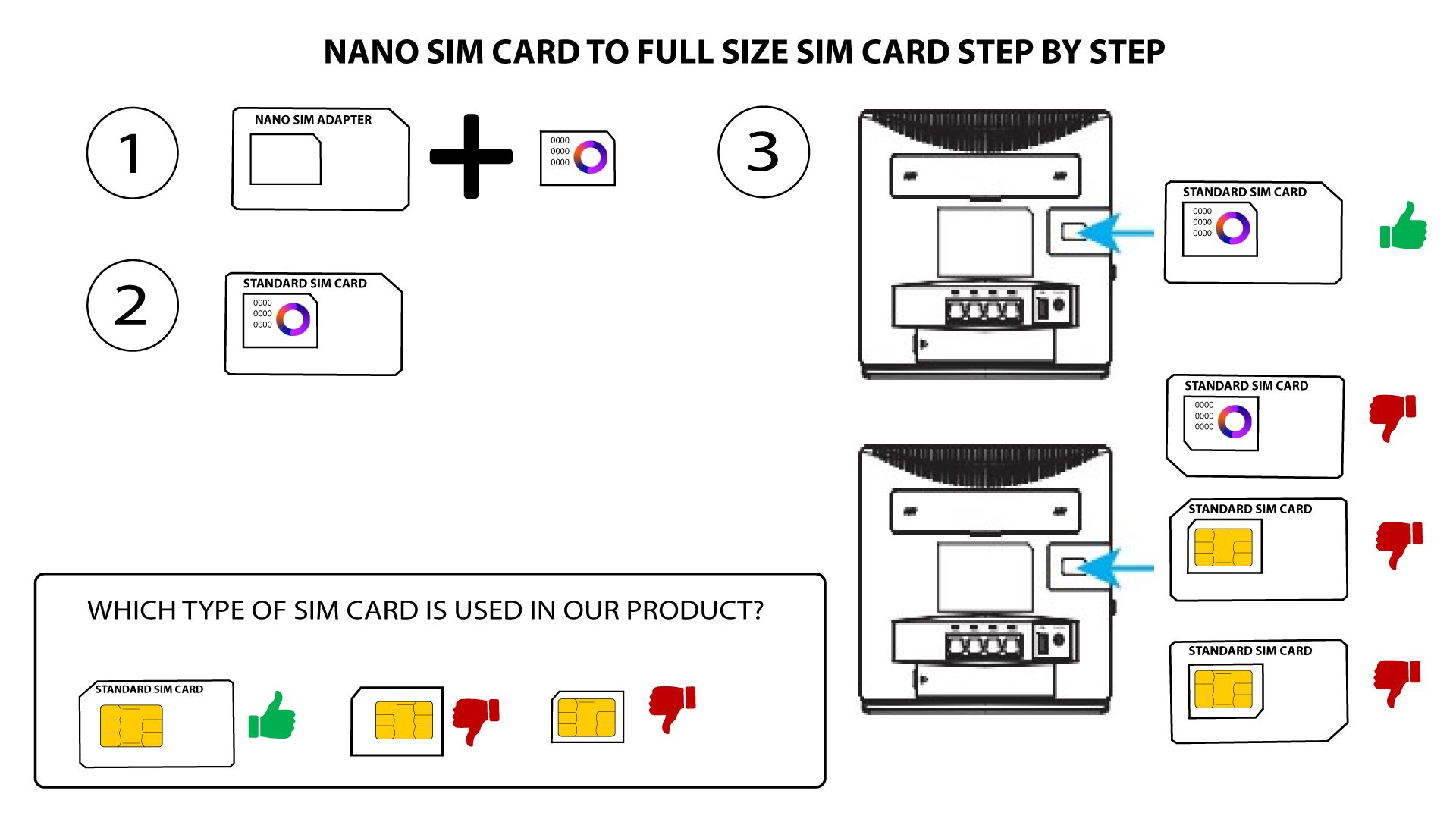
2CASE 2: Micro SIM Card
Once you put the SIM card in the adapter, keep pressing the SIM card in the adapter to maintain it. Take the device in your hand and insert the SIM card in the slot in the same position as the schema below.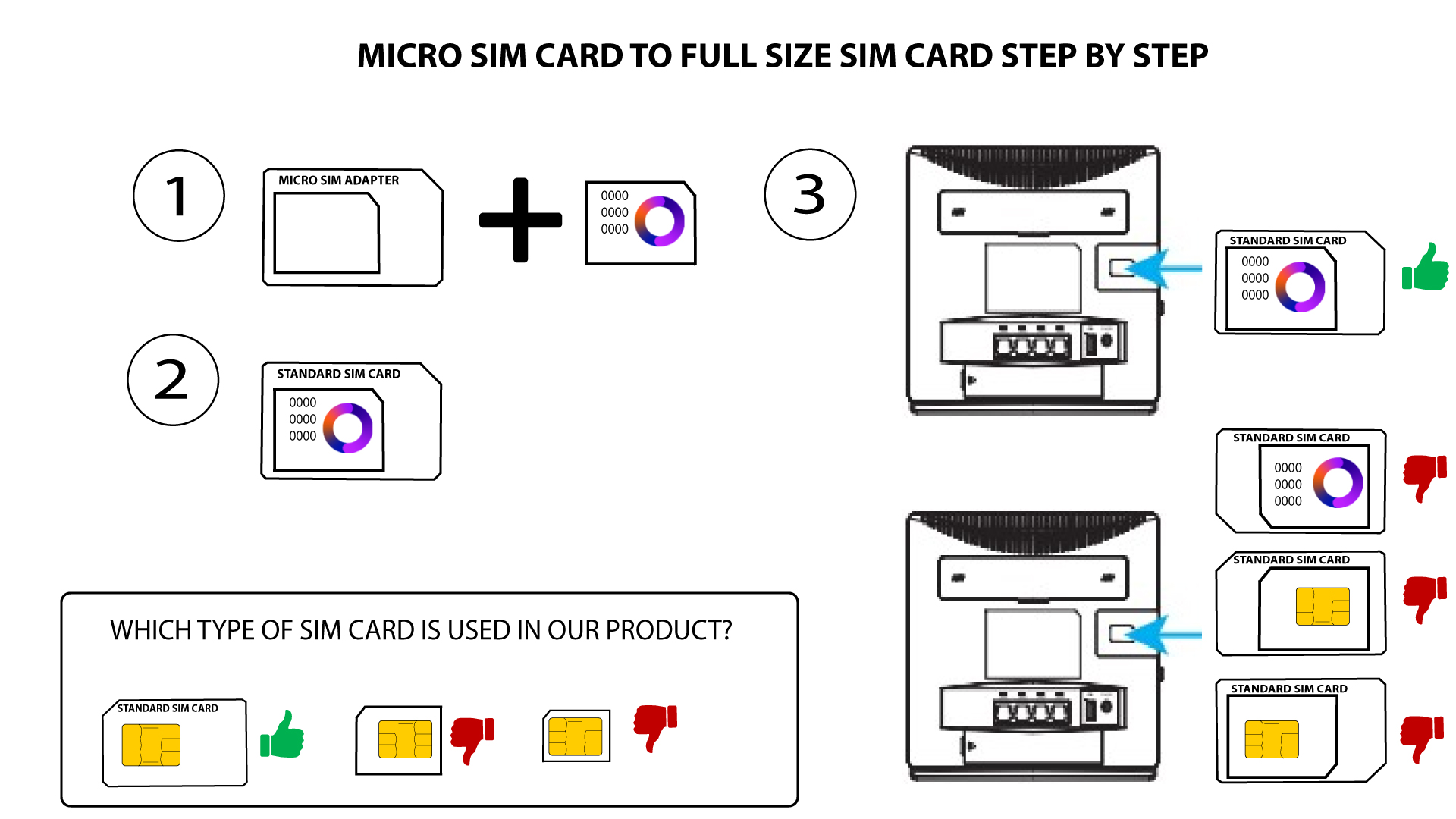

Make sure that your SIM card is properly positioned in the adapter before inserting it into the slot.
• If your SIM card is not detected by the device, please check its position and if you inserted the adapter the right way.