
4G AIRHOME 310 with Detachable 4G antennas
No items found.
No items found.
All questions
4G AIRHOME 310 with Detachable 4G antennas
No items found.
No items found.
How do I deactivate the Wi-Fi?
If you prefer to use your router by connecting it directly to your device with an Ethernet cable, it is possible to deactivate the Wi-Fi.
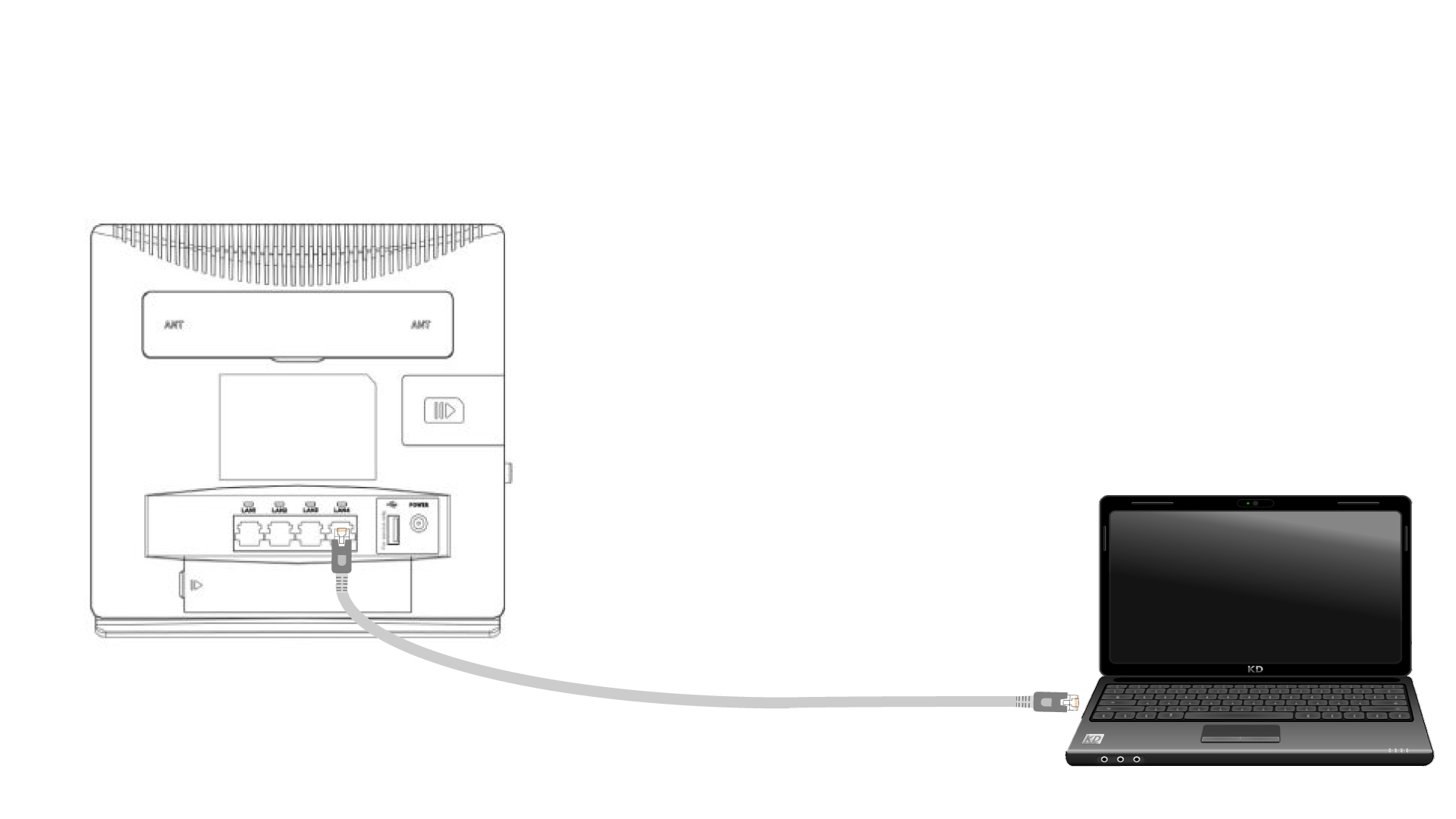
1Connect to the router with an Ethernet cable
Plug a RJ45 cable on the router to access the Web UI, follow the procedure below to connect to the Web UI (after step 2):
2Wi-Fi Settings
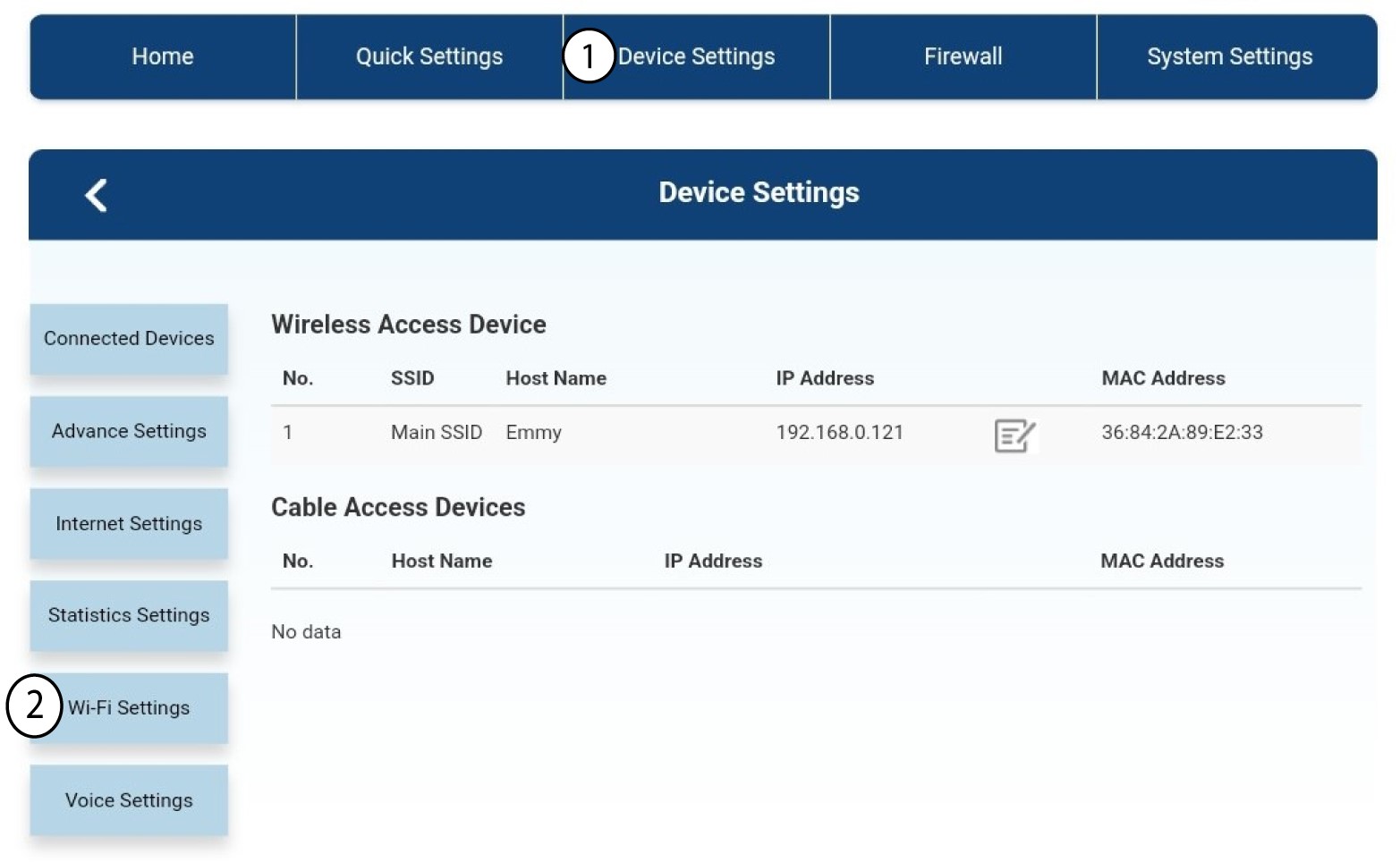
Then, click Device Settings and after that select Wi-Fi Settings.
3Deactivate Wi-Fi
In Wi-Fi Settings, select Wi-Fi Switch. Then, click the Disabled box and the Apply button.
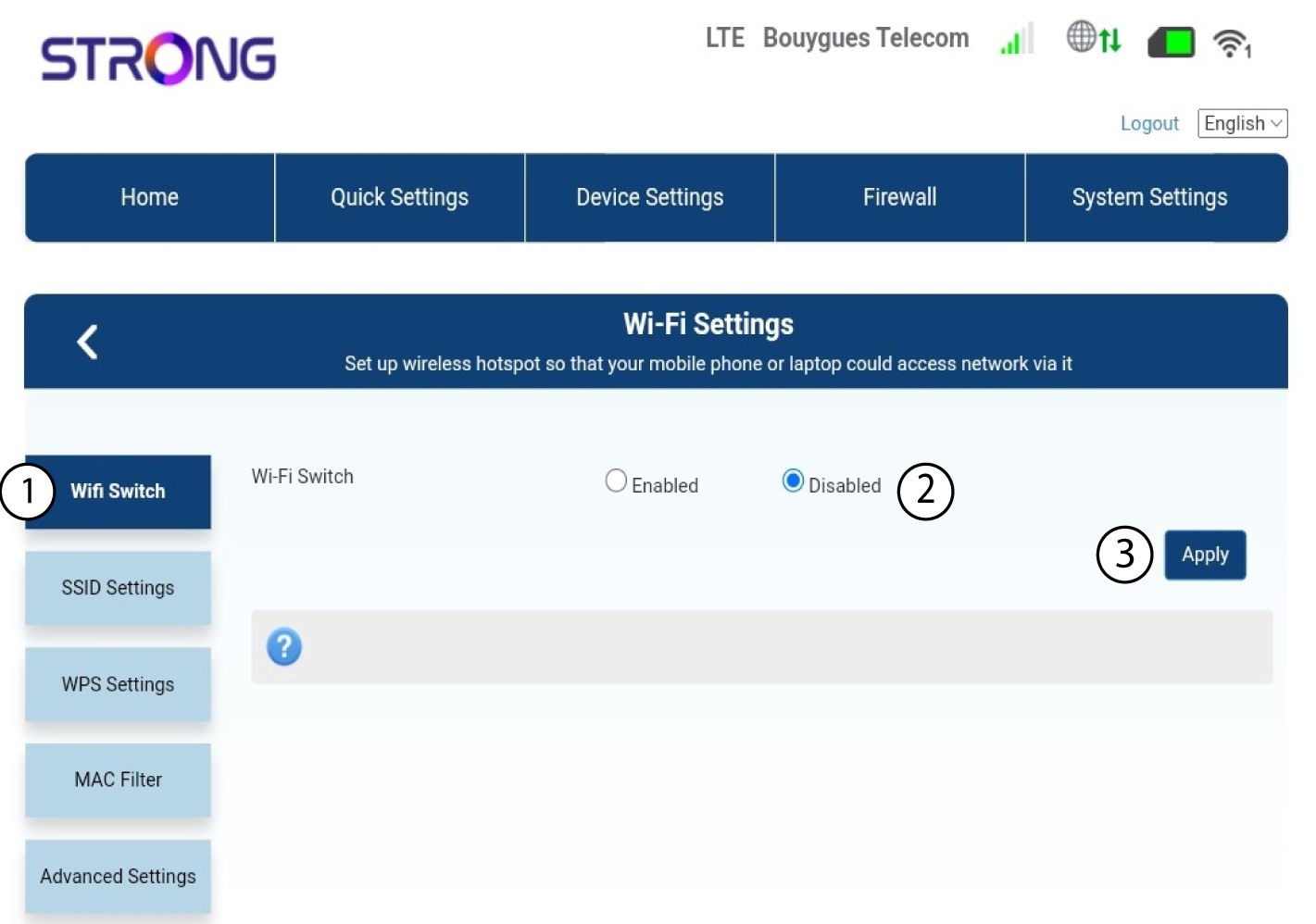

The Wi-Fi network of the router is deactivated. All the devices that were previously connected to the network will be automatically disconnected. To reactivate the Wi-Fi , you must go in the Web UI or you can also restore the router to its factory settings.