4G AIRHOME 310 with Detachable 4G antennas
No items found.
No items found.
All questions
4G AIRHOME 310 with Detachable 4G antennas
No items found.
No items found.
What can I do in the Web UI?
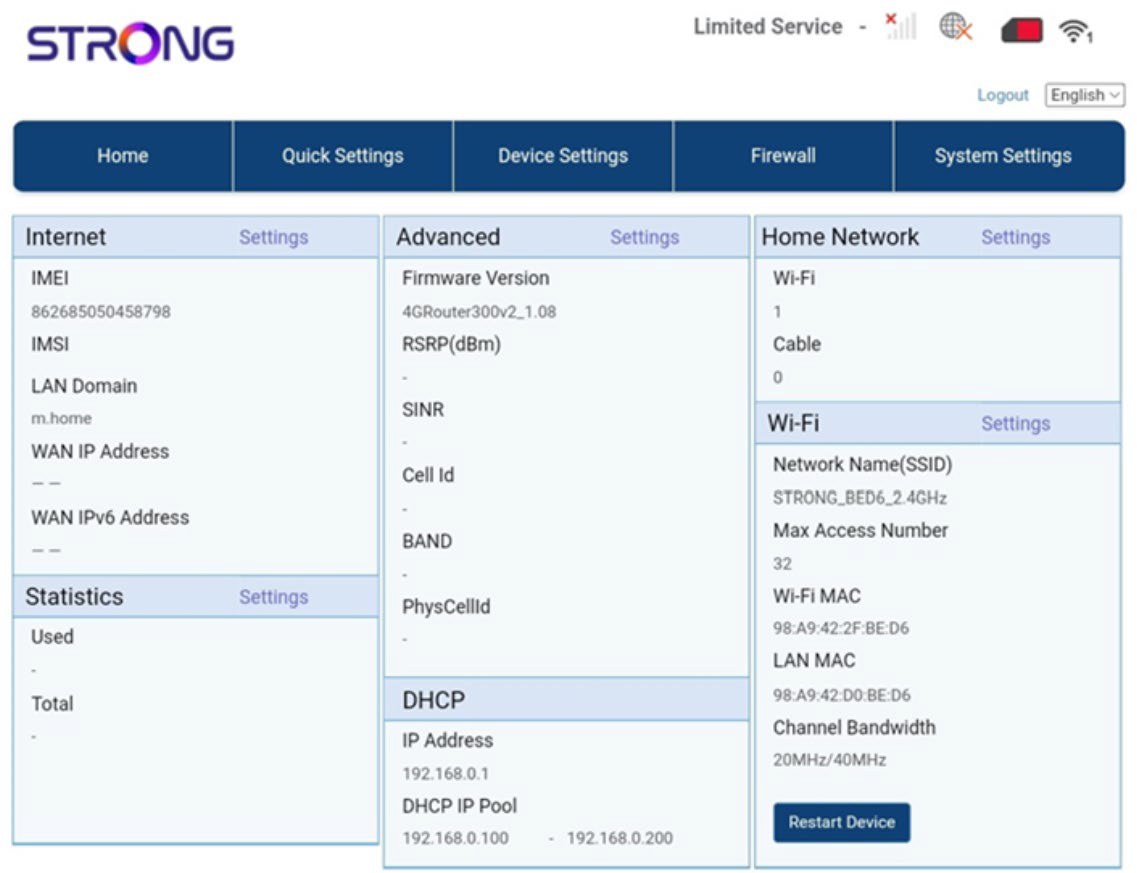
The Web UI is divided into 5 sections:
• Home: where you can see the main information regarding your router which corresponds to the status of the internet connection, the firmware version, the IP address, information about the Wi-Fi network and Home Network, and so on...
• Quick Settings: where you can edit your SSID and password.
• Device Settings: where you can see the number of connected devices, manage IP Address settings, PIN codes, Antenna settings, Wi-Fi settings, Internet Settings, etc.
• Firewall: where you can set up security parameters.
• System settings: where you can update, reboot, or edit your settings.
In addition, you can also see the status of the Wi-Fi network, Mobile Network, and data.