
4G AIRHOME 310 with Detachable 4G antennas
No items found.
No items found.
All questions
4G AIRHOME 310 with Detachable 4G antennas
No items found.
No items found.
How do I access the Web UI?
To access the Web UI, you must be connected to the Wi-Fi of your device after positioning the SIM card in the slot.
1Connect to the router Wi-Fi network
To do so, enter the SSID and password of the router in your device.

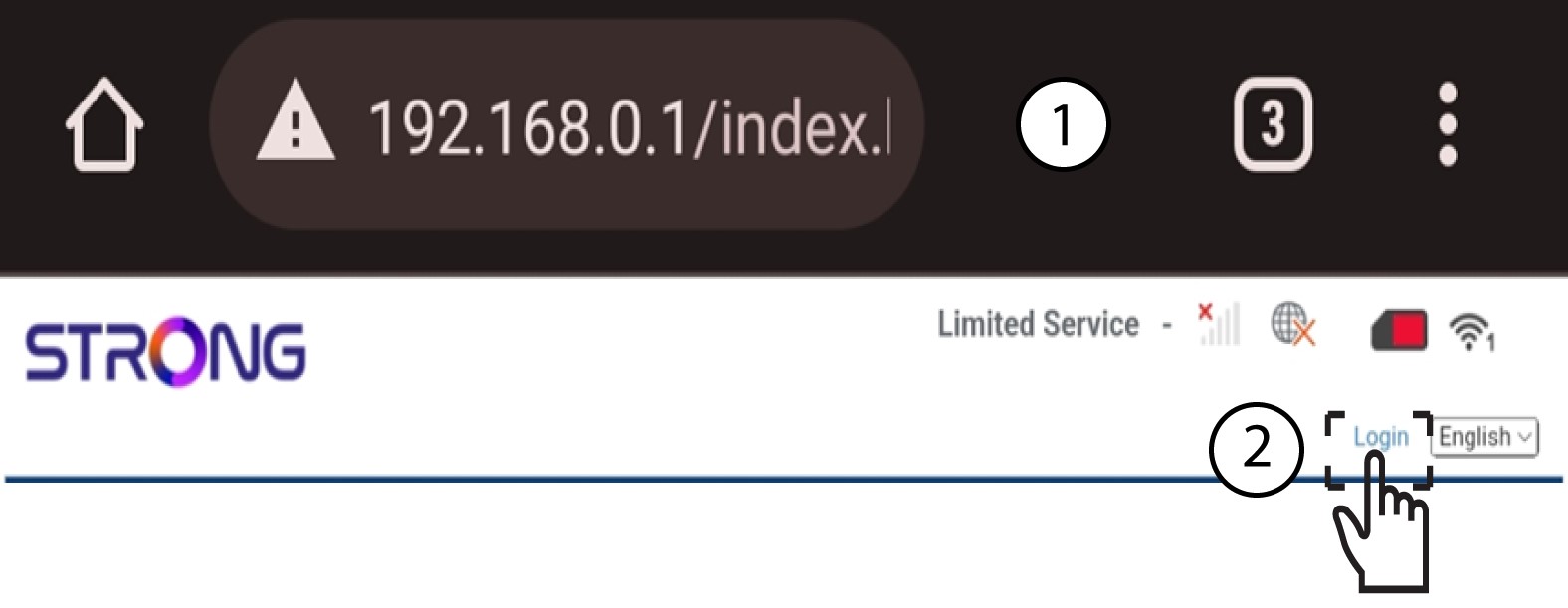
2Browse to the Web UI IP Address
Then, enter the following IP address in your browser: 192.168.0.1
3Access the Login page
Once you have browsed to the IP Address, click login.
4Enter your credentials
You must enter the username and password.
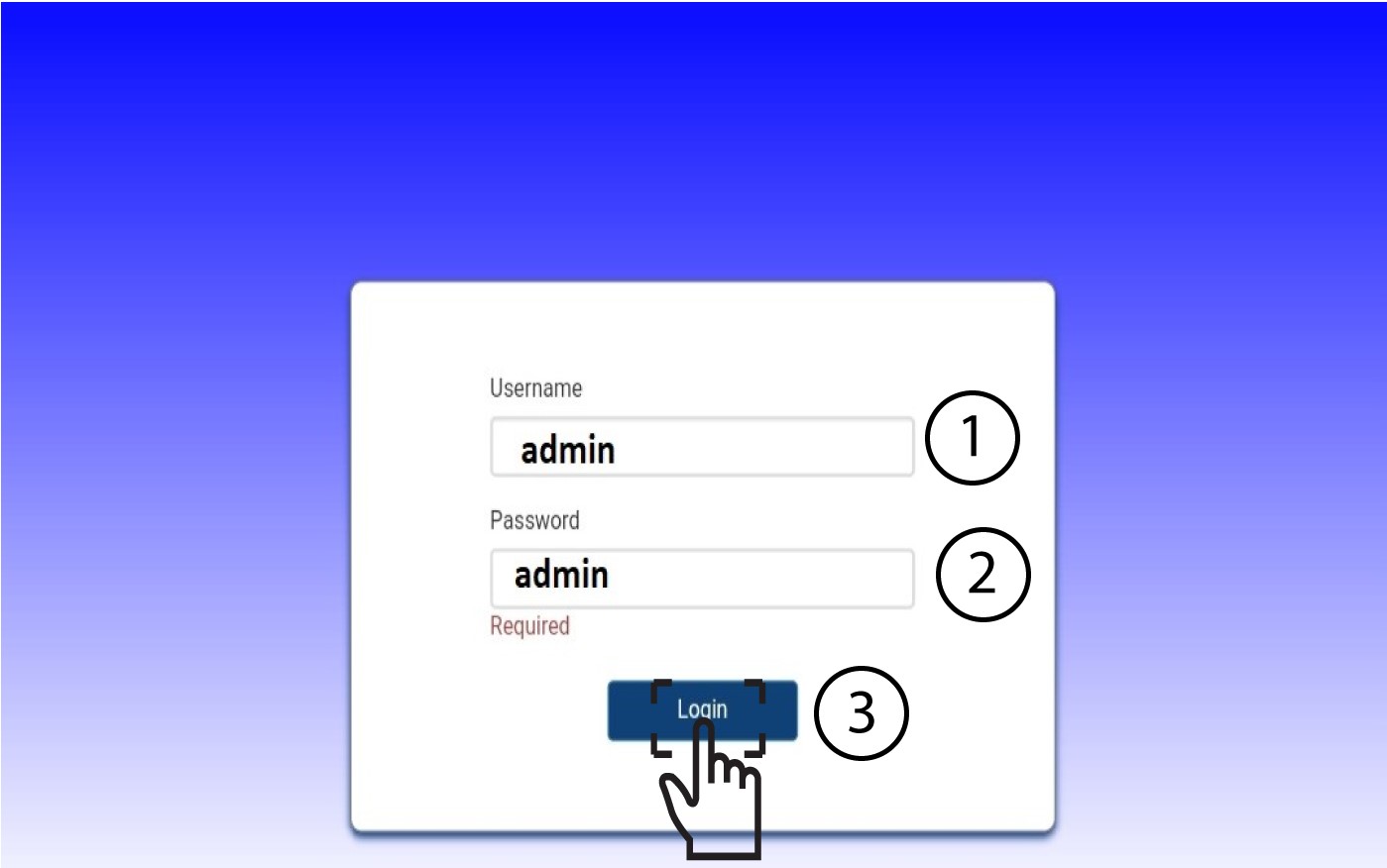

After connecting for the first time, we strongly advise you to change the administrator password to secure the access to the router and prevent hacking.