
ATRIA Wi-Fi 5 Mesh System 2100 (2-pack)
No items found.
No items found.
All questions
ATRIA Wi-Fi 5 Mesh System 2100 (2-pack)
No items found.
No items found.
I forgot the Wi-Fi password of my Mesh network, how I can find it?
1Default credentials
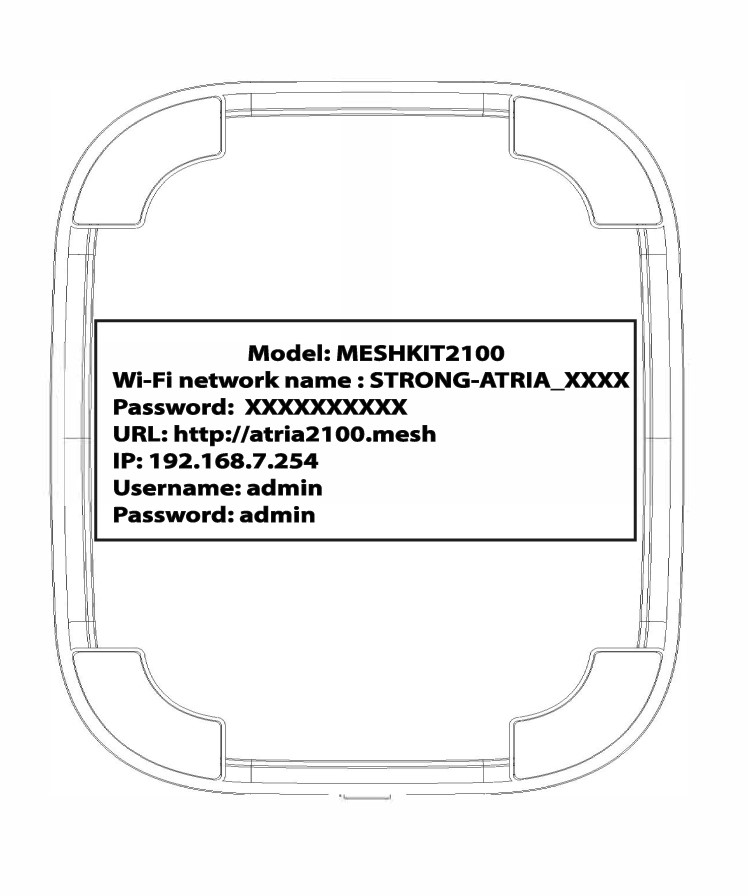
The default Wi-Fi password is located under your device, however, if you already changed it, you may need to restore the Mesh 2100 to its default factory settings.
CASE 1 : Viewing the Wi-Fi network information in the Web UI
To connect to the Web UI please refer to this procedure : How do I access the Web UI?
1WLAN
Click WLAN and WLAN 2.4G. Then, click the eye icon next to the PSK field.

2Write down the new information
Write down the password on a piece of paper.
CASE 2 : Viewing the Wi-Fi network information in the App
To connect to the Web UI please refer to this procedure : How do I use the Atria Mesh App?
1Wi-Fi Settings
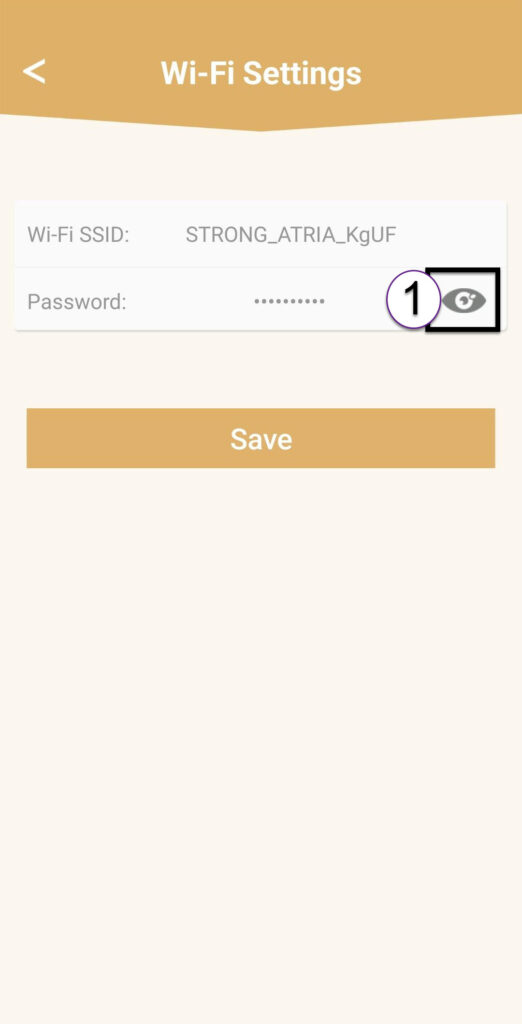
Then click Wi-Fi Settings.

2Password
Click the eye icon to display the password.
3Write down the new information
Write down the password on a piece of paper.