ATRIA Wi-Fi 5 Mesh System 2100 (2-pack)
No items found.
No items found.
All questions
ATRIA Wi-Fi 5 Mesh System 2100 (2-pack)
No items found.
No items found.
How do I reset my Mesh units to the factory settings?
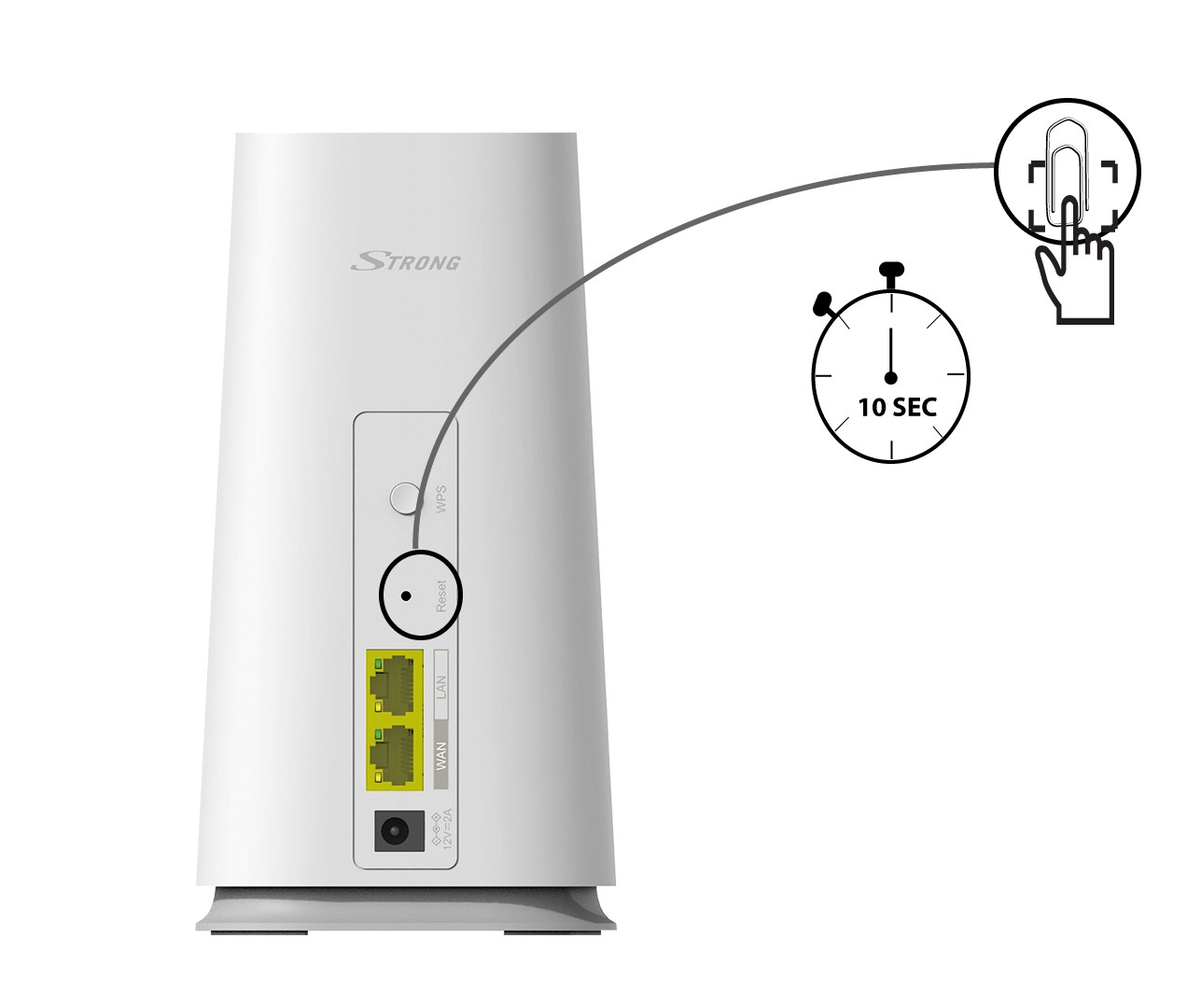
1CASE 1 : Reset Button
To reset your device to its factory settings, please press the reset button with a paper clip for at least 10 seconds.
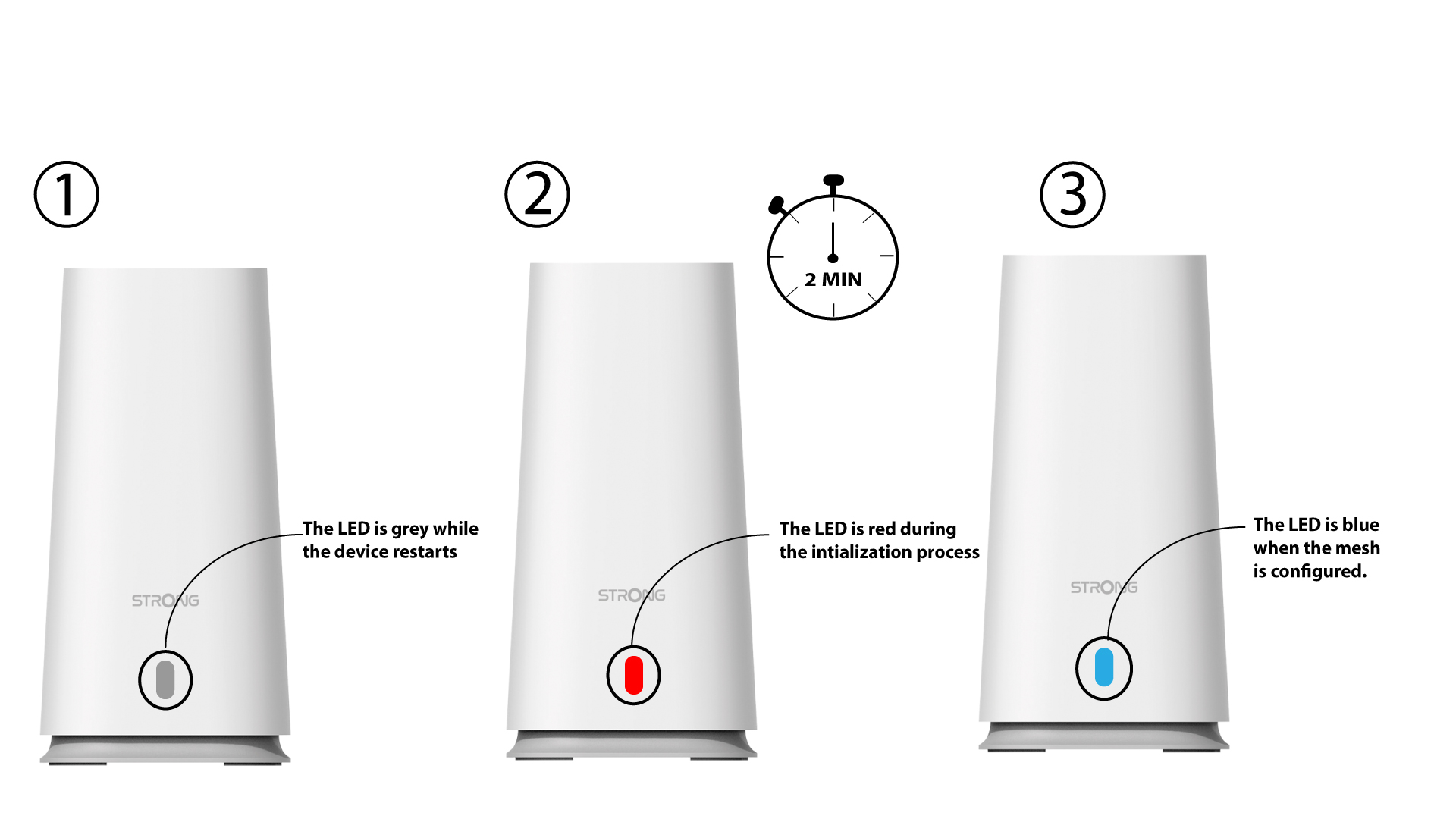
2LED when reset done
Then, you must wait for the LED to turn off and turn back on.
1CASE 2 Web UI:
To connect to the Web UI please follow this procedure: How do I access the Web UI?
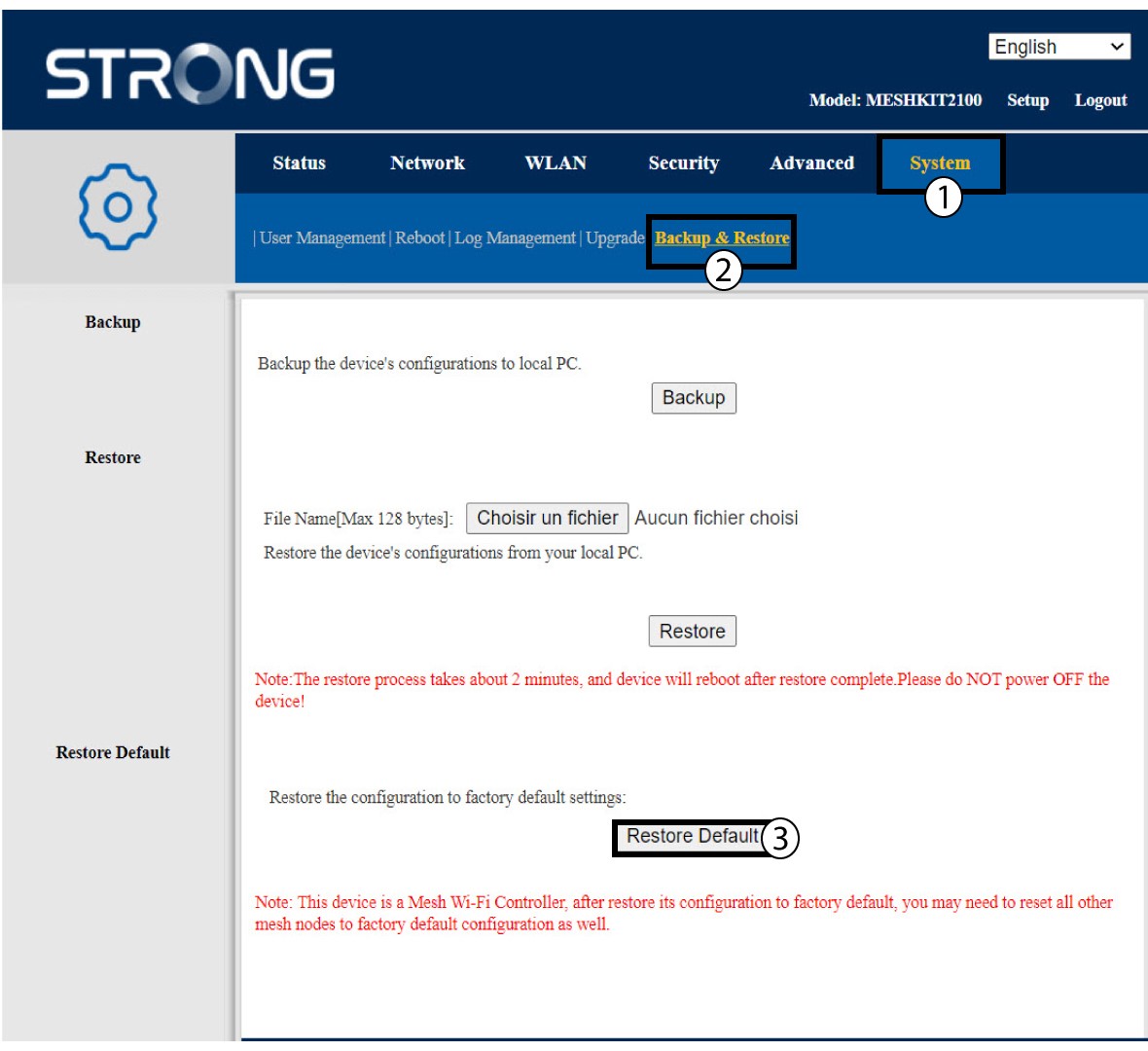
2Restore Default
Click System and Backup & Restore. Then, click Restore Default.