
5G AIRHOME 1050 | Wi-Fi 6
All questions
5G AIRHOME 1050 | Wi-Fi 6
How do I update the firmware of my device (Manual Update)
When you are connected to the Web UI, you must check the firmware version used by your device by using the online upgrade option in the Web UI. By doing so, the latest firmware version will be installed.
If you have a different version, please refer to the procedure bellow to update your firmware.
1Browse to the download page of our website.
Please browse to our download page.
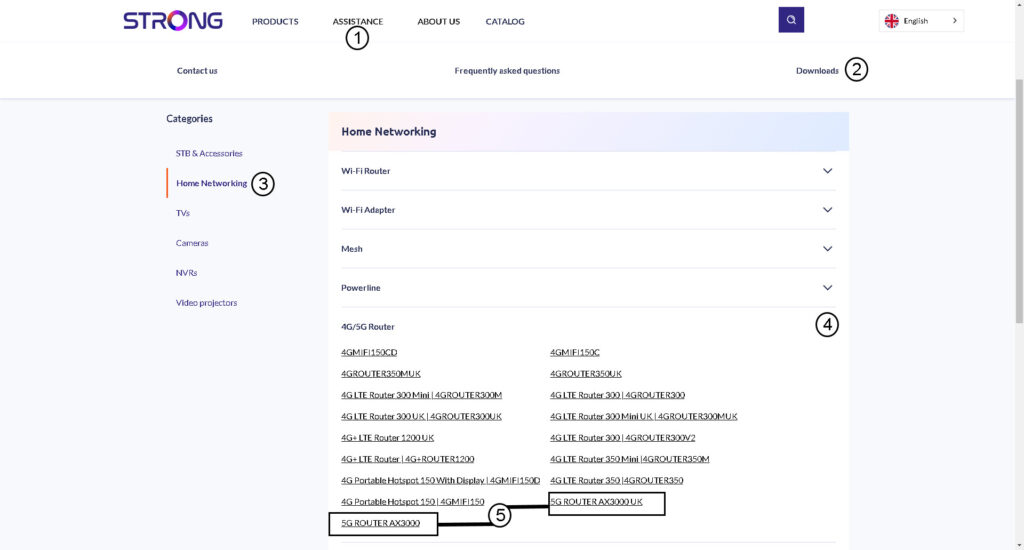
- Click Support and Downloads.
- Select Networking and 4G/5G Router.
- Click the product name to access its download page.
2Donwload the configuration file
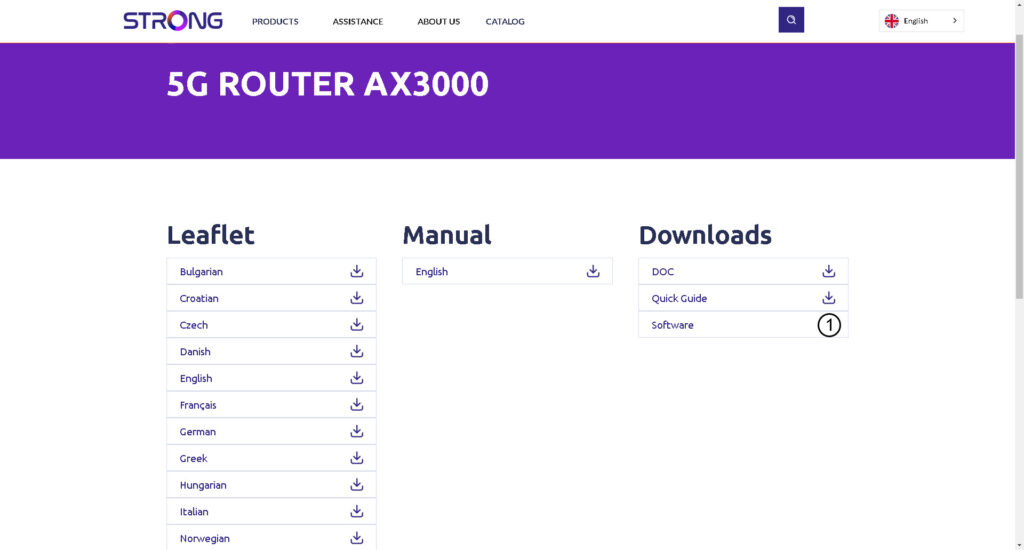
Click the download icon newt to software.
3Connect to the Wi-Fi
To update the firmware of the device, you must connect to the Wi-Fi of your device.

4Browse to the Web UI IP Address
Then, enter the following IP address: 192.168.0.1 in your browser.

5Login Page
Then, click Login.

6Firmware upgrade
Click System Tools, select Device Management and go to the Firmware Update.
- Then, click choose file and select the firmware file before clicking Update software.
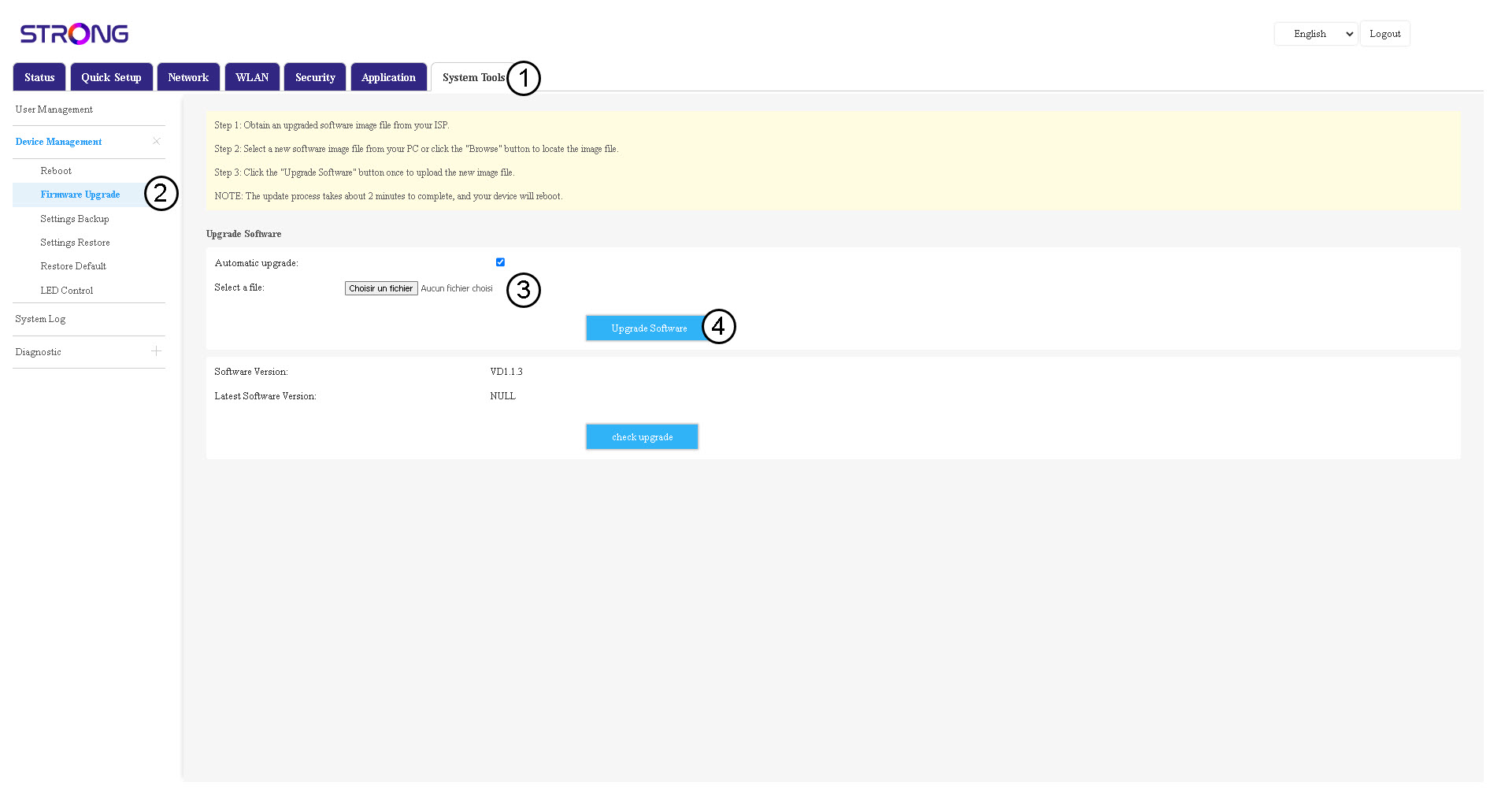

Please note that once the router is updated, it will automatically reboot. You will have to reconnect to the Wi-Fi network and the Web UI.