5G AIRHOME 1050 | Wi-Fi 6
No items found.
No items found.
All questions
5G AIRHOME 1050 | Wi-Fi 6
No items found.
No items found.
How do I change the admin password?

Warning: please note that it is not possible to change the administration username. You can only change the password.
1Connect to the device
To update the admin password, you must connect to the Wi-Fi of your device.

2Access the Web UI
Then enter the following IP address: 168.0.1 in your browser.

3Login
You must enter the Username and Password. Then click Login.

4User Management
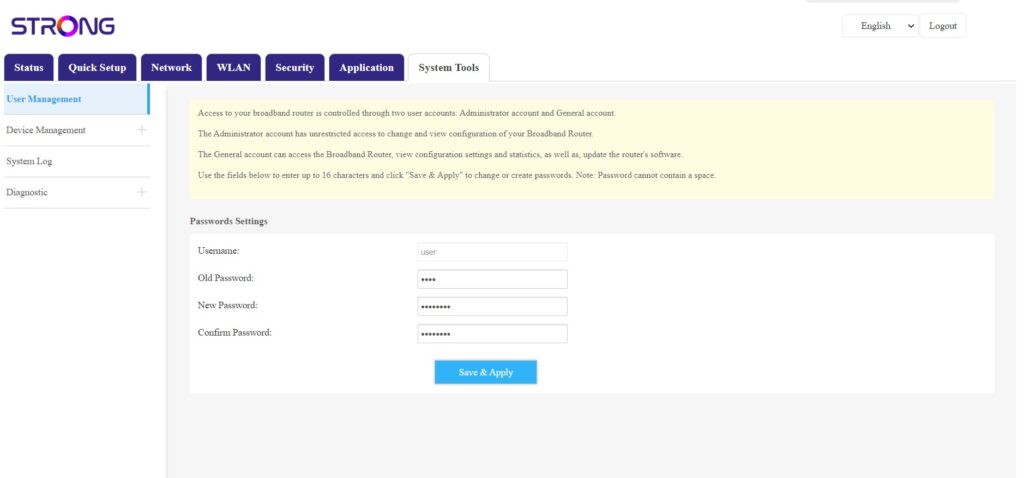
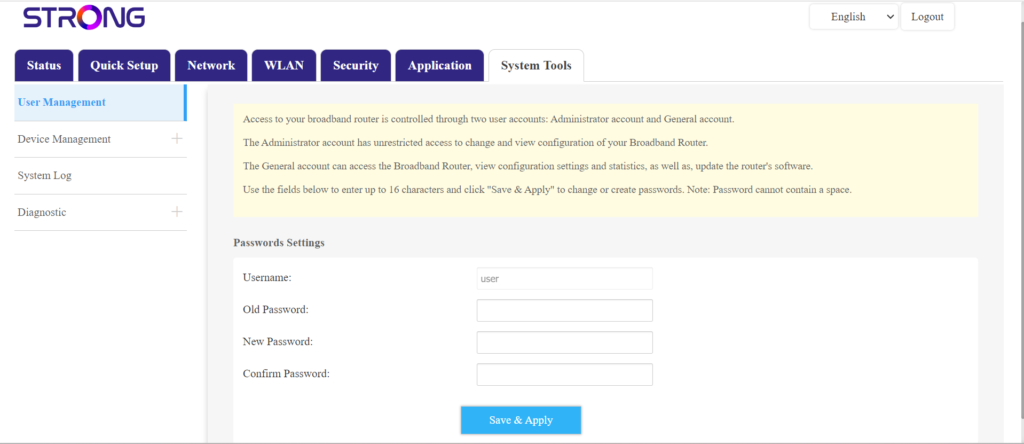
Once this is done, click System Tools and User Management
5Change Password
Enter the following information in the fields before clicking Save & Apply:
- Old Password: Enter the current password that you used to connect to the Web UI.
- New Password: Enter a new password to connect to the Web UI.
- Confirmed Password: Enter the same password as in the New Password field.