No items found.
LEAP 41 | 4K Google TV with HDR10+
No items found.
All questions
No items found.
LEAP 41 | 4K Google TV with HDR10+
No items found.
How do I update my remote control?

Warning: After configuring your device, you can see a message in the left section of your TV screen in the settings that advises you to update your remote control
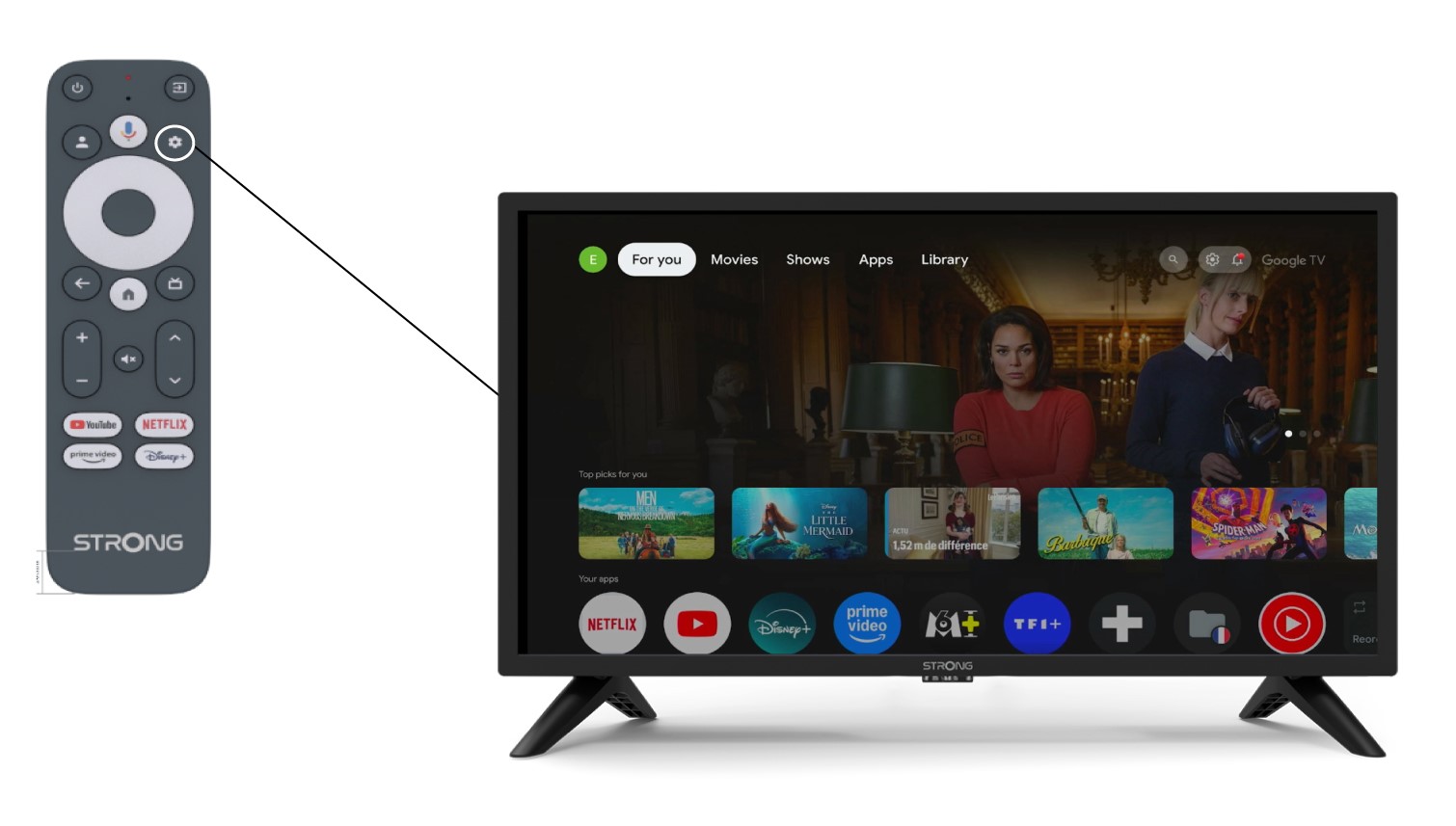
1Settings
In the Settings page, select Remote & Accessories.
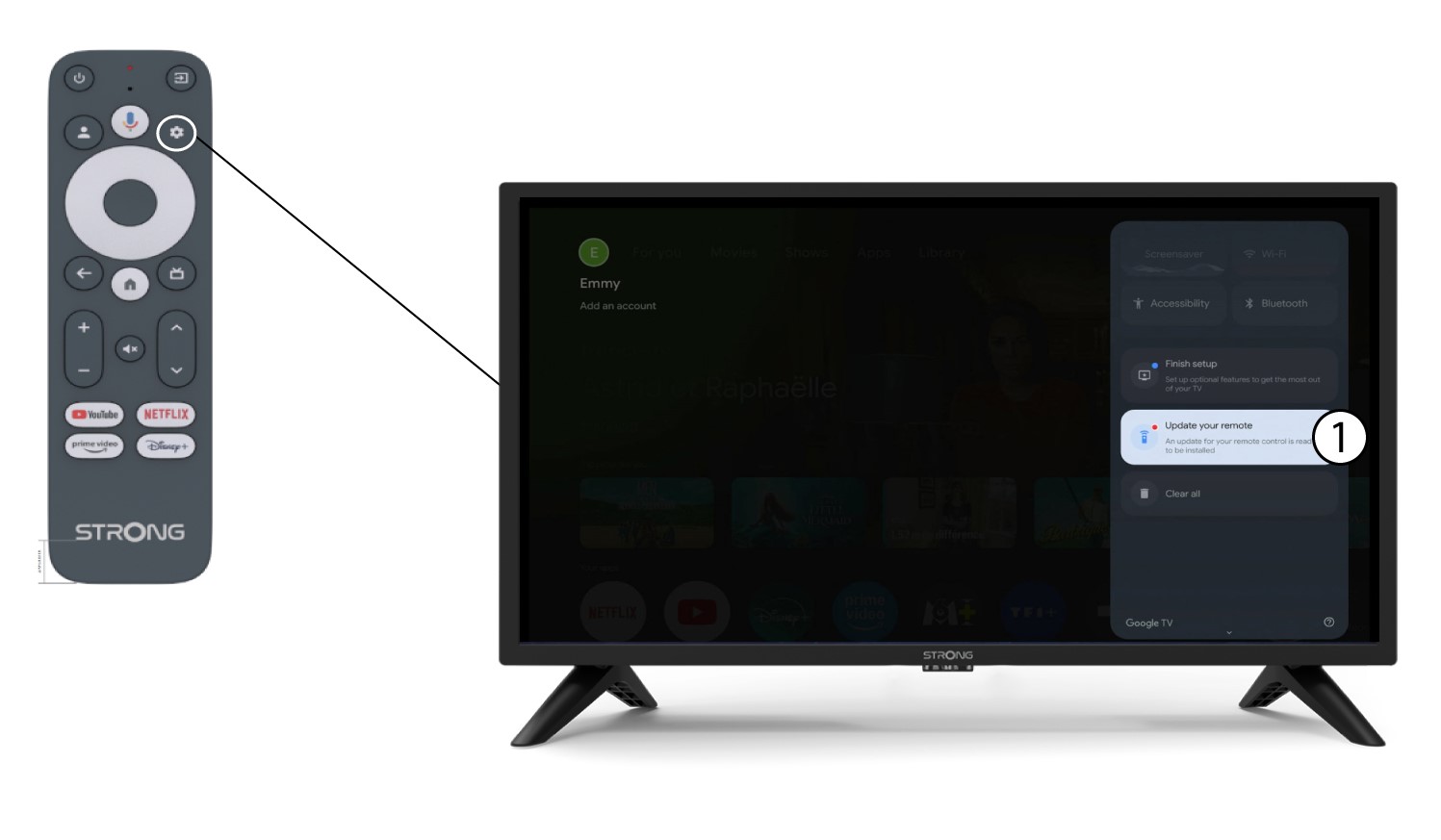
2Update your remote control
Select update your remote control in the menu.
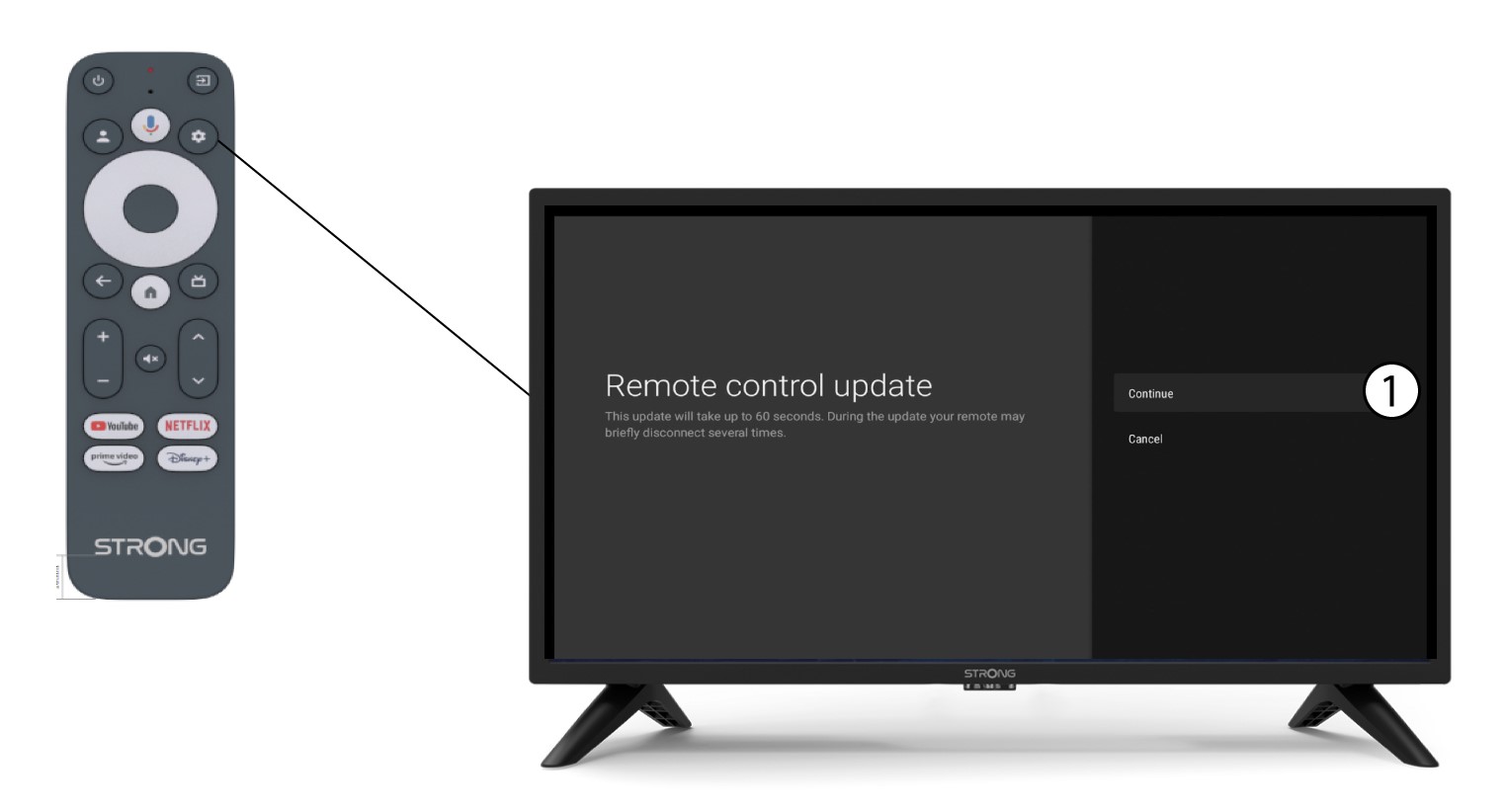
3Confirm the update
Click Continue.
Wait for the update to finish.