No items found.
LEAP 41 | 4K Google TV with HDR10+
No items found.
All questions
No items found.
LEAP 41 | 4K Google TV with HDR10+
No items found.
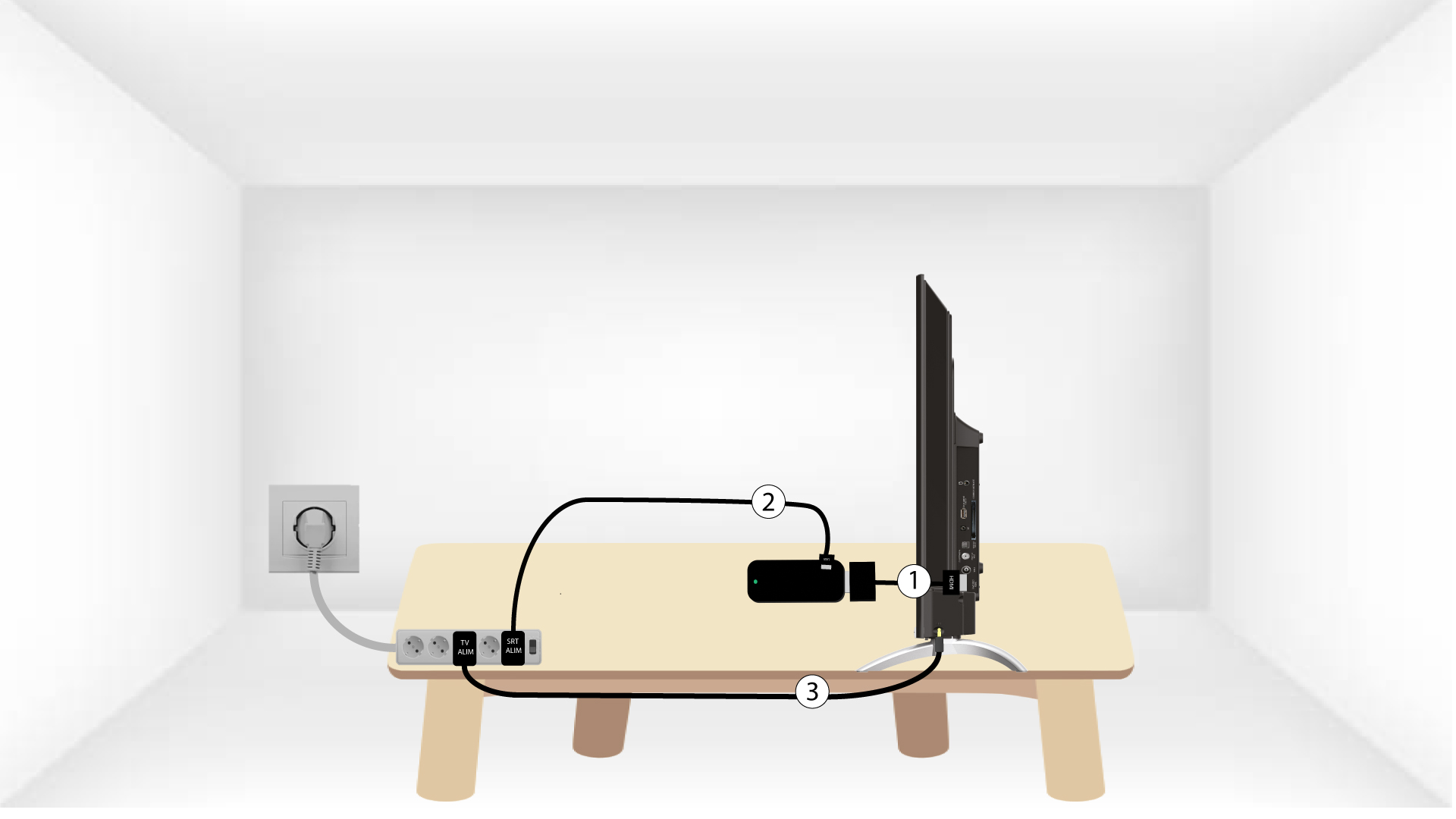
How do I connect my SRT 41 to my TV?
Put the HDMI stick and the HDMI Cable together and connect it to the HDMI port of your TV (1). Then, insert the USB cable in the SRT41 and plug it in (2) and plug in your TV (3).