LEAP 41 | 4K Google TV with HDR10+
All questions
LEAP 41 | 4K Google TV with HDR10+
How do I reconfigure the volume settings of my SRT 41 when my volume level is too low?
Tips: If the volume level of your SRT 41 is too low, you can follow the procedure below to reset the parameters of your SRT 41. During the installation of your SRT 41, you can set up the volume control to be handled by HDMI-CEC. When this option is enabled, your SRT 41 remote can be used to adjust the volume level of your TV. You can activate or deactivate this feature in the display and sound settings of your TV. The default volume level of your SRT 41 is set up to a certain level, and it can be either too low. If the volume is
too low, it is better to deactivate this option. How can you activate or deactivate this feature?
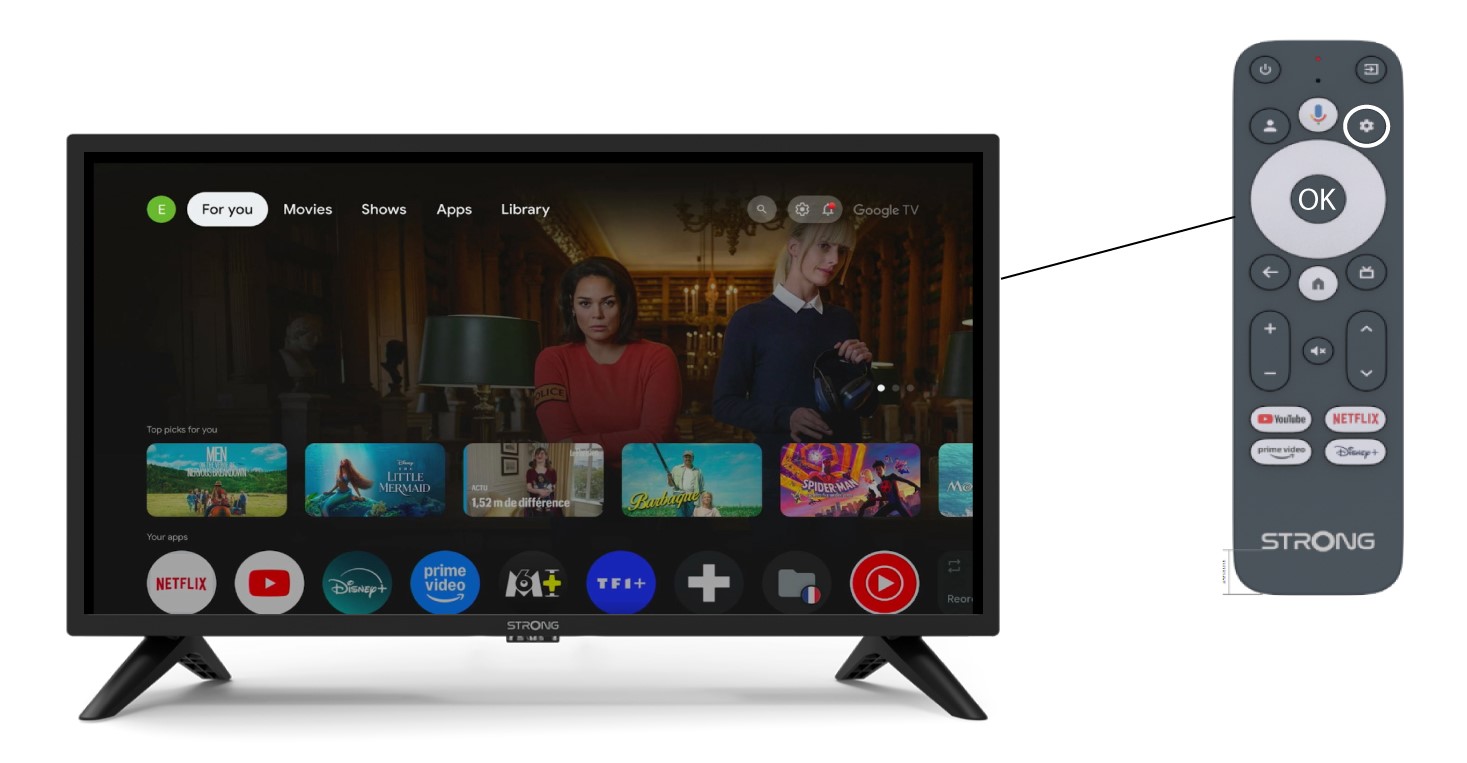
1Settings
In this case, press the Settings button on your Google remote and press OK.
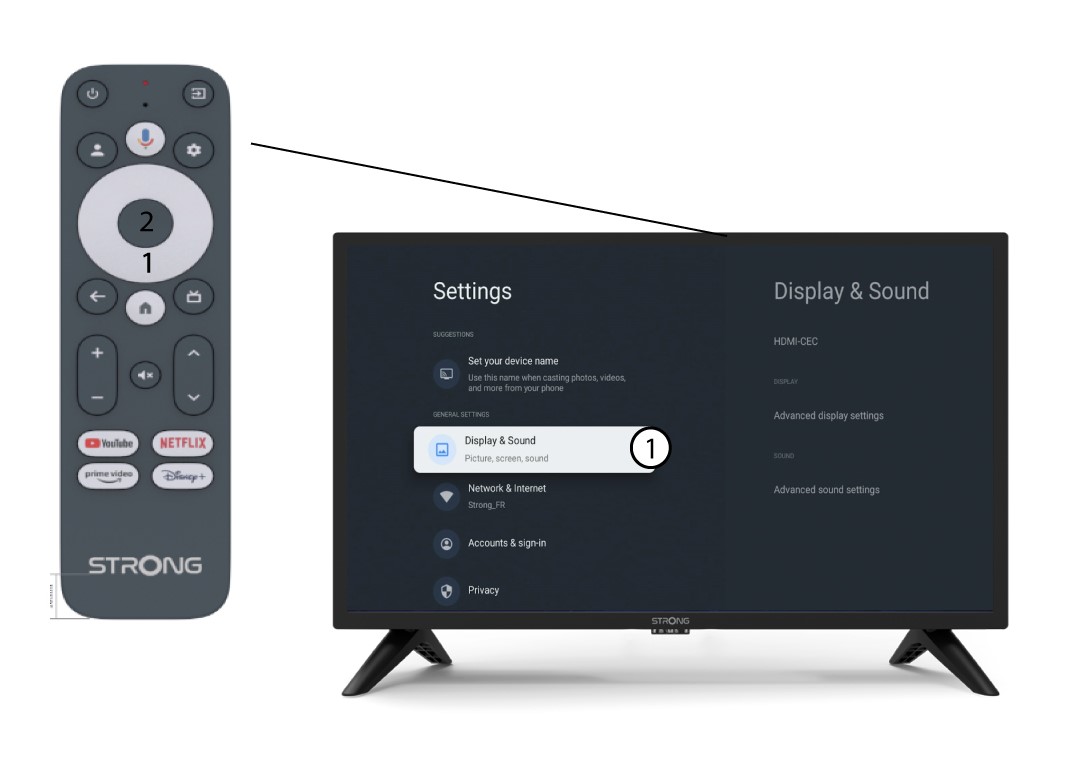
2Display and Sound
In the Settings page displayed on your screen, select “Display and sound”.
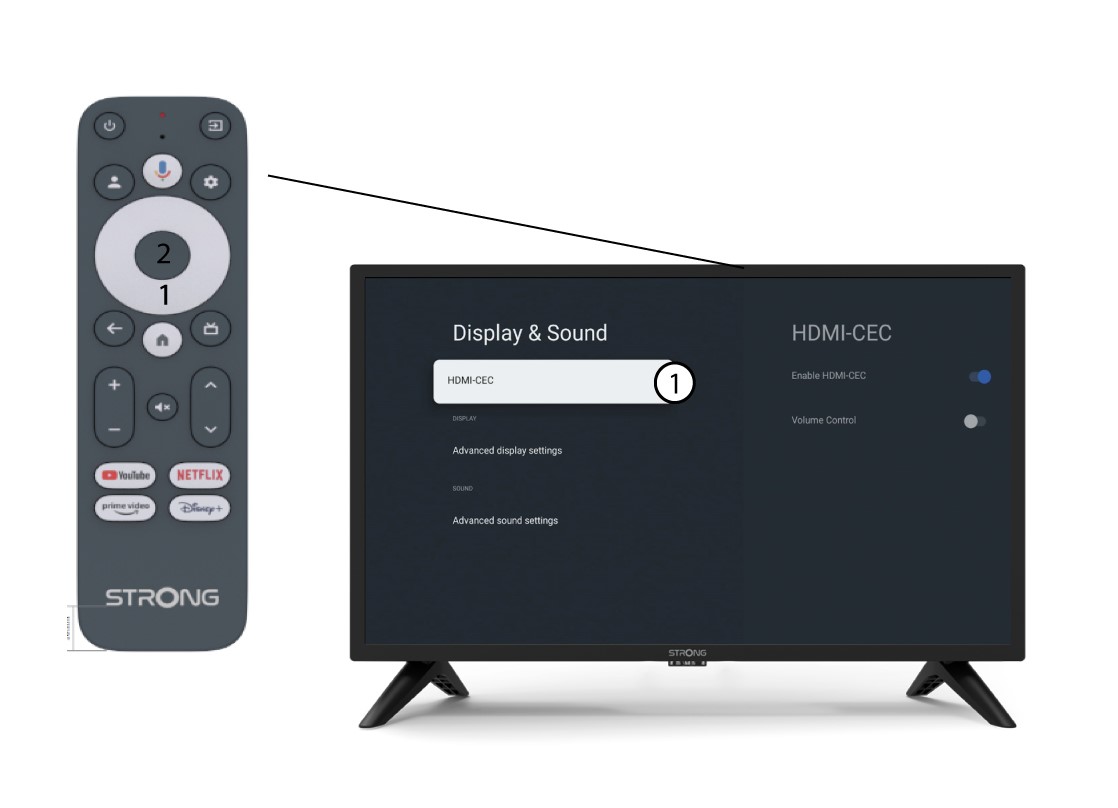
3HDMI CEC
Then, press the right navigation button and select “HDMI-CEC”.
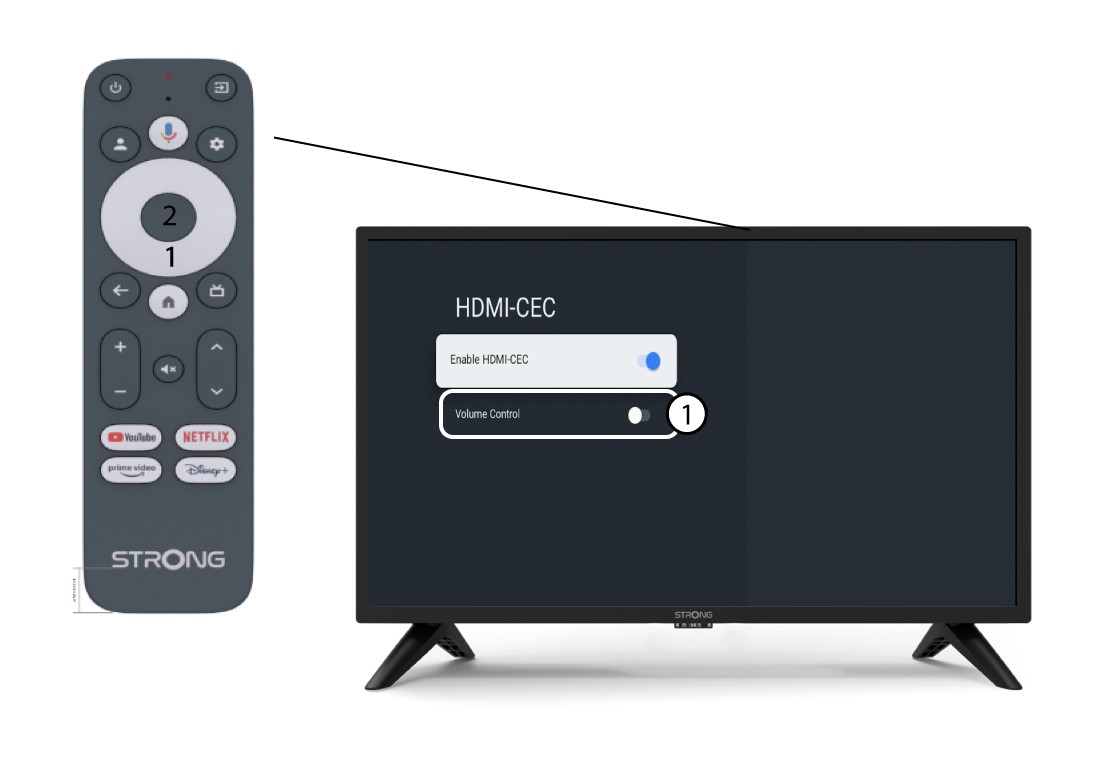
4Volume Control
Select “Volume Control” and press the OK button to switch OFF this feature.
5Home screen
Press the HOME button to go back to the home screen.
The volume adjustment can now be done again with SRT 41 remote control.