4G AIRSPOT 220 Mobile Wi-Fi with Display
No items found.
No items found.
All questions
4G AIRSPOT 220 Mobile Wi-Fi with Display
No items found.
No items found.
How do I turn on and off the device?
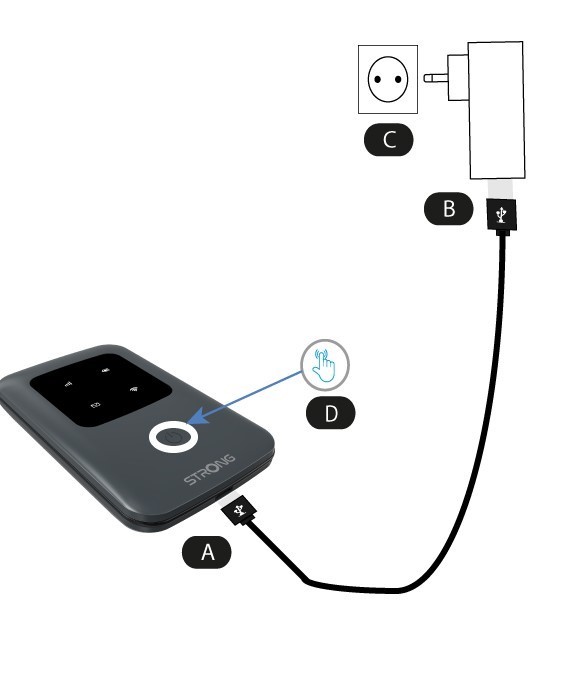
To turn on the device, you must charge it before using it. To do so, insert the USB cable in the device (A) and the plug (B).
1Power button
Plug the USB cable from the device (A) to the power supply (B). Then, plug it in the socket (C) and press and hold the power button for five seconds (D).
After a few seconds, the LEDs on the device light up.
To turn it off you simply have to press and hold the power button for 5 seconds.