4G AIRSPOT 220 Mobile Wi-Fi with Display
No items found.
No items found.
All questions
4G AIRSPOT 220 Mobile Wi-Fi with Display
No items found.
No items found.
How do I change the admin password?
1Access the Web UI
To connect to the Web UI, please follow the guidelines written in: How do I access the Web UI?
2Change Password
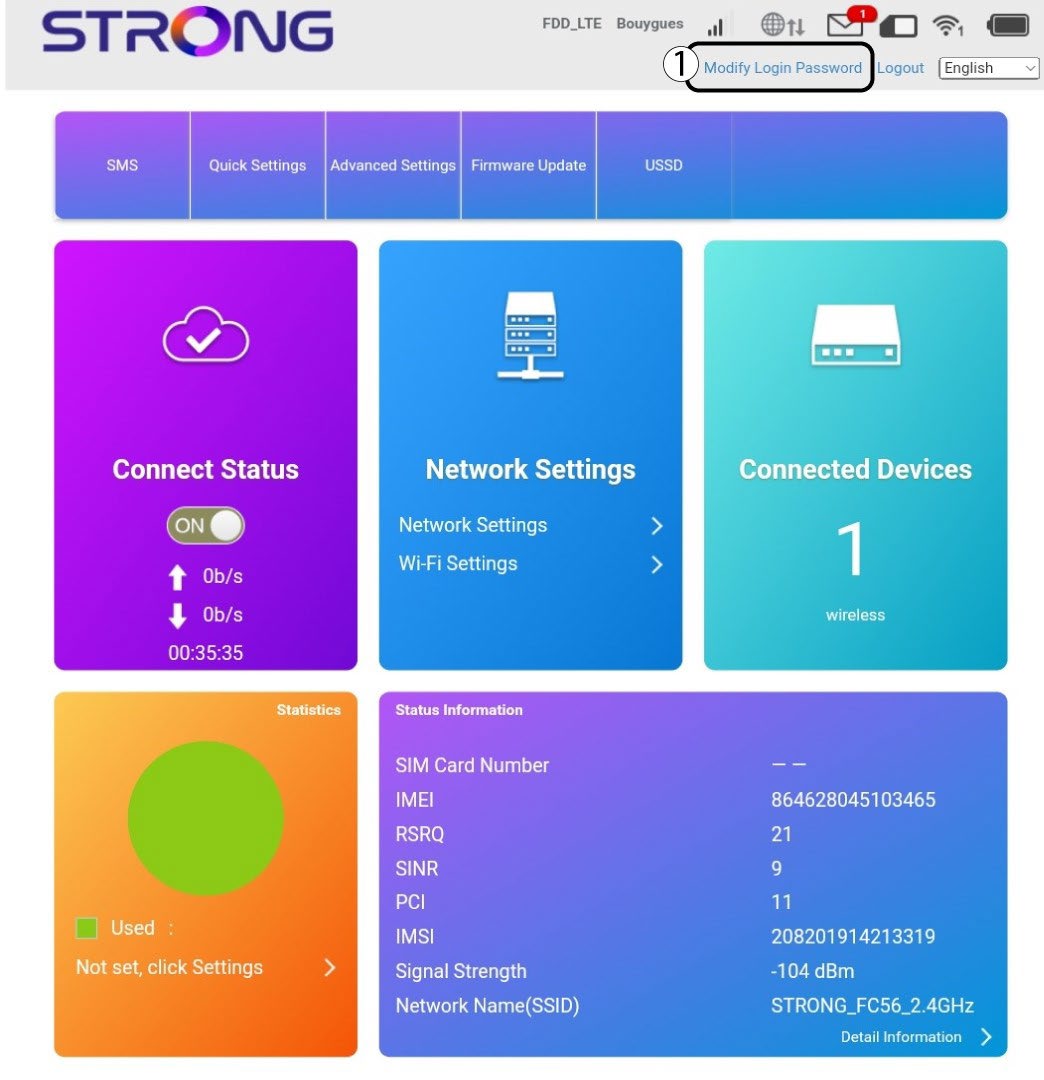
Once this is done, click the Modify Login Password in the top bar.
3Enter the new information
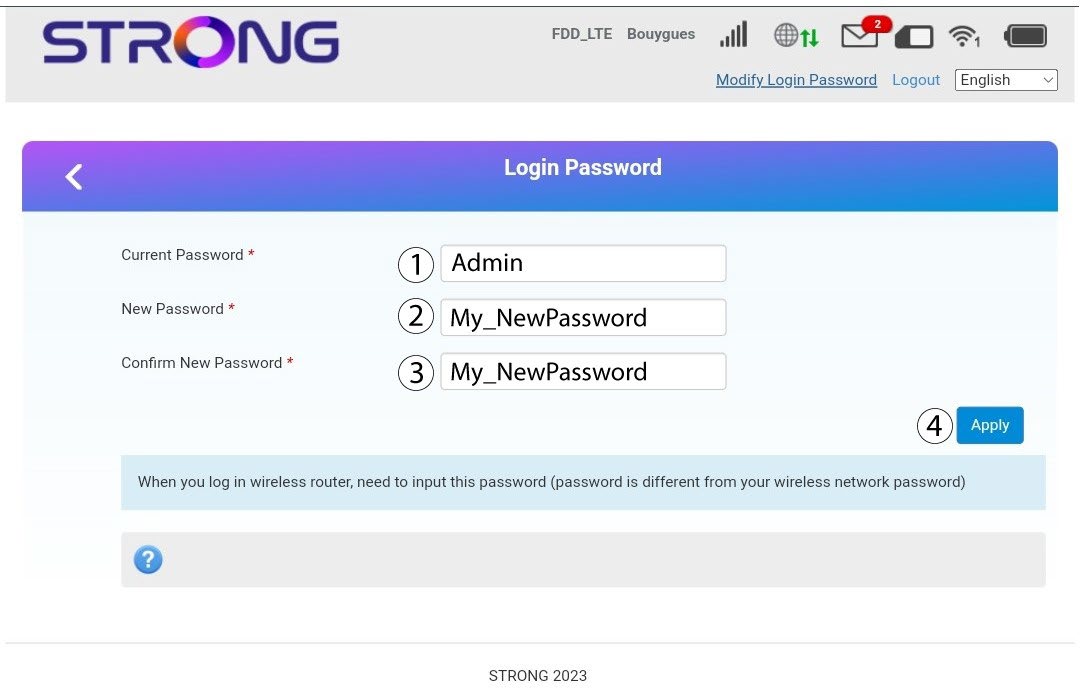
Enter the following information before clicking Apply:
· Current Password: Enter the current password.
· New Password: Enter the new password. The new password can contain up to 32 characters including numbers, lower case, upper case, and special characters (! # $ * + , - . % : = ? @ [ ] ^ _ { | } ~).
· Confirm New Password: Enter the same password as in the previous field.
4Save the information
Write down the new password to access the Web UI.