
No items found.
No items found.
5MP SUPER DARK POE CAMERA
All questions
No items found.
No items found.
5MP SUPER DARK POE CAMERA
How to set up my NVR?
1Wait for the System to Boot
Please wait during the booting phase.

2Choose Your Preferred Language
Select the language and click Next.

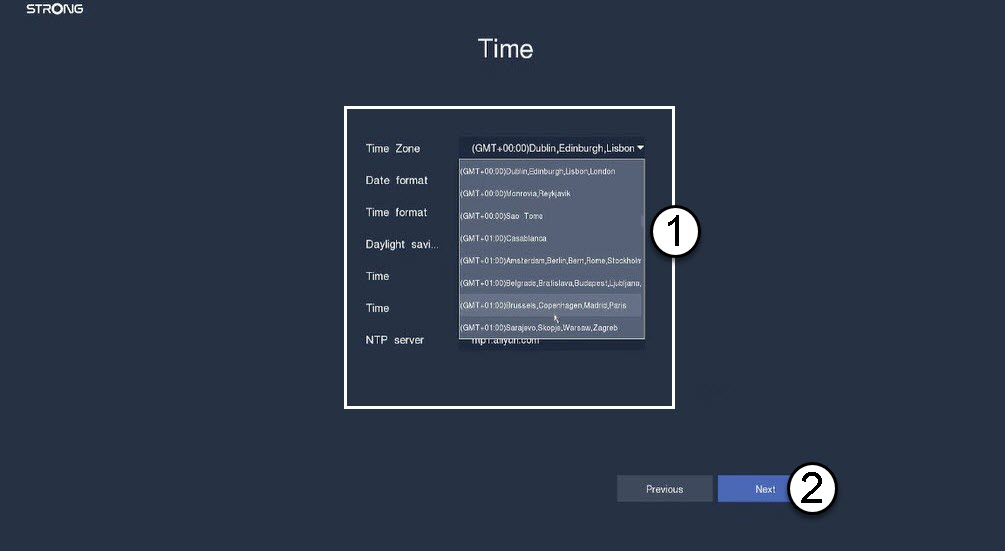
3Set the Date, Time, and Region Settings
Enter the following information before clicking Next:
- Time Zone: Select the time zone of your country/region.
- Date Format: Select the format used in your region.
- Time Format: Select the format used in your region.
- Daylight Saving: Activate this feature only if you have different default time zones in summer and winter.
- NTP Server: Enter the address of a time server.
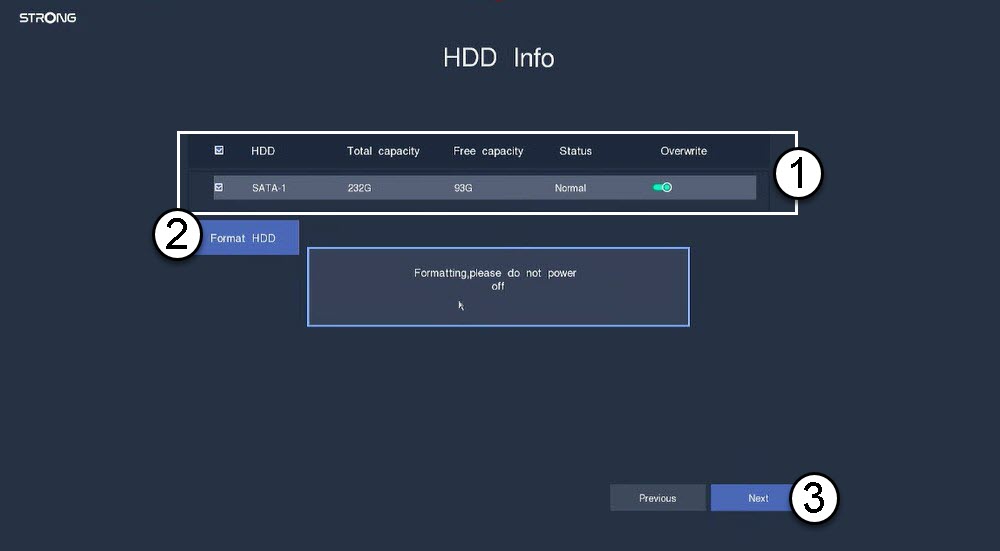
4Format Your Hard Drive
Please format your hard drive by selecting its name from the list and click Format HDD. Then, click Next.
5Check Network Connectivity
In the network section, please check the DHCP LAN information. If the DHCP address is correct, the displayed status is connected. Click Next.

6Create an Admin Password
When connecting for the first time to the NVR, you must configure its password.
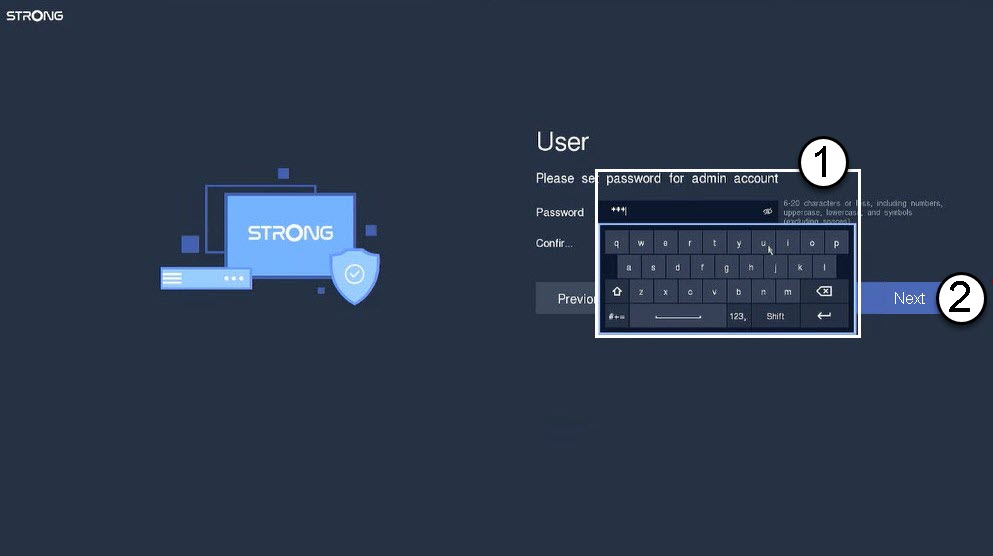

Warning: Please write down the password you set up. You will need it to connect to the UI.