No items found.
No items found.
5MP SUPER DARK POE CAMERA
All questions
No items found.
No items found.
5MP SUPER DARK POE CAMERA
How do I create user profiles in my NVR?
You can add users that will be able to access the NVR and set specific permissions for the different types of users.
1Access the User Settings
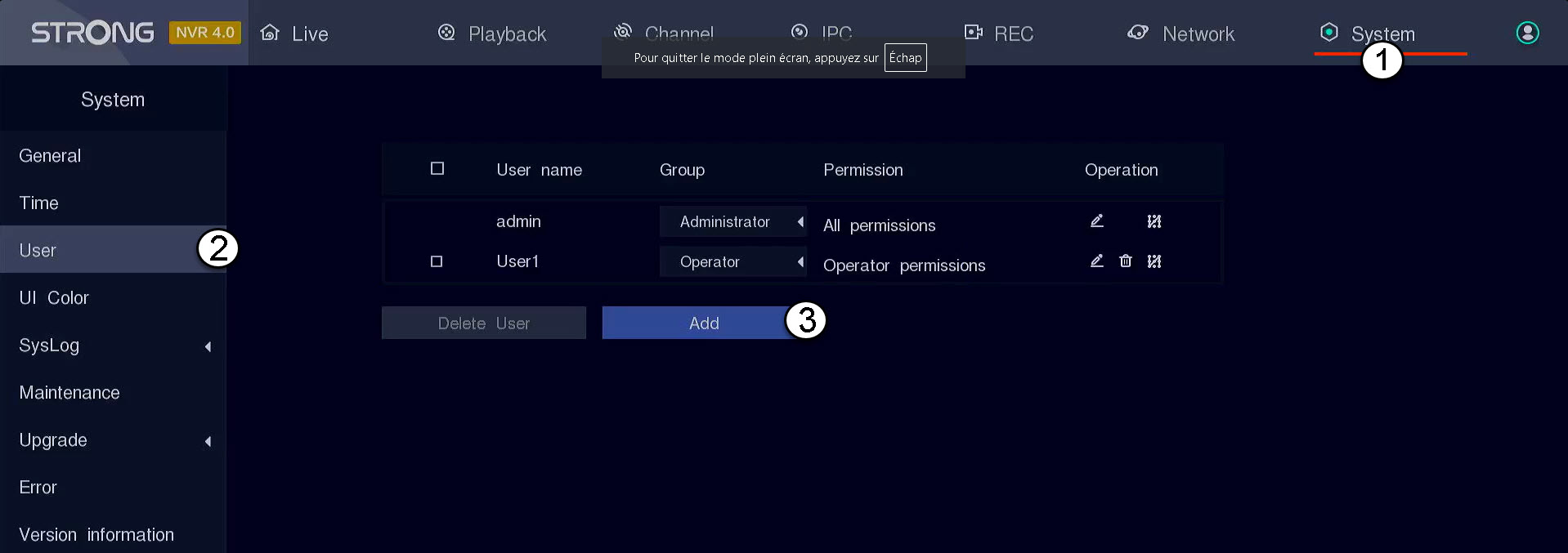
Click System, then select User. Then, click Add.
2Fill in User Information
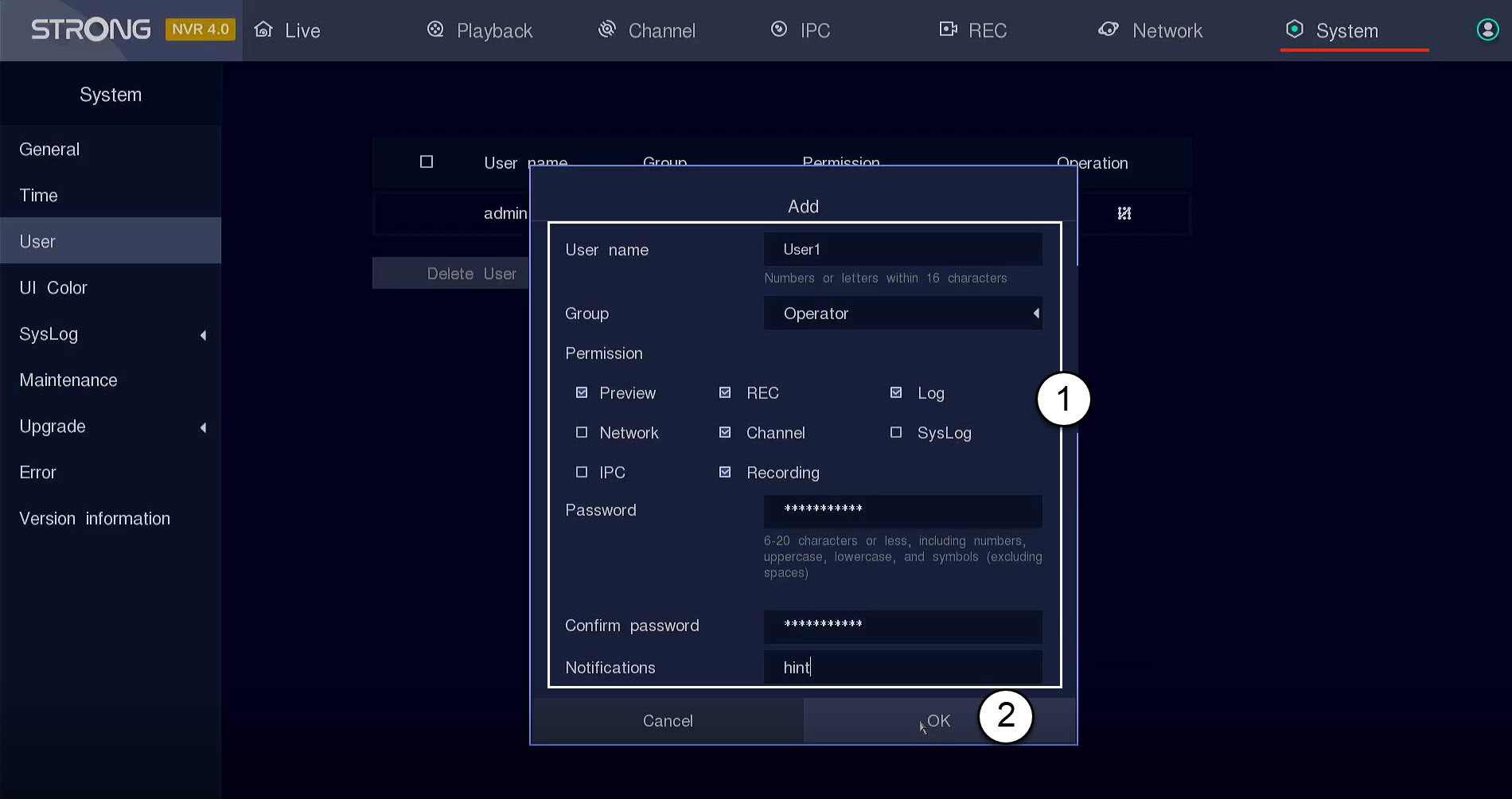
Before clicking OK, complete the following fields:
- User Name: Enter a name for the user profile. It will be used to login to the UI.
- Group: Select the type of group based on the level of authorization (administrator: access to all features, operator: access to specific features defined by the administrator, user: access to specific features defined by the administrator such as Recording, channel, preview)
- Permission: Select the features that the user will be able to access based on its user group.
- Password: Define a password for the user. It will be used to login to the UI.
- Confirm password: Enter the same password as the one that you previously defined.
- Notification: Enter a description.