No items found.
No items found.
5MP SUPER DARK POE CAMERA
All questions
No items found.
No items found.
5MP SUPER DARK POE CAMERA
How do I configure my cameras in the NVR?
TIP: To add several cameras, simply search for them via the Channel menu and add them. Once your camera is added, you can see the live stream in the live section of the UI.
1Search for the Camera
Click Channel and Search for device.

2Add the Camera
Select the camera name from the list and click Quick Add.

3Wait for IP Allocation
The camera status will be displayed as unconnected while the NVR is allocating an IP to the camera.
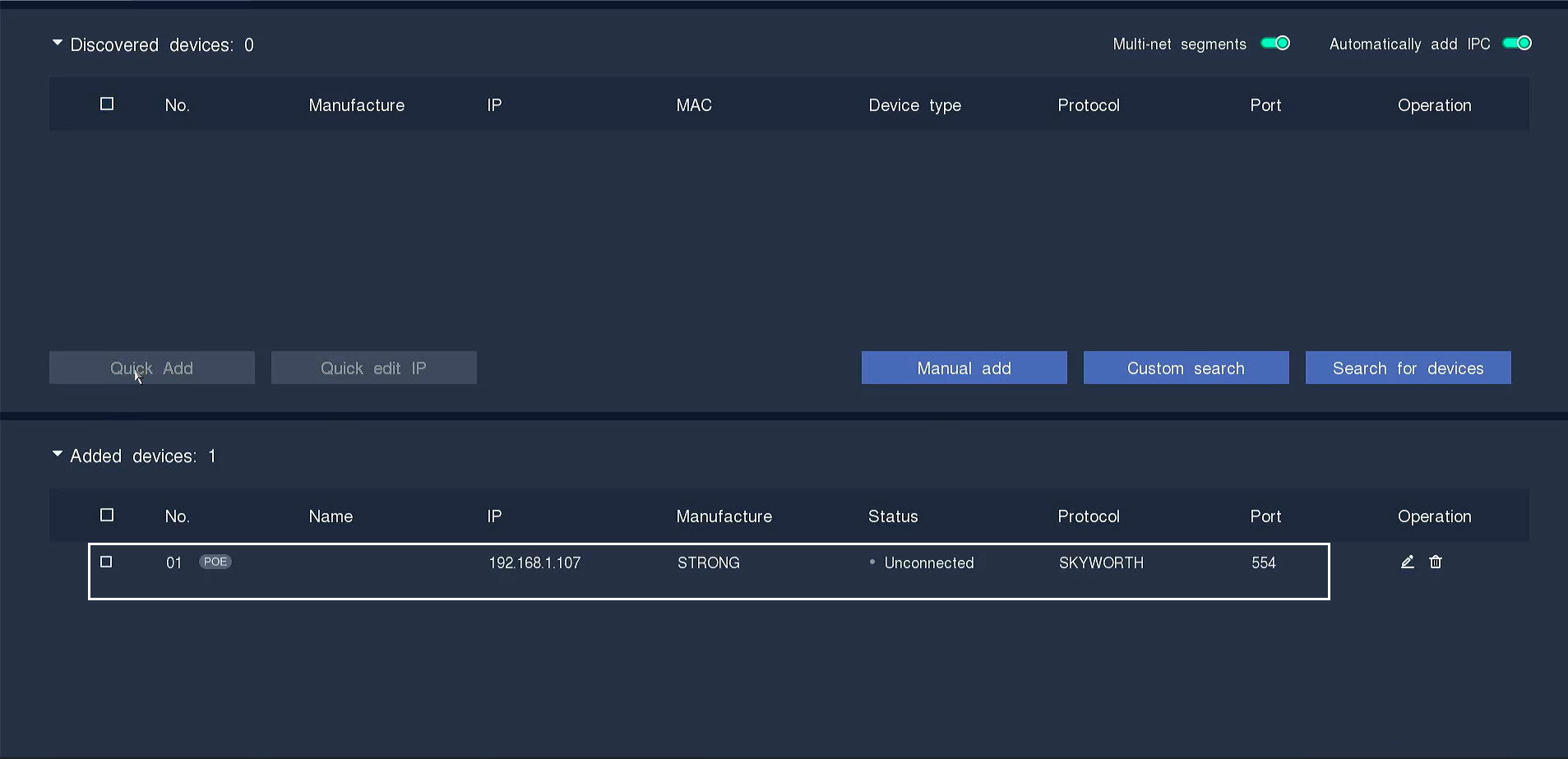
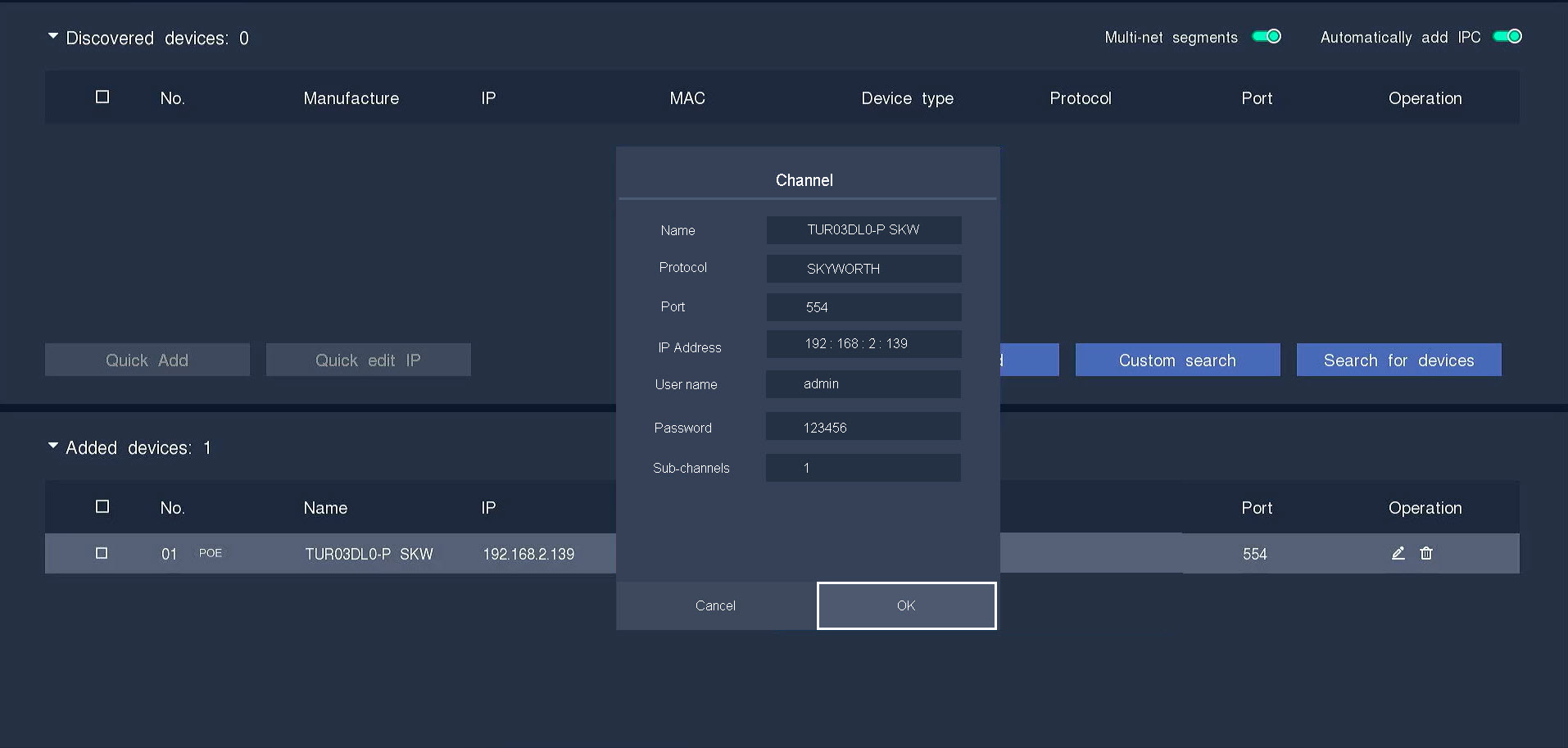
4Edit Camera Information
Click the pen icon to edit the camera information.
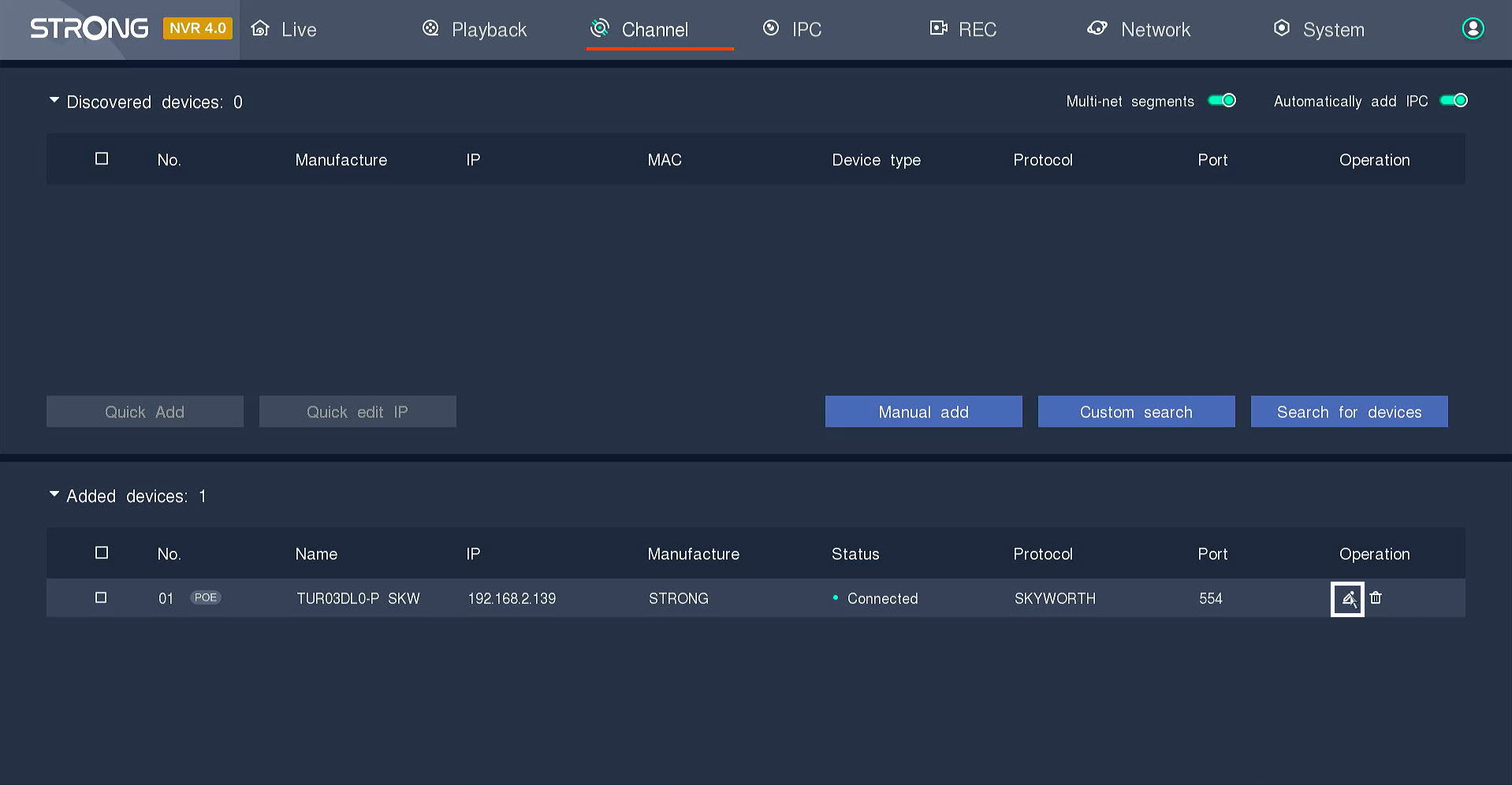
5Enter the Camera Password
Enter the password of your camera. Click the enter key to validate the password.
TIP: The password of the camera can be found on the product label. To display the current password, click the eye icon.
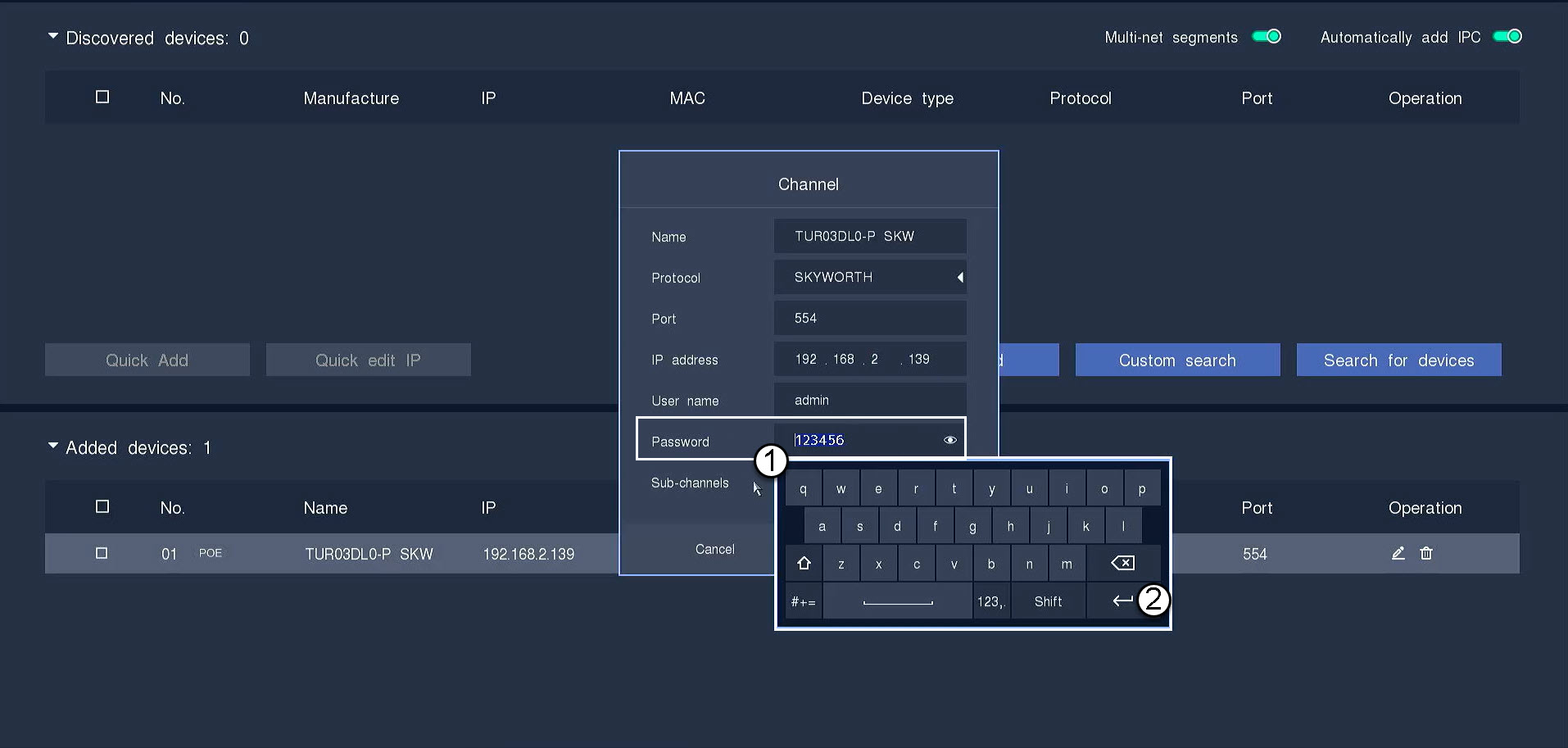
6Click OK
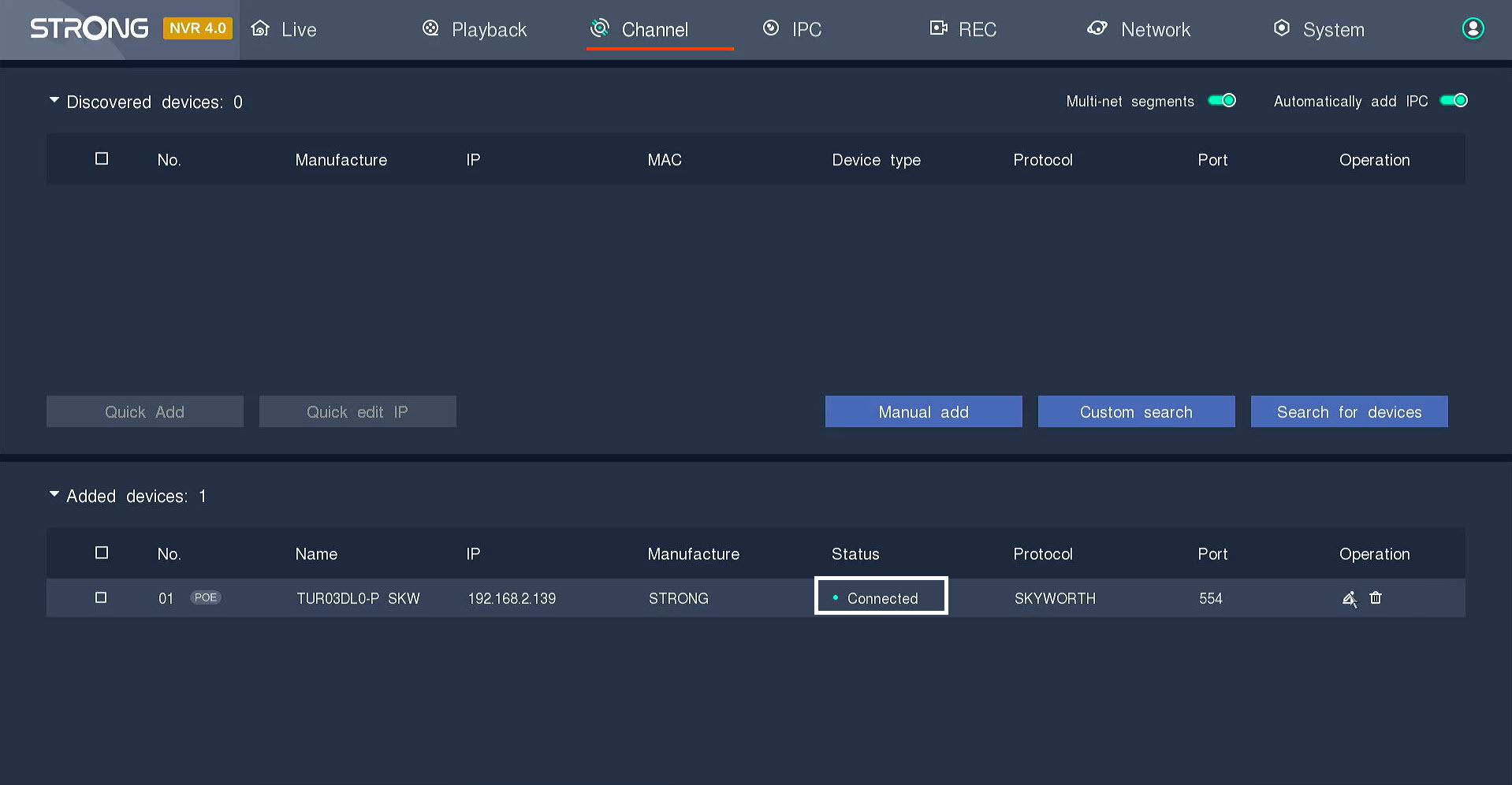
7Connection confirmed
The status will switch to connected.
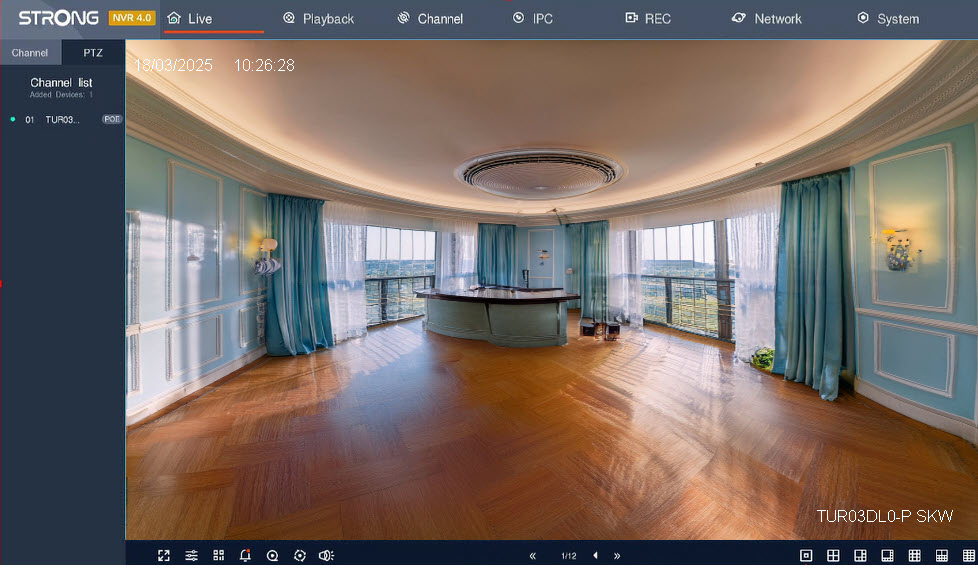
8View the Live Stream
The camera is connected and you can see the live stream.