No items found.
LEAP-S1
No items found.
All questions
No items found.
LEAP-S1
No items found.
How to delete an application ?
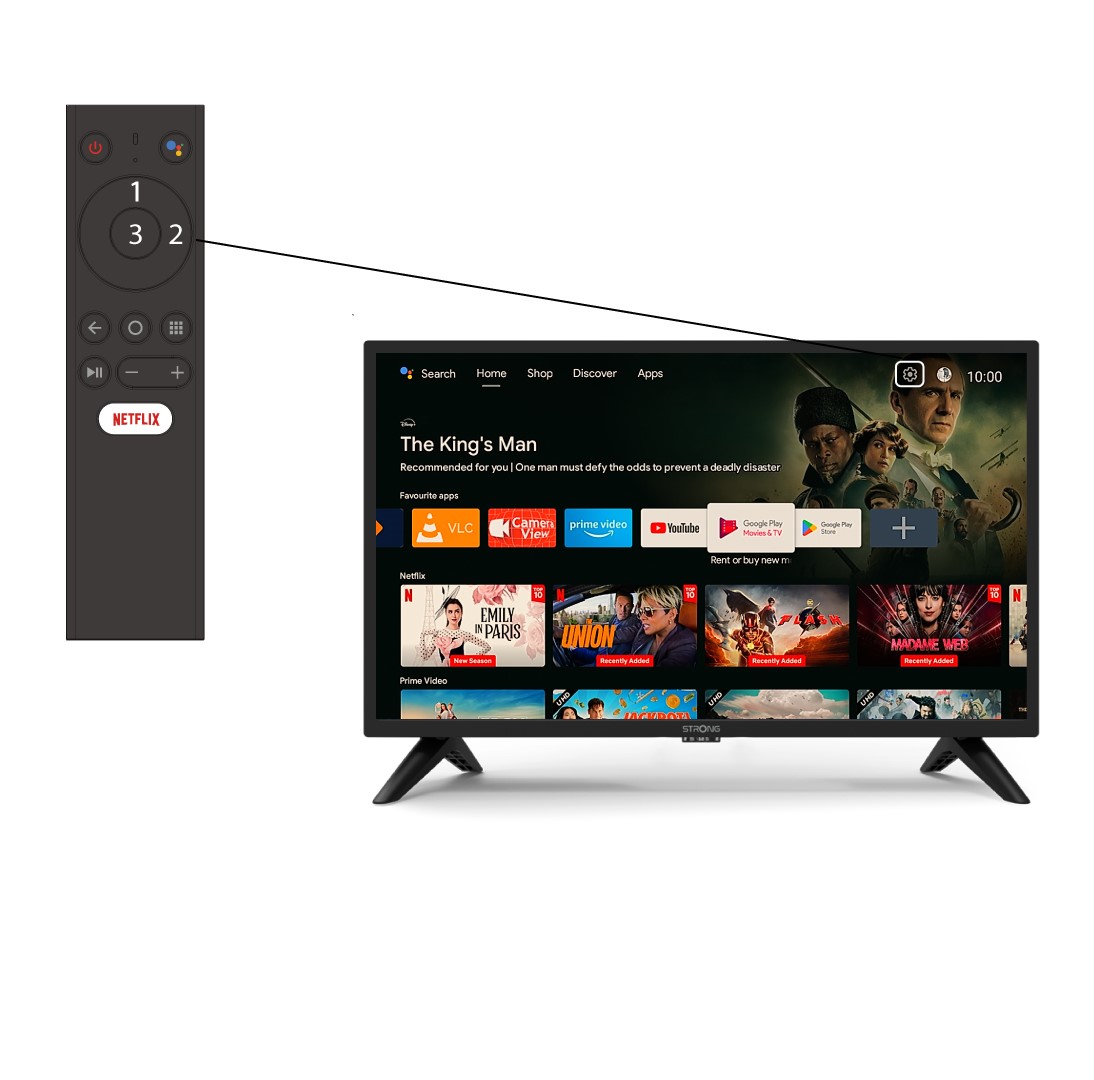
1Settings
Select the Settings Menu (Cogwheel icon) by pressing the top and right keys on your remote control and press OK.
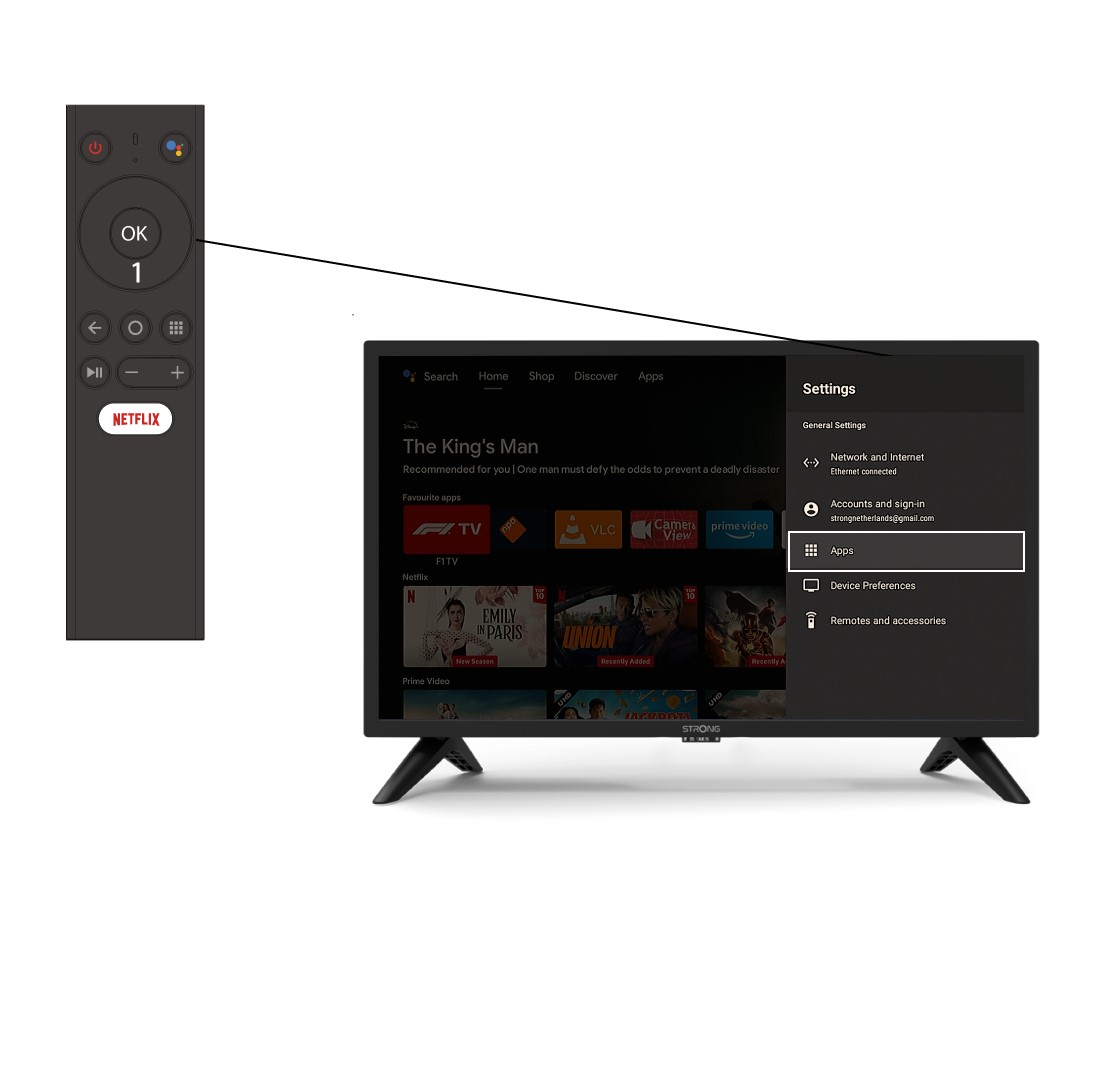
2APP
Click Apps and press OK to access the list of apps installed on your device.
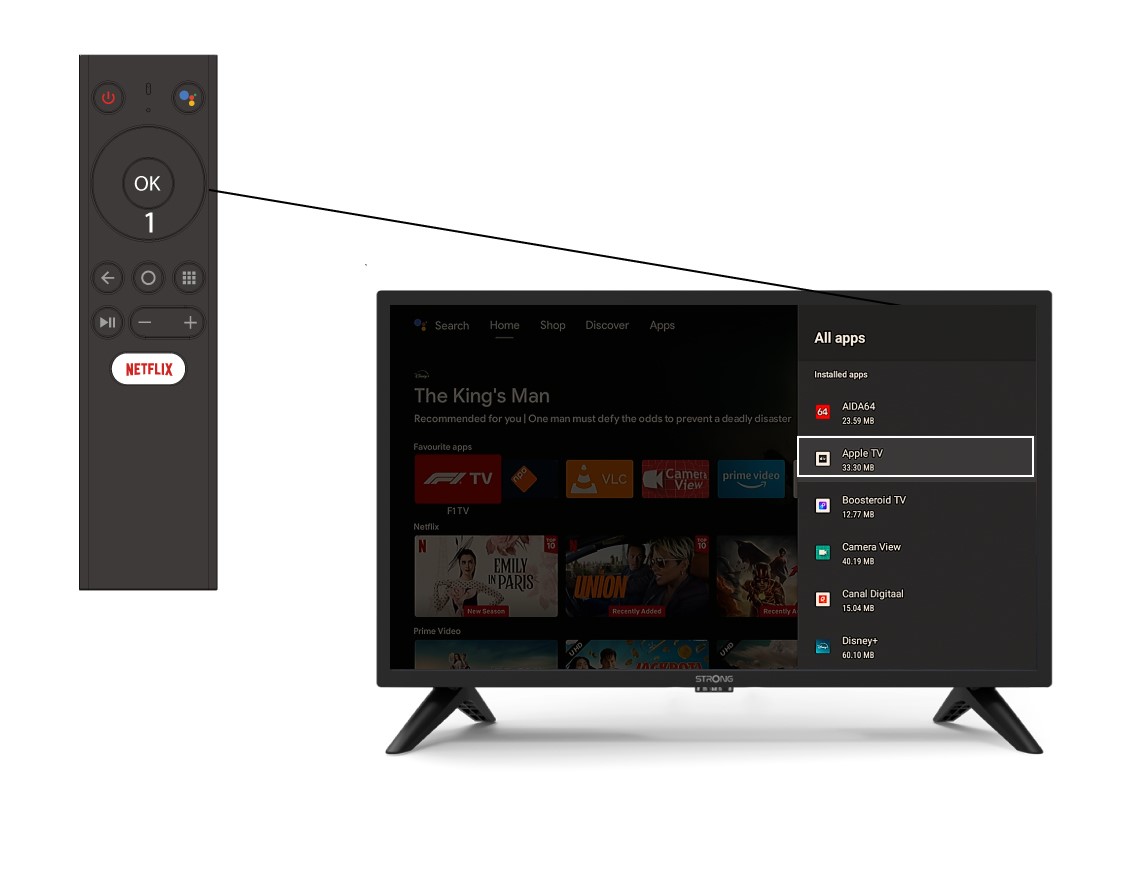
3App List
Select the App in the list and press OK.
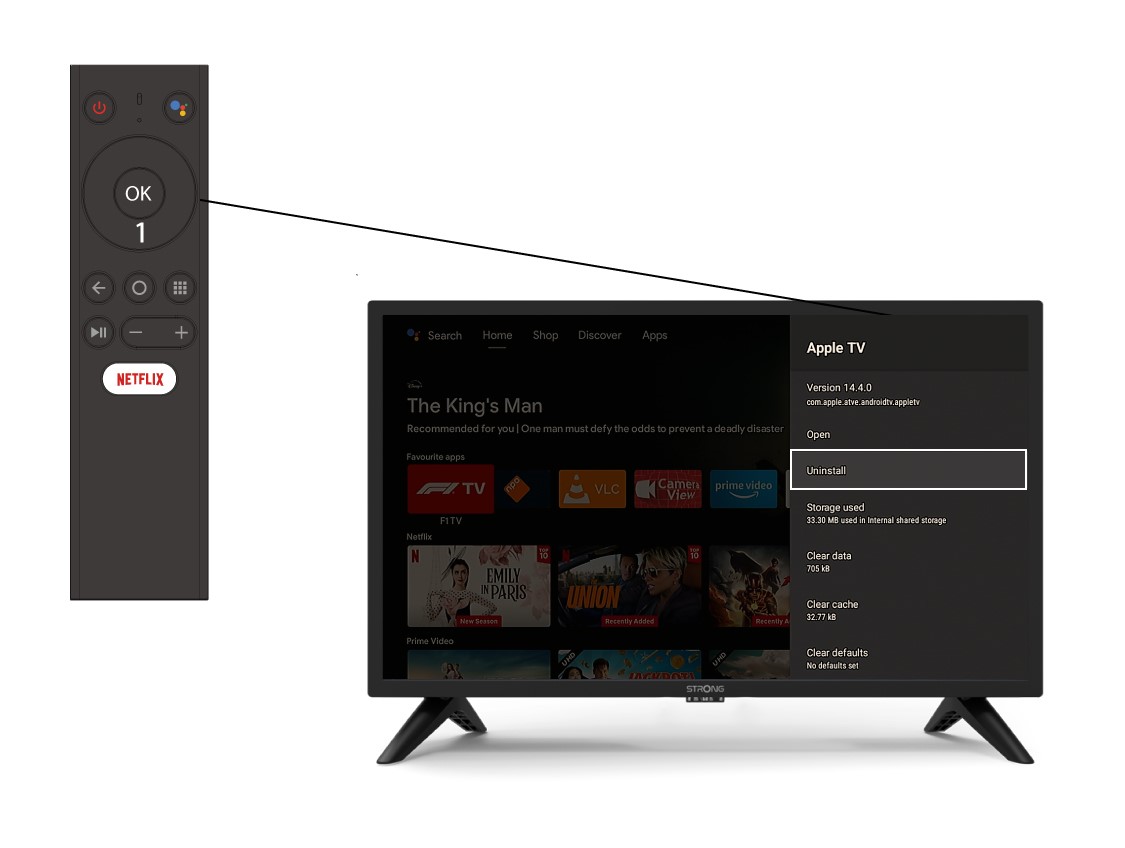
4Uninstall
Select Uninstall in the list and press OK.