No items found.
LEAP-S1
No items found.
All questions
No items found.
LEAP-S1
No items found.
How do I reset the LEAP S1 to its factory settings ?

Warning: When you reset your device to its factory settings, all the applications and custom settings will be deleted. You will have to reinstall all your application from scratch.
1Turn on the device
Turn on your TV and your LEAP S1.
2Browse to the Settings Menu
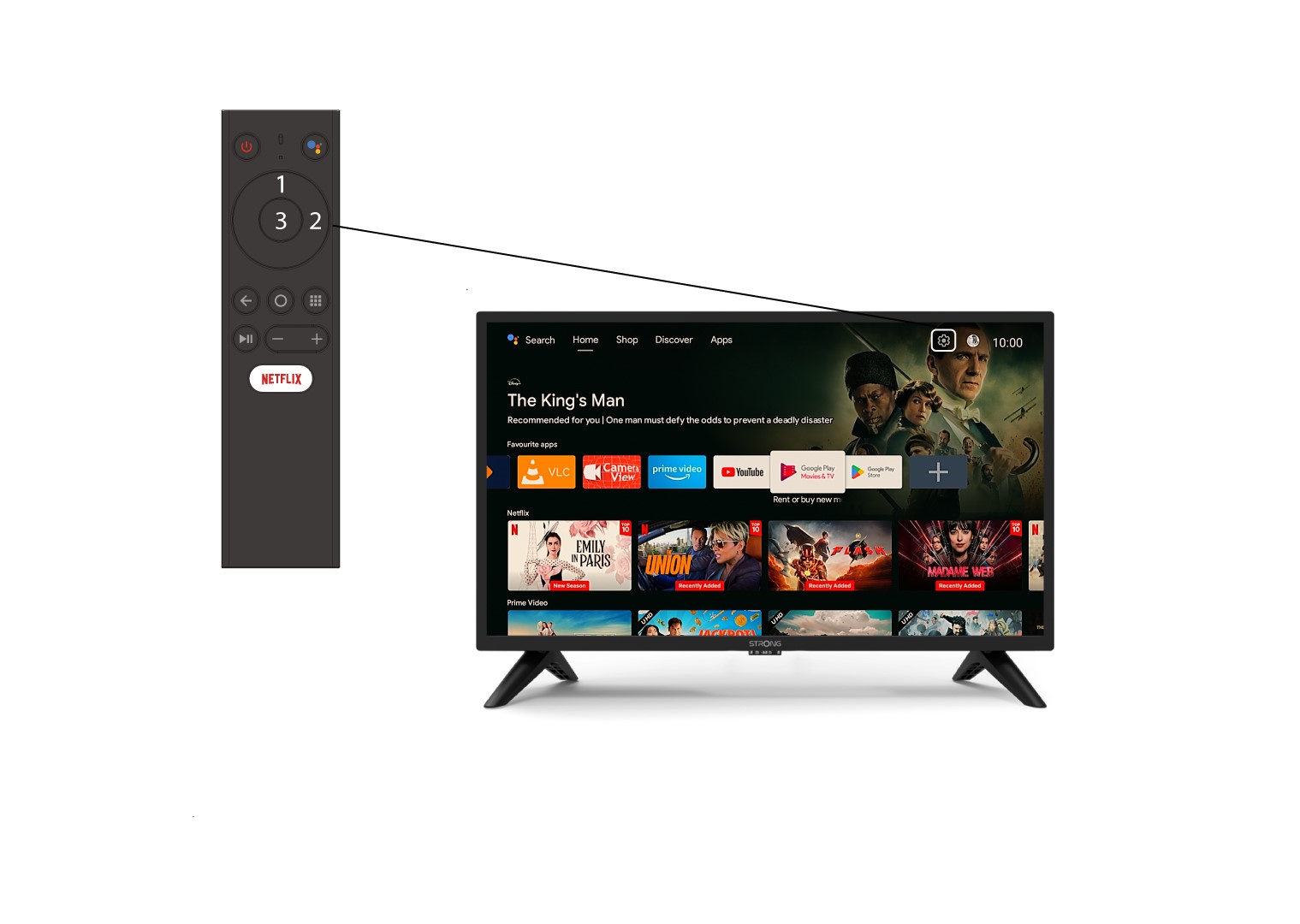
Identify the gear icon (Settings Menu) on the top right of your screen and select it by using the arrows on your computer. Then, press the OK button on your remote to open the Settings Menu.
3Device Preferences
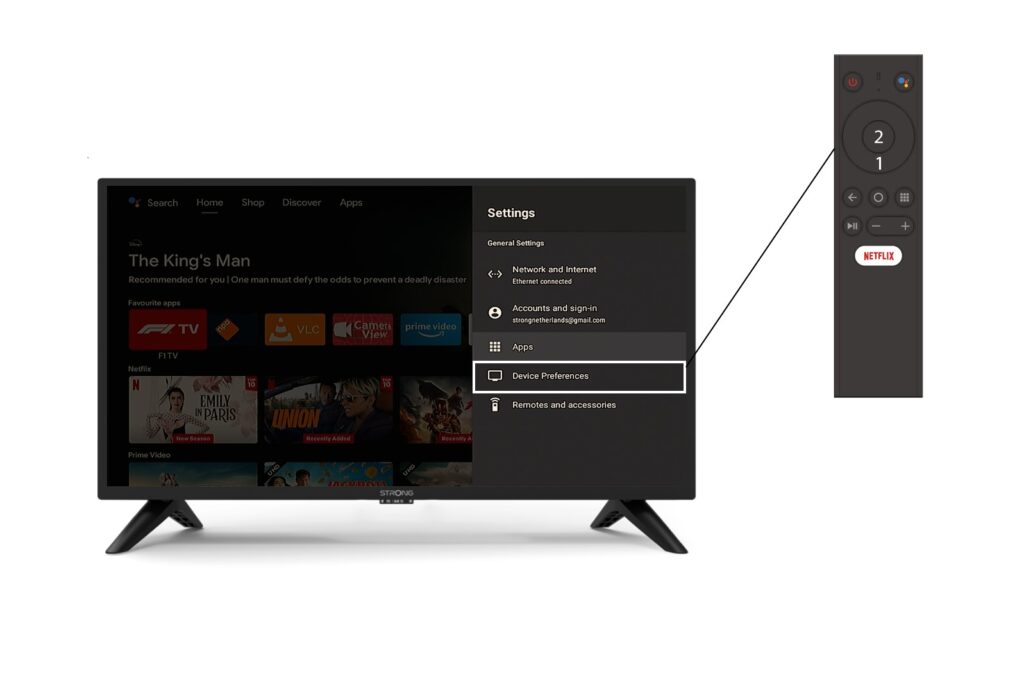
Select Device Preferences in the Settings Menu and press the OK button on your remote control.
4About
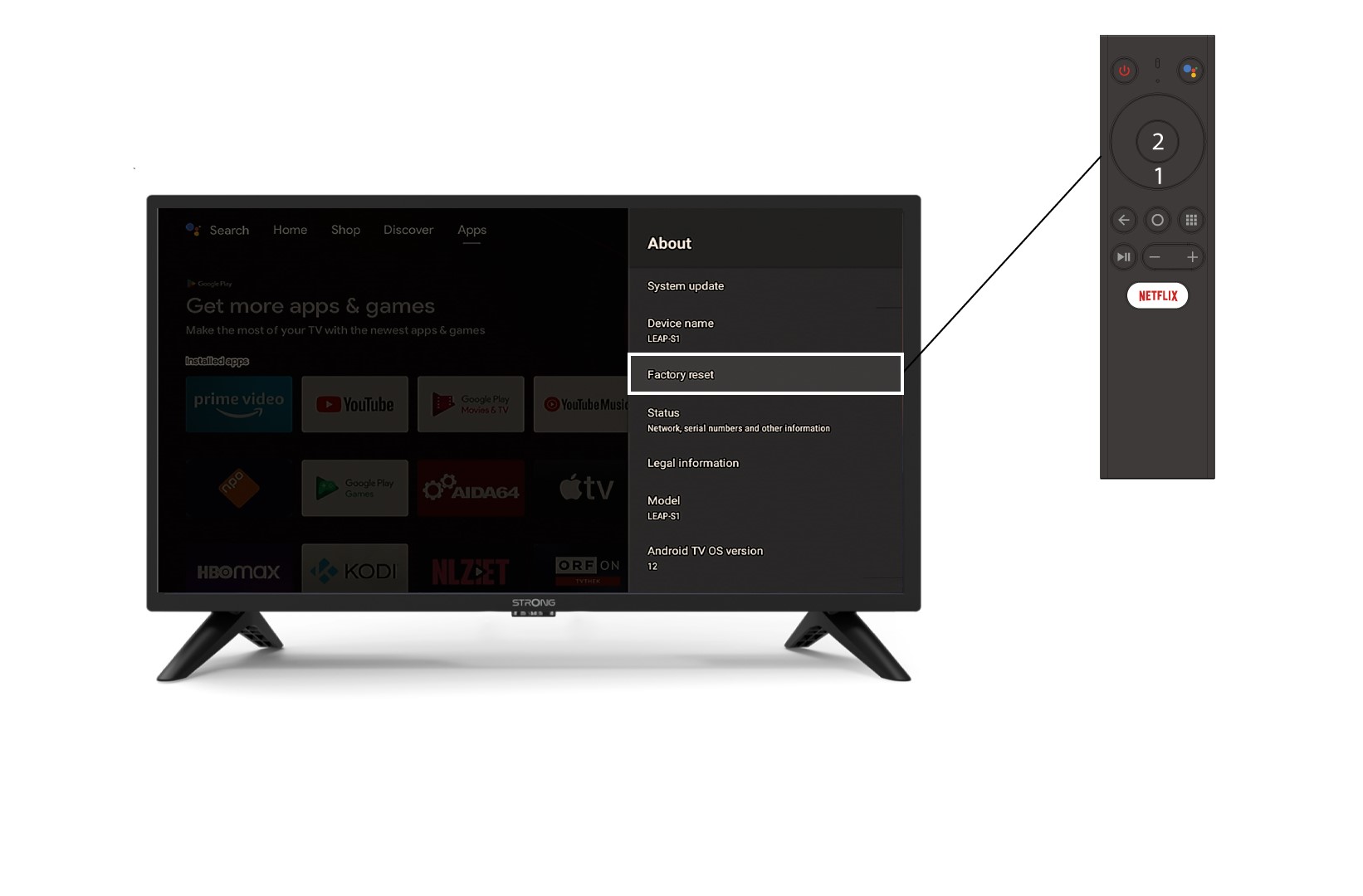
In the About Menu, select Factory Reset.