No items found.
LEAP-S1
No items found.
All questions
No items found.
LEAP-S1
No items found.
How can I add or remove an application from the home screen?
1Case 1: Adding an app
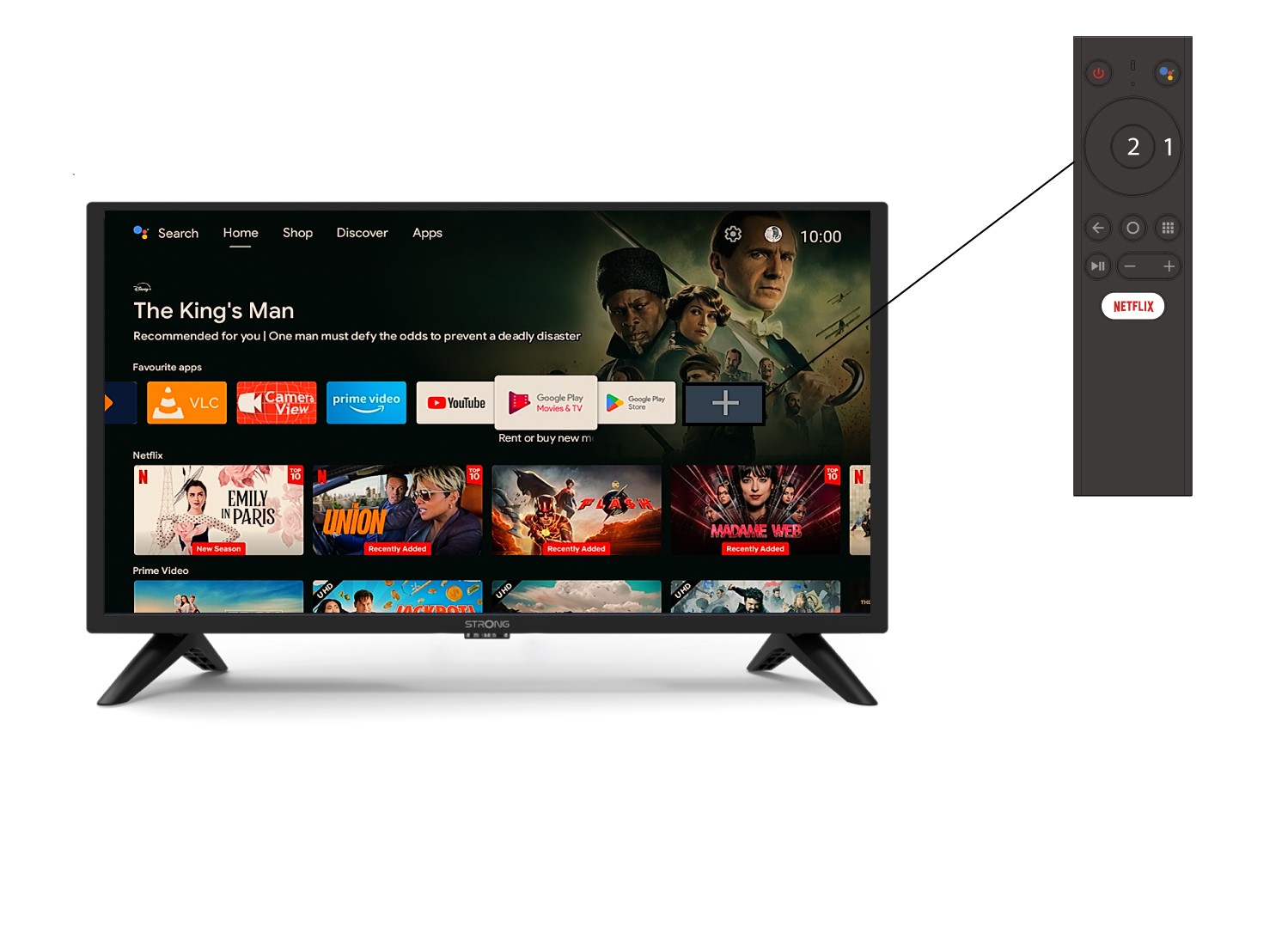
To add an application on the home screen, go to the + icon located at the end of the list of applications already on the home page, press « OK ».
2App list
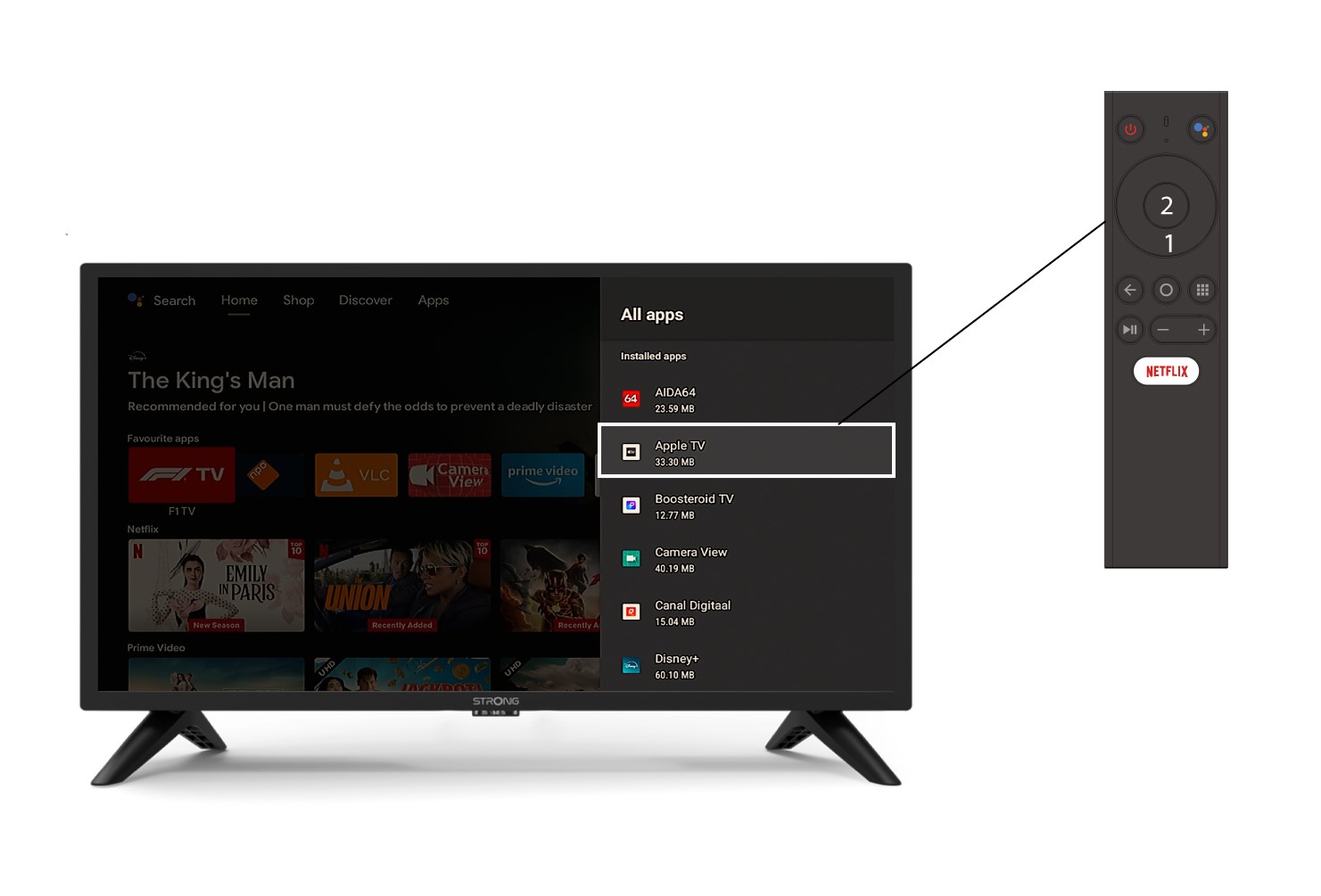
Then, the list of applications opens, select the application of your choice and press the OK button of your remote.
3Case 2: Removing an app
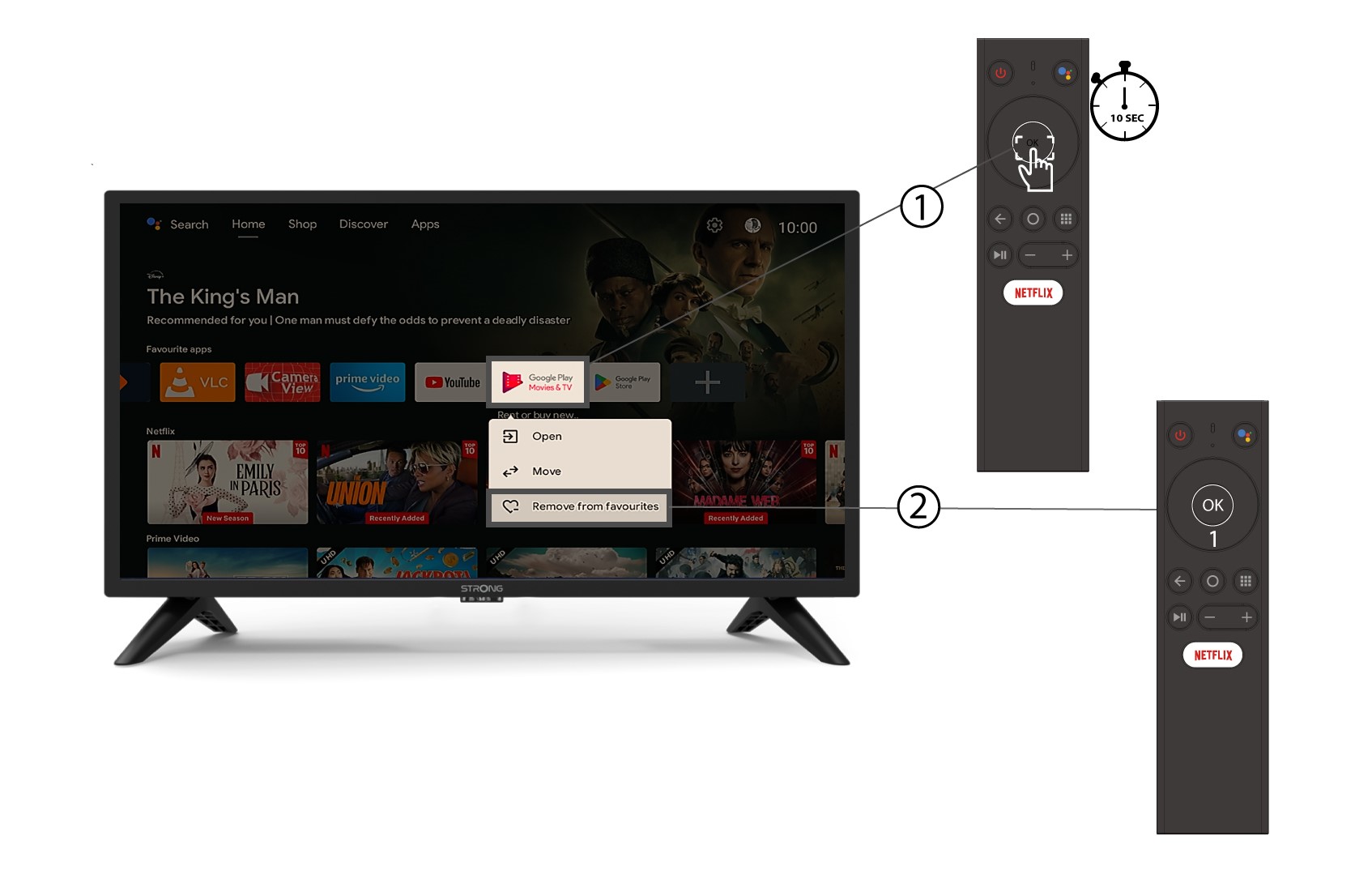
To remove an application from the home screen, in the list of applications already on the home page, go to the application you want to remove, long press the « OK » button, a window appears, select « Remove from favorites ».