
Universal Repeater 300S
No items found.
No items found.
All questions
Universal Repeater 300S
No items found.
No items found.
How do I reset my repeater to its factory settings? (Web UI)
1Connect to the Web UI
Please follow this procedure to connect to the UI after the configuration.
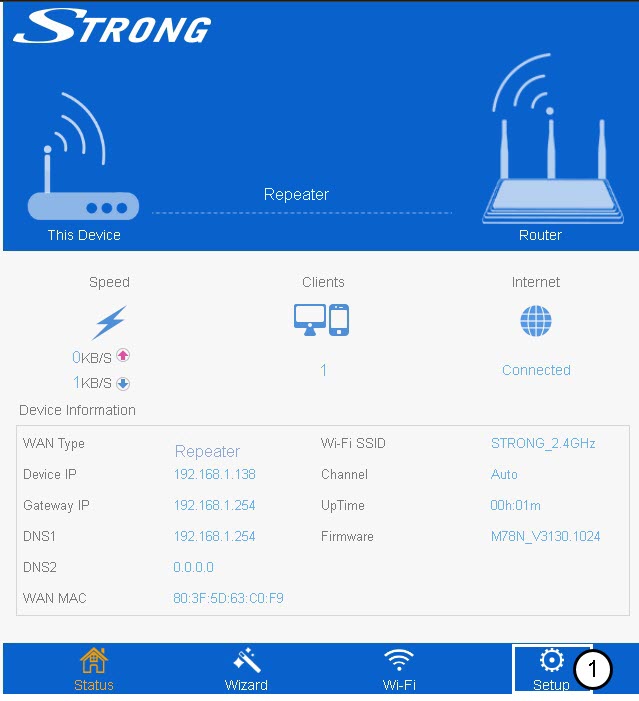
2Setup
Click Setup.
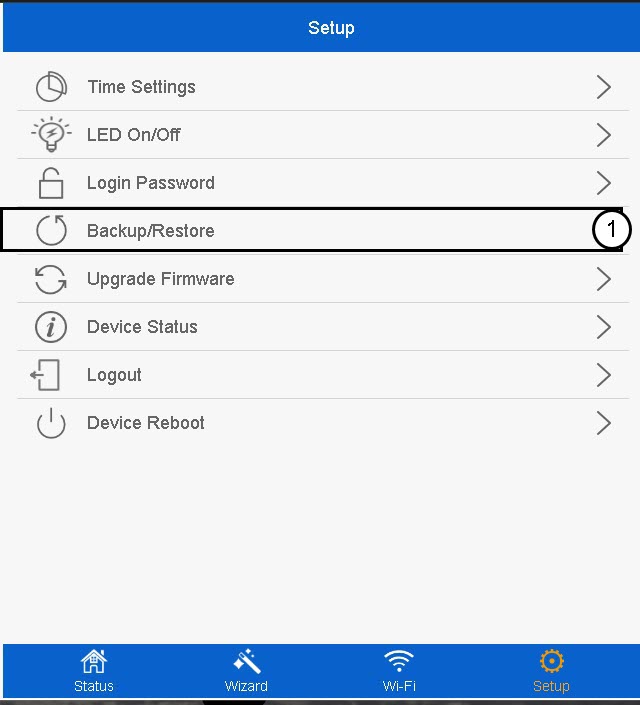
3Backup & Restore
Click Backup/Restore.
4Reset to default settings
Click Reset.
Please wait for the reset to be completed.
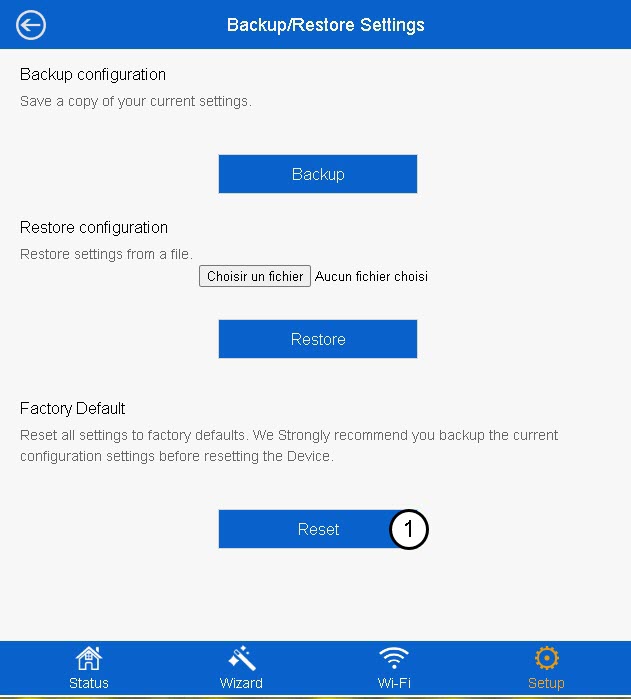

Warning: Please note that all the customized settings configured that was done on your network will be erased. You will need to reconfigure tour network from scratch by connecting with the default credentials written under the product label.