
Universal Repeater 300S
No items found.
No items found.
All questions
Universal Repeater 300S
No items found.
No items found.
How do I change the admin password of my repeater?
1Connect to the Web UI
Please refer to this procedure to connect to the Web UI.
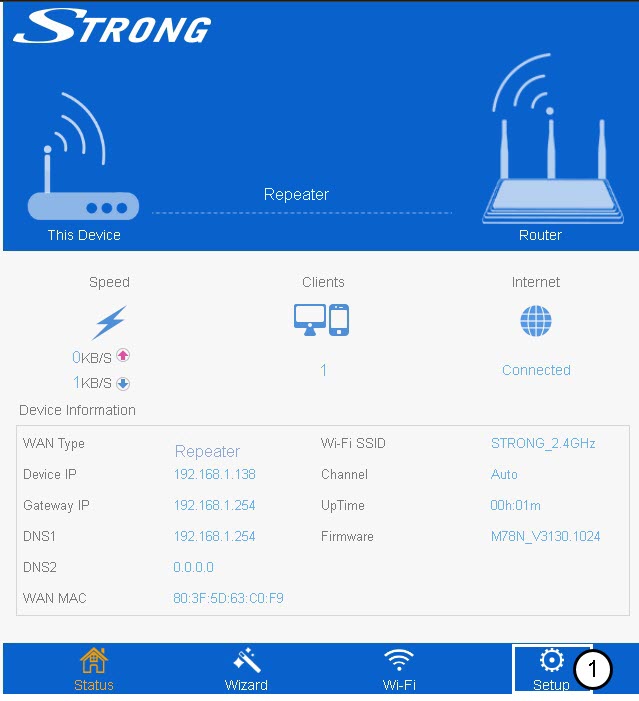
2Set Up
Click set up on the bottom bar.
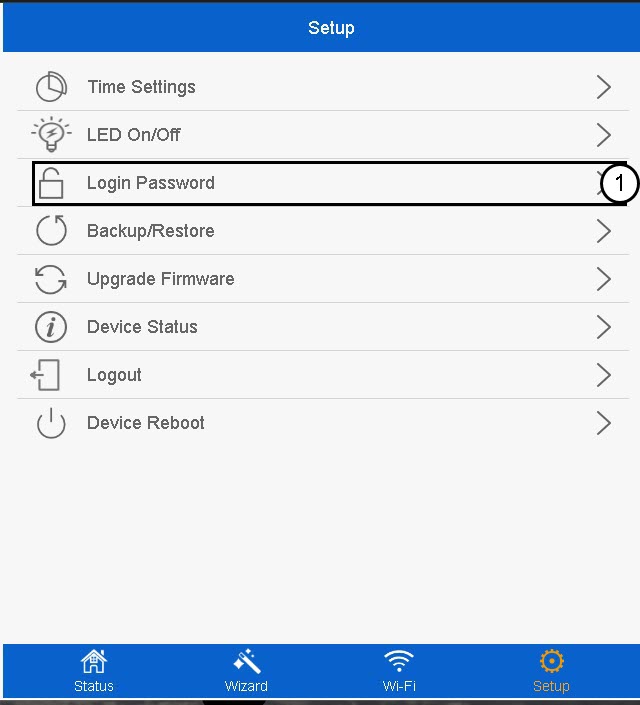
3Login Password
Click Login Password.
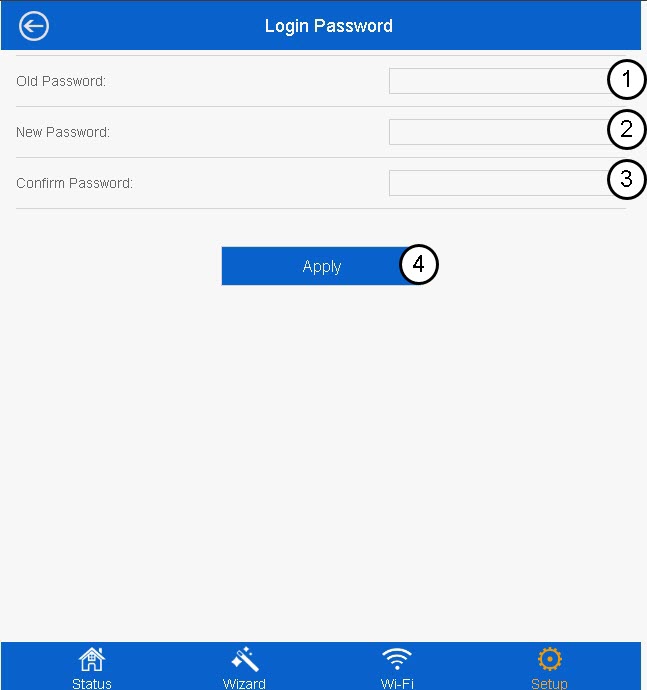
4Create the new password
Enter the following information before clicking Apply:
- Old Password: Enter the default password.
- New Password: Enter a new password
- Confirm Password: Enter the same password as in the previous field.
The new password must contain between 8 and 31 characters (lowercase, uppercase, numbers and specials characters). Only the following special characters are allowed: @ ! §% * ? &

Warning: Please write down the new administration password, you will need it to connect to the Web UI. If you forget your admin password, please reset your repeater to its default settings by referring to this procedure.