
Dual Band Repeater 1200
No items found.
No items found.
All questions
Dual Band Repeater 1200
No items found.
No items found.
How do I configure my repeater?
TIPS: Before configuring your repeater, please check the following procedure to determine the location of your repeater: What is the best location for my repeater?
1Accessing the Repeater Web Interface
Follow one of the procedures below to connect to the Web UI:
- How do I connect to the Web UI of the repeater? (RJ45 Cable)
- How do I connect to the Web UI of the repeater? (Wi-Fi)
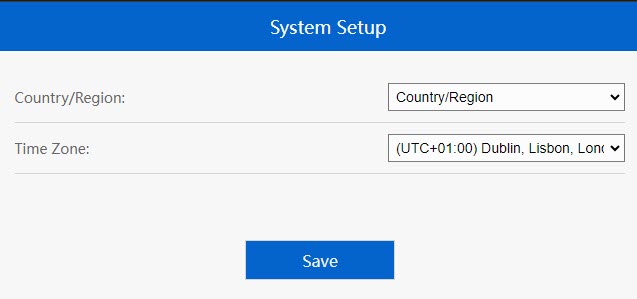
2Time Zone Selection
Select the Time Zone from the list if the one that is automatically detected is incorrect, and then click Save.
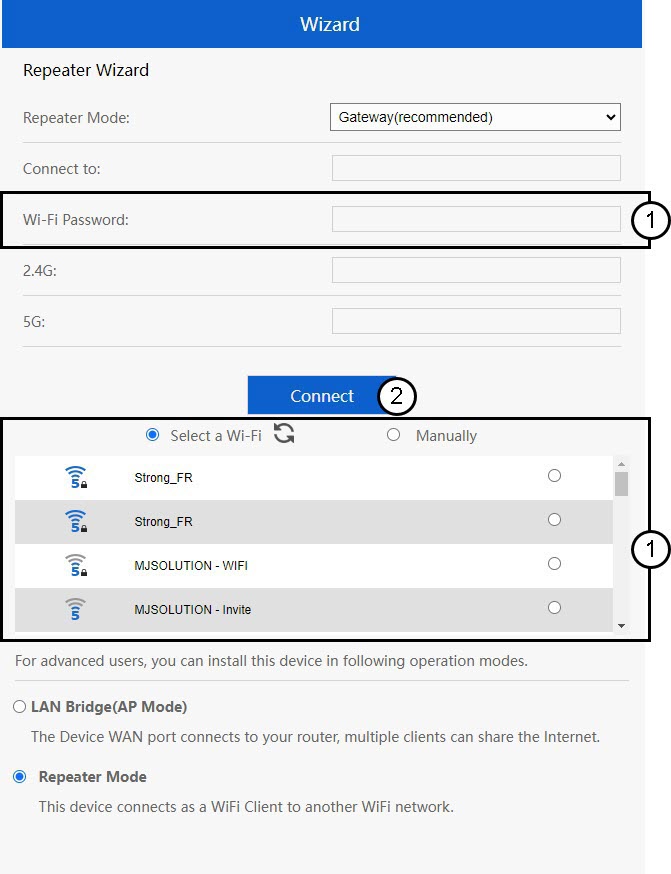
3Connect via Setup Wizard
The repeater set up wizard will open. Click (You may need to enter the password of the Wi-Fi Network to which you want to connect)
4Finalizing the Configuration
Please wait while the repeater is configuring.
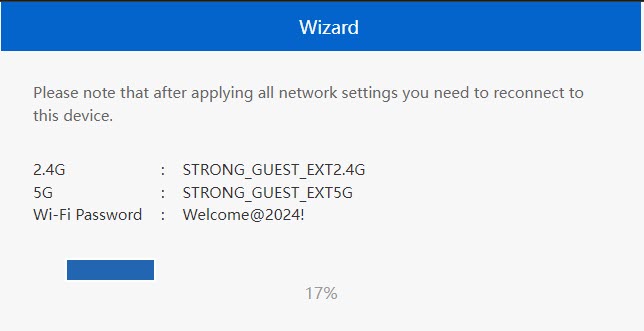

Warning: Please write down the information for the two Wi-Fi Networks. You will need this information to connect to the network.