
4G+ AIRHOME 710 UK with detachable 4G+ antennas
No items found.
No items found.
All questions
4G+ AIRHOME 710 UK with detachable 4G+ antennas
No items found.
No items found.
How do I reset my router to its factory settings? (Web UI)
Sometimes, it is possible that your device is not working properly and that you don’t have internet access. In this case, we suggest resetting your device to its factory settings and update it afterwards if necessary.
You have two ways to do it, you can reset the device by pressing the reset button or doing it in the Web UI.
1Connect to the Wi-Fi Network of your device
You must connect to the Wi-Fi of your device.

2Browse to the Web UI IP Address
Then enter the following IP address: 192.168.188.1 in your browser

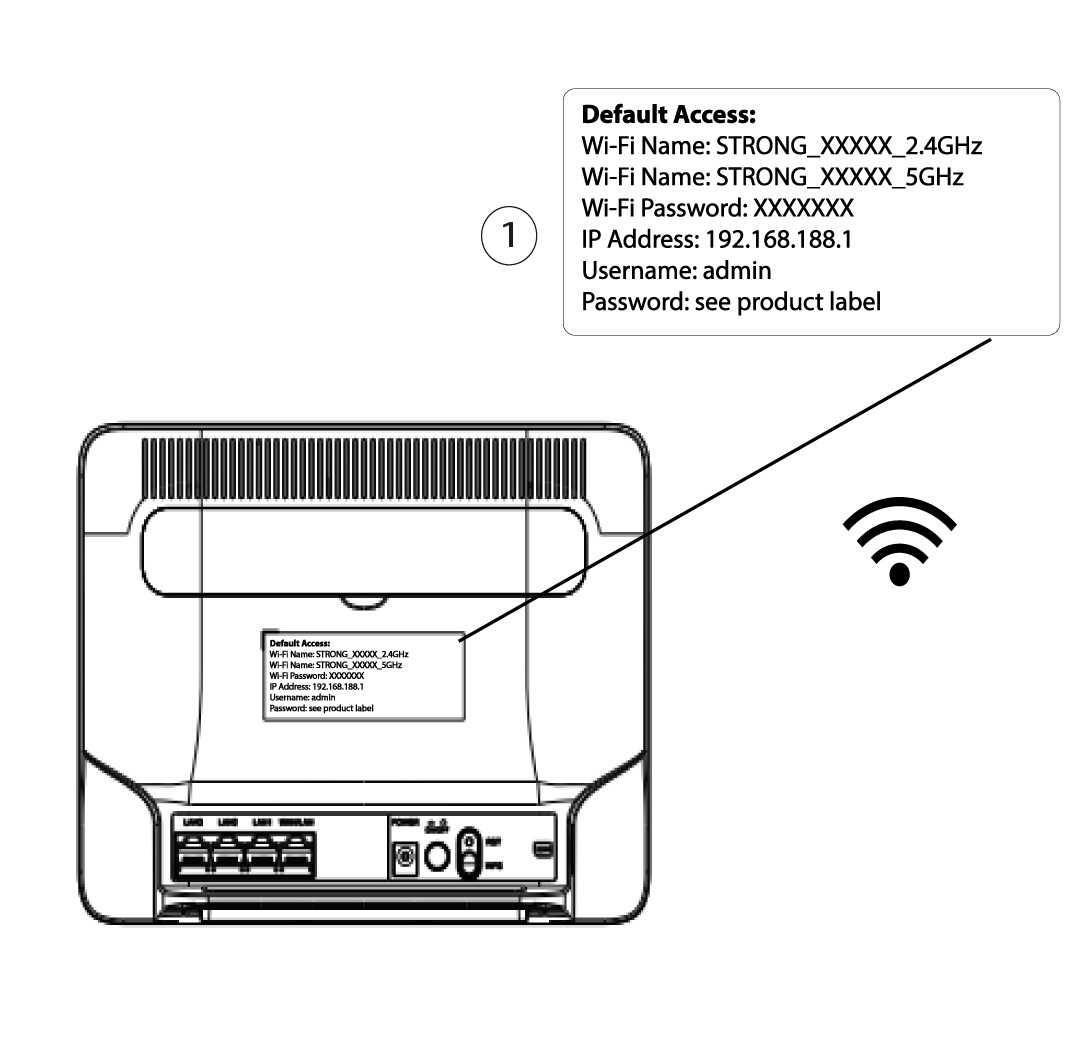
3Find your credentials for the Web UI
To find your credentials, please refer to the label located behind your device.
4Enter your credentials
You must enter the username and password before clicking Login.

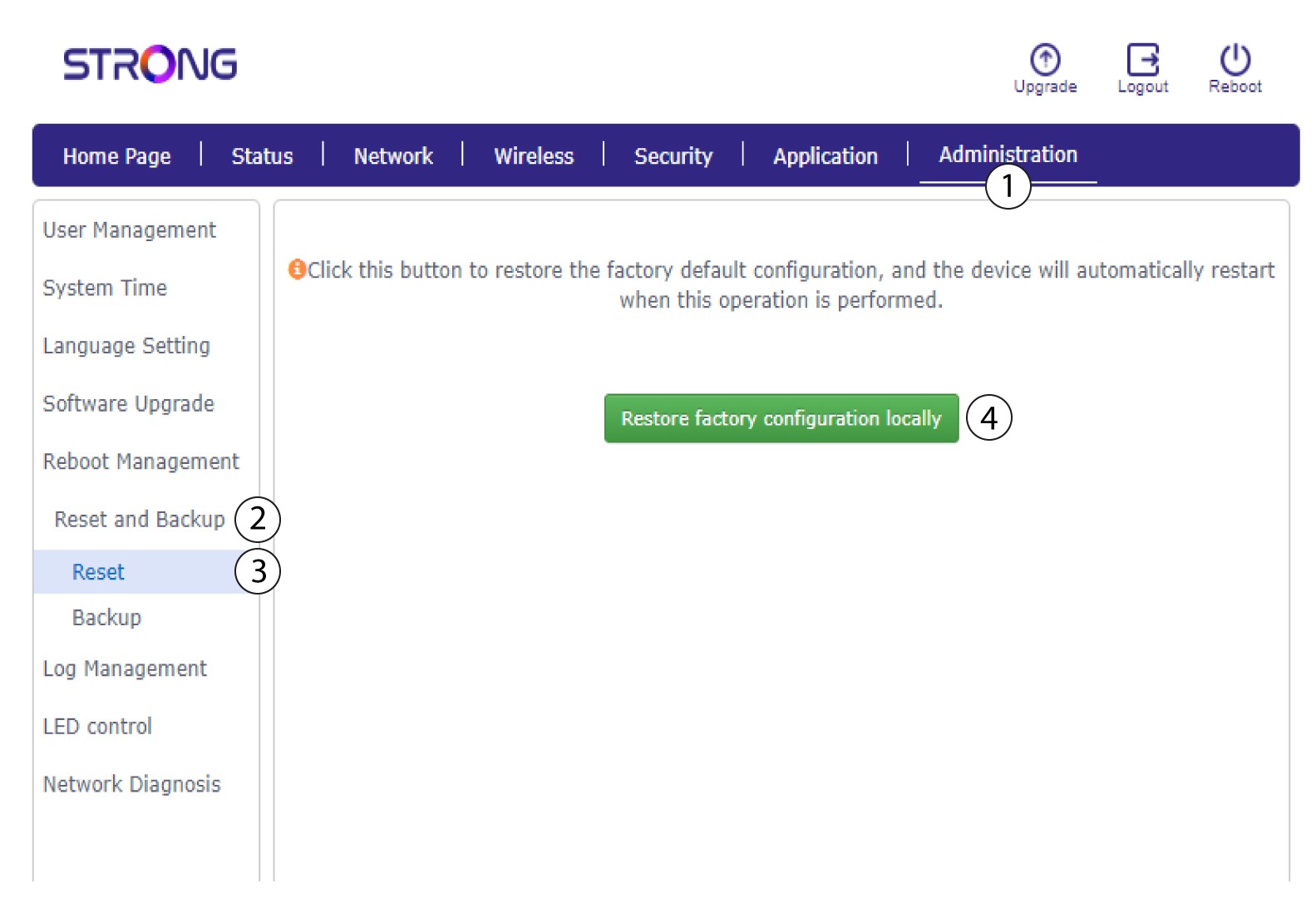
5Reset
Then, click Administration and Reset and Backup. Then, click Reset and Restore Factory configuration locally.
6Confirm the reset
Click Confirm on the pop-up message that appears.
