4G+ AIRHOME 710 UK with detachable 4G+ antennas
No items found.
No items found.
All questions
4G+ AIRHOME 710 UK with detachable 4G+ antennas
No items found.
No items found.
How do I enter my SIM PIN Code?
1Connect to the Wi-Fi Network of your router
To enter your SIM PIN Code, you must connect to the Web UI. To do so, enter the SSID (Wi-Fi Network Name) and Wi-Fi password of the router in your device.

2Browse to the Web UI IP Address
Then, enter the following IP address in your browser: 192.168.188.1

3Find your credentials for the Web UI
Please, look at the product label located on the rear side of the device to find your username and password.

4Enter your credentials
You must enter the Username and Password. Then, click Login.

5Go to the connection menu
When you are connected to the Web UI for the first time, you will see a warning message that invites you to enter the PIN code by clicking the connection button.

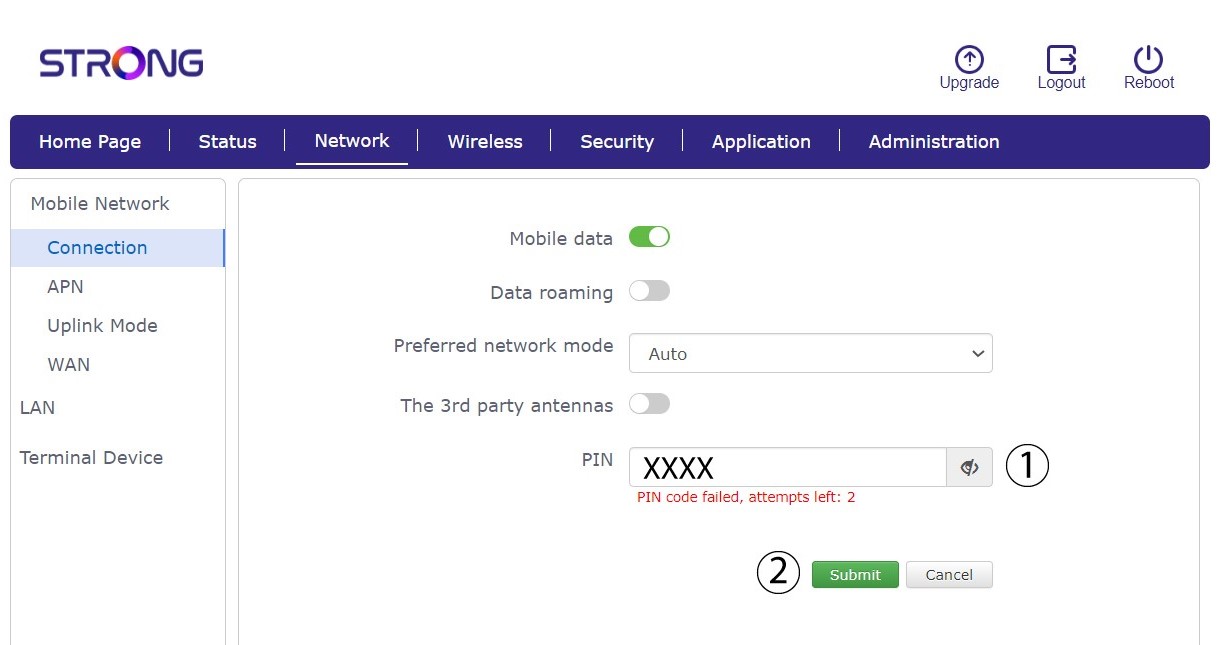
6Enter your SIM Card PIN Code
Enter your PIN code in the field and click submit.
7SIM card is unlocked
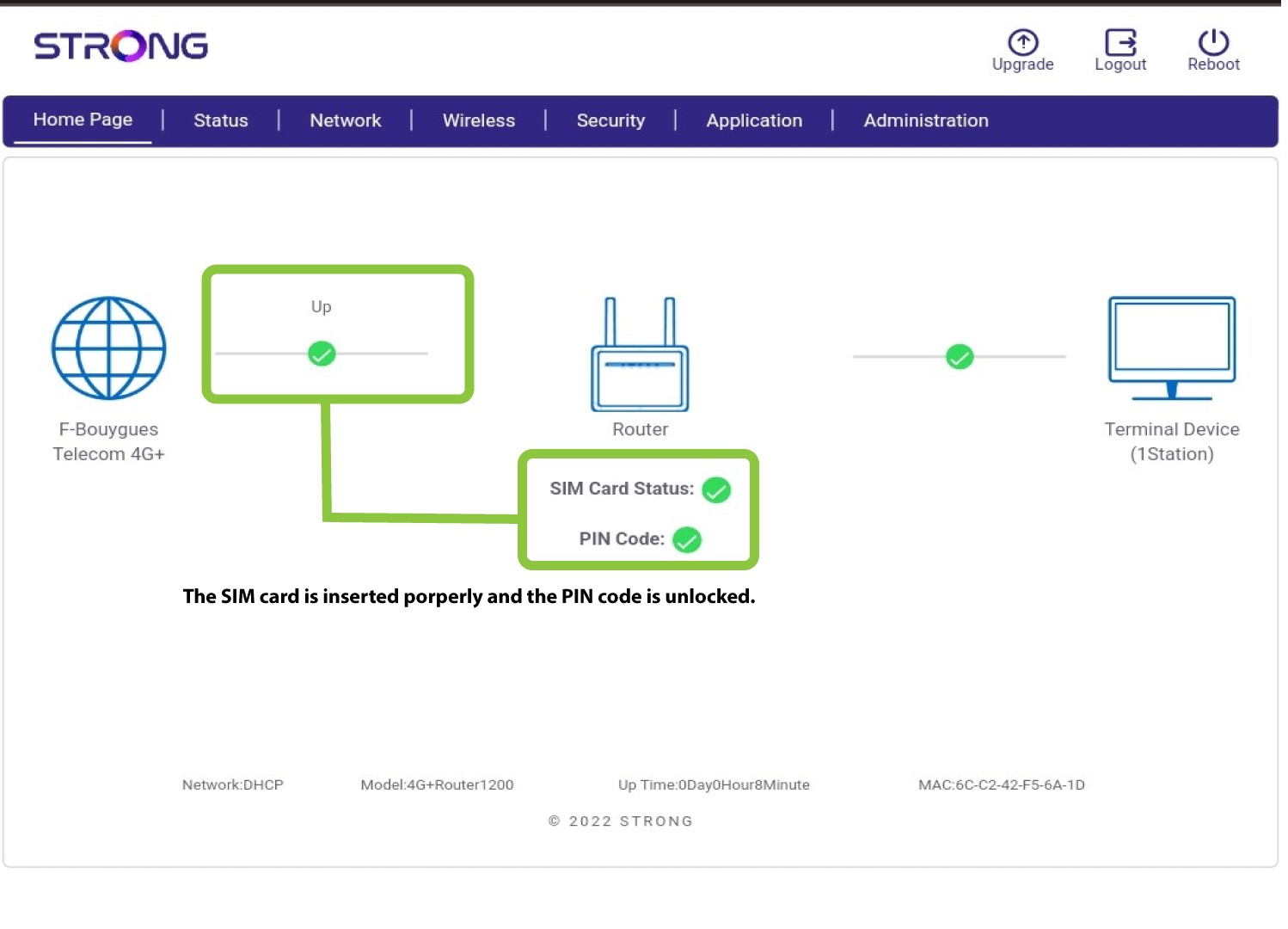
The SIM card is unlocked, and its icon now turns green with the network name next to it.