
4G+ AIRHOME 710 UK with detachable 4G+ antennas
No items found.
No items found.
All questions
4G+ AIRHOME 710 UK with detachable 4G+ antennas
No items found.
No items found.
How do I deactivate the 2.4 GHz Wi-Fi Network?
1Connect to the Wi-Fi Network of your router
To deactivate the Wi-Fi, you must connect to the Web UI. To do so, enter the SSID (Wi-Fi Network Name) and Wi-Fi password of the router in your device.

2Browse to the Web UI IP address
Then, enter the following IP address in your browser: 192.168.188.1.

3Find your credentials for the Web UI
Please refer to the product label located on the rear side of the device to find your username and password.

4Enter your credentials
You must enter the Username and Password. Then, click Login. For more information about the Logins, please refer to the login procedure.

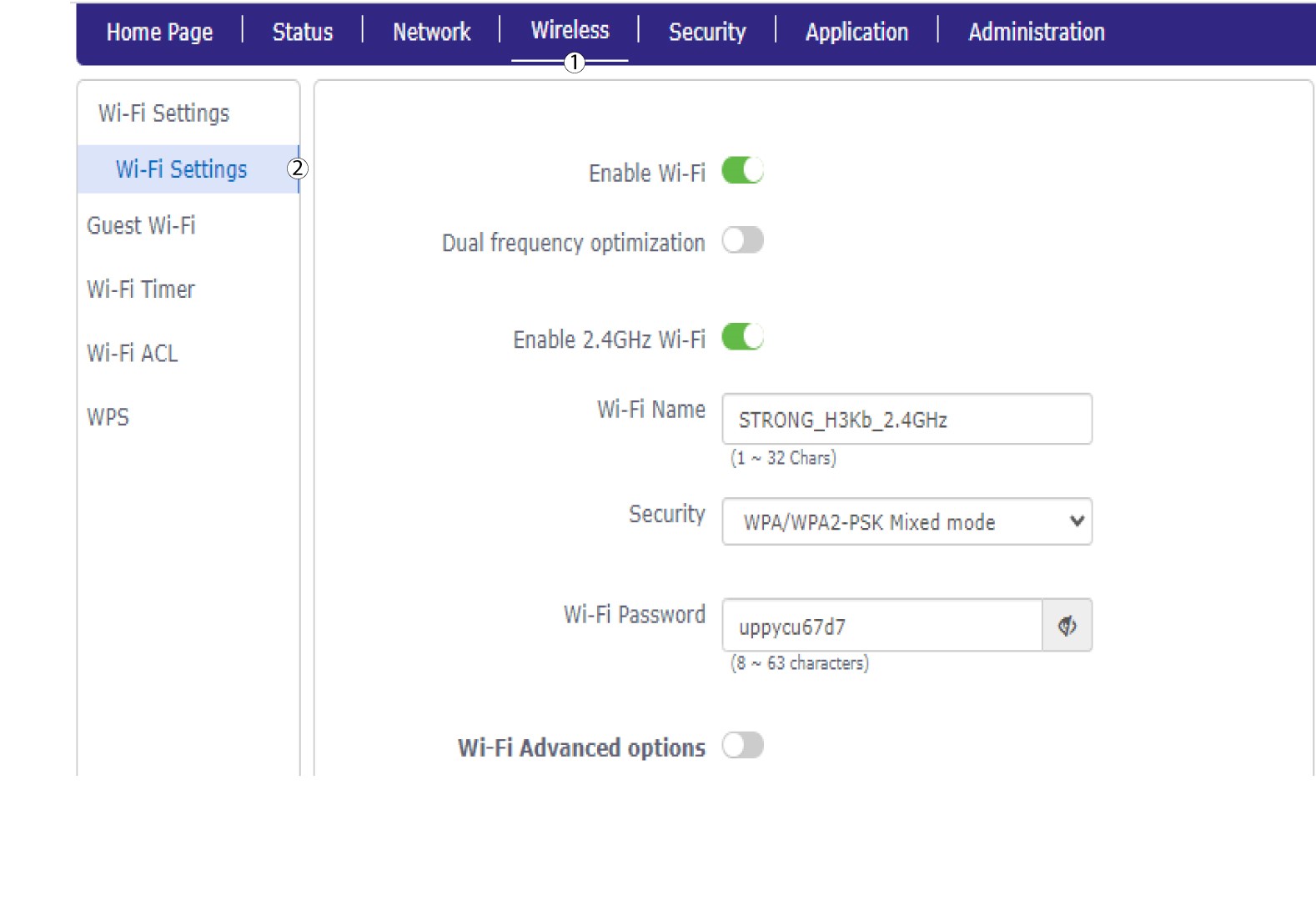
5Wi-Fi Settings
Click Wireless and select Wi-Fi Settings.
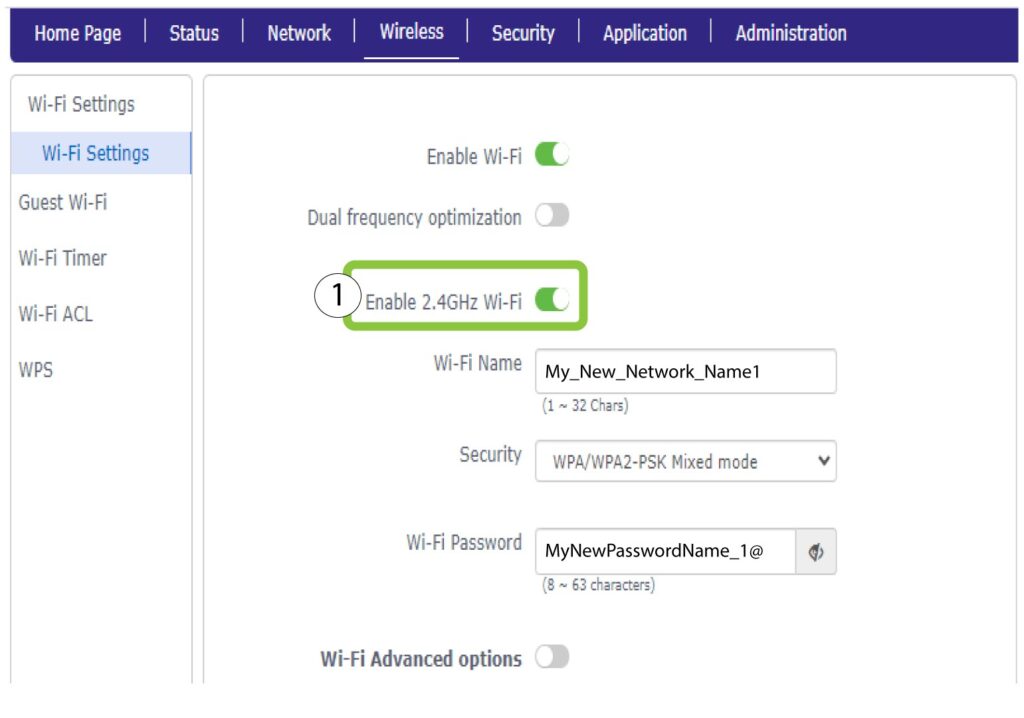
6Deactivate Wi-Fi
Then, click the Enable 2.4 GHz Wi-Fi toggle to deactivate both networks.
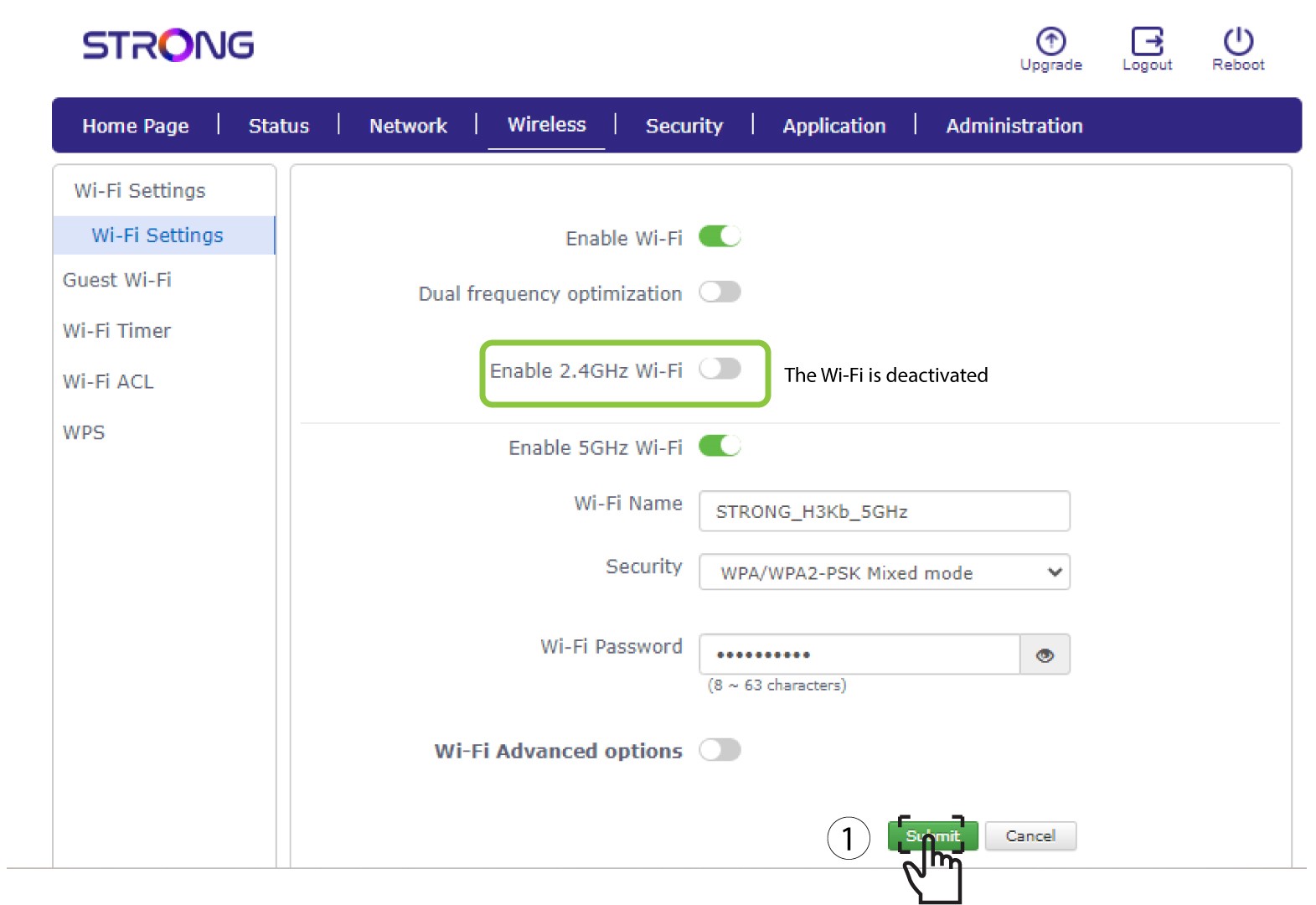
7Save the changes
Then, click Submit.
If you want to deactivate both of the Wi-Fi Networks, please refer to the following procedure:
If you want to deactivate only the 5 GHz Wi-Fi Network, please refer to the following procedure: