
No items found.
No items found.
5MP DUAL-LIGHT POE BULLET CAMERA
All questions
No items found.
No items found.
5MP DUAL-LIGHT POE BULLET CAMERA
How do I manage my camera password in the Web UI?
How do I manage my camera password in the Web UI?
You can change your admin password for the Web UI. To do so, follow the steps below.
1
Open the Password Settings
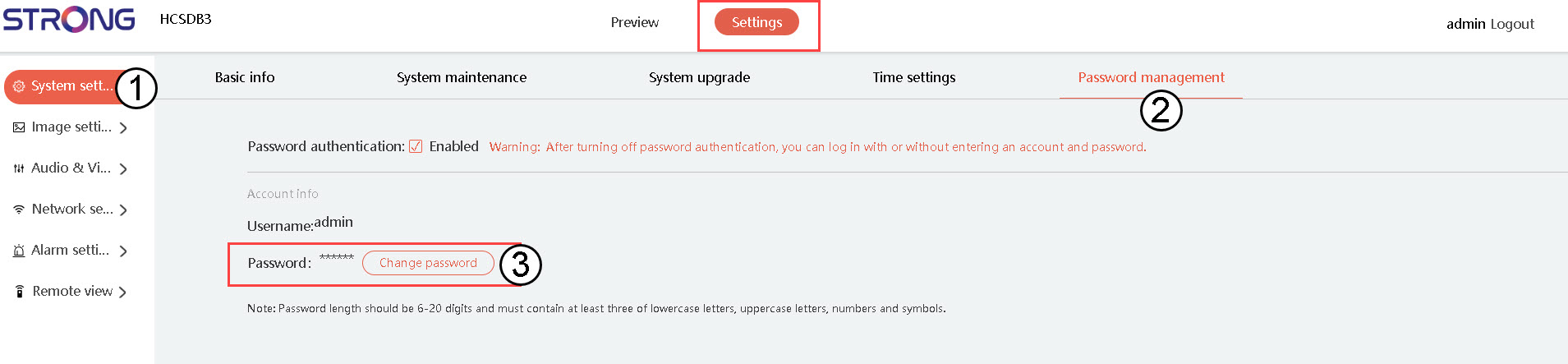
Click on System Settings, then click Password Management. Then, click Change password.
2
Enter Your New Password Details
Fill in the following fields:
- Current Password: Enter the password written on your camera.
- Enter New Password: Enter the new password.
- Confirm Password: Enter the password that you put in the previous field.
