No items found.
No items found.
5MP DUAL-LIGHT POE BULLET CAMERA
All questions
No items found.
No items found.
5MP DUAL-LIGHT POE BULLET CAMERA
How do I find the IP address of my camera?

Warning: Before being able to configure the advanced parameters of your camera through its UI, you must configure it in the Vision by Strong App and write down its IP address.
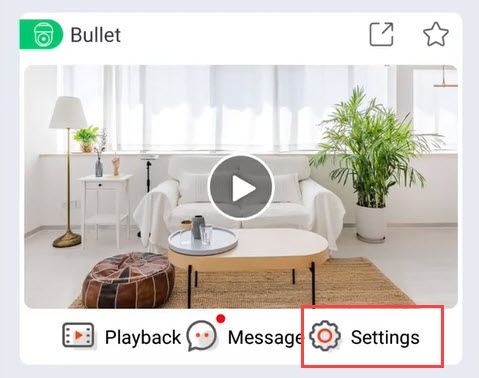
1Open the Settings Menu in the App
In the app, click Settings.
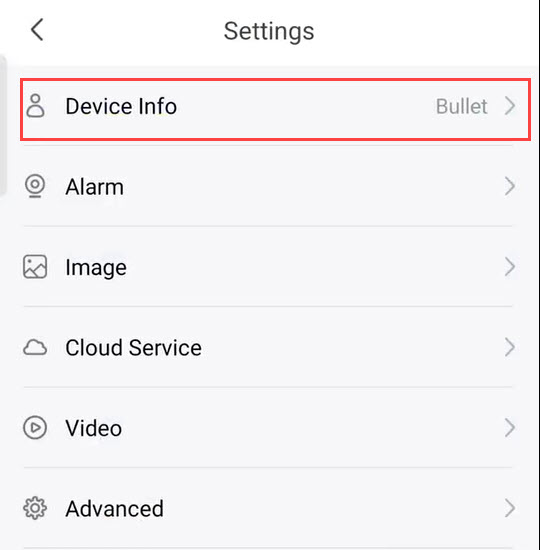
2Access Device Info
Then, click Device Info.
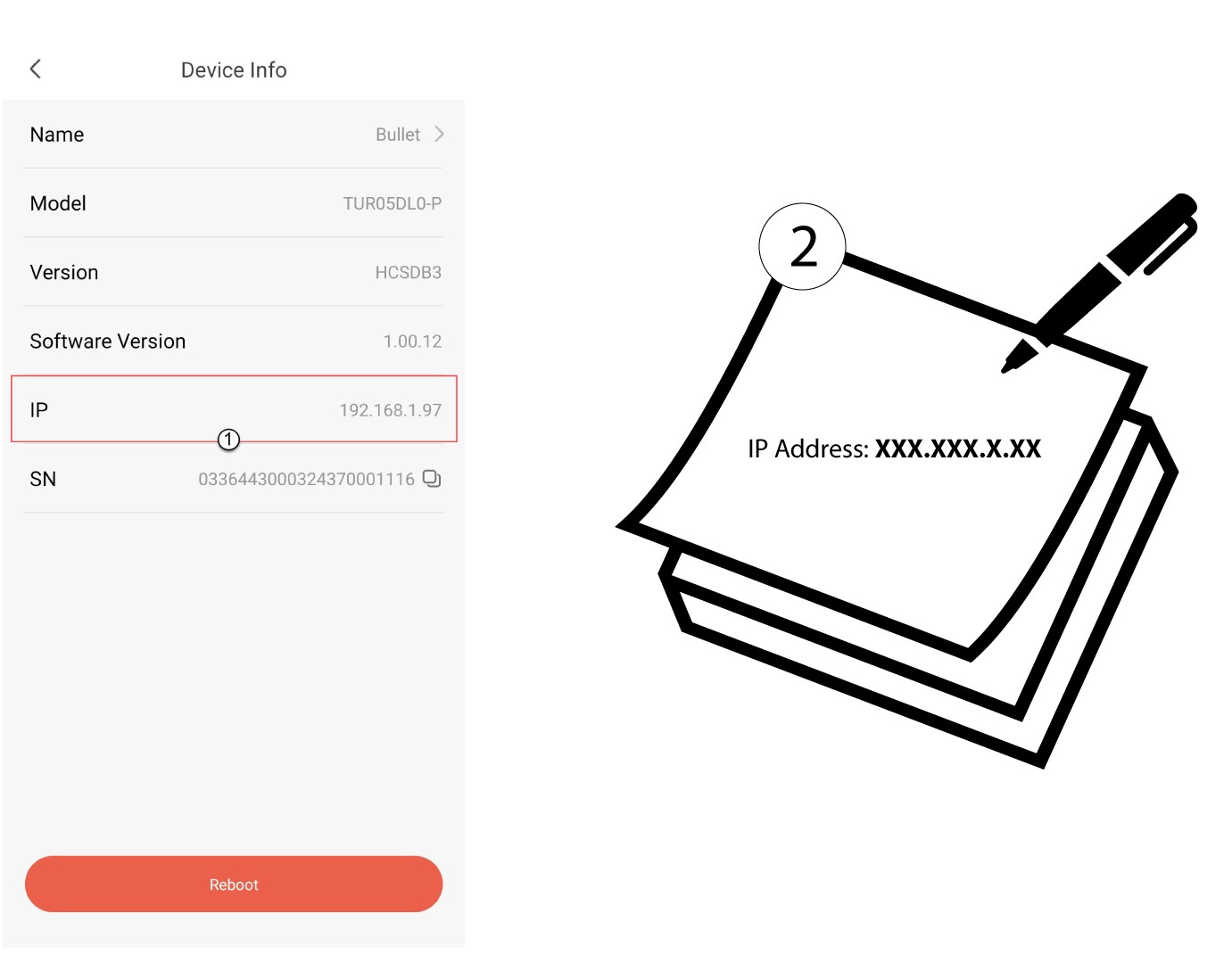
3Write Down the IP Address
Write down the IP address of your camera.