
4G AIRHOME 210 UK with Fixed 4G antennas
No items found.
No items found.
All questions
4G AIRHOME 210 UK with Fixed 4G antennas
No items found.
No items found.
How do I change the SSID (Wi-Fi Network Name) and Wi-Fi password? (Wi-Fi Settings)
In the Web UI, you have two ways to change the SSID (Wi-Fi Network Name) and Wi-Fi password of your router:
- By using the Quick Settings
- Or by using Wi-Fi Settings.
1Accessing the Web UI
To access the Web UI, please refer to the Web UI connexion procedure below:
2Wi-Fi Settings
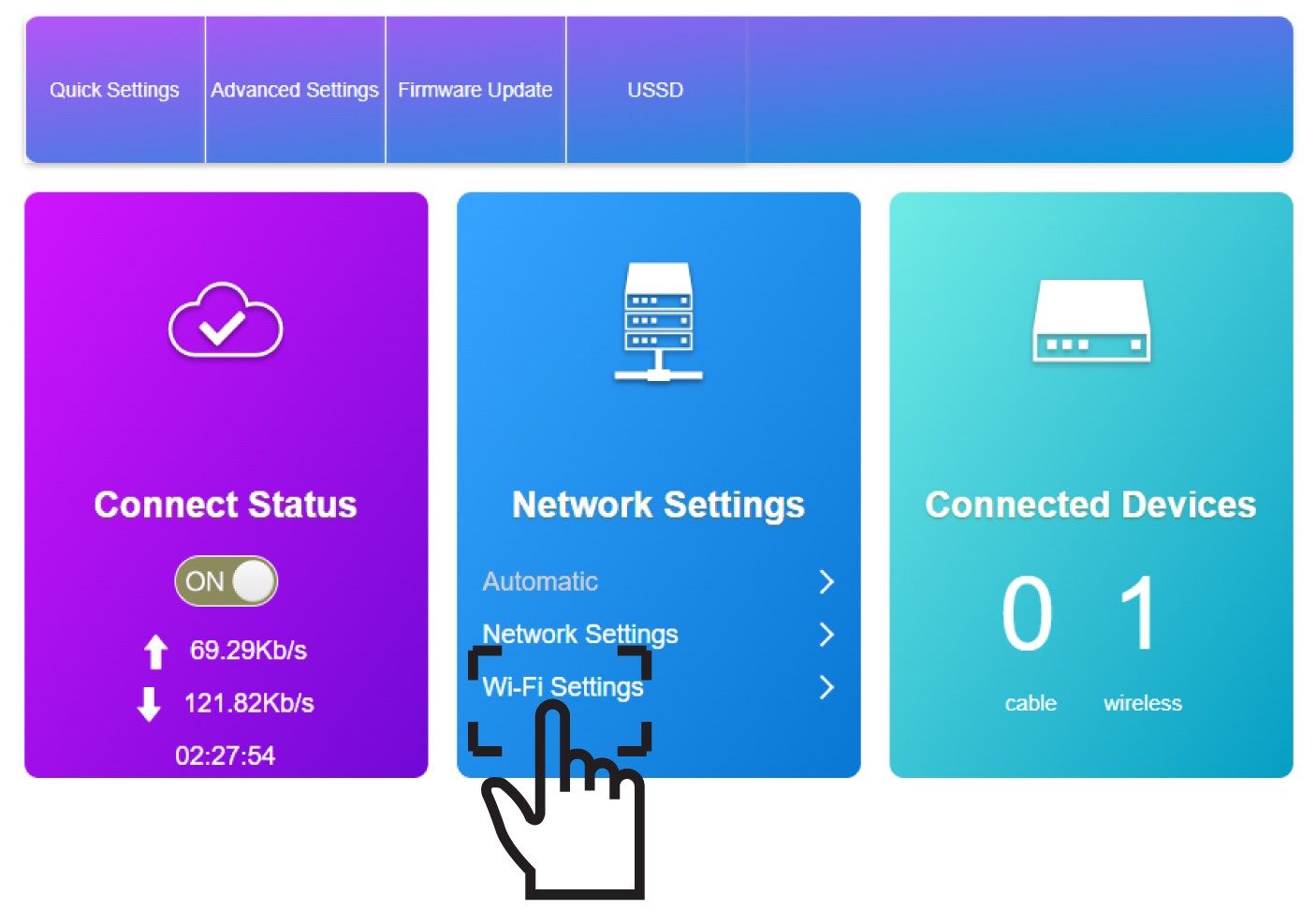
Click Wi-Fi Settings in the Network Settings Section.
3Save the new network information
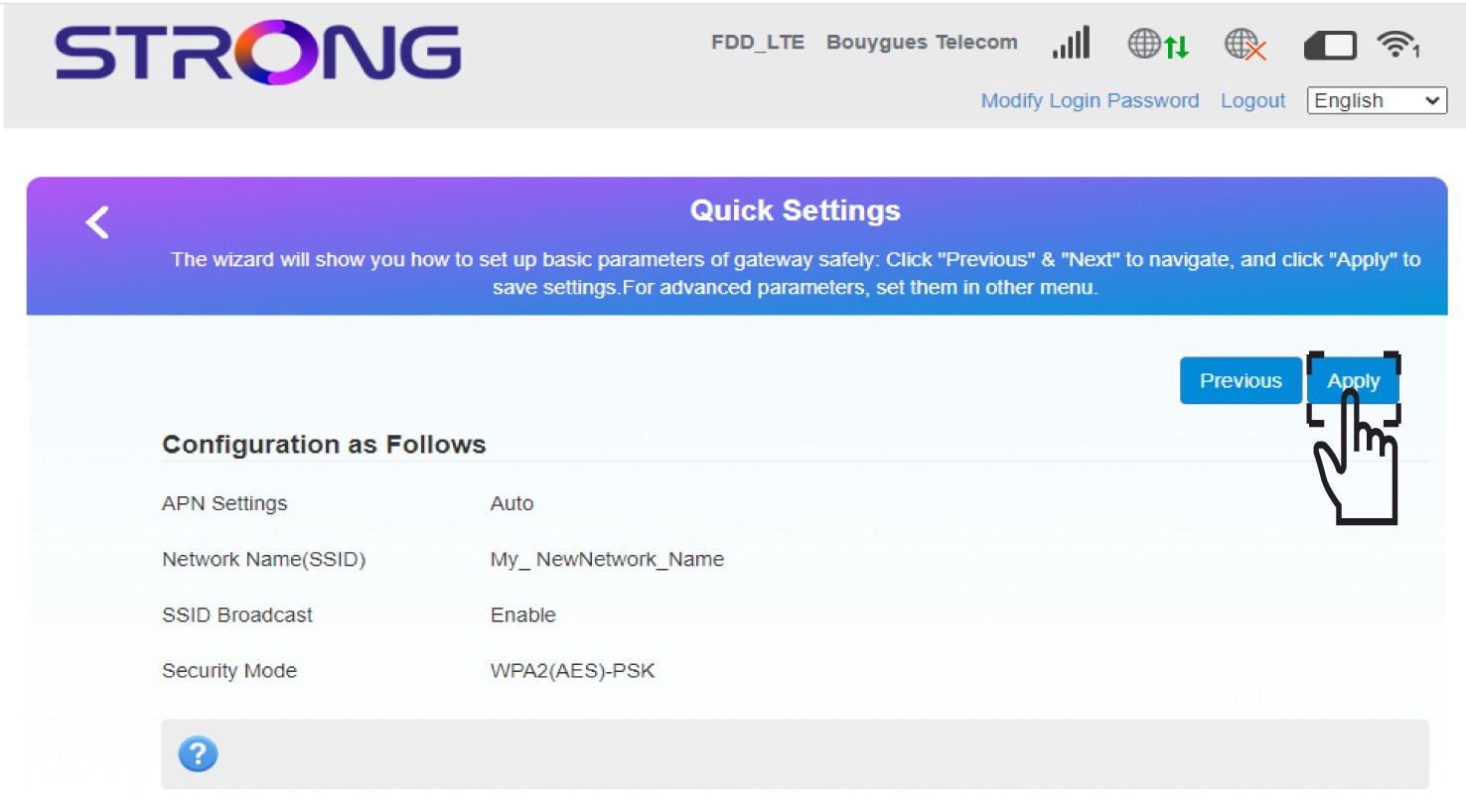
Click Apply to save the changes.
4Pop up message
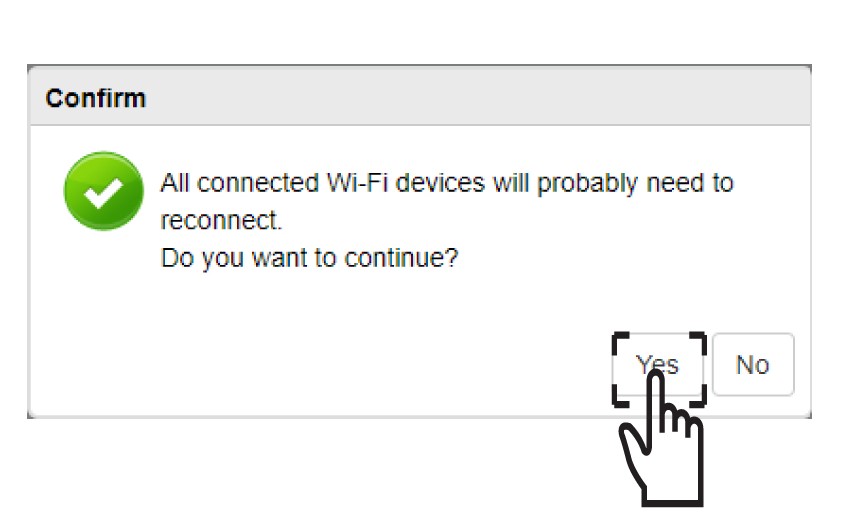
In the pop-up message, click Yes to apply your changes.
5Write down the new network information
Write down the new network information on a piece of paper.
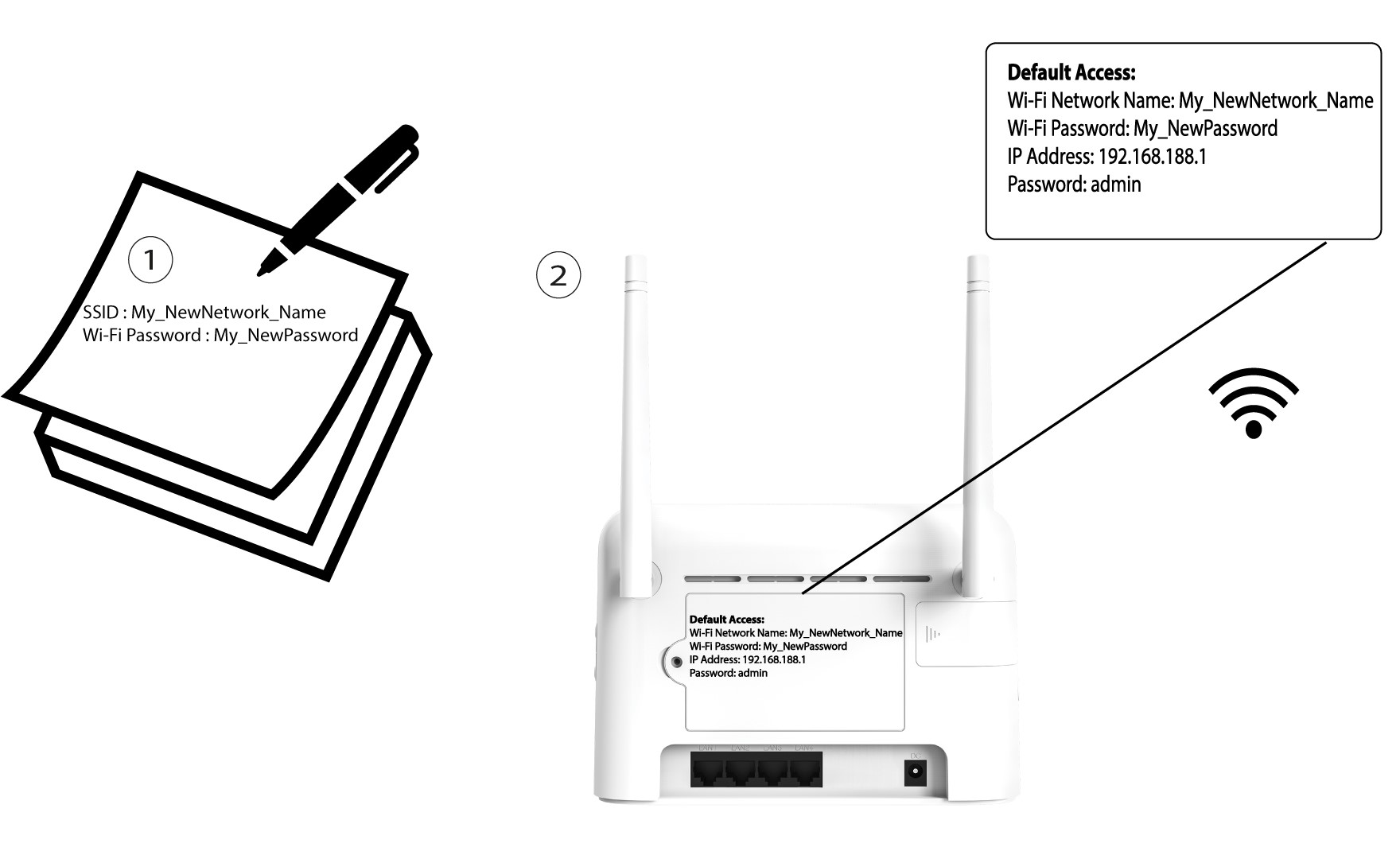

After changing the Wi-Fi network information all the devices that were connected to the network will be automatically disconnected.