
4G AIRHOME 210 UK with Fixed 4G antennas
All questions
Credentials and Web UI access
How do I access the Web UI?
To access the Web UI, you must be connected to the Wi-Fi of your 4G Router 350 after positioning the SIM card in the slot.
1Connect to the Wi-Fi of your router
To do so, enter the SSID (Wi-Fi Network Name) and Wi-Fi password of the router in your device.

2Browse to the Web UI IP Address
Then, enter the following IP address in your browser: 192.168.188.1

3Enter your credentials
Once you have browsed to the IP Address, you must enter the password and click Login.

4Pop up message
Once you are connected, you will see a warning message about the admin password.


After connecting for the first time, we strongly advise you to change the administrator password to secure the access to the router and prevent hacking.
How do I change the SSID (Wi-Fi Network Name) and Wi-Fi password? (Quick Settings)
In the Web UI, you have two ways to change the SSID (Wi-Fi Network Name) and Wi-Fi password of your router:
- By using the Quick Settings
- Or by using Wi-Fi Settings.
1Accessing the Web UI
To access the Web UI, please refer to the Web UI connexion procedure below:
2Quick Settings
In the Web UI, the Quick Settings enable you to change the information of your network: its SSID (Wi-Fi Network Name) and Wi-Fi password.
To do so, click Quick Settings in the top bar.

3APN Settings
Click Next.
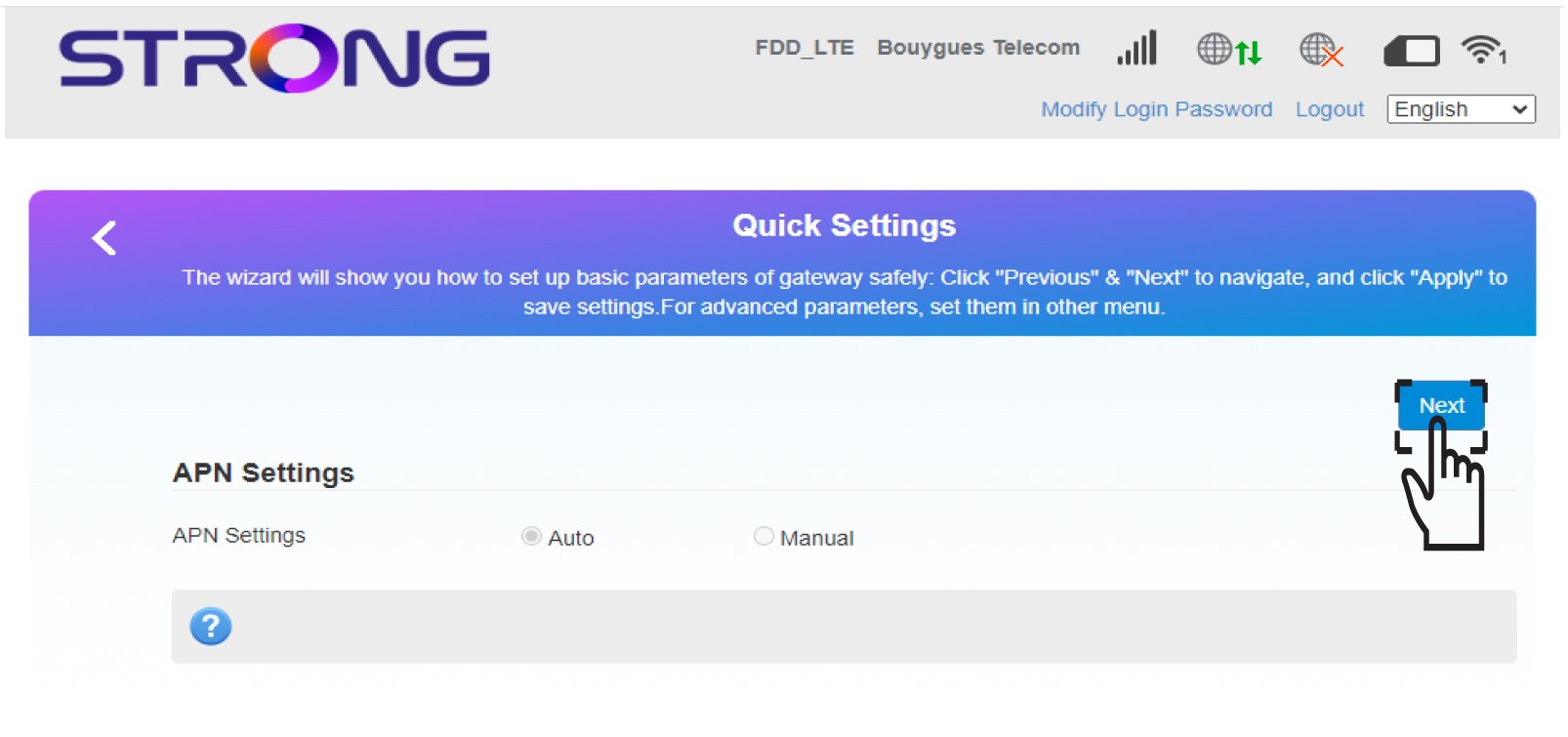
4Enter the new network name
Enter the new network name and click Next.

5Enter the new Wi-Fi Password
Click Display password and enter the new password for the Wi-Fi network, then click Next.
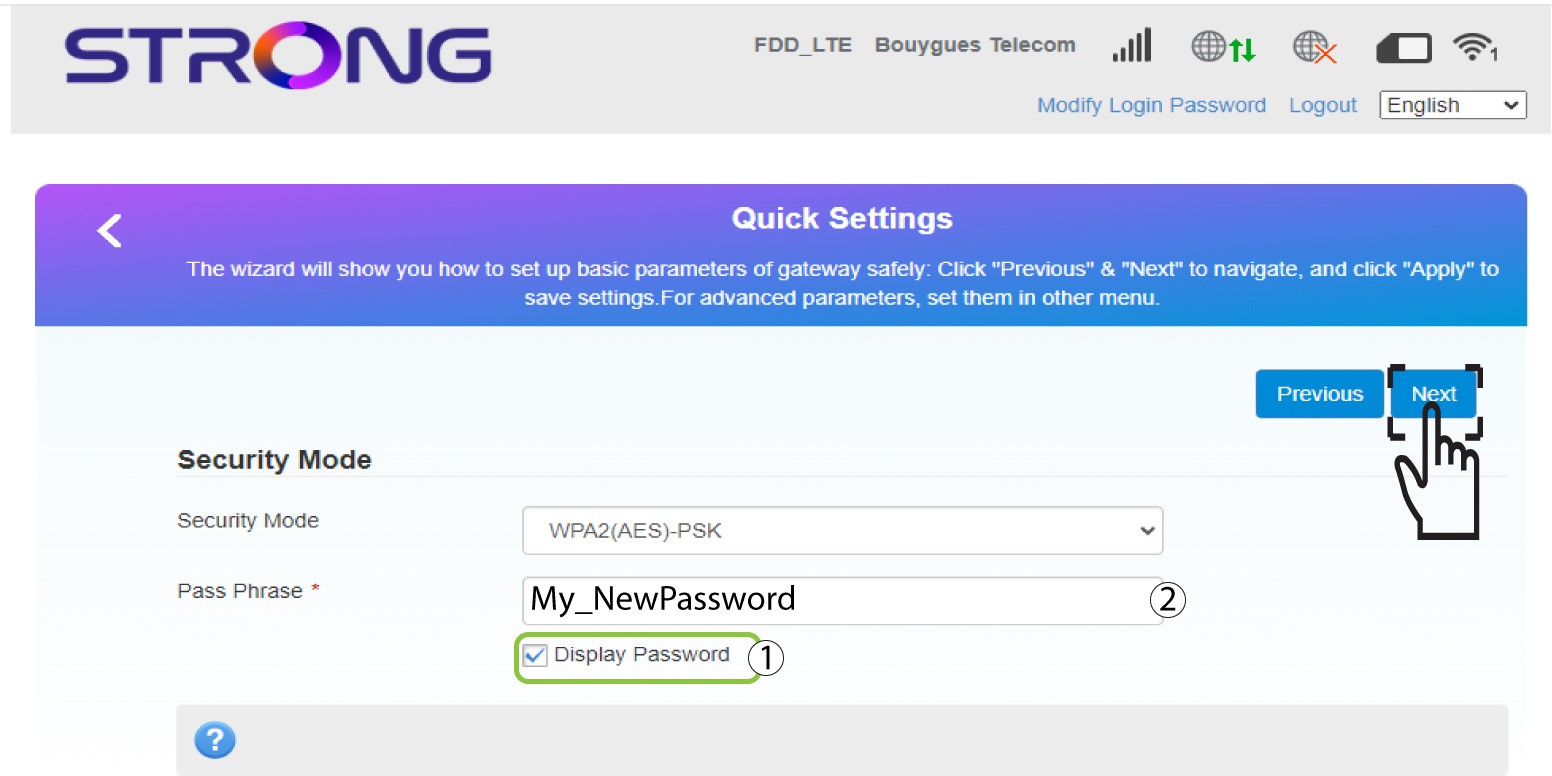
6Save the new network information
Click Apply to save the changes.
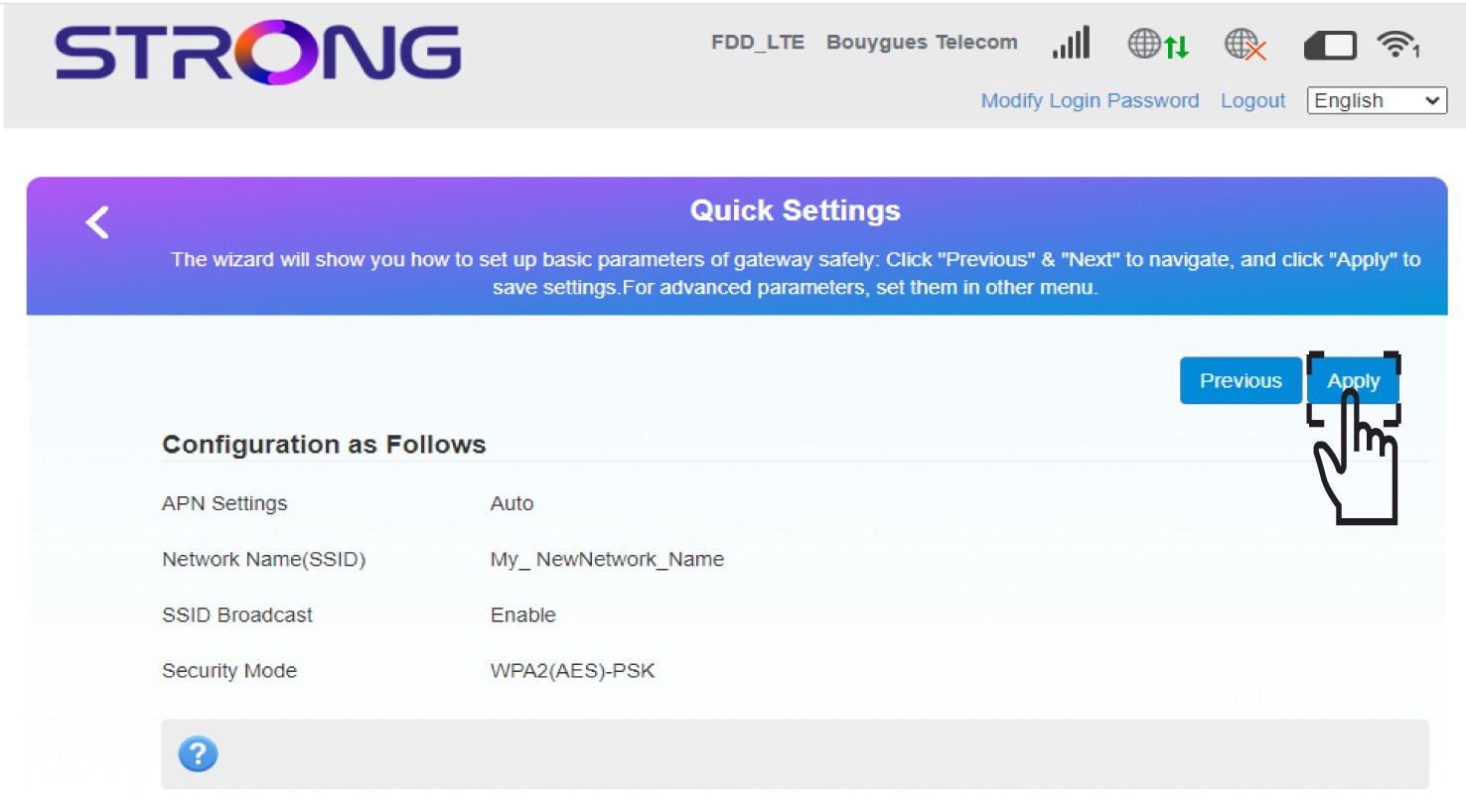
7Write down the new network information
Write down the new network information on a piece of paper.
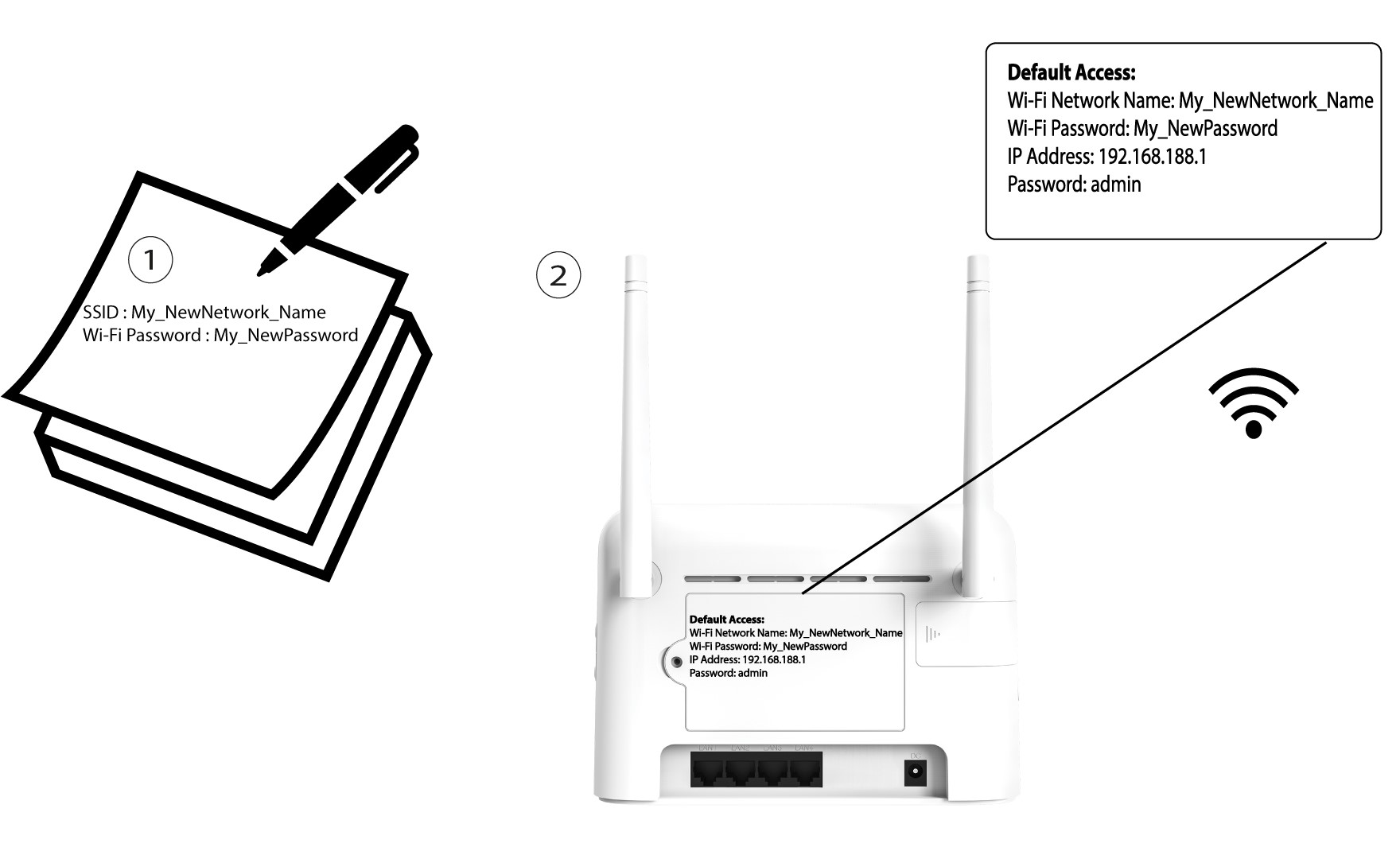
How do I change the SSID (Wi-Fi Network Name) and Wi-Fi password? (Wi-Fi Settings)
In the Web UI, you have two ways to change the SSID (Wi-Fi Network Name) and Wi-Fi password of your router:
- By using the Quick Settings
- Or by using Wi-Fi Settings.
1Accessing the Web UI
To access the Web UI, please refer to the Web UI connexion procedure below:
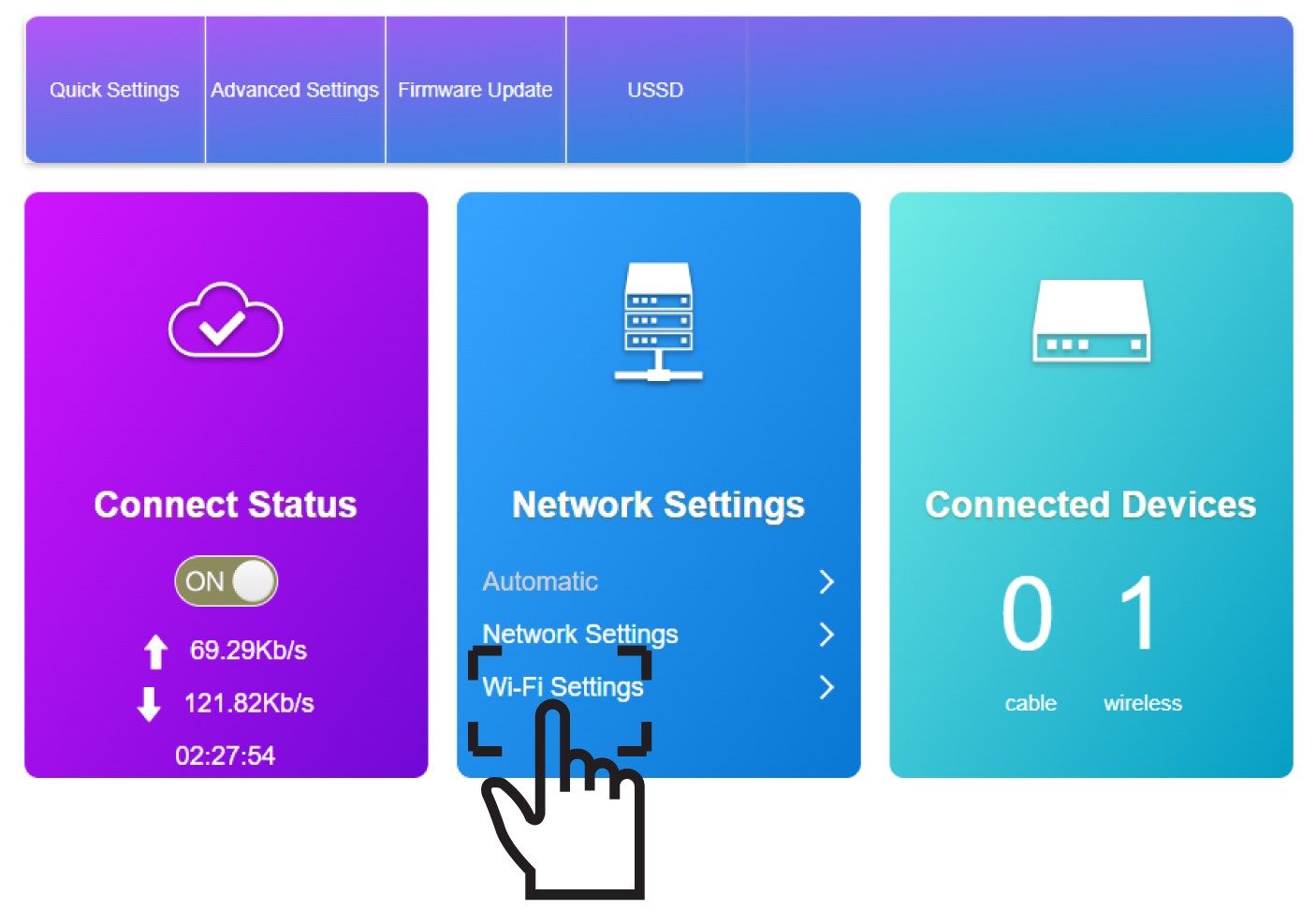
2Wi-Fi Settings
Click Wi-Fi Settings in the Network Settings Section.
3Save the new network information
Click Apply to save the changes.
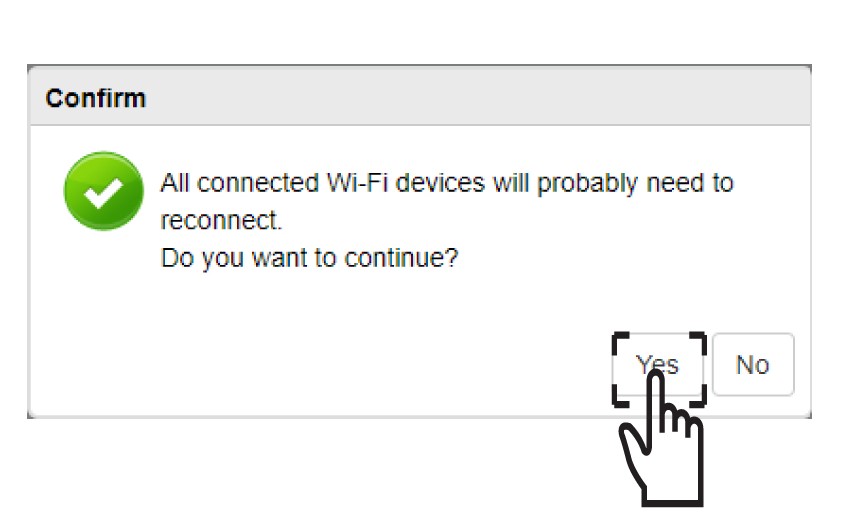
4Pop up message
In the pop-up message, click Yes to apply your changes.
5Write down the new network information
Write down the new network information on a piece of paper.
After changing the Wi-Fi network information all the devices that were connected to the network will be automatically disconnected.
How do I change the admin password?
1Access the Web UI
To connect to the Web UI, please follow the guidelines written in: How do I access the Web UI?
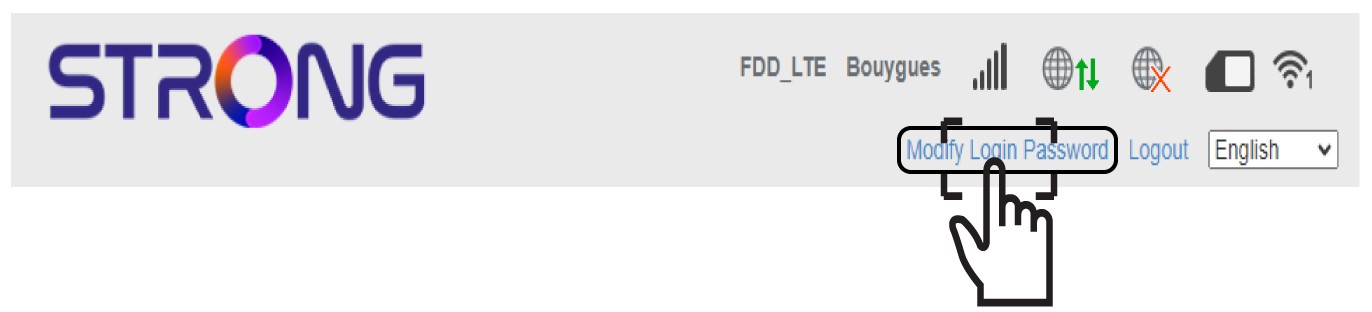
2Modify Login Password
Once this is done, click the Modify Login Password in the top bar.
3Enter the new admin password
Enter the following information before clicking Apply:
- Current Password: Enter the current password.
- New Password: Enter the new password.
- Confirm New Password: Enter the same password as in the previous field.

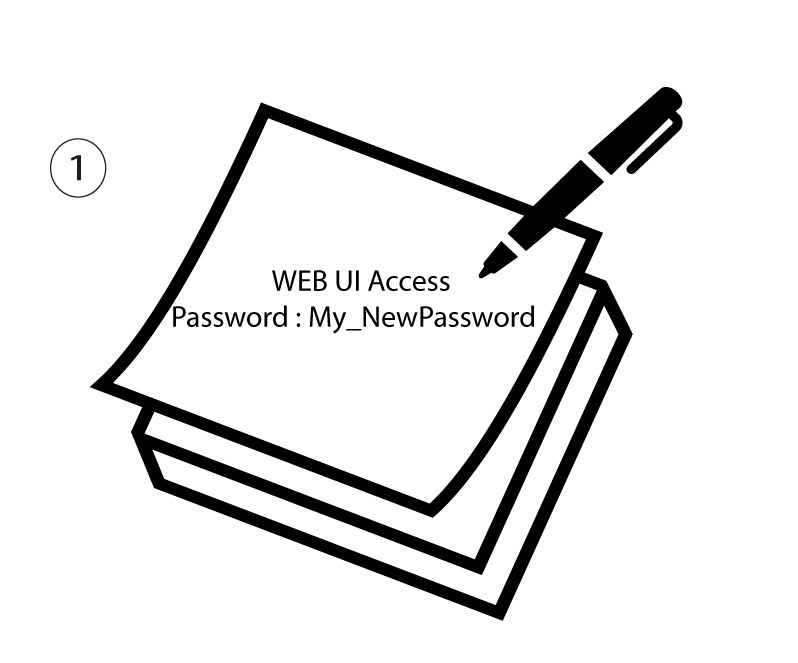
4Write down the new password
Write down the new password to access the Web UI.
The new password can contain up to 32 characters including numbers, lower case, upper case, and special characters (! # $ * + , - . % : = ? @ [ ] ^ _ { |} ~).
What can I do in the Web UI?
The Web UI is organised into different sections:
• The first section is located above the top bar menu and provides information about the Wi-Fi network, SIM Card status; service provider coverage, the number of devices connected through ethernet.
• The second section is the top bar that contains the different menus:
a. Modify Login: where you can edit your admin password.
b. Quick Settings: where you can edit your SSID (Wi-Fi Network Name) and Wi-Fi password.
c. Advanced Settings: where you can set up the Wi-Fi Power Settings, Firewall, Router IP Address, Update the software, choose the band for the Internet coverage and create a SNTP.
d. USSD: where you can access information regarding the remaining data of your plan, for instance.
• The main part of the UI which is made of the 5 menus: Connect Status, Network Settings, Connected Devices, Statistics and Status Information.
a. Connect Status: where you can disconnect the router from the 4G network and see the upload and download speed of your connection.
b. Network Settings: where you can set up the Wi-Fi settings (Main SSID, Guest SSID, WPS, Internet Wi-Fi, Advanced Settings, WLAN MAC Filter) and the Network Settings (Connection Mode, Network Selection and APN)
c. Connected Devices: where you can see the list of connected devices.
d. Statistics: where you can set up an alert for the number of data used on your plan.
e. Status Information: where you can see the information of your network (IP Address, Wi-Fi coverage type, Software version, etc.)

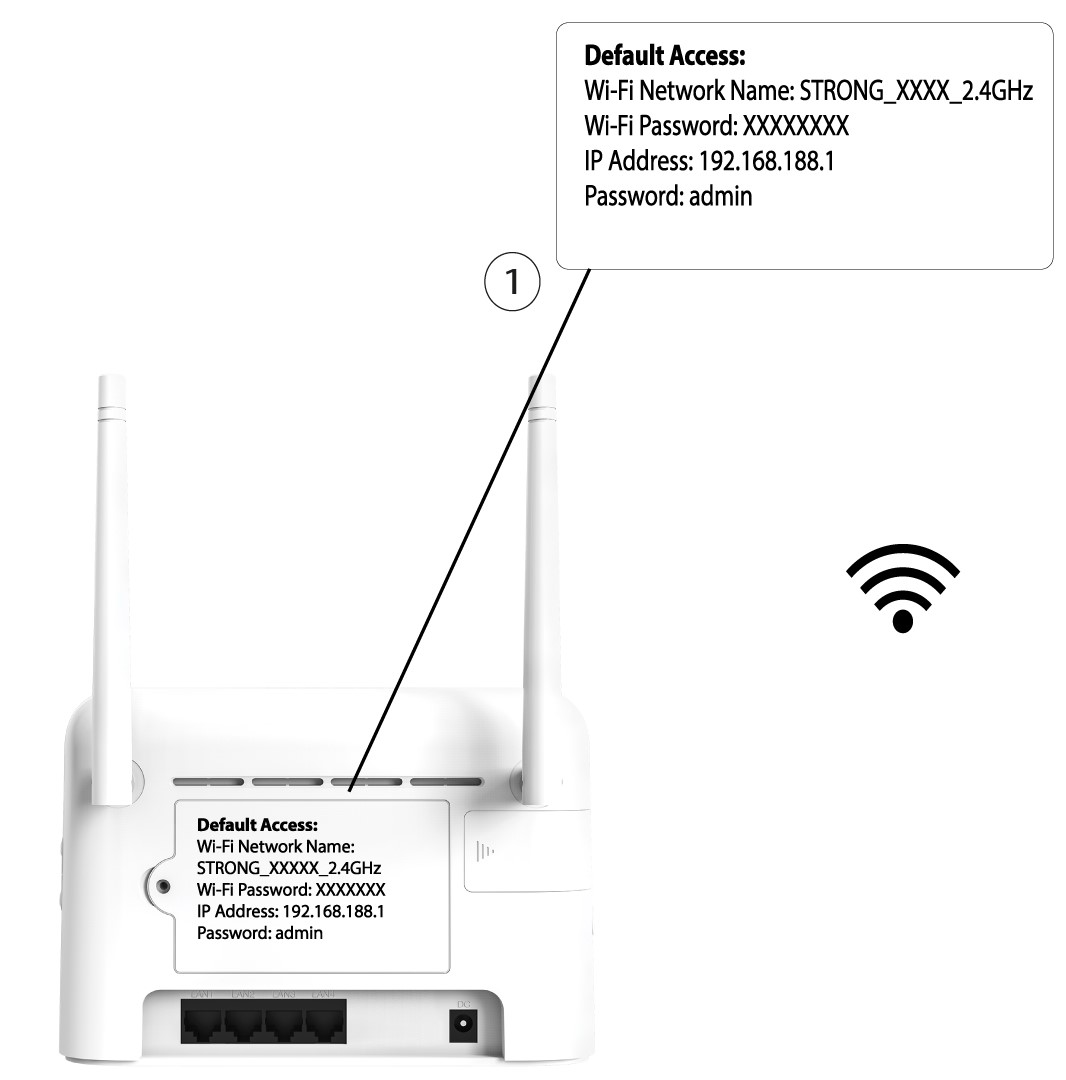
Where is the password and SSID written?
To find the Wi-Fi password of your device, you can look at the back of the device, the information will be written.
Why is it written Limited Service in the Web UI?
There are several reasons why, the Limited-Service text is written next to the Network and Web icon.
- The main reason can be that your SIM card is protected by a PIN code that needs to be entered in the device Web UI to activate the network.
- Another reason can be that the SIM card is not inserted properly and is not detected by the device.
- It is also possible that your SIM card is detected but not automatically recognized by the device. In this case, you must connect to the Web UI and check the APN settings of your service provider. This procedure is explained in the following section: How do I check and edit the APN settings of my service provider?

Why is there a QR Code on the rear side of the router?
The QR Code located on the rear side of your router is designed to simplify your connection to the Wi-Fi. If you open your smartphone and scan the QR Code, you will be automatically connected to the Wi-Fi of your device.