4G AIRHOME 200 Mini router with Detachable 4G antennas
No items found.
No items found.
All questions
4G AIRHOME 200 Mini router with Detachable 4G antennas
No items found.
No items found.
How do I change the IP address of my LAN?
1Connect to the Web UI
To access the Web UI, please refer to the process below:
2Disconnect the Internet
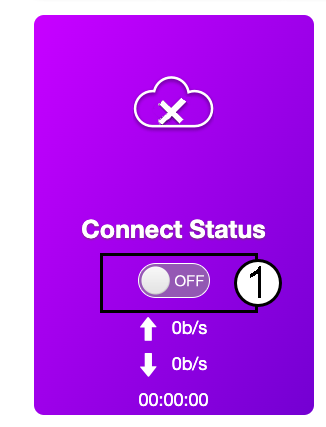
On the Home page, click the Connect status toggle to deactivate the Internet Connection.
It is not possible to change the IP address of your LAN while your Internet connection is on.
3Advanced Settings
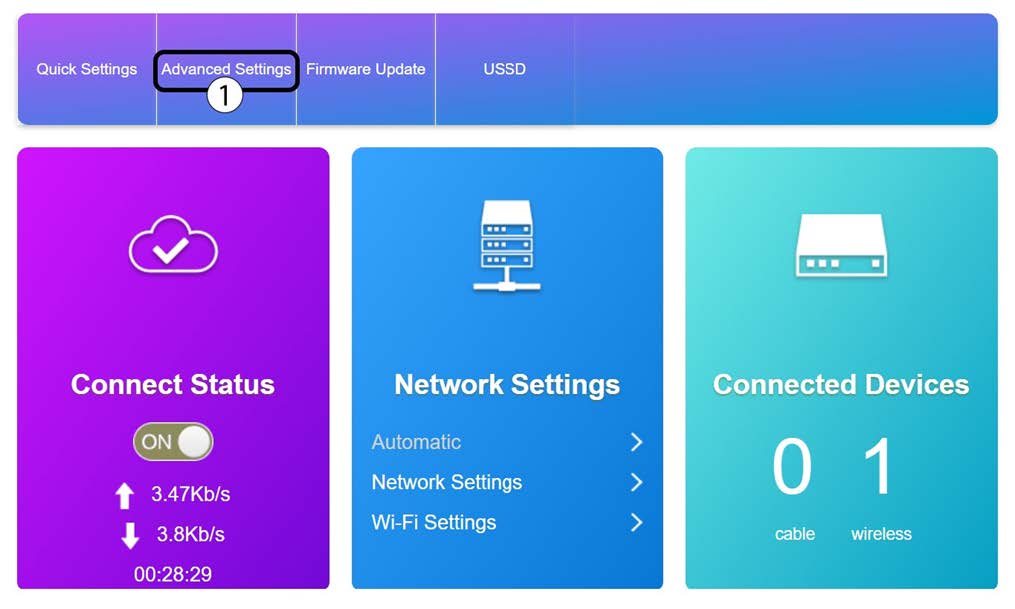
Click Advanced Settings
4Router Settings
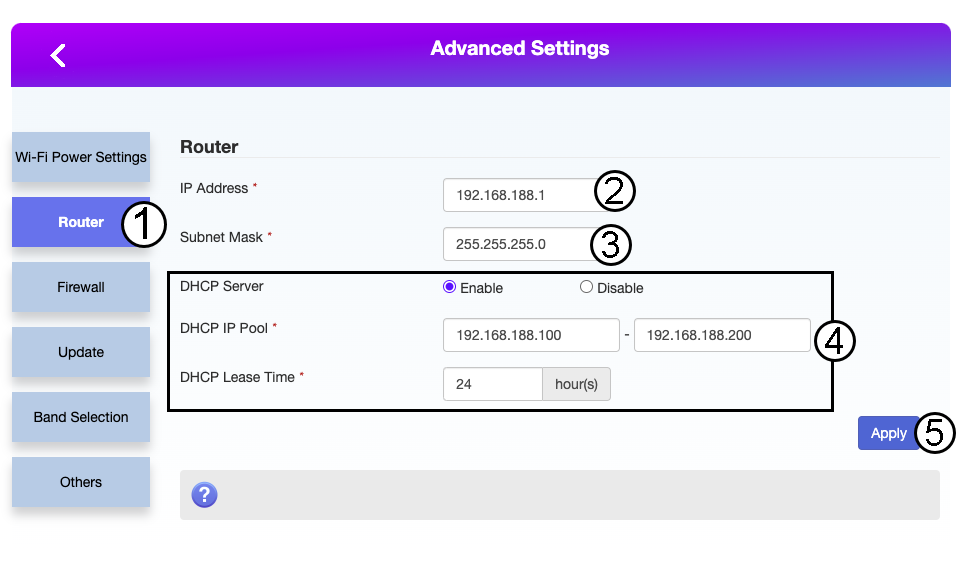
Click Router. Then, enter the following information before clicking Apply:
- IP Address: Enter the new IP address of your router.
- Subnet mask: Enter the subnet mask IP address
- DHCP Server: Enable the DHCP Server
- DHCP IP Pool: Enter the Start and End IP address for your DHCP.
- DHCP Time: Entr the maximum lease time in hours.